Compare commits
554 Commits
| Author | SHA1 | Date | |
|---|---|---|---|
 veeso veeso
|
282f75c3f3 | ||
|
Christian Visintin
|
535ed23540 | ||
|
Christian Visintin
|
70bd7d7330 | ||
|
Christian Visintin
|
352eec4762 | ||
|
Christian Visintin
|
3a5327f5b1 | ||
|
Christian Visintin
|
b1601fb17e | ||
|
Christian Visintin
|
bca261b7b2 | ||
|
Christian Visintin
|
904befaea8 | ||
|
Christian Visintin
|
afe7b05830 | ||
|
Christian Visintin
|
837592e48a | ||
|
Christian Visintin
|
ab5de031e3 | ||
|
Christian Visintin
|
f3085161e6 | ||
|
Christian Visintin
|
1dafc76850 | ||
|
Christian Visintin
|
f066d6a387 | ||
|
Christian Visintin
|
987751d732 | ||
|
Christian Visintin
|
1ca8abbfe8 | ||
|
Christian Visintin
|
26e71a2f1d | ||
|
Christian Visintin
|
b1d77c78fe | ||
|
Christian Visintin
|
2a7d48a92b | ||
|
Christian Visintin
|
82141e7f2b | ||
|
Christian Visintin
|
14bc15cfca | ||
|
Christian Visintin
|
85fa99e4cc | ||
|
Christian Visintin
|
3ff3cdb587 | ||
|
Christian Visintin
|
726443ae21 | ||
|
Christian Visintin
|
0bd449e7bc | ||
|
Christian Visintin
|
c24f08691d | ||
|
Christian Visintin
|
14e6872432 | ||
|
Christian Visintin
|
88900a80b8 | ||
|
Christian Visintin
|
ce619bcff2 | ||
|
Christian Visintin
|
5a16467e71 | ||
|
Christian Visintin
|
b6ca8c57f0 | ||
|
Christian Visintin
|
660c17a0df | ||
|
Christian Visintin
|
aed4ecc522 | ||
|
Christian Visintin
|
ee69ba6ef8 | ||
|
Christian Visintin
|
0db3ea43d2 | ||
|
Christian Visintin
|
6a61eb16f7 | ||
|
Christian Visintin
|
e32ed613cc | ||
|
Christian Visintin
|
dbd61f0fab | ||
|
Christian Visintin
|
a18fa0ca5a | ||
|
Christian Visintin
|
c8846266d7 | ||
|
Christian Visintin
|
40440832be | ||
|
Christian Visintin
|
34c03841be | ||
|
Christian Visintin
|
ded71dce48 | ||
|
Christian Visintin
|
eefa1b3db0 | ||
|
Christian Visintin
|
a2d766d688 | ||
|
Christian Visintin
|
f92cb93755 | ||
|
Christian Visintin
|
d070825dd7 | ||
|
Christian Visintin
|
3774156873 | ||
|
Christian Visintin
|
bbeefc557e | ||
|
Christian Visintin
|
3ee21aba2f | ||
|
Christian Visintin
|
6cf5bf18cf | ||
|
Christian Visintin
|
d7b7ab7fa1 | ||
|
Christian Visintin
|
48b387de14 | ||
|
Christian Visintin
|
e381484022 | ||
|
Christian Visintin
|
203a6da387 | ||
|
Christian Visintin
|
3379940ec9 | ||
|
Christian Visintin
|
2153164484 | ||
|
Christian Visintin
|
0cc7362bd9 | ||
|
Christian Visintin
|
5c84a0e88d | ||
|
Christian Visintin
|
a25b17a4e5 | ||
|
Christian Visintin
|
d670aed079 | ||
|
Christian Visintin
|
6fa3c042b1 | ||
|
Christian Visintin
|
fc7e789390 | ||
|
Christian Visintin
|
3c4356af92 | ||
|
Christian Visintin
|
ba513850c1 | ||
|
Christian Visintin
|
f56dd60868 | ||
|
Christian Visintin
|
f544a63d19 | ||
|
Christian Visintin
|
02fec64d35 | ||
|
Christian Visintin
|
a54ff078cc | ||
|
Christian Visintin
|
c27748272d | ||
|
Christian Visintin
|
f6d65cf09d | ||
|
Christian Visintin
|
930e76814f | ||
|
Christian Visintin
|
cdd4c60805 | ||
|
Christian Visintin
|
c652ca18b8 | ||
|
Christian Visintin
|
0ad18ea5e7 | ||
|
Christian Visintin
|
2ed71c7ff8 | ||
|
Christian Visintin
|
49102985a4 | ||
|
Christian Visintin
|
bc59df494b | ||
|
Christian Visintin
|
080c013fab | ||
|
Christian Visintin
|
6252df2959 | ||
|
Christian Visintin
|
9160c52cb0 | ||
|
Christian Visintin
|
38f1fccfd0 | ||
|
Christian Visintin
|
6ceaf048b5 | ||
|
Christian Visintin
|
534c16427e | ||
|
Christian Visintin
|
9b19240925 | ||
|
Christian Visintin
|
0ddbf3b104 | ||
|
Christian Visintin
|
126e58503f | ||
|
Christian Visintin
|
0be8b60c7d | ||
|
Christian Visintin
|
4ed6b118ca | ||
|
Christian Visintin
|
a48b226d9b | ||
|
Christian Visintin
|
e11af03fdd | ||
|
Christian Visintin
|
f044e6ace2 | ||
|
Christian Visintin
|
e056afbd28 | ||
|
Christian Visintin
|
9442e3b150 | ||
|
Christian Visintin
|
9c00b9a86c | ||
|
Christian Visintin
|
622cfe260a | ||
|
Christian Visintin
|
0c3ced012e | ||
|
Christian Visintin
|
d60c5007f9 | ||
|
Christian Visintin
|
7e10b8e68b | ||
|
Christian Visintin
|
08509caf1b | ||
|
Christian Visintin
|
89de2d2dfa | ||
|
Christian Visintin
|
abc80b93ad | ||
|
Christian Visintin
|
1b79a6fc91 | ||
|
Christian Visintin
|
5a3aa64fba | ||
|
Christian Visintin
|
bc4b096077 | ||
|
Christian Visintin
|
0025b87b0f | ||
|
Christian Visintin
|
bd0843d3da | ||
|
Christian Visintin
|
0ba43d5714 | ||
|
Christian Visintin
|
97e1ca789a | ||
|
Christian Visintin
|
2df13fac10 | ||
|
Christian Visintin
|
186313f57c | ||
|
Christian Visintin
|
8b0be49609 | ||
|
Christian Visintin
|
e062ee0447 | ||
|
Christian Visintin
|
c81cf39fe9 | ||
|
Christian Visintin
|
9cfef867a9 | ||
|
Christian Visintin
|
18314e6a2e | ||
|
Christian Visintin
|
9f3df1a79a | ||
|
Christian Visintin
|
fe424107e9 | ||
|
Christian Visintin
|
d97535894c | ||
|
Christian Visintin
|
4d65e48b3c | ||
|
Christian Visintin
|
0d24662b3d | ||
|
Christian Visintin
|
bc14b049c0 | ||
|
Christian Visintin
|
d32c588f15 | ||
|
Christian Visintin
|
60e86aff2a | ||
|
Christian Visintin
|
5f83a1468c | ||
|
Christian Visintin
|
5758a12c3b | ||
|
Christian Visintin
|
49a74d02ea | ||
|
Christian Visintin
|
f6d35f1eea | ||
|
Christian Visintin
|
3fb61a76fe | ||
|
Christian Visintin
|
ff4452c971 | ||
|
Christian Visintin
|
fd1d8a0e26 | ||
|
Christian Visintin
|
b0d6da8e23 | ||
|
Christian Visintin
|
4ca0865fe3 | ||
|
Christian Visintin
|
b8115362f8 | ||
|
Christian Visintin
|
155f747563 | ||
|
Christian Visintin
|
b04976bde3 | ||
|
veeso
|
5f7a0d8a46 | ||
|
veeso
|
694232564a | ||
|
veeso
|
54b674ad43 | ||
|
veeso
|
c32822037e | ||
|
veeso
|
abb5c212c5 | ||
|
veeso
|
e9b54a227b | ||
|
veeso
|
befc32198a | ||
|
veeso
|
7e5103ff7e | ||
|
veeso
|
2cb600083e | ||
|
Christian Visintin
|
47d23673e6 | ||
|
Christian Visintin
|
a0b357cf8c | ||
|
Christian Visintin
|
75943f2b93 | ||
|
veeso
|
085ab721f9 | ||
|
Christian Visintin
|
f4156a5059 | ||
|
Christian Visintin
|
4bebec369f | ||
|
Christian Visintin
|
05c8613279 | ||
|
veeso
|
205d2813ad | ||
|
veeso
|
86660a0cc9 | ||
|
veeso
|
05830db206 | ||
|
veeso
|
3c79e812eb | ||
 moshyfawn moshyfawn
|
0287e7706a | ||
|
veeso
|
67a14c2725 | ||
|
veeso
|
df03c5c1bf | ||
|
veeso
|
3ce3ffee3d | ||
|
Christian Visintin
|
c0b32a1847 | ||
|
Christian Visintin
|
81ae0035c3 | ||
|
veeso
|
783da22ca2 | ||
|
veeso
|
8715c2b6f9 | ||
|
veeso
|
98a748dccc | ||
|
Christian Visintin
|
bef031a414 | ||
|
veeso
|
ce0e953182 | ||
|
veeso
|
9a5caf75c3 | ||
|
veeso
|
446f4a3a32 | ||
|
veeso
|
da75912d26 | ||
|
veeso
|
4ed23c2a18 | ||
|
Christian Visintin
|
23ae334bef | ||
|
Christian Visintin
|
ec75ae1486 | ||
|
veeso
|
368570592f | ||
|
veeso
|
806793421e | ||
|
veeso
|
1f377b242d | ||
|
veeso
|
a4906b129a | ||
|
veeso
|
5c6e8925ad | ||
|
veeso
|
a18eff689d | ||
|
veeso
|
274742d6d9 | ||
|
veeso
|
cdebcbd4dc | ||
|
veeso
|
cdf303a847 | ||
|
veeso
|
dd35fe825c | ||
|
veeso
|
5c4a971aca | ||
|
veeso
|
7522b4d0ff | ||
|
veeso
|
b0f314837e | ||
|
Christian Visintin
|
8a9ba7745a | ||
 haruna haruna
|
b7d75a2749 | ||
|
Christian Visintin
|
fe0d9b0aa6 | ||
|
veeso
|
7dba691ccc | ||
|
veeso
|
099e2154ba | ||
|
veeso
|
f2efb25ad7 | ||
|
veeso
|
e45c3d5b4e | ||
|
veeso
|
69f821baef | ||
|
Christian Visintin
|
11559d0962 | ||
|
veeso
|
79c33095fc | ||
|
veeso
|
0ec6bcbcef | ||
|
Christian Visintin
|
3cde067339 | ||
|
Christian Visintin
|
c05ef32270 | ||
|
Christian Visintin
|
7eb913ec7b | ||
|
veeso
|
4e63093d25 | ||
|
Christian Visintin
|
e5d50698d2 | ||
|
Christian Visintin
|
79c31c2d84 | ||
|
Christian Visintin
|
aab266a661 | ||
|
veeso
|
a4c9acb49f | ||
|
veeso
|
6205c7f3c5 | ||
|
veeso
|
e4af014013 | ||
|
Christian Visintin
|
c9f649f40f | ||
|
veeso
|
1f27ca2607 | ||
|
veeso
|
a1288c7480 | ||
|
veeso
|
4bfec52ba5 | ||
|
Christian Visintin
|
3f01be3baa | ||
|
Christian Visintin
|
8e2ffeabce | ||
|
Christian Visintin
|
fc68e2621b | ||
|
Christian Visintin
|
b2a8a3041c | ||
|
veeso
|
c507d54700 | ||
|
veeso
|
31c5ad7534 | ||
|
veeso
|
14ac10547c | ||
|
Christian Visintin
|
ae1638ee17 | ||
|
veeso
|
c5f76ec51c | ||
|
veeso
|
d319a2fae4 | ||
|
veeso
|
72a5703a08 | ||
|
veeso
|
91b4d4e463 | ||
|
veeso
|
17719ea370 | ||
|
veeso
|
707a3faa54 | ||
|
veeso
|
dfe58e6147 | ||
|
veeso
|
c49dab3888 | ||
|
veeso
|
47ff07e496 | ||
|
veeso
|
61a8fb95e4 | ||
|
Christian Visintin
|
f757336d75 | ||
|
veeso
|
cf529c1678 | ||
|
Christian Visintin
|
631f09b9a8 | ||
 Eric Long Eric Long
|
65aed76605 | ||
|
veeso
|
9036d83635 | ||
|
Christian Visintin
|
179c4de4ed | ||
|
Christian Visintin
|
f3b84c97e1 | ||
|
Christian Visintin
|
b5b3aeb645 | ||
|
veeso
|
e5172d4207 | ||
|
Christian Visintin
|
50e7f5f5d0 | ||
|
veeso
|
88cdae79a8 | ||
 Michał Sieroń Michał Sieroń
|
4f3b97b198 | ||
 Hartur Alcantara Hartur Alcantara
|
54a8317d0e | ||
 Orhun Parmaksız Orhun Parmaksız
|
3a46aa74f9 | ||
|
Orhun Parmaksız
|
aca5b37898 | ||
 veeso veeso
|
0394a12c9f | ||
|
Christian Visintin
|
e61d04aa1b | ||
|
veeso
|
c0c9f7c0dd | ||
|
veeso
|
905fe5fc9f | ||
|
veeso
|
89ab53a71b | ||
|
veeso
|
7dccac6105 | ||
|
veeso
|
44051ec718 | ||
|
Christian Visintin
|
c7469b8594 | ||
|
veeso
|
5dfee2cbd9 | ||
|
Christian Visintin
|
679a829744 | ||
 PIRADATA PIRADATA
|
2a51ab984c | ||
 Jarod Jarod
|
2b2ebadd6a | ||
|
Christian Visintin
|
2b15a23fe8 | ||
|
veeso
|
d30c3dfadd | ||
|
veeso
|
ef8dbb6305 | ||
|
veeso
|
623ba806e1 | ||
|
veeso
|
ea9dd03f55 | ||
|
veeso
|
92d20f33fe | ||
|
veeso
|
15caef83e6 | ||
|
veeso
|
19992402e2 | ||
|
veeso
|
182bbb94a2 | ||
|
Christian Visintin
|
20c3e22572 | ||
|
veeso
|
d3c2c084db | ||
|
veeso
|
cfbecc049d | ||
|
Christian Visintin
|
9de171fb83 | ||
|
veeso
|
2f48c765e3 | ||
|
Christian Visintin
|
ca005cbecd | ||
|
Christian Visintin
|
ee28d34f29 | ||
|
veeso
|
295191b9eb | ||
|
veeso
|
16b2aa8596 | ||
|
Christian Visintin
|
522ee0355e | ||
|
veeso
|
e5ca956897 | ||
|
Christian Visintin
|
a071f3d420 | ||
|
veeso
|
66888c418c | ||
|
veeso
|
b5f712fa04 | ||
 529 529
|
1509401599 | ||
|
veeso
|
6506f4ae59 | ||
|
veeso
|
5a5fa52b57 | ||
|
veeso
|
b7d4c68ebe | ||
 Renan Dorneles Schuquel Renan Dorneles Schuquel
|
00a6c53178 | ||
|
Christian Visintin
|
67bc1a2a08 | ||
|
Christian Visintin
|
0bb3c9a26e | ||
|
veeso
|
4394941c71 | ||
|
veeso
|
175ea23bfc | ||
|
veeso
|
cef100e5d9 | ||
|
veeso
|
afba6c32c5 | ||
|
veeso
|
31f5bd095b | ||
|
veeso
|
e1add0ed28 | ||
|
veeso
|
79bc6a684b | ||
|
veeso
|
bae4db8e27 | ||
|
veeso
|
4cbba3f3cb | ||
|
veeso
|
e9fbb7f317 | ||
|
Christian Visintin
|
044f2436f8 | ||
|
Christian Visintin
|
b7369162d2 | ||
|
Christian Visintin
|
a13663e5e9 | ||
|
Christian Visintin
|
79dd9e2303 | ||
|
Christian Visintin
|
b4fa50a666 | ||
|
Christian Visintin
|
5a67fc7b0e | ||
|
veeso
|
9dab34e7ee | ||
|
veeso
|
c5eeae74b7 | ||
|
Christian Visintin
|
9009002b6e | ||
|
veeso
|
9bf23b3f6b | ||
|
veeso
|
3ec94c17bc | ||
|
veeso
|
ed8ba628e5 | ||
|
veeso
|
7c638473d6 | ||
|
Christian Visintin
|
d37140ead6 | ||
|
veeso
|
fdb0d97a61 | ||
|
veeso
|
0c1e9c0d60 | ||
|
veeso
|
e1a2255a58 | ||
|
Christian Visintin
|
f6b2c814c0 | ||
 delta2force delta2force
|
efb30231ee | ||
|
veeso
|
8cb6c19210 | ||
|
veeso
|
51c2618b5a | ||
|
veeso
|
279df59b5d | ||
|
veeso
|
d8373d0eba | ||
|
veeso
|
74fe97f2e2 | ||
|
veeso
|
e62f15f375 | ||
|
veeso
|
21dc73b556 | ||
|
veeso
|
a10325f6fb | ||
|
Christian Visintin
|
1ecef6fc16 | ||
|
veeso
|
67df3dc76a | ||
|
Christian Visintin
|
7ecfaea278 | ||
|
veeso
|
97151d18bf | ||
|
veeso
|
7ad7a1580d | ||
|
veeso
|
46f2954bc4 | ||
|
veeso
|
0c88f559e2 | ||
|
veeso
|
8a0979578a | ||
|
veeso
|
7ee28a00ae | ||
|
Christian Visintin
|
82330f870e | ||
|
veeso
|
54aecdc478 | ||
|
veeso
|
d5038a22ee | ||
|
Christian Visintin
|
c0bc493d21 | ||
|
Christian Visintin
|
1c75c7d386 | ||
|
Christian Visintin
|
251b125cbb | ||
|
veeso
|
efd2235ff3 | ||
|
veeso
|
1db2ff7ec5 | ||
|
veeso
|
4d5f3a6b63 | ||
|
veeso
|
62003308a7 | ||
|
veeso
|
cb037cfca9 | ||
 Sergei Akhmatdinov Sergei Akhmatdinov
|
15fffdf0c9 | ||
|
veeso
|
c1b245b4c9 | ||
|
veeso
|
d14225c0b9 | ||
|
veeso
|
d60be7dc80 | ||
|
Christian Visintin
|
146a1f3ed6 | ||
|
veeso
|
12fe10100b | ||
 RakerZh RakerZh
|
298d590306 | ||
 pin pin
|
8e6aae08b6 | ||
|
veeso
|
cb33ba114e | ||
|
veeso
|
6369ead491 | ||
|
veeso
|
ae350b4bfa | ||
|
veeso
|
cd5bb28fb7 | ||
|
veeso
|
f27a4e2a02 | ||
|
veeso
|
0f432d0375 | ||
|
veeso
|
8b67c59247 | ||
|
veeso
|
fdd7901f7e | ||
|
Christian Visintin
|
2eec7c4b2b | ||
|
veeso
|
64e3848c97 | ||
|
veeso
|
833cd7d3ba | ||
|
veeso
|
2f1b644a40 | ||
|
veeso
|
6a5c248d35 | ||
|
veeso
|
96df152220 | ||
|
veeso
|
a22c5025d7 | ||
|
veeso
|
cce0c92c0b | ||
|
veeso
|
90d7083b24 | ||
|
veeso
|
b3ab76e573 | ||
|
Christian Visintin
|
66913d5fc1 | ||
|
veeso
|
f5174ccac0 | ||
|
veeso
|
82489e7459 | ||
 eric wong eric wong
|
ad562a7b09 | ||
|
veeso
|
08c42e5acf | ||
|
veeso
|
aac9cf4fa0 | ||
|
veeso
|
a26b21da89 | ||
|
veeso
|
bb95c9a4d0 | ||
|
veeso
|
80dea3f71a | ||
|
veeso
|
0057a657d2 | ||
|
Christian Visintin
|
816270d545 | ||
|
veeso
|
2caa0432df | ||
|
Christian Visintin
|
e0d8b80cdf | ||
|
veeso
|
f094979ddb | ||
|
veeso
|
0c8144aaa8 | ||
|
veeso
|
3249e82873 | ||
|
veeso
|
66adad3135 | ||
|
veeso
|
f2e5bf4441 | ||
|
veeso
|
601b0595d4 | ||
|
veeso
|
c47fcb2225 | ||
|
veeso
|
550c7ca62a | ||
|
veeso
|
3256c276b4 | ||
|
veeso
|
04f43fff63 | ||
|
veeso
|
82e8c84000 | ||
|
veeso
|
31203d76ce | ||
|
veeso
|
572a948f2c | ||
|
veeso
|
b6ee49cfa6 | ||
|
veeso
|
0334c5db78 | ||
|
veeso
|
c45ebec261 | ||
|
veeso
|
ad2781b62c | ||
|
veeso
|
35dc11cce3 | ||
|
veeso
|
8d9e7443ec | ||
|
veeso
|
697ab225ea | ||
|
veeso
|
babbc5eadb | ||
|
veeso
|
f28dba7660 | ||
|
veeso
|
c5eba4b56a | ||
|
veeso
|
0b70819781 | ||
|
veeso
|
069fe8cae2 | ||
|
veeso
|
043f54e707 | ||
|
veeso
|
b635554e52 | ||
|
veeso
|
9e35616568 | ||
|
veeso
|
615dbda583 | ||
|
veeso
|
4b421a4a87 | ||
|
veeso
|
0fe06eb52b | ||
|
veeso
|
e8c6b8306f | ||
 Pascal Sommer Pascal Sommer
|
d1457253c4 | ||
 ImgBotApp ImgBotApp
|
1bcdaa5614 | ||
|
veeso
|
85dd67721f | ||
|
veeso
|
a25ee67cd3 | ||
|
veeso
|
67d48e7a79 | ||
|
veeso
|
49e69277af | ||
|
veeso
|
332284fec3 | ||
|
veeso
|
4897253932 | ||
|
veeso
|
6559c6b083 | ||
|
veeso
|
587d7da2cb | ||
|
Christian Visintin
|
7d55563556 | ||
|
veeso
|
53271966da | ||
|
veeso
|
ec4daf8e25 | ||
|
veeso
|
edd0842273 | ||
|
veeso
|
c1edc20462 | ||
|
veeso
|
ced7573241 | ||
|
veeso
|
24788fa894 | ||
|
veeso
|
dab98f4292 | ||
|
veeso
|
84cb775679 | ||
|
veeso
|
4e802f1dc5 | ||
|
veeso
|
b8efe6985f | ||
|
veeso
|
e047179ea0 | ||
|
veeso
|
197b3095b6 | ||
|
Christian Visintin
|
54c23079be | ||
|
veeso
|
a93dbde0c8 | ||
|
veeso
|
2a3d4f2670 | ||
|
Christian Visintin
|
e6ba4d8430 | ||
|
veeso
|
9284f101c8 | ||
|
veeso
|
685444655c | ||
|
veeso
|
027545f14c | ||
|
veeso
|
2e0322bc0e | ||
|
veeso
|
df7a4381c4 | ||
|
veeso
|
25dd1b9b0a | ||
|
veeso
|
a1a1631fd2 | ||
|
veeso
|
47f3ffef7b | ||
|
veeso
|
54b5583d1a | ||
|
veeso
|
30851a78e8 | ||
|
veeso
|
bc6b7b582e | ||
|
veeso
|
3927fb2a39 | ||
|
veeso
|
028f64a588 | ||
|
veeso
|
26ff496829 | ||
|
veeso
|
cb583f305c | ||
|
veeso
|
88b29d3183 | ||
|
veeso
|
02fdb27cc5 | ||
|
veeso
|
5fd53c1b2b | ||
|
veeso
|
696e3ae582 | ||
|
veeso
|
e7a29b7f1a | ||
|
veeso
|
e53120f3c2 | ||
|
veeso
|
3f463f4b73 | ||
|
veeso
|
83964026ec | ||
|
veeso
|
f79658a93c | ||
|
veeso
|
23fd37559e | ||
|
veeso
|
1fadc53743 | ||
|
veeso
|
0eaa898e15 | ||
|
veeso
|
0aeca76f63 | ||
|
veeso
|
8cf6c1fce3 | ||
|
veeso
|
736dd820a6 | ||
|
veeso
|
db73d1e45f | ||
|
veeso
|
6c31c1f2d8 | ||
|
veeso
|
fcce9b778b | ||
|
veeso
|
b309a55ed6 | ||
|
veeso
|
8b2b834818 | ||
|
veeso
|
9a63f5b2cc | ||
|
veeso
|
a7a116cb33 | ||
|
veeso
|
bc90fb1038 | ||
|
veeso
|
e307b6a8ac | ||
|
veeso
|
c9e8589689 | ||
|
veeso
|
e09682c219 | ||
|
Christian Visintin
|
967babbcb7 | ||
|
veeso
|
4973bf8cbe | ||
|
veeso
|
6421b74c66 | ||
|
veeso
|
463329a080 | ||
|
veeso
|
fd2144f8e9 | ||
|
veeso
|
18a579a204 | ||
|
veeso
|
58d5ea264f | ||
|
veeso
|
4b9d23cc3a | ||
|
veeso
|
f3e694d3d6 | ||
|
Christian Visintin
|
b9a0e516c6 | ||
|
veeso
|
198d421ab0 | ||
|
veeso
|
6caf34b17a | ||
|
veeso
|
f0a91b1579 | ||
|
veeso
|
c3e5663cf4 | ||
|
veeso
|
bcc6fcd2e7 | ||
|
veeso
|
3c3d681ca0 | ||
|
veeso
|
3e83c26cd5 | ||
|
veeso
|
ec841d5382 | ||
|
veeso
|
d2e4252487 | ||
|
veeso
|
7660dad4eb | ||
|
Christian Visintin
|
ddfa973c19 | ||
 Jeff Jeff
|
def0eb8586 | ||
|
flashlab
|
c39ee82ac5 | ||
|
Christian Visintin
|
e1bde1971d | ||
|
veeso
|
79c90c5b97 | ||
|
veeso
|
06ffbaa2f4 | ||
|
veeso
|
63e7023342 | ||
|
veeso
|
88a0685097 | ||
|
veeso
|
ed3225ed84 | ||
|
veeso
|
96c997c38a | ||
|
veeso
|
c824d00986 | ||
|
veeso
|
c052796d52 | ||
|
Christian Visintin
|
1077204965 | ||
|
veeso
|
77476596f4 | ||
|
Christian Visintin
|
efd5443be4 | ||
|
veeso
|
8c88fbe10f | ||
|
veeso
|
06a67de14f | ||
|
veeso
|
8bb05406c8 | ||
|
veeso
|
3f31800158 | ||
|
veeso
|
f69489fc8f | ||
|
veeso
|
1f115dea92 | ||
|
Christian Visintin
|
f81424f1db | ||
|
veeso
|
1d09095ab9 | ||
|
Christian Visintin
|
bf6f25310c | ||
|
veeso
|
4c1e4fef7a | ||
|
Christian Visintin
|
ddd4824567 | ||
|
veeso
|
f31f58aa79 | ||
|
veeso
|
22bb143820 | ||
|
veeso
|
78b918087e | ||
|
veeso
|
91ce709d7b | ||
|
veeso
|
214ec0c5a5 | ||
|
veeso
|
0cb9254e63 | ||
|
veeso
|
4bbb339844 | ||
|
veeso
|
92b081c076 | ||
|
veeso
|
32ab0267fb | ||
|
Christian Visintin
|
8a0f190474 | ||
|
veeso
|
a189a4c754 | ||
|
veeso
|
b7b765c16e | ||
|
veeso
|
7713c6c21d | ||
|
Christian Visintin
|
c49184dcb1 | ||
|
veeso
|
fc3803991a | ||
|
veeso
|
f6011543c0 | ||
|
veeso
|
7390bb58c5 | ||
|
veeso
|
81482b47f4 | ||
|
veeso
|
6cb1dcaa43 | ||
|
veeso
|
78e4a4899c | ||
|
veeso
|
d15997cca0 | ||
|
veeso
|
1558f4ffe4 | ||
|
veeso
|
764cca73d1 | ||
|
veeso
|
1757eb5bec | ||
|
veeso
|
6cfac57162 | ||
|
veeso
|
d36d330244 |
@@ -1 +1,4 @@
|
||||
custom: ['https://www.buymeacoffee.com/veeso']
|
||||
# These are supported funding model platforms
|
||||
|
||||
github: veeso
|
||||
liberapay: veeso
|
||||
|
||||
@@ -0,0 +1,35 @@
|
||||
---
|
||||
name: Copy
|
||||
about: Report a typo/error in a repository document
|
||||
title: "[COPY] - ISSUE_TITLE"
|
||||
labels: documentation
|
||||
assignees: veeso
|
||||
|
||||
---
|
||||
|
||||
## Report
|
||||
|
||||
### DOCUMENT NAME
|
||||
|
||||
This sentence at row ROW_NUMBER doesn't seem right:
|
||||
|
||||
> Write down here the wrong sentence
|
||||
|
||||
and I think it should be changed to:
|
||||
|
||||
> Write down here the correct sentence
|
||||
|
||||
`Copy paste the template above for all the sentences to fix`
|
||||
|
||||
---
|
||||
|
||||
`Copy paste the template above for all the documents to fix`
|
||||
|
||||
## Additional information
|
||||
|
||||
> ❗ Report LANGUAGE checks only if it concerns the documents above
|
||||
> ❗ If the documents concerns more than one language, copy paste the checks below for each check you want to report
|
||||
> ❗ The PR mention regards the indicated language. If you check the box, I may add you to a PR where I need to translate a new section of the user manual/README or other documents. I promise I won't stress you anyway.
|
||||
|
||||
- [ ] I am C1/C2 speaker for this language: LANGUAGE
|
||||
- [ ] You can mention me in a PR in case a review for translations is needed
|
||||
@@ -7,9 +7,10 @@ ignore:
|
||||
- "C:/*"
|
||||
- "../*"
|
||||
- src/main.rs
|
||||
- src/lib.rs
|
||||
- src/activity_manager.rs
|
||||
- src/cli_opts.rs
|
||||
- src/support.rs
|
||||
- src/system/notifications.rs
|
||||
- "src/ui/activities/*"
|
||||
- src/ui/context.rs
|
||||
- src/ui/input.rs
|
||||
|
||||
@@ -0,0 +1,68 @@
|
||||
name: CI
|
||||
|
||||
on:
|
||||
pull_request:
|
||||
branches: [main]
|
||||
paths-ignore:
|
||||
- "*.md"
|
||||
- "./site/**/*"
|
||||
push:
|
||||
branches: [main]
|
||||
paths-ignore:
|
||||
- "*.md"
|
||||
- "./site/**/*"
|
||||
|
||||
env:
|
||||
CARGO_TERM_COLOR: always
|
||||
|
||||
permissions:
|
||||
contents: read
|
||||
|
||||
jobs:
|
||||
build:
|
||||
name: build-(${{ matrix.os }})
|
||||
runs-on: ${{ matrix.os }}
|
||||
strategy:
|
||||
fail-fast: false
|
||||
matrix:
|
||||
os: [ubuntu-latest, macos-latest, windows-latest]
|
||||
steps:
|
||||
- uses: actions/checkout@df4cb1c069e1874edd31b4311f1884172cec0e10 # v6
|
||||
with:
|
||||
persist-credentials: false
|
||||
- name: Install Linux dependencies
|
||||
if: runner.os == 'Linux'
|
||||
run: sudo apt update && sudo apt install -y libdbus-1-dev libsmbclient-dev
|
||||
- name: Install macOS dependencies
|
||||
if: runner.os == 'macOS'
|
||||
run: |
|
||||
brew update
|
||||
brew install \
|
||||
pkg-config \
|
||||
samba
|
||||
brew link --force samba
|
||||
- name: Install nightly toolchain
|
||||
if: runner.os == 'Linux'
|
||||
uses: dtolnay/rust-toolchain@29eef336d9b2848a0b548edc03f92a220660cdb8 # stable
|
||||
with:
|
||||
toolchain: nightly
|
||||
components: rustfmt
|
||||
- name: Format
|
||||
if: runner.os == 'Linux'
|
||||
run: cargo +nightly fmt --all -- --check
|
||||
- name: Install stable toolchain
|
||||
uses: dtolnay/rust-toolchain@29eef336d9b2848a0b548edc03f92a220660cdb8 # stable
|
||||
with:
|
||||
toolchain: stable
|
||||
components: clippy
|
||||
- name: Build
|
||||
if: runner.os != 'Linux'
|
||||
run: cargo build
|
||||
- name: Run tests (Linux)
|
||||
if: runner.os == 'Linux'
|
||||
run: cargo test --no-default-features --features github-actions --no-fail-fast
|
||||
- name: Run tests
|
||||
if: runner.os != 'Linux'
|
||||
run: cargo test --verbose --features github-actions
|
||||
- name: Clippy
|
||||
run: cargo clippy -- -Dwarnings
|
||||
@@ -0,0 +1,21 @@
|
||||
name: codeberg-mirror
|
||||
on:
|
||||
push:
|
||||
|
||||
permissions:
|
||||
contents: read
|
||||
|
||||
jobs:
|
||||
mirror:
|
||||
runs-on: ubuntu-latest
|
||||
steps:
|
||||
- uses: actions/checkout@df4cb1c069e1874edd31b4311f1884172cec0e10 # v6
|
||||
with:
|
||||
fetch-depth: 0
|
||||
persist-credentials: false
|
||||
- name: "Mirror to Codeberg"
|
||||
uses: yesolutions/mirror-action@1708f16cdb28634fd3ba10c5c79abc91f5578a14 # v0.7.0
|
||||
with:
|
||||
REMOTE: 'ssh://git@codeberg.org/veeso/termscp.git'
|
||||
GIT_SSH_PRIVATE_KEY: ${{ secrets.GIT_SSH_PRIVATE_KEY }}
|
||||
GIT_SSH_NO_VERIFY_HOST: "true"
|
||||
@@ -1,37 +0,0 @@
|
||||
name: Coverage
|
||||
|
||||
on: [push, pull_request]
|
||||
|
||||
env:
|
||||
CARGO_TERM_COLOR: always
|
||||
|
||||
jobs:
|
||||
build:
|
||||
runs-on: ubuntu-latest
|
||||
|
||||
steps:
|
||||
- uses: actions/checkout@v2
|
||||
- name: Setup containers
|
||||
run: docker-compose -f "tests/docker-compose.yml" up -d --build
|
||||
- name: Setup nightly toolchain
|
||||
uses: actions-rs/toolchain@v1
|
||||
with:
|
||||
toolchain: nightly
|
||||
override: true
|
||||
- name: Run tests (nightly)
|
||||
uses: actions-rs/cargo@v1
|
||||
with:
|
||||
command: test
|
||||
args: --lib --no-default-features --features github-actions --features with-containers --no-fail-fast
|
||||
env:
|
||||
CARGO_INCREMENTAL: "0"
|
||||
RUSTFLAGS: "-Zprofile -Ccodegen-units=1 -Cinline-threshold=0 -Clink-dead-code -Coverflow-checks=off -Cpanic=abort -Zpanic_abort_tests"
|
||||
RUSTDOCFLAGS: "-Zprofile -Ccodegen-units=1 -Cinline-threshold=0 -Clink-dead-code -Coverflow-checks=off -Cpanic=abort -Zpanic_abort_tests"
|
||||
- name: Coverage with grcov
|
||||
id: coverage
|
||||
uses: actions-rs/grcov@v0.1
|
||||
- name: Coveralls
|
||||
uses: coverallsapp/github-action@v1.1.1
|
||||
with:
|
||||
github-token: ${{ secrets.GITHUB_TOKEN }}
|
||||
path-to-lcov: ${{ steps.coverage.outputs.report }}
|
||||
@@ -1,22 +0,0 @@
|
||||
name: FreeBSD
|
||||
|
||||
on: [push, pull_request]
|
||||
|
||||
jobs:
|
||||
build:
|
||||
runs-on: macos-latest
|
||||
steps:
|
||||
- uses: actions/checkout@v2
|
||||
- name: FreeBSD build
|
||||
id: test
|
||||
uses: vmactions/freebsd-vm@v0.1.4
|
||||
with:
|
||||
usesh: true
|
||||
prepare: pkg install -y curl wget libssh gcc vim
|
||||
run: |
|
||||
curl --proto '=https' --tlsv1.2 -sSf https://sh.rustup.rs > /tmp/rustup.sh && \
|
||||
chmod +x /tmp/rustup.sh && \
|
||||
/tmp/rustup.sh -y
|
||||
. $HOME/.cargo/env
|
||||
cargo build --no-default-features
|
||||
cargo test --no-default-features --verbose --lib --features github-actions -- --test-threads 1
|
||||
@@ -0,0 +1,32 @@
|
||||
name: Install.sh
|
||||
|
||||
on:
|
||||
push:
|
||||
branches: [main]
|
||||
tags:
|
||||
- "v*"
|
||||
|
||||
env:
|
||||
CARGO_TERM_COLOR: always
|
||||
|
||||
permissions:
|
||||
contents: read
|
||||
|
||||
jobs:
|
||||
build:
|
||||
strategy:
|
||||
matrix:
|
||||
os:
|
||||
- ubuntu-latest
|
||||
- macos-latest
|
||||
runs-on: ${{ matrix.os }}
|
||||
|
||||
steps:
|
||||
- uses: actions/checkout@df4cb1c069e1874edd31b4311f1884172cec0e10 # v6
|
||||
with:
|
||||
persist-credentials: false
|
||||
- name: Install termscp from script
|
||||
run: |
|
||||
./install.sh -f
|
||||
which termscp || exit 1
|
||||
termscp --version
|
||||
@@ -1,29 +0,0 @@
|
||||
name: Linux
|
||||
|
||||
on: [push, pull_request]
|
||||
|
||||
env:
|
||||
CARGO_TERM_COLOR: always
|
||||
|
||||
jobs:
|
||||
build:
|
||||
runs-on: ubuntu-latest
|
||||
|
||||
steps:
|
||||
- uses: actions/checkout@v2
|
||||
- name: Setup containers
|
||||
run: docker-compose -f "tests/docker-compose.yml" up -d --build
|
||||
- uses: actions-rs/toolchain@v1
|
||||
with:
|
||||
toolchain: stable
|
||||
override: true
|
||||
components: rustfmt, clippy
|
||||
- name: Run tests
|
||||
uses: actions-rs/cargo@v1
|
||||
with:
|
||||
command: test
|
||||
args: --lib --no-default-features --features github-actions --features with-containers --no-fail-fast
|
||||
- name: Format
|
||||
run: cargo fmt --all -- --check
|
||||
- name: Clippy
|
||||
run: cargo clippy -- -Dwarnings
|
||||
@@ -1,19 +0,0 @@
|
||||
name: MacOS
|
||||
|
||||
on: [push, pull_request]
|
||||
|
||||
env:
|
||||
CARGO_TERM_COLOR: always
|
||||
|
||||
jobs:
|
||||
build:
|
||||
runs-on: macos-latest
|
||||
|
||||
steps:
|
||||
- uses: actions/checkout@v2
|
||||
- name: Build
|
||||
run: cargo build
|
||||
- name: Run tests
|
||||
run: cargo test --verbose --lib --features github-actions -- --test-threads 1
|
||||
- name: Clippy
|
||||
run: cargo clippy
|
||||
@@ -0,0 +1,66 @@
|
||||
name: Deploy docs to GitHub Pages
|
||||
|
||||
on:
|
||||
push:
|
||||
branches:
|
||||
- main
|
||||
paths:
|
||||
- "docs/**"
|
||||
- ".github/workflows/pages.yml"
|
||||
workflow_dispatch:
|
||||
|
||||
permissions:
|
||||
contents: read
|
||||
|
||||
concurrency:
|
||||
group: pages
|
||||
cancel-in-progress: false
|
||||
|
||||
jobs:
|
||||
deploy:
|
||||
runs-on: ubuntu-latest
|
||||
permissions:
|
||||
pages: write
|
||||
id-token: write
|
||||
environment:
|
||||
name: github-pages
|
||||
url: ${{ steps.deployment.outputs.page_url }}
|
||||
steps:
|
||||
- uses: actions/checkout@df4cb1c069e1874edd31b4311f1884172cec0e10 # v6
|
||||
with:
|
||||
persist-credentials: false
|
||||
- name: Install mdBook
|
||||
uses: peaceiris/actions-mdbook@ee69d230fe19748b7abf22df32acaa93833fad08 # v2
|
||||
with:
|
||||
mdbook-version: latest
|
||||
- name: Install mdbook-mermaid
|
||||
run: cargo install mdbook-mermaid
|
||||
- name: Build en-US
|
||||
run: mdbook build docs/en-US
|
||||
- name: Build zh-CN
|
||||
run: mdbook build docs/zh-CN
|
||||
- name: Assemble site
|
||||
run: |
|
||||
rm -rf site_out
|
||||
mkdir -p site_out/en-US site_out/zh-CN
|
||||
cp -r docs/en-US/book/* site_out/en-US/
|
||||
cp -r docs/zh-CN/book/* site_out/zh-CN/
|
||||
cp -r docs/shared site_out/shared
|
||||
cp docs/shared/og_preview.jpg site_out/og_preview.jpg
|
||||
cp docs/shared/favicon.ico site_out/favicon.ico
|
||||
cp docs/CNAME site_out/CNAME
|
||||
cat > site_out/index.html <<'HTML'
|
||||
<!doctype html>
|
||||
<meta charset="utf-8">
|
||||
<title>termscp docs</title>
|
||||
<meta http-equiv="refresh" content="0; url=./en-US/">
|
||||
<link rel="canonical" href="./en-US/">
|
||||
<a href="./en-US/">termscp documentation</a>
|
||||
HTML
|
||||
- name: Upload artifact
|
||||
uses: actions/upload-pages-artifact@56afc609e74202658d3ffba0e8f6dda462b719fa # v3
|
||||
with:
|
||||
path: site_out
|
||||
- name: Deploy to GitHub Pages
|
||||
id: deployment
|
||||
uses: actions/deploy-pages@d6db90164ac5ed86f2b6aed7e0febac5b3c0c03e # v4
|
||||
@@ -0,0 +1,448 @@
|
||||
name: Release
|
||||
|
||||
on:
|
||||
workflow_dispatch:
|
||||
inputs:
|
||||
version:
|
||||
description: "Version to release, e.g. 1.1.0 (no leading v)"
|
||||
required: true
|
||||
type: string
|
||||
dry_run:
|
||||
description: "Dry run: build & compute everything, push/publish nothing"
|
||||
required: true
|
||||
type: boolean
|
||||
default: true
|
||||
|
||||
permissions:
|
||||
contents: read
|
||||
|
||||
jobs:
|
||||
prepare:
|
||||
runs-on: ubuntu-latest
|
||||
outputs:
|
||||
version: ${{ inputs.version }}
|
||||
steps:
|
||||
- uses: actions/checkout@df4cb1c069e1874edd31b4311f1884172cec0e10 # v6
|
||||
with:
|
||||
token: ${{ secrets.RELEASE_PAT }}
|
||||
persist-credentials: true
|
||||
fetch-depth: 0
|
||||
fetch-tags: true
|
||||
|
||||
- name: Configure git identity
|
||||
run: |
|
||||
git config user.name "veeso"
|
||||
git config user.email "christian.visintin@veeso.dev"
|
||||
|
||||
- name: Install git-cliff
|
||||
uses: taiki-e/install-action@56545b37b57562edd73171cb6c62cc509db4c34e # v2
|
||||
with:
|
||||
tool: git-cliff
|
||||
|
||||
- name: Bump version
|
||||
env:
|
||||
VERSION: ${{ inputs.version }}
|
||||
run: dist/release/bump_version.sh "$VERSION" "$(date +%F)"
|
||||
|
||||
- name: Generate CHANGELOG
|
||||
env:
|
||||
VERSION: ${{ inputs.version }}
|
||||
run: git-cliff --tag "v$VERSION" -o CHANGELOG.md
|
||||
|
||||
- name: Generate release notes
|
||||
env:
|
||||
VERSION: ${{ inputs.version }}
|
||||
run: git-cliff --unreleased --tag "v$VERSION" --strip header -o RELEASE_NOTES.md
|
||||
|
||||
- name: Upload release notes
|
||||
uses: actions/upload-artifact@ea165f8d65b6e75b540449e92b4886f43607fa02 # v4
|
||||
with:
|
||||
name: release-notes
|
||||
path: RELEASE_NOTES.md
|
||||
retention-days: 1
|
||||
if-no-files-found: error
|
||||
|
||||
- name: Show diff (dry run)
|
||||
if: ${{ inputs.dry_run }}
|
||||
run: git --no-pager diff
|
||||
|
||||
- name: Commit & push version bump
|
||||
if: ${{ !inputs.dry_run }}
|
||||
env:
|
||||
VERSION: ${{ inputs.version }}
|
||||
run: |
|
||||
rm -f RELEASE_NOTES.md
|
||||
git add -A
|
||||
git commit -m "chore: release v$VERSION"
|
||||
git push origin HEAD:main
|
||||
|
||||
build:
|
||||
needs: prepare
|
||||
name: build-${{ matrix.target }}
|
||||
strategy:
|
||||
fail-fast: false
|
||||
matrix:
|
||||
include:
|
||||
- target: x86_64-unknown-linux-gnu
|
||||
os: ubuntu-latest
|
||||
kind: linux
|
||||
deb_suffix: amd64
|
||||
- target: aarch64-unknown-linux-gnu
|
||||
os: ubuntu-24.04-arm
|
||||
kind: linux
|
||||
deb_suffix: arm64
|
||||
- target: aarch64-apple-darwin
|
||||
os: macos-latest
|
||||
kind: macos
|
||||
features: "--features smb-vendored"
|
||||
- target: x86_64-apple-darwin
|
||||
os: macos-latest
|
||||
kind: macos
|
||||
features: "--no-default-features --features keyring"
|
||||
- target: x86_64-pc-windows-msvc
|
||||
os: windows-latest
|
||||
kind: windows
|
||||
- target: aarch64-pc-windows-msvc
|
||||
os: windows-11-arm
|
||||
kind: windows
|
||||
runs-on: ${{ matrix.os }}
|
||||
env:
|
||||
VERSION: ${{ needs.prepare.outputs.version }}
|
||||
TARGET: ${{ matrix.target }}
|
||||
FEATURES: ${{ matrix.features }}
|
||||
steps:
|
||||
- uses: actions/checkout@df4cb1c069e1874edd31b4311f1884172cec0e10 # v6
|
||||
with:
|
||||
ref: ${{ inputs.dry_run && github.sha || 'main' }}
|
||||
persist-credentials: false
|
||||
fetch-depth: 0
|
||||
fetch-tags: true
|
||||
- uses: dtolnay/rust-toolchain@29eef336d9b2848a0b548edc03f92a220660cdb8 # stable
|
||||
with:
|
||||
targets: ${{ matrix.target }}
|
||||
|
||||
# ---- Linux: native per-arch build (x86_64 on ubuntu-latest, aarch64 on ubuntu-24.04-arm) ----
|
||||
- name: Install dependencies (Linux)
|
||||
if: matrix.kind == 'linux'
|
||||
run: |
|
||||
sudo apt-get update
|
||||
sudo apt-get install -y \
|
||||
make \
|
||||
libgit2-dev \
|
||||
build-essential \
|
||||
pkg-config \
|
||||
libbsd-dev \
|
||||
libcap-dev \
|
||||
libcups2-dev \
|
||||
libgnutls28-dev \
|
||||
libicu-dev \
|
||||
libjansson-dev \
|
||||
libkeyutils-dev \
|
||||
libldap2-dev \
|
||||
zlib1g-dev \
|
||||
libpam0g-dev \
|
||||
libacl1-dev \
|
||||
libarchive-dev \
|
||||
flex \
|
||||
bison \
|
||||
libntirpc-dev \
|
||||
libtracker-sparql-3.0-dev \
|
||||
libglib2.0-dev \
|
||||
libdbus-1-dev \
|
||||
libsasl2-dev \
|
||||
libunistring-dev \
|
||||
cpanminus
|
||||
sudo cpanm Parse::Yapp::Driver
|
||||
cargo install cargo-deb
|
||||
- name: Build (Linux)
|
||||
if: matrix.kind == 'linux'
|
||||
run: cargo build --release --features smb-vendored --target "$TARGET"
|
||||
- name: Build deb (Linux)
|
||||
if: matrix.kind == 'linux'
|
||||
run: cargo deb --no-build --target "$TARGET" --features smb-vendored
|
||||
|
||||
# ---- macOS ----
|
||||
- name: Install deps (macOS)
|
||||
if: matrix.kind == 'macos'
|
||||
run: |
|
||||
brew update
|
||||
brew install bison cpanminus cups flex gettext gmp gnutls icu4c jansson \
|
||||
libarchive libbsd libunistring libgit2 libtirpc openldap pkg-config zlib
|
||||
for p in bison cups flex gettext gmp gnutls icu4c jansson libarchive \
|
||||
libbsd libgit2 libtirpc libunistring openldap zlib; do brew link --force "$p"; done
|
||||
cpanm Parse::Yapp::Driver
|
||||
- name: Build (macOS)
|
||||
if: matrix.kind == 'macos'
|
||||
run: cargo build --release $FEATURES --target "$TARGET"
|
||||
|
||||
# ---- Windows ----
|
||||
- name: Build (Windows)
|
||||
if: matrix.kind == 'windows'
|
||||
run: cargo build --release --features smb-vendored --target "$env:TARGET"
|
||||
|
||||
# ---- Package posix (tar.gz) ----
|
||||
- name: Package (posix)
|
||||
if: matrix.kind != 'windows'
|
||||
run: |
|
||||
mkdir -p artifact
|
||||
cp "target/$TARGET/release/termscp" artifact/termscp
|
||||
tar -czf "artifact/termscp-v$VERSION-$TARGET.tar.gz" -C artifact termscp
|
||||
shasum -a 256 "artifact/termscp-v$VERSION-$TARGET.tar.gz" | awk '{print $1}' > "artifact/$TARGET.sha256"
|
||||
|
||||
# ---- Package windows (zip) ----
|
||||
- name: Package (windows)
|
||||
if: matrix.kind == 'windows'
|
||||
shell: pwsh
|
||||
run: |
|
||||
New-Item -ItemType Directory -Force artifact | Out-Null
|
||||
Copy-Item "target/$env:TARGET/release/termscp.exe" artifact/termscp.exe
|
||||
Compress-Archive -Path artifact/termscp.exe -DestinationPath "artifact/termscp-v$env:VERSION-$env:TARGET.zip"
|
||||
(Get-FileHash "artifact/termscp-v$env:VERSION-$env:TARGET.zip" -Algorithm SHA256).Hash.ToLower() | Out-File -NoNewline "artifact/$env:TARGET.sha256"
|
||||
|
||||
- name: Move deb into artifact dir (Linux)
|
||||
if: matrix.kind == 'linux'
|
||||
run: cp target/"$TARGET"/debian/*.deb artifact/
|
||||
|
||||
- name: Upload build artifacts
|
||||
uses: actions/upload-artifact@ea165f8d65b6e75b540449e92b4886f43607fa02 # v4
|
||||
with:
|
||||
name: build-${{ matrix.target }}
|
||||
path: artifact/*
|
||||
retention-days: 1
|
||||
if-no-files-found: error
|
||||
|
||||
publish-homebrew:
|
||||
needs: [prepare, build]
|
||||
runs-on: ubuntu-latest
|
||||
env:
|
||||
VERSION: ${{ needs.prepare.outputs.version }}
|
||||
steps:
|
||||
- name: Download build artifacts
|
||||
uses: actions/download-artifact@d3f86a106a0bac45b974a628896c90dbdf5c8093 # v4
|
||||
with:
|
||||
pattern: build-*
|
||||
path: dl
|
||||
merge-multiple: true
|
||||
|
||||
- name: Checkout homebrew tap
|
||||
uses: actions/checkout@df4cb1c069e1874edd31b4311f1884172cec0e10 # v6
|
||||
with:
|
||||
repository: veeso/homebrew-termscp
|
||||
token: ${{ secrets.RELEASE_PAT }}
|
||||
path: tap
|
||||
persist-credentials: true
|
||||
|
||||
- name: Rewrite formula
|
||||
run: |
|
||||
set -euo pipefail
|
||||
cd "$GITHUB_WORKSPACE"
|
||||
SHA_MAC_ARM=$(cat dl/aarch64-apple-darwin.sha256)
|
||||
SHA_MAC_X64=$(cat dl/x86_64-apple-darwin.sha256)
|
||||
SHA_LIN_ARM=$(cat dl/aarch64-unknown-linux-gnu.sha256)
|
||||
SHA_LIN_X64=$(cat dl/x86_64-unknown-linux-gnu.sha256)
|
||||
BASE="https://github.com/veeso/termscp/releases/latest/download"
|
||||
cat > tap/Formula/termscp.rb <<EOF
|
||||
class Termscp < Formula
|
||||
desc "A feature rich terminal file transfer and explorer with support for SCP/SFTP/FTP/S3/Kube/SMB/WebDAV"
|
||||
homepage "https://termscp.rs/"
|
||||
license "MIT"
|
||||
version "$VERSION"
|
||||
|
||||
on_macos do
|
||||
depends_on "bison"
|
||||
depends_on "cups"
|
||||
depends_on "flex"
|
||||
depends_on "gettext"
|
||||
depends_on "gmp"
|
||||
depends_on "gnutls"
|
||||
depends_on "icu4c"
|
||||
depends_on "jansson"
|
||||
depends_on "libarchive"
|
||||
depends_on "libbsd"
|
||||
depends_on "libgit2"
|
||||
depends_on "libtirpc"
|
||||
depends_on "libunistring"
|
||||
depends_on "openldap"
|
||||
depends_on "zlib"
|
||||
|
||||
on_arm do
|
||||
url "$BASE/termscp-v$VERSION-aarch64-apple-darwin.tar.gz"
|
||||
sha256 "$SHA_MAC_ARM"
|
||||
end
|
||||
on_intel do
|
||||
url "$BASE/termscp-v$VERSION-x86_64-apple-darwin.tar.gz"
|
||||
sha256 "$SHA_MAC_X64"
|
||||
end
|
||||
end
|
||||
|
||||
on_linux do
|
||||
depends_on "dbus"
|
||||
|
||||
on_arm do
|
||||
url "$BASE/termscp-v$VERSION-aarch64-unknown-linux-gnu.tar.gz"
|
||||
sha256 "$SHA_LIN_ARM"
|
||||
end
|
||||
on_intel do
|
||||
url "$BASE/termscp-v$VERSION-x86_64-unknown-linux-gnu.tar.gz"
|
||||
sha256 "$SHA_LIN_X64"
|
||||
end
|
||||
end
|
||||
|
||||
def install
|
||||
bin.install "termscp"
|
||||
end
|
||||
end
|
||||
EOF
|
||||
|
||||
- name: Show formula (dry run)
|
||||
if: ${{ inputs.dry_run }}
|
||||
run: cat tap/Formula/termscp.rb
|
||||
|
||||
- name: Commit & push formula
|
||||
if: ${{ !inputs.dry_run }}
|
||||
run: |
|
||||
cd tap
|
||||
git config user.name "veeso"
|
||||
git config user.email "christian.visintin@veeso.dev"
|
||||
git add Formula/termscp.rb
|
||||
git commit -m "termscp $VERSION"
|
||||
git push
|
||||
|
||||
release:
|
||||
needs: [prepare, build]
|
||||
runs-on: ubuntu-latest
|
||||
permissions:
|
||||
contents: write
|
||||
env:
|
||||
VERSION: ${{ needs.prepare.outputs.version }}
|
||||
steps:
|
||||
- uses: actions/checkout@df4cb1c069e1874edd31b4311f1884172cec0e10 # v6
|
||||
with:
|
||||
token: ${{ secrets.RELEASE_PAT }}
|
||||
ref: ${{ inputs.dry_run && github.sha || 'main' }}
|
||||
persist-credentials: true
|
||||
|
||||
- name: Download build artifacts
|
||||
uses: actions/download-artifact@d3f86a106a0bac45b974a628896c90dbdf5c8093 # v4
|
||||
with:
|
||||
pattern: build-*
|
||||
path: dl
|
||||
merge-multiple: true
|
||||
|
||||
- name: Download release notes
|
||||
uses: actions/download-artifact@d3f86a106a0bac45b974a628896c90dbdf5c8093 # v4
|
||||
with:
|
||||
name: release-notes
|
||||
path: notes
|
||||
|
||||
- name: Patch chocolatey checksums & pack
|
||||
run: |
|
||||
set -euo pipefail
|
||||
SHA_WIN_X64=$(cat dl/x86_64-pc-windows-msvc.sha256)
|
||||
SHA_WIN_ARM=$(cat dl/aarch64-pc-windows-msvc.sha256)
|
||||
PS=dist/chocolatey/tools/chocolateyinstall.ps1
|
||||
# arm checksum is the first $checksum line, x64 the second (matches file order)
|
||||
SHA_WIN_ARM="$SHA_WIN_ARM" SHA_WIN_X64="$SHA_WIN_X64" \
|
||||
perl -0pi -e 'BEGIN{our $n=0} s/(\$checksum\s*=\s*'"'"')[0-9a-f]*('"'"')/ $n++==0 ? "${1}$ENV{SHA_WIN_ARM}${2}" : "${1}$ENV{SHA_WIN_X64}${2}" /ge' "$PS"
|
||||
docker run --rm -v "$PWD/dist/chocolatey:/work" -w /work \
|
||||
chocolatey/choco:latest choco pack --output-directory /work
|
||||
|
||||
- name: Assemble release assets
|
||||
run: |
|
||||
mkdir -p out
|
||||
cp dl/*.tar.gz dl/*.deb dl/*.zip out/ 2>/dev/null || true
|
||||
cp dist/chocolatey/*.nupkg out/
|
||||
|
||||
- name: Upload assets artifact (dry run)
|
||||
if: ${{ inputs.dry_run }}
|
||||
uses: actions/upload-artifact@ea165f8d65b6e75b540449e92b4886f43607fa02 # v4
|
||||
with:
|
||||
name: release-assets-dryrun
|
||||
path: out/*
|
||||
retention-days: 3
|
||||
|
||||
- name: Create GitHub release
|
||||
if: ${{ !inputs.dry_run }}
|
||||
env:
|
||||
GH_TOKEN: ${{ secrets.RELEASE_PAT }}
|
||||
run: |
|
||||
gh release create "v$VERSION" out/* \
|
||||
--title "v$VERSION" \
|
||||
--notes-file notes/RELEASE_NOTES.md
|
||||
|
||||
publish-crate:
|
||||
needs: [prepare, release]
|
||||
if: ${{ !inputs.dry_run }}
|
||||
runs-on: ubuntu-latest
|
||||
permissions:
|
||||
contents: read
|
||||
id-token: write
|
||||
env:
|
||||
VERSION: ${{ needs.prepare.outputs.version }}
|
||||
steps:
|
||||
- uses: actions/checkout@df4cb1c069e1874edd31b4311f1884172cec0e10 # v6
|
||||
with:
|
||||
ref: main
|
||||
persist-credentials: false
|
||||
fetch-depth: 0
|
||||
fetch-tags: true
|
||||
- uses: dtolnay/rust-toolchain@29eef336d9b2848a0b548edc03f92a220660cdb8 # stable
|
||||
|
||||
- name: Install dependencies (Linux)
|
||||
run: |
|
||||
sudo apt-get update
|
||||
sudo apt-get install -y \
|
||||
make \
|
||||
libgit2-dev \
|
||||
build-essential \
|
||||
pkg-config \
|
||||
libbsd-dev \
|
||||
libcap-dev \
|
||||
libcups2-dev \
|
||||
libgnutls28-dev \
|
||||
libicu-dev \
|
||||
libjansson-dev \
|
||||
libkeyutils-dev \
|
||||
libldap2-dev \
|
||||
zlib1g-dev \
|
||||
libpam0g-dev \
|
||||
libacl1-dev \
|
||||
libarchive-dev \
|
||||
flex \
|
||||
bison \
|
||||
libntirpc-dev \
|
||||
libtracker-sparql-3.0-dev \
|
||||
libglib2.0-dev \
|
||||
libdbus-1-dev \
|
||||
libsasl2-dev \
|
||||
libunistring-dev \
|
||||
cpanminus
|
||||
sudo cpanm Parse::Yapp::Driver
|
||||
|
||||
- name: Authenticate to crates.io
|
||||
id: auth
|
||||
uses: rust-lang/crates-io-auth-action@bbd81622f20ce9e2dd9622e3218b975523e45bbe # v1.0.4
|
||||
|
||||
- name: Publish to crates.io
|
||||
env:
|
||||
CARGO_REGISTRY_TOKEN: ${{ steps.auth.outputs.token }}
|
||||
run: cargo publish --features smb-vendored
|
||||
|
||||
publish-choco:
|
||||
needs: [prepare, release]
|
||||
if: ${{ !inputs.dry_run }}
|
||||
runs-on: windows-latest
|
||||
env:
|
||||
VERSION: ${{ needs.prepare.outputs.version }}
|
||||
steps:
|
||||
- name: Download nupkg from release
|
||||
env:
|
||||
GH_TOKEN: ${{ secrets.RELEASE_PAT }}
|
||||
run: gh release download "v$env:VERSION" --repo veeso/termscp --pattern "*.nupkg"
|
||||
|
||||
- name: Push to Chocolatey
|
||||
env:
|
||||
CHOCO_API_KEY: ${{ secrets.CHOCO_API_KEY }}
|
||||
run: |
|
||||
choco apikey --key $env:CHOCO_API_KEY --source https://push.chocolatey.org/
|
||||
choco push (Get-ChildItem *.nupkg).Name --source https://push.chocolatey.org/
|
||||
@@ -0,0 +1,38 @@
|
||||
name: Site
|
||||
|
||||
on:
|
||||
pull_request:
|
||||
branches: [main]
|
||||
push:
|
||||
branches: [main]
|
||||
|
||||
permissions:
|
||||
contents: read
|
||||
|
||||
defaults:
|
||||
run:
|
||||
working-directory: site
|
||||
|
||||
jobs:
|
||||
build-site:
|
||||
runs-on: ubuntu-latest
|
||||
|
||||
steps:
|
||||
- uses: actions/checkout@df4cb1c069e1874edd31b4311f1884172cec0e10 # v6
|
||||
with:
|
||||
persist-credentials: false
|
||||
- uses: actions/setup-node@49933ea5288caeca8642d1e84afbd3f7d6820020 # v4.4.0
|
||||
with:
|
||||
node-version: 24
|
||||
cache: npm
|
||||
cache-dependency-path: site/package-lock.json
|
||||
- name: Install dependencies
|
||||
run: npm ci
|
||||
- name: Format
|
||||
run: npm run format:check
|
||||
- name: Lint
|
||||
run: npm run check
|
||||
- name: Test
|
||||
run: npm test --if-present
|
||||
- name: Build
|
||||
run: npm run build
|
||||
@@ -0,0 +1,27 @@
|
||||
name: Close inactive issues
|
||||
on:
|
||||
schedule:
|
||||
- cron: "30 1 * * *"
|
||||
|
||||
permissions:
|
||||
contents: read
|
||||
|
||||
jobs:
|
||||
close-issues:
|
||||
runs-on: ubuntu-latest
|
||||
permissions:
|
||||
issues: write
|
||||
pull-requests: write
|
||||
steps:
|
||||
- uses: actions/stale@a20b814fb01b71def3bd6f56e7494d667ddf28da # v4.1.1
|
||||
with:
|
||||
days-before-issue-stale: 30
|
||||
days-before-issue-close: 7
|
||||
stale-issue-label: "stale"
|
||||
stale-issue-message: "This issue is stale because it has been open for 30 days with no activity."
|
||||
close-issue-message: "This issue was closed because it has been inactive for 7 days since being marked as stale."
|
||||
days-before-pr-stale: -1
|
||||
days-before-pr-close: -1
|
||||
repo-token: ${{ secrets.GITHUB_TOKEN }}
|
||||
exempt-issue-labels: "backlog"
|
||||
exempt-all-milestones: true
|
||||
@@ -1,19 +0,0 @@
|
||||
name: Windows
|
||||
|
||||
on: [push, pull_request]
|
||||
|
||||
env:
|
||||
CARGO_TERM_COLOR: always
|
||||
|
||||
jobs:
|
||||
build:
|
||||
runs-on: windows-2019
|
||||
|
||||
steps:
|
||||
- uses: actions/checkout@v2
|
||||
- name: Build
|
||||
run: cargo build
|
||||
- name: Run tests
|
||||
run: cargo test --verbose --lib --features github-actions -- --test-threads 1
|
||||
- name: Clippy
|
||||
run: cargo clippy
|
||||
@@ -21,3 +21,14 @@ dist/pkgs/arch/*.tar.gz
|
||||
|
||||
# Macos
|
||||
.DS_Store
|
||||
|
||||
dist/pkgs/
|
||||
dist/build/macos/openssl/
|
||||
|
||||
.idea/
|
||||
.claude/
|
||||
|
||||
|
||||
# brainstorming visual companion
|
||||
.superpowers/
|
||||
docs/*/book/
|
||||
|
||||
@@ -0,0 +1,21 @@
|
||||
{
|
||||
// Markdown lint config for the termscp docs site (mdBook).
|
||||
"config": {
|
||||
// Line length is impractical for keyboard/style tables and long prose;
|
||||
// mdBook reflows in the browser, so we don't enforce a hard wrap.
|
||||
"MD013": false,
|
||||
// Table column alignment can't be satisfied for CJK (zh-CN) content:
|
||||
// markdownlint counts code points while CJK glyphs are double-width, so a
|
||||
// visually aligned table never matches. Rendering is unaffected.
|
||||
"MD060": false
|
||||
},
|
||||
"globs": ["docs/en-US/**/*.md", "docs/zh-CN/**/*.md"],
|
||||
"ignores": [
|
||||
// mdBook build output.
|
||||
"**/book/**",
|
||||
// SUMMARY.md uses multiple level-1 headings as mdBook part titles.
|
||||
"**/SUMMARY.md",
|
||||
// GitHub READMEs (not part of the book) keep centered HTML badges.
|
||||
"**/README.md"
|
||||
]
|
||||
}
|
||||
@@ -0,0 +1,111 @@
|
||||
# CLAUDE.md
|
||||
|
||||
This file provides guidance to Claude Code (claude.ai/code) when working with code in this repository.
|
||||
|
||||
## Project Overview
|
||||
|
||||
termscp is a terminal file transfer client with a TUI (Terminal User Interface), supporting SFTP, SCP, FTP/FTPS, Kube, S3, SMB, and WebDAV protocols. It features a dual-pane file explorer (local + remote), bookmarks, system keyring integration, file watching/sync, an embedded terminal, and customizable themes.
|
||||
|
||||
- **Language**: Rust (edition 2024, MSRV 1.89.0)
|
||||
- **UI Framework**: tuirealm v3 (built on crossterm)
|
||||
- **File Transfer**: remotefs ecosystem
|
||||
|
||||
## Build & Development Commands
|
||||
|
||||
```bash
|
||||
# Build
|
||||
cargo build
|
||||
cargo build --release
|
||||
cargo build --no-default-features # minimal build without SMB/keyring
|
||||
|
||||
# Test (CI-equivalent)
|
||||
cargo test --no-default-features --features github-actions --no-fail-fast
|
||||
|
||||
# Run a single test
|
||||
cargo test <test_name> -- --nocapture
|
||||
|
||||
# Run tests for a module
|
||||
cargo test --lib filetransfer::
|
||||
cargo test --lib config::params::tests
|
||||
|
||||
# Lint
|
||||
cargo clippy -- -Dwarnings
|
||||
|
||||
# Format
|
||||
cargo fmt --all -- --check # check only
|
||||
cargo fmt --all # fix
|
||||
```
|
||||
|
||||
### System Dependencies (for building)
|
||||
|
||||
- **Linux**: `libdbus-1-dev`, `libsmbclient-dev`
|
||||
- **macOS**: `pkg-config`, `samba` (brew, with force link)
|
||||
|
||||
## Feature Flags
|
||||
|
||||
- **`smb`** (default): SMB/Samba protocol support
|
||||
- **`keyring`** (default): System keyring integration for password storage
|
||||
- **`smb-vendored`**: Vendored SMB library (for static builds)
|
||||
- **`github-actions`**: CI flag — disables real keyring in tests, uses file-based storage
|
||||
- **`isolated-tests`**: For parallel test isolation
|
||||
|
||||
## Architecture
|
||||
|
||||
### Application Lifecycle
|
||||
|
||||
```
|
||||
main.rs → parse CLI args → ActivityManager::new() → ActivityManager::run()
|
||||
↓
|
||||
Activity loop (draw → poll → update)
|
||||
├── AuthActivity (login/bookmarks)
|
||||
├── FileTransferActivity (dual-pane explorer)
|
||||
└── SetupActivity (configuration)
|
||||
```
|
||||
|
||||
`ActivityManager` owns a `Context` that is passed between activities. Each activity takes ownership of the Context on `on_create()` and returns it on `on_destroy()`.
|
||||
|
||||
### Key Modules
|
||||
|
||||
| Module | Path | Purpose |
|
||||
|--------|------|---------|
|
||||
| **activity_manager** | `src/activity_manager.rs` | Orchestrates activity lifecycle and transitions |
|
||||
| **ui/activities** | `src/ui/activities/{auth,filetransfer,setup}/` | Three main screens, each implementing the `Activity` trait |
|
||||
| **ui/context** | `src/ui/context.rs` | Shared `Context` struct (terminal, config, bookmarks, theme) |
|
||||
| **filetransfer** | `src/filetransfer/` | Protocol enum, `RemoteFsBuilder`, connection parameters |
|
||||
| **host** | `src/host/` | `HostBridge` trait — abstracts local (`Localhost`) and remote (`RemoteBridged`) file operations |
|
||||
| **explorer** | `src/explorer/` | `FileExplorer` — directory navigation, sorting, filtering, transfer queue |
|
||||
| **system** | `src/system/` | `BookmarksClient`, `ConfigClient`, `ThemeProvider`, `SshKeyStorage`, `KeyStorage` trait |
|
||||
| **config** | `src/config/` | TOML-based serialization for themes, bookmarks, user params |
|
||||
|
||||
### Core Traits
|
||||
|
||||
- **`Activity`** (`src/ui/activities/mod.rs`): `on_create`, `on_draw`, `will_umount`, `on_destroy` — UI screen lifecycle
|
||||
- **`HostBridge`** (`src/host/bridge.rs`): Unified file operations interface (connect, list_dir, open_file, mkdir, remove, rename, copy, etc.)
|
||||
- **`KeyStorage`** (`src/system/keys/mod.rs`): `get_key`/`set_key` — password storage abstraction (keyring or encrypted file fallback)
|
||||
|
||||
### Conditional Compilation
|
||||
|
||||
The `build.rs` defines cfg aliases via `cfg_aliases`:
|
||||
- `posix`, `macos`, `linux`, `win` — platform shortcuts
|
||||
- `smb`, `smb_unix`, `smb_windows` — feature + platform combinations
|
||||
|
||||
Platform-specific dependencies: SSH and FTP crates use different TLS backends on Unix vs Windows. SMB support is completely gated behind the `smb` feature flag.
|
||||
|
||||
### File Transfer Protocols
|
||||
|
||||
`FileTransferProtocol` enum maps to protocol-specific parameter types (`ProtocolParams` enum) and `RemoteFsBuilder` constructs the appropriate `RemoteFs` client. Each protocol has its own params struct (e.g., `GenericProtocolParams` for SSH-based, `AwsS3Params`, `KubeProtocolParams`, `SmbParams`, `WebDAVProtocolParams`).
|
||||
|
||||
## Code Conventions
|
||||
|
||||
- **rustfmt**: `group_imports = "StdExternalCrate"`, `imports_granularity = "Module"`
|
||||
- **Error handling**: Custom error types with `thiserror`, module-level Result aliases (e.g., `HostResult<T>`)
|
||||
- **Builder pattern**: Used for `RemoteFsBuilder`, `HostBridgeBuilder`
|
||||
- **Client pattern**: System services wrapped as clients (`BookmarksClient`, `ConfigClient`)
|
||||
- **Tests**: Unit tests in `#[cfg(test)]` blocks within source files. Tests requiring serial execution use `#[serial]` from `serial_test`
|
||||
- **Encryption**: Bookmark passwords encrypted with `magic-crypt`; keys stored in system keyring or encrypted file
|
||||
|
||||
## Other conventions
|
||||
|
||||
- Always run `cargo +nightly fmt --all` and `cargo clippy --no-default-features -- -Dwarnings` after modifying Rust code
|
||||
- Always put plans to `./.claude/plans/`
|
||||
- When changing behavior that is documented under `docs/` (paths, config keys, commands, flags, etc.), update BOTH `docs/en-US/` and `docs/zh-CN/` to keep the translations in sync
|
||||
@@ -2,75 +2,131 @@
|
||||
|
||||
## Our Pledge
|
||||
|
||||
In the interest of fostering an open and welcoming environment, we as
|
||||
contributors and maintainers pledge to making participation in our project and
|
||||
our community a harassment-free experience for everyone, regardless of age, body
|
||||
size, disability, ethnicity, sex characteristics, gender identity and expression,
|
||||
level of experience, education, socio-economic status, nationality, personal
|
||||
appearance, race, religion, or sexual identity and orientation.
|
||||
We as members, contributors, and leaders pledge to make participation in our
|
||||
community a harassment-free experience for everyone, regardless of age, body
|
||||
size, visible or invisible disability, ethnicity, sex characteristics, gender
|
||||
identity and expression, level of experience, education, socio-economic status,
|
||||
nationality, personal appearance, race, caste, color, religion, or sexual
|
||||
identity and orientation.
|
||||
|
||||
We pledge to act and interact in ways that contribute to an open, welcoming,
|
||||
diverse, inclusive, and healthy community.
|
||||
|
||||
## Our Standards
|
||||
|
||||
Examples of behavior that contributes to creating a positive environment
|
||||
include:
|
||||
Examples of behavior that contributes to a positive environment for our
|
||||
community include:
|
||||
|
||||
* Using welcoming and inclusive language
|
||||
* Being respectful of differing viewpoints and experiences
|
||||
* Gracefully accepting constructive criticism
|
||||
* Focusing on what is best for the community
|
||||
* Showing empathy towards other community members
|
||||
* Demonstrating empathy and kindness toward other people
|
||||
* Being respectful of differing opinions, viewpoints, and experiences
|
||||
* Giving and gracefully accepting constructive feedback
|
||||
* Accepting responsibility and apologizing to those affected by our mistakes,
|
||||
and learning from the experience
|
||||
* Focusing on what is best not just for us as individuals, but for the overall
|
||||
community
|
||||
|
||||
Examples of unacceptable behavior by participants include:
|
||||
Examples of unacceptable behavior include:
|
||||
|
||||
* The use of sexualized language or imagery and unwelcome sexual attention or
|
||||
advances
|
||||
* Trolling, insulting/derogatory comments, and personal or political attacks
|
||||
* The use of sexualized language or imagery, and sexual attention or advances of
|
||||
any kind
|
||||
* Trolling, insulting or derogatory comments, and personal or political attacks
|
||||
* Public or private harassment
|
||||
* Publishing others' private information, such as a physical or electronic
|
||||
address, without explicit permission
|
||||
* Publishing others' private information, such as a physical or email address,
|
||||
without their explicit permission
|
||||
* Other conduct which could reasonably be considered inappropriate in a
|
||||
professional setting
|
||||
professional setting
|
||||
|
||||
## Our Responsibilities
|
||||
## Enforcement Responsibilities
|
||||
|
||||
Project maintainers are responsible for clarifying the standards of acceptable
|
||||
behavior and are expected to take appropriate and fair corrective action in
|
||||
response to any instances of unacceptable behavior.
|
||||
Community leaders are responsible for clarifying and enforcing our standards of
|
||||
acceptable behavior and will take appropriate and fair corrective action in
|
||||
response to any behavior that they deem inappropriate, threatening, offensive,
|
||||
or harmful.
|
||||
|
||||
Project maintainers have the right and responsibility to remove, edit, or
|
||||
reject comments, commits, code, wiki edits, issues, and other contributions
|
||||
that are not aligned to this Code of Conduct, or to ban temporarily or
|
||||
permanently any contributor for other behaviors that they deem inappropriate,
|
||||
threatening, offensive, or harmful.
|
||||
Community leaders have the right and responsibility to remove, edit, or reject
|
||||
comments, commits, code, wiki edits, issues, and other contributions that are
|
||||
not aligned to this Code of Conduct, and will communicate reasons for moderation
|
||||
decisions when appropriate.
|
||||
|
||||
## Scope
|
||||
|
||||
This Code of Conduct applies both within project spaces and in public spaces
|
||||
when an individual is representing the project or its community. Examples of
|
||||
representing a project or community include using an official project e-mail
|
||||
address, posting via an official social media account, or acting as an appointed
|
||||
representative at an online or offline event. Representation of a project may be
|
||||
further defined and clarified by project maintainers.
|
||||
This Code of Conduct applies within all community spaces, and also applies when
|
||||
an individual is officially representing the community in public spaces.
|
||||
Examples of representing our community include using an official email address,
|
||||
posting via an official social media account, or acting as an appointed
|
||||
representative at an online or offline event.
|
||||
|
||||
## Enforcement
|
||||
|
||||
Instances of abusive, harassing, or otherwise unacceptable behavior may be
|
||||
reported by contacting the project team at christian.visintin1997@gmail.com. All
|
||||
complaints will be reviewed and investigated and will result in a response that
|
||||
is deemed necessary and appropriate to the circumstances. The project team is
|
||||
obligated to maintain confidentiality with regard to the reporter of an incident.
|
||||
Further details of specific enforcement policies may be posted separately.
|
||||
reported to the community leaders responsible for enforcement at
|
||||
[INSERT CONTACT METHOD].
|
||||
All complaints will be reviewed and investigated promptly and fairly.
|
||||
|
||||
Project maintainers who do not follow or enforce the Code of Conduct in good
|
||||
faith may face temporary or permanent repercussions as determined by other
|
||||
members of the project's leadership.
|
||||
All community leaders are obligated to respect the privacy and security of the
|
||||
reporter of any incident.
|
||||
|
||||
## Enforcement Guidelines
|
||||
|
||||
Community leaders will follow these Community Impact Guidelines in determining
|
||||
the consequences for any action they deem in violation of this Code of Conduct:
|
||||
|
||||
### 1. Correction
|
||||
|
||||
**Community Impact**: Use of inappropriate language or other behavior deemed
|
||||
unprofessional or unwelcome in the community.
|
||||
|
||||
**Consequence**: A private, written warning from community leaders, providing
|
||||
clarity around the nature of the violation and an explanation of why the
|
||||
behavior was inappropriate. A public apology may be requested.
|
||||
|
||||
### 2. Warning
|
||||
|
||||
**Community Impact**: A violation through a single incident or series of
|
||||
actions.
|
||||
|
||||
**Consequence**: A warning with consequences for continued behavior. No
|
||||
interaction with the people involved, including unsolicited interaction with
|
||||
those enforcing the Code of Conduct, for a specified period of time. This
|
||||
includes avoiding interactions in community spaces as well as external channels
|
||||
like social media. Violating these terms may lead to a temporary or permanent
|
||||
ban.
|
||||
|
||||
### 3. Temporary Ban
|
||||
|
||||
**Community Impact**: A serious violation of community standards, including
|
||||
sustained inappropriate behavior.
|
||||
|
||||
**Consequence**: A temporary ban from any sort of interaction or public
|
||||
communication with the community for a specified period of time. No public or
|
||||
private interaction with the people involved, including unsolicited interaction
|
||||
with those enforcing the Code of Conduct, is allowed during this period.
|
||||
Violating these terms may lead to a permanent ban.
|
||||
|
||||
### 4. Permanent Ban
|
||||
|
||||
**Community Impact**: Demonstrating a pattern of violation of community
|
||||
standards, including sustained inappropriate behavior, harassment of an
|
||||
individual, or aggression toward or disparagement of classes of individuals.
|
||||
|
||||
**Consequence**: A permanent ban from any sort of public interaction within the
|
||||
community.
|
||||
|
||||
## Attribution
|
||||
|
||||
This Code of Conduct is adapted from the [Contributor Covenant][homepage], version 1.4,
|
||||
available at <https://www.contributor-covenant.org/version/1/4/code-of-conduct.html>
|
||||
This Code of Conduct is adapted from the [Contributor Covenant][homepage],
|
||||
version 2.1, available at
|
||||
[https://www.contributor-covenant.org/version/2/1/code_of_conduct.html][v2.1].
|
||||
|
||||
Community Impact Guidelines were inspired by
|
||||
[Mozilla's code of conduct enforcement ladder][Mozilla CoC].
|
||||
|
||||
For answers to common questions about this code of conduct, see the FAQ at
|
||||
[https://www.contributor-covenant.org/faq][FAQ]. Translations are available at
|
||||
[https://www.contributor-covenant.org/translations][translations].
|
||||
|
||||
[homepage]: https://www.contributor-covenant.org
|
||||
|
||||
For answers to common questions about this code of conduct, see
|
||||
<https://www.contributor-covenant.org/faq>
|
||||
[v2.1]: https://www.contributor-covenant.org/version/2/1/code_of_conduct.html
|
||||
[Mozilla CoC]: https://github.com/mozilla/diversity
|
||||
[FAQ]: https://www.contributor-covenant.org/faq
|
||||
[translations]: https://www.contributor-covenant.org/translations
|
||||
|
||||
@@ -1,7 +1,7 @@
|
||||
# Contributing
|
||||
|
||||
Before contributing to this repository, please first discuss the change you wish to make via issue of this repository before making a change.
|
||||
Please note we have a [code of conduct](CODE_OF_CONDUCT.md), please follow it in all your interactions with the project.
|
||||
Please note we have a [code of conduct](CODE_OF_CONDUCT.md). Please follow it in all your interactions with the project.
|
||||
|
||||
- [Contributing](#contributing)
|
||||
- [Project mission](#project-mission)
|
||||
@@ -9,6 +9,7 @@ Please note we have a [code of conduct](CODE_OF_CONDUCT.md), please follow it in
|
||||
- [Open an issue](#open-an-issue)
|
||||
- [Questions](#questions)
|
||||
- [Bug reports](#bug-reports)
|
||||
- [Copy error](#copy-error)
|
||||
- [Feature requests](#feature-requests)
|
||||
- [Preferred contributions](#preferred-contributions)
|
||||
- [Pull Request Process](#pull-request-process)
|
||||
@@ -19,9 +20,13 @@ Please note we have a [code of conduct](CODE_OF_CONDUCT.md), please follow it in
|
||||
|
||||
## Project mission
|
||||
|
||||
termscp was born because, as a terminal lover and Linux user, I wanted something like WinSCP on Linux and on terminal. I my previous job I used SFTP/SCP pratically everyday and that made me to desire an application like termscp so much, that eventually I started to work on it in the spare time. I saw there was a very cool library to create terminal user interface (`tui-rs`), so I started to code it. I wrote termscp as an experiment, I designed kinda nothing at the time. I just said
|
||||
termscp was born because, as a terminal lover and Linux user, I wanted something like WinSCP on Linux and on terminal. At my previous job, I used SFTP/SCP practically everyday and that made me desire an application like termscp so much that eventually I started to work on it in my spare time.
|
||||
|
||||
> Ok, there must be a `FileTransfer` trait somehow, I'll have more views, so I'll use something like Android activities, and there must be a module to interact with the local host".
|
||||
I saw there was a very cool library to create terminal user interfaces (`tui-rs`, now `ratatui`), so I started to code it.
|
||||
|
||||
I wrote termscp as an experiment. I didn't design anything at the time. I just said,
|
||||
|
||||
> "Ok, there must be a FileTransfer trait somehow. I'll have more views, so I'll use something like Android activities, and there must be a module to interact with the local host."
|
||||
|
||||
And so in december 2020 I had the first version of termscp running and it worked, but was very simple, raw and minimal.
|
||||
A lot of things have changed since them, both the features the project provides and my personal view of this project.
|
||||
@@ -45,6 +50,7 @@ Open an issue when:
|
||||
|
||||
- You have questions or concerns regarding the project or the application itself.
|
||||
- You have a bug to report.
|
||||
- You have a copy error to report. (Error in documentation; bad translation or sentence)
|
||||
- You have a feature or a suggestion to improve termscp to submit.
|
||||
|
||||
### Questions
|
||||
@@ -61,7 +67,7 @@ Don't set other labels to your issue, not even priority.
|
||||
|
||||
When you open a bug try to be the most precise as possible in describing your issue. I'm not saying you should always be that precise, since sometimes it's very easy for maintainers to understand what you're talking about. Just try to be reasonable to understand sometimes we might not know what you're talking about or we just don't have the technical knowledge you might think.
|
||||
Please always provide the environment you're working on and consider that we don't provide any support for older version of termscp, at least for those not classified as LTS (if we'll ever have them).
|
||||
If you can, provide the log file or the snippet involving your issue. You can find in the [user manual](docs/man.md) the location of the log file.
|
||||
If you can, provide the log file or the snippet involving your issue. You can find in the [user manual](https://docs.termscp.rs/en-US/configuration/logging.html) the location of the log file. Please, if you can, enable the **debug mode**, before submitting the log, in order to provide us with a better overview of the problem.
|
||||
Last but not least: the template I've written must be used. Full stop.
|
||||
|
||||
Maintainers will may add additional labels to your issue:
|
||||
@@ -71,6 +77,15 @@ Maintainers will may add additional labels to your issue:
|
||||
- **sorcery**: it is not possible to find out what's causing your bug, nor is reproducible on our test environments.
|
||||
- **wontfix**: your bug has a very high ratio between the difficulty to fix it and the probability to encounter it, or it just isn't a bug, but a feature.
|
||||
|
||||
### Copy error
|
||||
|
||||
If you want to report a copy error, create an issue using the `copy` template.
|
||||
The `Documentation` label should already be set and the issue should already be assigned to `veeso`.
|
||||
|
||||
If you want to fix the copy by yourself you can fork the project and open a PR, otherwise I will fix it by myself.
|
||||
The copy issue is accepted **also if you're not a C1/C2 speaker**, but a speaker of that level in case the language is different from Italian/English is preferred.
|
||||
Please fullfil the form on the bottom of the template if you want.
|
||||
|
||||
### Feature requests
|
||||
|
||||
Whenever you have a good idea which chould improve the project, it is a good idea to submit it to the project owner.
|
||||
@@ -84,8 +99,6 @@ Said so, follow these steps:
|
||||
- Open an issue using the `feature request` template describing with accuracy your suggestion
|
||||
- Wait for the maintainer feedback on your idea
|
||||
|
||||
If you want to implement the feature by yourself and your suggestion gets approved, start writing the code. Remember that on [docs.rs](https://docs.rs/termscp) there is the documentation for the project. Open a PR related to your issue. See [Pull request process for more details](#pull-request-process)
|
||||
|
||||
It is very important to follow these steps, since it will prevent you from working on a feature that will be rejected and trust me, none of us wants to deal with this situation.
|
||||
|
||||
Always mind that your suggestion, may be rejected: I'll always provide a feedback on the reasons that brought me to reject your feature, just try not to get mad about that.
|
||||
@@ -97,9 +110,10 @@ Always mind that your suggestion, may be rejected: I'll always provide a feedbac
|
||||
At the moment, these kind of contributions are more appreciated and should be preferred:
|
||||
|
||||
- Fix for issues described in [Known Issues](./README.md#known-issues-) or [issues reported by the community](https://github.com/veeso/termscp/issues)
|
||||
- New file transfers: for further details see [Implementing File Transfer](#implementing-file-transfers)
|
||||
- Code optimizations: any optimization to the code is welcome
|
||||
- **New file transfers**: for further details see [Implementing File Transfer](#implementing-file-transfers). ⚠️ this is going to be deprecated SOON! We're moving the file transfers into another library. Please see [remotefs-rs](https://github.com/veeso/remotefs-rs).
|
||||
- **Code optimizations**: any optimization to the code is welcome
|
||||
- See also features described in [Upcoming features](./README.md##upcoming-features-). Open an issue first though.
|
||||
- README/User manual **translations**: really appreciated atm. Please just add a folder into `docs/` with the language code. Language code with two characters is used in case the language is understandable by all the countries where this language is spoken (e.g. `it-CH`, `it-IT` are not really different, so I just created `it`, but there is a big difference from `zh-CN` and `zh-TW` for instance). Don't worry about flags in README, I will implement that part if it's too complicated.
|
||||
|
||||
For any other kind of contribution, especially for new features, please submit a new issue first.
|
||||
|
||||
@@ -124,7 +138,7 @@ Let's make it simple and clear:
|
||||
In addition to the process described for the PRs, I've also decided to introduce a list of guidelines to follow when writing the code, that should be followed:
|
||||
|
||||
1. **Let's stop the NPM apocalypse**: personally I'm against the abuse of dependencies we make in software projects and I think that NodeJS has opened the way to this drama (and has already gone too far). Nowadays nobody cares about adding hundreds of dependencies to their projects. Don't misunderstand me: I think that package managers are cool, but I'm totally against the abuse we're making of them. I think when we work on a project, we should try to use the minor quantity of dependencies as possible, especially because it's not hard to see how many libraries are getting abandoned right now, causing compatibility issues after a while. So please, when working on termscp, try not to add useless dependencies.
|
||||
2. **No C-bindings**: personally I think that Rust still relies too much on C. And that's bad, really bad. Many libraries in Rust are just wrappers to C libraries, which is a huge problem, especially considering this is a multiplatform project. Everytime you add a C-binding to your project, you're forcing your users to install additional libraries to their systems. Sometimes these libraries are already installed on their systems (as happens for libssh2 or openssl in this case), but sometimes not. So if you really have to add a dependency to this project, please AVOID completely adding C-bounded libraries.
|
||||
2. **No C-bindings**: personally I think that Rust still relies too much on C. And that's bad, really bad. Many libraries in Rust are just wrappers to C libraries, which is a huge problem, especially considering this is a multiplatform project. Everytime you add a C-binding to your project, you're forcing your users to install additional libraries to their systems. Sometimes these libraries are already installed on their systems (as happens for openssl in this case), but sometimes not. So if you really have to add a dependency to this project, please AVOID completely adding C-bounded libraries.
|
||||
3. **Test units matter**: Whenever you implement something new to this project, always implement test units which cover the most cases as possible.
|
||||
4. **Comments are useful**: Many people say that the code should be that simple to talk by itself about what it does, and comments should then be useless. I personally don't agree. I'm not saying they're wrong, but I'm just saying that this approach has, in my personal opinion, many aspects which are underrated:
|
||||
1. What's obvious for me, might not be for the others.
|
||||
@@ -132,7 +146,7 @@ In addition to the process described for the PRs, I've also decided to introduce
|
||||
|
||||
## Developer contributions guide
|
||||
|
||||
You can view the developer guide [here](docs/developer.md).
|
||||
You can view the developer guide [here](https://docs.termscp.rs/en-US/developer/developer.html).
|
||||
|
||||
---
|
||||
|
||||
|
||||
@@ -1,17 +1,17 @@
|
||||
[package]
|
||||
authors = ["Christian Visintin"]
|
||||
categories = ["command-line-utilities"]
|
||||
description = "termscp is a feature rich terminal file transfer and explorer with support for SCP/SFTP/FTP"
|
||||
documentation = "https://docs.rs/termscp"
|
||||
edition = "2018"
|
||||
homepage = "https://veeso.github.io/termscp/"
|
||||
include = ["src/**/*", "LICENSE", "README.md", "CHANGELOG.md"]
|
||||
keywords = ["scp-client", "sftp-client", "ftp-client", "winscp", "command-line-utility"]
|
||||
license = "MIT"
|
||||
name = "termscp"
|
||||
readme = "README.md"
|
||||
version = "1.1.0"
|
||||
edition = "2024"
|
||||
authors = ["Christian Visintin <christian.visintin@veeso.dev>"]
|
||||
description = "termscp is a feature rich terminal file transfer and explorer with support for SCP/SFTP/FTP/Kube/S3/WebDAV"
|
||||
license = "MIT"
|
||||
repository = "https://github.com/veeso/termscp"
|
||||
version = "0.6.0"
|
||||
categories = ["command-line-utilities"]
|
||||
homepage = "https://termscp.rs"
|
||||
include = ["src/**/*", "build.rs", "LICENSE", "README.md", "CHANGELOG.md"]
|
||||
keywords = ["terminal", "ftp", "scp", "sftp", "tui"]
|
||||
readme = "README.md"
|
||||
rust-version = "1.89.0"
|
||||
|
||||
[package.metadata.rpm]
|
||||
package = "termscp"
|
||||
@@ -22,54 +22,127 @@ buildflags = ["--release"]
|
||||
[package.metadata.rpm.targets]
|
||||
termscp = { path = "/usr/bin/termscp" }
|
||||
|
||||
[package.metadata.deb]
|
||||
maintainer = "Christian Visintin <christian.visintin@veeso.dev>"
|
||||
copyright = "2025, Christian Visintin <christian.visintin@veeso.dev>"
|
||||
extended-description-file = "docs/misc/README.deb.txt"
|
||||
|
||||
[features]
|
||||
default = ["keyring", "smb"]
|
||||
github-actions = []
|
||||
isolated-tests = []
|
||||
keyring = []
|
||||
smb = ["dep:remotefs-smb"]
|
||||
smb-vendored = ["remotefs-smb/vendored"]
|
||||
|
||||
[dependencies]
|
||||
aes = "0.9"
|
||||
aes-gcm = "0.10"
|
||||
argh = "0.1"
|
||||
base64 = "0.22"
|
||||
bitflags = "2"
|
||||
bytesize = "2"
|
||||
cbc = { version = "0.2", features = ["alloc"] }
|
||||
chrono = "0.4"
|
||||
content_inspector = "0.2"
|
||||
dirs = "6"
|
||||
edit = "0.1"
|
||||
filetime = "0.2"
|
||||
keyring-core = "1"
|
||||
lazy-regex = "3"
|
||||
log = "0.4"
|
||||
md-5 = "0.11"
|
||||
notify = "8"
|
||||
notify-rust = { version = "4", default-features = false, features = ["d"] }
|
||||
nucleo = "0.5"
|
||||
open = "5"
|
||||
rand = "0.10"
|
||||
regex = "1"
|
||||
remotefs = "0.3"
|
||||
remotefs-aws-s3 = "0.4"
|
||||
remotefs-kube = "0.4"
|
||||
remotefs-smb = { version = "0.3", optional = true }
|
||||
remotefs-ssh = { version = "0.8", default-features = false, features = [
|
||||
"russh",
|
||||
] }
|
||||
remotefs-webdav = "0.2"
|
||||
rpassword = "7"
|
||||
self_update = { version = "0.42", default-features = false, features = [
|
||||
"archive-tar",
|
||||
"archive-zip",
|
||||
"compression-flate2",
|
||||
"compression-zip-deflate",
|
||||
"rustls",
|
||||
] }
|
||||
semver = "1"
|
||||
serde = { version = "1", features = ["derive"] }
|
||||
shellexpand = "3"
|
||||
simplelog = "0.12"
|
||||
ssh2-config = "0.7"
|
||||
tempfile = "3"
|
||||
thiserror = "2"
|
||||
tokio = { version = "1", features = ["rt"] }
|
||||
toml = "1"
|
||||
tui-realm-stdlib = "4"
|
||||
tui-term = "0.3"
|
||||
tuirealm = "4"
|
||||
unicode-width = "0.2"
|
||||
whoami = "2"
|
||||
wildmatch = "2"
|
||||
|
||||
[target."cfg(any(target_os = \"linux\", target_os = \"freebsd\"))".dependencies]
|
||||
dbus-secret-service-keyring-store = { version = "1", features = [
|
||||
"crypto-rust",
|
||||
"vendored",
|
||||
] }
|
||||
|
||||
[target."cfg(target_family = \"unix\")".dependencies]
|
||||
remotefs-ftp = { version = "0.4", features = [
|
||||
"native-tls",
|
||||
"native-tls-vendored",
|
||||
] }
|
||||
uzers = "0.12"
|
||||
|
||||
[target."cfg(target_family = \"windows\")".dependencies]
|
||||
remotefs-ftp = { version = "0.4", features = ["native-tls"] }
|
||||
|
||||
[target."cfg(target_os = \"macos\")".dependencies]
|
||||
apple-native-keyring-store = { version = "1", features = ["keychain"] }
|
||||
|
||||
[target."cfg(target_os = \"windows\")".dependencies]
|
||||
windows-native-keyring-store = "1"
|
||||
|
||||
[dev-dependencies]
|
||||
pretty_assertions = "1"
|
||||
serial_test = "3"
|
||||
|
||||
[build-dependencies]
|
||||
cfg_aliases = "0.2"
|
||||
vergen-git2 = { version = "10", features = ["build", "cargo", "rustc", "si"] }
|
||||
|
||||
[[bin]]
|
||||
name = "termscp"
|
||||
path = "src/main.rs"
|
||||
|
||||
[dependencies]
|
||||
argh = "0.1.5"
|
||||
bitflags = "1.2.1"
|
||||
bytesize = "1.0.1"
|
||||
chrono = "0.4.19"
|
||||
content_inspector = "0.2.4"
|
||||
crossterm = "0.19.0"
|
||||
dirs = "3.0.1"
|
||||
edit = "0.1.3"
|
||||
ftp4 = { version = "4.0.2", features = [ "secure" ] }
|
||||
hostname = "0.3.1"
|
||||
keyring = { version = "0.10.1", optional = true }
|
||||
lazy_static = "1.4.0"
|
||||
log = "0.4.14"
|
||||
magic-crypt = "3.1.7"
|
||||
open = "1.7.0"
|
||||
rand = "0.8.4"
|
||||
regex = "1.5.4"
|
||||
rpassword = "5.0.1"
|
||||
serde = { version = "^1.0.0", features = [ "derive" ] }
|
||||
simplelog = "0.10.0"
|
||||
ssh2 = "0.9.0"
|
||||
tempfile = "3.1.0"
|
||||
textwrap = "0.14.2"
|
||||
thiserror = "^1.0.0"
|
||||
toml = "0.5.8"
|
||||
tuirealm = { version = "0.4.3", features = [ "with-components" ] }
|
||||
ureq = { version = "2.1.0", features = [ "json" ] }
|
||||
whoami = "1.1.1"
|
||||
wildmatch = "2.0.0"
|
||||
[lints.rust]
|
||||
trivial_numeric_casts = "warn"
|
||||
unsafe_op_in_unsafe_fn = "warn"
|
||||
unused_lifetimes = "warn"
|
||||
|
||||
[dev-dependencies]
|
||||
pretty_assertions = "0.7.2"
|
||||
[lints.clippy]
|
||||
complexity = { level = "warn", priority = -1 }
|
||||
correctness = { level = "warn", priority = -1 }
|
||||
cloned_instead_of_copied = "warn"
|
||||
implicit_clone = "warn"
|
||||
manual_string_new = "warn"
|
||||
perf = { level = "warn", priority = -1 }
|
||||
redundant_closure_for_method_calls = "warn"
|
||||
style = { level = "warn", priority = -1 }
|
||||
suspicious = { level = "warn", priority = -1 }
|
||||
unnested_or_patterns = "warn"
|
||||
|
||||
[features]
|
||||
default = [ "with-keyring" ]
|
||||
github-actions = []
|
||||
with-containers = []
|
||||
with-keyring = [ "keyring" ]
|
||||
[profile.dev]
|
||||
incremental = true
|
||||
|
||||
[target."cfg(target_family = \"unix\")"]
|
||||
[target."cfg(target_family = \"unix\")".dependencies]
|
||||
users = "0.11.0"
|
||||
|
||||
[target."cfg(target_os = \"windows\")"]
|
||||
[target."cfg(target_os = \"windows\")".dependencies]
|
||||
path-slash = "0.1.4"
|
||||
[profile.release]
|
||||
strip = true
|
||||
|
||||
@@ -1,6 +1,6 @@
|
||||
MIT License
|
||||
|
||||
Copyright (c) 2021 Christian Visintin
|
||||
Copyright (c) 2020-2022 Christian Visintin
|
||||
|
||||
Permission is hereby granted, free of charge, to any person obtaining a copy
|
||||
of this software and associated documentation files (the "Software"), to deal
|
||||
|
||||
@@ -1,30 +1,41 @@
|
||||
# termscp
|
||||
|
||||
<p align="center">
|
||||
<img src="/assets/images/termscp.svg" width="256" height="256" />
|
||||
<img src="/assets/images/termscp.svg" alt="termscp logo" width="256" height="256" />
|
||||
</p>
|
||||
|
||||
<p align="center">~ A feature rich terminal file transfer ~</p>
|
||||
<p align="center">
|
||||
<a href="https://veeso.github.io/termscp/" target="_blank">Website</a>
|
||||
<a href="https://termscp.rs" target="_blank">Website</a>
|
||||
·
|
||||
<a href="https://veeso.github.io/termscp/#get-started" target="_blank">Installation</a>
|
||||
<a href="https://termscp.rs/install" target="_blank">Installation</a>
|
||||
·
|
||||
<a href="https://veeso.github.io/termscp/#user-manual" target="_blank">User manual</a>
|
||||
<a href="https://docs.termscp.rs" target="_blank">User manual</a>
|
||||
</p>
|
||||
|
||||
<p align="center">Developed by <a href="https://veeso.github.io/">@veeso</a></p>
|
||||
<p align="center">Current version: 0.6.0 (23/07/2021)</p>
|
||||
<p align="center">
|
||||
<a
|
||||
href="/docs/zh-CN/README.md"
|
||||
><img
|
||||
height="20"
|
||||
src="/assets/images/flags/cn.png"
|
||||
alt="简体中文"
|
||||
/></a>
|
||||
</p>
|
||||
|
||||
[](https://opensource.org/licenses/MIT) [](https://github.com/veeso/termscp) [](https://crates.io/crates/termscp) [](https://crates.io/crates/termscp) [](https://docs.rs/termscp)
|
||||
<p align="center">Developed by <a href="https://veeso.me/" target="_blank">@veeso</a></p>
|
||||
|
||||
[](https://github.com/veeso/termscp/actions) [](https://github.com/veeso/termscp/actions) [](https://github.com/veeso/termscp/actions) [](https://github.com/veeso/termscp/actions) [](https://coveralls.io/github/veeso/termscp)
|
||||
[](https://opensource.org/licenses/MIT)
|
||||
[](https://github.com/veeso/termscp/stargazers)
|
||||
[](https://crates.io/crates/termscp)
|
||||
[](https://crates.io/crates/termscp)
|
||||
[](https://github.com/veeso/termscp/actions/workflows/ci.yml)
|
||||
|
||||
---
|
||||
|
||||
## About termscp 🖥
|
||||
|
||||
Termscp is a feature rich terminal file transfer and explorer, with support for SCP/SFTP/FTP. So basically is a terminal utility with an TUI to connect to a remote server to retrieve and upload files and to interact with the local file system. It is **Linux**, **MacOS**, **BSD** and **Windows** compatible and supports SFTP, SCP, FTP and FTPS.
|
||||
Termscp is a feature rich terminal file transfer and explorer, with support for SCP/SFTP/FTP/Kube/S3/WebDAV. So basically is a terminal utility with an TUI to connect to a remote server to retrieve and upload files and to interact with the local file system. It is **Linux**, **MacOS**, **FreeBSD**, **NetBSD** and **Windows** compatible.
|
||||
|
||||

|
||||
|
||||
@@ -33,23 +44,30 @@ Termscp is a feature rich terminal file transfer and explorer, with support for
|
||||
## Features 🎁
|
||||
|
||||
- 📁 Different communication protocols
|
||||
- SFTP
|
||||
- SCP
|
||||
- FTP and FTPS
|
||||
- **SFTP**
|
||||
- **SCP**
|
||||
- **FTP** and **FTPS**
|
||||
- **Kube**
|
||||
- **S3**
|
||||
- **SMB**
|
||||
- **WebDAV**
|
||||
- 🖥 Explore and operate on the remote and on the local machine file system with a handy UI
|
||||
- Create, remove, rename, search, view and edit files
|
||||
- ⭐ Connect to your favourite hosts through built-in bookmarks and recent connections
|
||||
- 📝 View and edit text files with your favourite text editor
|
||||
- 💁 SFTP/SCP authentication through SSH keys and username/password
|
||||
- 🐧 Compatible with Windows, Linux, BSD and MacOS
|
||||
- ✏ Customizable
|
||||
- 📝 View and edit files with your favourite applications
|
||||
- 💁 SFTP/SCP authentication with SSH keys and username/password
|
||||
- 🐧 Compatible with Windows, Linux, FreeBSD, NetBSD and MacOS
|
||||
- 🐚 Embedded terminal for executing commands on the system.
|
||||
- 🎨 Make it yours!
|
||||
- Themes
|
||||
- Custom file explorer format
|
||||
- Customizable text editor
|
||||
- Customizable file sorting
|
||||
- and many other parameters...
|
||||
- 📫 Get notified via Desktop Notifications when a large file has been transferred
|
||||
- 🔭 Keep file changes synchronized with the remote host
|
||||
- 🔐 Save your password in your operating system key vault
|
||||
- 🦀 Rust-powered
|
||||
- 🤝 Easy to extend with new file transfers protocols
|
||||
- 👀 Developed keeping an eye on performance
|
||||
- 🦄 Frequent awesome updates
|
||||
|
||||
@@ -58,79 +76,82 @@ Termscp is a feature rich terminal file transfer and explorer, with support for
|
||||
## Get started 🚀
|
||||
|
||||
If you're considering to install termscp I want to thank you 💜 ! I hope you will enjoy termscp!
|
||||
If you want to contribute to this project, don't forget to check out our contribute guide. [Read More](CONTRIBUTING.md)
|
||||
If you want to contribute to this project, don't forget to check out our [contribute guide](CONTRIBUTING.md).
|
||||
|
||||
If you are a Linux, a FreeBSD or a MacOS user this simple shell script will install termscp on your system with a single command:
|
||||
|
||||
```sh
|
||||
curl --proto '=https' --tlsv1.2 -sSf "https://raw.githubusercontent.com/veeso/termscp/main/install.sh" | sh
|
||||
curl --proto '=https' --tlsv1.2 -sSLf https://termscp.rs/install.sh | sh
|
||||
```
|
||||
|
||||
while if you're a Windows user, you can install termscp with [Chocolatey](https://chocolatey.org/).
|
||||
> ❗ MacOs installation requires [Homebrew](https://brew.sh/), otherwise the Rust compiler will be installed
|
||||
|
||||
For more information or other platforms, please visit [veeso.github.io](https://veeso.github.io/termscp/#get-started) to view all installation methods.
|
||||
if you're a Windows user, you can install termscp from PowerShell with a single command:
|
||||
|
||||
```ps
|
||||
irm https://termscp.rs/install.ps1 | iex
|
||||
```
|
||||
|
||||
or, alternatively, with [Chocolatey](https://chocolatey.org/):
|
||||
|
||||
```ps
|
||||
choco install termscp
|
||||
```
|
||||
|
||||
NetBSD users can install termscp from the official repositories.
|
||||
|
||||
```sh
|
||||
pkgin install termscp
|
||||
```
|
||||
|
||||
Arch Linux users can install termscp from the official repositories.
|
||||
|
||||
```sh
|
||||
pacman -S termscp
|
||||
```
|
||||
|
||||
For more information or other platforms, please visit [termscp.rs](https://termscp.rs/install) to view all installation methods.
|
||||
|
||||
⚠️ If you're looking on how to update termscp just run termscp from CLI with: `(sudo) termscp update` ⚠️
|
||||
|
||||
### Requirements ❗
|
||||
|
||||
- **Linux** users:
|
||||
- libssh
|
||||
- libdbus-1
|
||||
- **BSD** users:
|
||||
- libssh
|
||||
- pkg-config
|
||||
- libsmbclient
|
||||
- **FreeBSD** or, **NetBSD** users:
|
||||
- dbus
|
||||
- pkgconf
|
||||
- libsmbclient
|
||||
|
||||
### Optional Requirements ✔️
|
||||
|
||||
These requirements are not forcely required to run termscp, but to enjoy all of its features
|
||||
These requirements are not forced required to run termscp, but to enjoy all of its features
|
||||
|
||||
- **Linux/BSD** users:
|
||||
- **Linux/FreeBSD** users:
|
||||
- To **open** files via `V` (at least one of these)
|
||||
- *xdg-open*
|
||||
- *gio*
|
||||
- *gnome-open*
|
||||
- *kde-open*
|
||||
- **Linux** users:
|
||||
- A keyring manager: read more in the [User manual](docs/man.md#linux-keyring)
|
||||
- A keyring manager: read more in the [User manual](https://docs.termscp.rs/en-US/configuration/password-security.html#linux-keyring)
|
||||
- **WSL** users
|
||||
- To **open** files via `V` (at least one of these)
|
||||
- [wslu](https://github.com/wslutilities/wslu)
|
||||
|
||||
---
|
||||
|
||||
## Buy me a coffee ☕
|
||||
## User manual 📚
|
||||
|
||||
If you like termscp and you'd love to see the project to grow, please consider a little donation 🥳
|
||||
|
||||
[](https://www.buymeacoffee.com/veeso)
|
||||
|
||||
---
|
||||
|
||||
## Documentation 📚
|
||||
|
||||
The developer documentation can be found on Rust Docs at <https://docs.rs/termscp>
|
||||
|
||||
---
|
||||
|
||||
## Known issues 🧻
|
||||
|
||||
- `NoSuchFileOrDirectory` on connect (WSL1): I know about this issue and it's a glitch of WSL I guess. Don't worry about it, just move the termscp executable into another PATH location, such as `/usr/bin`, or install it through the appropriate package format (e.g. deb).
|
||||
The user manual can be found on [termscp's documentation website](https://docs.termscp.rs).
|
||||
|
||||
---
|
||||
|
||||
## Upcoming Features 🧪
|
||||
|
||||
Major termscp releases will now be seasonal, so expect 4 major updates during the year.
|
||||
|
||||
Planned for *🍁 Autumn update 🍇*:
|
||||
|
||||
- **Configuration profile for bookmarks 📚**: Basically this feature adds the possibility to have a specific setup for a certain host, instead of having only one global configuration.
|
||||
- **Self-update ⬇️**: In order to increase users updating termscp, I want to provide the possibility to update termscp directly from application, when a new update is available.
|
||||
- **AWS S3 support 🪣**: I'll use `rust-s3` library to implement this. This is really big **Maybe** for the autumn update and might be moved to the Winter update.
|
||||
|
||||
Planned for *❄️ Winter update ⛄*:
|
||||
|
||||
- **SMB Support 🎉**: This will require a long time to be implemented, since I'm currently working on a Rust native SMB library, since I don't want to add new C-bindings. ~~Fear the 🦚~~
|
||||
|
||||
Along to new features, termscp developments is now focused on UX and performance improvements, so if you have any suggestion, feel free to open an issue.
|
||||
See [Milestones](https://github.com/veeso/termscp/milestones)
|
||||
|
||||
---
|
||||
|
||||
@@ -139,6 +160,8 @@ Along to new features, termscp developments is now focused on UX and performance
|
||||
Contributions, bug reports, new features and questions are welcome! 😉
|
||||
If you have any question or concern, or you want to suggest a new feature, or you want just want to improve termscp, feel free to open an issue or a PR.
|
||||
|
||||
An **appreciated** contribution would be a translation of the user manual and readme in **other languages**
|
||||
|
||||
Please follow [our contributing guidelines](CONTRIBUTING.md)
|
||||
|
||||
---
|
||||
@@ -151,18 +174,19 @@ View termscp's changelog [HERE](CHANGELOG.md)
|
||||
|
||||
## Powered by 💪
|
||||
|
||||
termscp is powered by these aweseome projects:
|
||||
termscp is powered by these awesome projects:
|
||||
|
||||
- [bytesize](https://github.com/hyunsik/bytesize)
|
||||
- [crossterm](https://github.com/crossterm-rs/crossterm)
|
||||
- [edit](https://github.com/milkey-mouse/edit)
|
||||
- [keyring-rs](https://github.com/hwchen/keyring-rs)
|
||||
- [kube](https://github.com/kube-rs/kube)
|
||||
- [open-rs](https://github.com/Byron/open-rs)
|
||||
- [pavao](https://github.com/veeso/pavao)
|
||||
- [remotefs](https://github.com/veeso/remotefs-rs)
|
||||
- [rpassword](https://github.com/conradkleinespel/rpassword)
|
||||
- [rust-ftp](https://github.com/mattnenterprise/rust-ftp)
|
||||
- [ssh2-rs](https://github.com/alexcrichton/ssh2-rs)
|
||||
- [textwrap](https://github.com/mgeisler/textwrap)
|
||||
- [tui-rs](https://github.com/fdehau/tui-rs)
|
||||
- [self_update](https://github.com/jaemk/self_update)
|
||||
- [ratatui](https://github.com/ratatui-org/ratatui)
|
||||
- [tui-realm](https://github.com/veeso/tui-realm)
|
||||
- [whoami](https://github.com/libcala/whoami)
|
||||
- [wildmatch](https://github.com/becheran/wildmatch)
|
||||
|
||||

|
Before Width: | Height: | Size: 190 KiB After Width: | Height: | Size: 336 KiB |

|
Before Width: | Height: | Size: 313 KiB After Width: | Height: | Size: 937 KiB |

|
Before Width: | Height: | Size: 2.1 MiB After Width: | Height: | Size: 3.2 MiB |

|
After Width: | Height: | Size: 9.3 KiB |

|
After Width: | Height: | Size: 5.8 KiB |

|
After Width: | Height: | Size: 5.1 KiB |

|
After Width: | Height: | Size: 5.9 KiB |

|
After Width: | Height: | Size: 5.2 KiB |

|
After Width: | Height: | Size: 5.3 KiB |

|
After Width: | Height: | Size: 1002 B |

|
After Width: | Height: | Size: 5.1 KiB |

|
After Width: | Height: | Size: 6.2 KiB |

|
After Width: | Height: | Size: 8.7 KiB |

|
After Width: | Height: | Size: 5.2 KiB |

|
After Width: | Height: | Size: 5.1 KiB |

|
After Width: | Height: | Size: 484 B |

|
Before Width: | Height: | Size: 2.2 KiB After Width: | Height: | Size: 3.8 KiB |

|
Before Width: | Height: | Size: 11 KiB After Width: | Height: | Size: 17 KiB |

|
Before Width: | Height: | Size: 1.3 KiB After Width: | Height: | Size: 2.0 KiB |

|
Before Width: | Height: | Size: 1.8 KiB After Width: | Height: | Size: 2.8 KiB |

@@ -1 +1 @@
|
||||
<svg xmlns="http://www.w3.org/2000/svg" xmlns:bx="https://boxy-svg.com" viewBox="0 0 500 500"><path style="fill:#404040" d="M 15 0 H 484 A 16 16 0 0 1 500 16 V 47.312 H 0 V 15 A 15 15 0 0 1 15 0 Z" bx:shape="rect 0 0 500 47.312 15 16 0 0 1@05baa068"/><circle style="fill:#ea4444" cx="29.473" cy="23.011" r="7.344"/><circle style="fill:#eac944" cx="58.177" cy="22.543" r="7.344" transform="matrix(1, 0, 0, 1.031863, -5.389861, -0.016285)"/><circle style="fill:#34b938" cx="58.177" cy="22.543" r="7.344" transform="matrix(1, 0, 0, 1.031863, 17.888227, -0.016285)"/><rect width="500" height="452.688" y="47.312" style="fill:#31363b"/><polygon style="stroke:#000;fill:#f0f0f0" points="71.581 100 224.35 252.769 77.119 400 25.235 348.115 122.193 251.156 22.129 151.093"/><rect style="fill:#f0f0f0" width="242.408" height="49.262" x="235.188" y="381.519" rx="10" ry="10"/><g transform="matrix(0.513677, 0, 0, 0.513677, 257.101013, 152.253387)"><polygon style="fill:#f0f0f0" points="196.4 0 292 49.2 388 98 292 147.2 196.4 196.4 100.8 147.2 4.8 98 100.8 49.2"/><polygon style="fill:#31363b" points="316 179.6 316 135.2 268 159.6 268 204 294.4 171.6"/><polygon style="fill:#f0f0f0" points="196.4 196.4 196.4 392.8 388 294.8 388 98 316 135.2 314.4 136 314.4 179.2 294.4 171.6 268 204 268 159.6"/><polygon style="fill:#f0f0f0" points="196.4 392.8 196.4 196.4 100.8 147.2 4.8 98 4.8 294.8"/><polygon style="fill:#31363b" points="76.8 61.2 268 159.6 314.4 136 316 135.2 124.8 36.8 100.8 49.2"/></g></svg>
|
||||
<svg xmlns="http://www.w3.org/2000/svg" viewBox="0 0 500 500"><circle style="fill:#31363b" cx="250" cy="250" r="250"/><circle style="fill:#ea4444" cx="225" cy="40" r="7.344"/><circle style="fill:#eac944" cx="58.177" cy="22.745" r="7.344" transform="matrix(1, 0, 0, 1.031863, 191.822998, 16.530386)"/><circle style="fill:#34b938" cx="57.564" cy="22.269" r="7.344" transform="matrix(1, 0, 0, 1.031863, 217.43605, 17.021263)"/><polygon style="stroke:#000;fill:#f0f0f0" points="83.462 135.575 200 252.112 87.687 364.425 48.108 324.846 122.07 250.881 45.738 174.55"/><g transform="matrix(0.408921, 0, 0, 0.408921, 241.338654, 169.687912)"><polygon style="fill:#f0f0f0" points="196.4 0 292 49.2 388 98 292 147.2 196.4 196.4 100.8 147.2 4.8 98 100.8 49.2"/><polygon style="fill:#31363b" points="316 179.6 316 135.2 268 159.6 268 204 294.4 171.6"/><polygon style="fill:#f0f0f0" points="196.4 196.4 196.4 392.8 388 294.8 388 98 316 135.2 314.4 136 314.4 179.2 294.4 171.6 268 204 268 159.6"/><polygon style="fill:#f0f0f0" points="196.4 392.8 196.4 196.4 100.8 147.2 4.8 98 4.8 294.8"/><polygon style="fill:#31363b" points="76.8 61.2 268 159.6 314.4 136 316 135.2 124.8 36.8 100.8 49.2"/></g><rect style="fill:#f0f0f0" width="200" height="35.702" x="222.229" y="364.298" rx="10" ry="10"/></svg>
|
||||
|
Before Width: | Height: | Size: 1.5 KiB After Width: | Height: | Size: 1.3 KiB |

|
Before Width: | Height: | Size: 227 KiB After Width: | Height: | Size: 224 KiB |
@@ -0,0 +1,33 @@
|
||||
use cfg_aliases::cfg_aliases;
|
||||
use vergen_git2::{Build, Cargo, Emitter, Git2, Rustc, Sysinfo};
|
||||
|
||||
fn main() -> Result<(), Box<dyn std::error::Error>> {
|
||||
// Setup cfg aliases
|
||||
cfg_aliases! {
|
||||
// Platforms
|
||||
macos: { target_os = "macos" },
|
||||
linux: { target_os = "linux" },
|
||||
posix: { target_family = "unix" },
|
||||
win: { target_family = "windows" },
|
||||
// exclusive features
|
||||
smb: { feature = "smb" },
|
||||
smb_unix: { all(unix, feature = "smb") },
|
||||
smb_windows: { all(windows, feature = "smb") }
|
||||
}
|
||||
|
||||
let build = Build::all_build();
|
||||
let cargo = Cargo::all_cargo();
|
||||
let git2 = Git2::all_git();
|
||||
let rustc = Rustc::all_rustc();
|
||||
let si = Sysinfo::all_sysinfo();
|
||||
|
||||
Emitter::default()
|
||||
.add_instructions(&build)?
|
||||
.add_instructions(&cargo)?
|
||||
.add_instructions(&git2)?
|
||||
.add_instructions(&rustc)?
|
||||
.add_instructions(&si)?
|
||||
.emit()?;
|
||||
|
||||
Ok(())
|
||||
}
|
||||
@@ -0,0 +1,46 @@
|
||||
[changelog]
|
||||
body = """
|
||||
## {{ version | trim_start_matches(pat="v") }}
|
||||
|
||||
Released on {{ timestamp | date(format="%Y-%m-%d") }}
|
||||
{%- if commits | filter(attribute="breaking", value=true) | length > 0 %}
|
||||
|
||||
### ⚠ Breaking Changes
|
||||
|
||||
{%- for commit in commits | filter(attribute="breaking", value=true) %}
|
||||
- {% if commit.scope %}**{{ commit.scope }}:** {% endif %}{{ commit.message | split(pat="\n") | first | trim }}
|
||||
{%- if commit.breaking_description %}
|
||||
> {{ commit.breaking_description }}
|
||||
{%- endif %}
|
||||
{%- endfor %}
|
||||
{%- endif %}
|
||||
{%- for group, commits in commits | group_by(attribute="group") %}
|
||||
|
||||
### {{ group | upper_first }}
|
||||
{% for commit in commits %}
|
||||
- {% if commit.breaking %}💥 {% endif %}{% if commit.scope %}**{{ commit.scope }}:** {% endif %}{{ commit.message | split(pat="\n") | first | trim }}
|
||||
{%- if commit.body %}
|
||||
> {{ commit.body | split(pat="\n") | join(sep="\n > ") }}
|
||||
{%- endif %}
|
||||
{%- endfor %}
|
||||
{%- endfor %}
|
||||
"""
|
||||
trim = false
|
||||
|
||||
[git]
|
||||
conventional_commits = true
|
||||
filter_unconventional = true
|
||||
split_commits = false
|
||||
commit_parsers = [
|
||||
{ message = "^feat", group = "Added" },
|
||||
{ message = "^fix", group = "Fixed" },
|
||||
{ message = "^refactor", group = "Changed" },
|
||||
{ message = "^perf", group = "Performance" },
|
||||
{ message = "^doc", group = "Documentation" },
|
||||
{ message = "^test", group = "Testing" },
|
||||
{ message = "^ci", group = "CI" },
|
||||
{ message = "^chore", skip = true },
|
||||
]
|
||||
filter_commits = false
|
||||
tag_pattern = "v[0-9].*"
|
||||
sort_commits = "oldest"
|
||||
@@ -1,25 +0,0 @@
|
||||
# Build with Docker
|
||||
|
||||
- [Build with Docker](#build-with-docker)
|
||||
- [Prerequisites](#prerequisites)
|
||||
- [Build](#build)
|
||||
|
||||
---
|
||||
|
||||
## Prerequisites
|
||||
|
||||
- Docker
|
||||
|
||||
## Build
|
||||
|
||||
1. Build x86_64
|
||||
|
||||
this will build termscp for:
|
||||
|
||||
- Linux x86_64 Deb packages
|
||||
- Linux x86_64 RPM packages
|
||||
- Windows x86_64 MSVC packages
|
||||
|
||||
```sh
|
||||
|
||||
```
|
||||
@@ -1,32 +0,0 @@
|
||||
#!/bin/bash
|
||||
|
||||
if [ -z "$1" ]; then
|
||||
echo "Usage: deploy.sh <version>"
|
||||
exit 1
|
||||
fi
|
||||
|
||||
VERSION=$1
|
||||
|
||||
set -e # Don't fail
|
||||
|
||||
# Create pkgs directory
|
||||
cd ..
|
||||
PKGS_DIR=$(pwd)/pkgs
|
||||
cd -
|
||||
mkdir -p ${PKGS_DIR}/
|
||||
# Build x86_64_deb
|
||||
cd x86_64_debian9/
|
||||
docker build --tag termscp-${VERSION}-x86_64_debian9 .
|
||||
cd -
|
||||
mkdir -p ${PKGS_DIR}/deb/
|
||||
CONTAINER_NAME=$(docker create termscp-${VERSION}-x86_64_debian9 termscp-${VERSION}-x86_64_debian9)
|
||||
docker cp ${CONTAINER_NAME}:/usr/src/termscp/target/debian/termscp_${VERSION}_amd64.deb ${PKGS_DIR}/deb/
|
||||
# Build x86_64_centos7
|
||||
cd x86_64_centos7/
|
||||
docker build --tag termscp-${VERSION}-x86_64_centos7 .
|
||||
cd -
|
||||
mkdir -p ${PKGS_DIR}/rpm/
|
||||
CONTAINER_NAME=$(docker create termscp-${VERSION}-x86_64_centos7 termscp-${VERSION}-x86_64_centos7)
|
||||
docker cp ${CONTAINER_NAME}:/usr/src/termscp/target/release/rpmbuild/RPMS/x86_64/termscp-${VERSION}-1.el7.x86_64.rpm ${PKGS_DIR}/rpm/termscp-${VERSION}-1.x86_64.rpm
|
||||
|
||||
exit $?
|
||||
@@ -1,19 +0,0 @@
|
||||
FROM rust:1.48.0 AS builder
|
||||
|
||||
WORKDIR /usr/src/
|
||||
# Add toolchains
|
||||
RUN rustup target add x86_64-unknown-linux-gnu
|
||||
# Install dependencies
|
||||
RUN apt update && apt install -y rpm
|
||||
# Clone repository
|
||||
RUN git clone https://github.com/veeso/termscp.git
|
||||
# Set workdir to termscp
|
||||
WORKDIR /usr/src/termscp/
|
||||
# Install cargo RPM/Deb
|
||||
RUN cargo install cargo-deb cargo-rpm
|
||||
# Build for x86_64
|
||||
RUN cargo build --release --target x86_64-unknown-linux-gnu
|
||||
# Build pkgs
|
||||
RUN cargo deb && cargo rpm init && cargo rpm build
|
||||
|
||||
CMD ["sh"]
|
||||
@@ -1,26 +0,0 @@
|
||||
FROM centos:centos7 as builder
|
||||
|
||||
WORKDIR /usr/src/
|
||||
# Install dependencies
|
||||
RUN yum -y install \
|
||||
git \
|
||||
gcc \
|
||||
openssl \
|
||||
pkgconfig \
|
||||
dbus-devel \
|
||||
openssl-devel
|
||||
# Install rust
|
||||
RUN curl --proto '=https' --tlsv1.2 -sSf https://sh.rustup.rs > /tmp/rust.sh && \
|
||||
chmod +x /tmp/rust.sh && \
|
||||
/tmp/rust.sh -y
|
||||
# Clone repository
|
||||
RUN git clone https://github.com/veeso/termscp.git
|
||||
# Set workdir to termscp
|
||||
WORKDIR /usr/src/termscp/
|
||||
# Install cargo arxch
|
||||
RUN source $HOME/.cargo/env && cargo install cargo-rpm
|
||||
# Build for x86_64
|
||||
RUN source $HOME/.cargo/env && cargo build --release
|
||||
# Build pkgs
|
||||
RUN source $HOME/.cargo/env && yum -y install rpm-build && cargo rpm init && cargo rpm build
|
||||
CMD ["sh"]
|
||||
@@ -1,29 +0,0 @@
|
||||
FROM debian:jessie
|
||||
|
||||
WORKDIR /usr/src/
|
||||
# Install dependencies
|
||||
RUN apt update && apt install -y \
|
||||
git \
|
||||
gcc \
|
||||
pkg-config \
|
||||
libssl-dev \
|
||||
libssh2-1-dev \
|
||||
libdbus-1-dev \
|
||||
curl
|
||||
|
||||
# Install rust
|
||||
RUN curl --proto '=https' --tlsv1.2 -sSf https://sh.rustup.rs > /tmp/rust.sh && \
|
||||
chmod +x /tmp/rust.sh && \
|
||||
/tmp/rust.sh -y
|
||||
# Clone repository
|
||||
RUN git clone https://github.com/veeso/termscp.git
|
||||
# Set workdir to termscp
|
||||
WORKDIR /usr/src/termscp/
|
||||
# Install cargo deb
|
||||
RUN . $HOME/.cargo/env && cargo install cargo-deb
|
||||
# Build for x86_64
|
||||
RUN . $HOME/.cargo/env && cargo build --release
|
||||
# Build pkgs
|
||||
RUN . $HOME/.cargo/env && cargo deb
|
||||
|
||||
CMD ["sh"]
|
||||
@@ -1,29 +0,0 @@
|
||||
FROM debian:stretch
|
||||
|
||||
WORKDIR /usr/src/
|
||||
# Install dependencies
|
||||
RUN apt update && apt install -y \
|
||||
git \
|
||||
gcc \
|
||||
pkg-config \
|
||||
libssl-dev \
|
||||
libssh2-1-dev \
|
||||
libdbus-1-dev \
|
||||
curl
|
||||
|
||||
# Install rust
|
||||
RUN curl --proto '=https' --tlsv1.2 -sSf https://sh.rustup.rs > /tmp/rust.sh && \
|
||||
chmod +x /tmp/rust.sh && \
|
||||
/tmp/rust.sh -y
|
||||
# Clone repository
|
||||
RUN git clone https://github.com/veeso/termscp.git
|
||||
# Set workdir to termscp
|
||||
WORKDIR /usr/src/termscp/
|
||||
# Install cargo deb
|
||||
RUN . $HOME/.cargo/env && cargo install cargo-deb
|
||||
# Build for x86_64
|
||||
RUN . $HOME/.cargo/env && cargo build --release
|
||||
# Build pkgs
|
||||
RUN . $HOME/.cargo/env && cargo deb
|
||||
|
||||
CMD ["sh"]
|
||||
@@ -0,0 +1,8 @@
|
||||
# Chocolatey How To
|
||||
|
||||
Just:
|
||||
|
||||
1. Calculate the SHA256 checksum for the latest release of ZIP files both for aarch64 and x86_64 versions.
|
||||
2. Update checksums in `tools/chocolateyinstall.ps1`
|
||||
3. run `choco pack`
|
||||
4. run `choco push termscp.$VERSION.nupkg --source https://push.chocolatey.org/`
|
||||
@@ -0,0 +1,58 @@
|
||||
<?xml version="1.0" encoding="utf-8"?>
|
||||
|
||||
<package xmlns="http://schemas.microsoft.com/packaging/2015/06/nuspec.xsd">
|
||||
<metadata>
|
||||
<id>termscp</id>
|
||||
<version>1.1.0</version>
|
||||
<title>termSCP</title>
|
||||
<authors>Christian Visintin</authors>
|
||||
<owners>Christian Visintin</owners>
|
||||
<projectUrl>https://veeso.github.io/termscp/</projectUrl>
|
||||
<copyright>Christian Visintin (C) 2024</copyright>
|
||||
<licenseUrl>https://github.com/veeso/TermSCP/blob/main/LICENSE</licenseUrl>
|
||||
<iconUrl>https://rawcdn.githack.com/veeso/termscp/c3e5663cf45c4d6a7b50c8b15f89683a2e01b829/assets/images/termscp-512.png</iconUrl>
|
||||
<requireLicenseAcceptance>true</requireLicenseAcceptance>
|
||||
<projectSourceUrl>https://github.com/veeso/termscp/tree/main/src</projectSourceUrl>
|
||||
<packageSourceUrl>https://github.com/veeso/termscp</packageSourceUrl>
|
||||
<releaseNotes>https://github.com/veeso/termscp/blob/main/CHANGELOG.md</releaseNotes>
|
||||
<docsUrl>https://docs.rs/termscp</docsUrl>
|
||||
<bugTrackerUrl>https://github.com/veeso/termscp/issues</bugTrackerUrl>
|
||||
<tags>termscp winscp rust rust-lang rust-crate scp ssh-client ssh sftp-client ftp-client ftps utility terminal-app terminal command-line-utility command-line-tool tui-rs winscp sftp</tags>
|
||||
<summary>A feature rich terminal UI file transfer and explorer with support for SCP/SFTP/FTP/Kube/WebDAV/S3</summary>
|
||||
<description>
|
||||
## About TermSCP
|
||||
|
||||
Termscp is a feature rich terminal file transfer and explorer, with support for SCP/SFTP/FTP/S3. So basically is a terminal utility with an TUI to connect to a remote server to retrieve and upload files and to interact with the local file system. It is **Linux**, **MacOS**, **BSD** and **Windows** compatible and supports SFTP, SCP, FTP and FTPS.
|
||||
|
||||
Features:
|
||||
|
||||
- 📁 Different communication protocols
|
||||
- SFTP
|
||||
- Kube
|
||||
- WebDAV
|
||||
- SCP
|
||||
- FTP and FTPS
|
||||
- S3
|
||||
- SMB
|
||||
- 🖥 Explore and operate on the remote and on the local machine file system with a handy UI
|
||||
- Create, remove, rename, search, view and edit files
|
||||
- ⭐ Connect to your favourite hosts through built-in bookmarks and recent connections
|
||||
- 📝 View and edit text files with your favourite text editor
|
||||
- 💁 SFTP/SCP authentication through SSH keys and username/password
|
||||
- 🐧 Compatible with Windows, Linux, BSD and MacOS
|
||||
- ✏ Customizable
|
||||
- Themes
|
||||
- Custom file explorer format
|
||||
- Customizable text editor
|
||||
- Customizable file sorting
|
||||
- 🔐 Save your password in your operating system key vault
|
||||
- 🦀 Rust-powered
|
||||
- 🤝 Easy to extend with new file transfers protocols
|
||||
- 👀 Developed keeping an eye on performance
|
||||
- 🦄 Frequent awesome updates
|
||||
</description>
|
||||
</metadata>
|
||||
<files>
|
||||
<file src="tools/**" target="tools" />
|
||||
</files>
|
||||
</package>
|
||||
@@ -0,0 +1,25 @@
|
||||
$ErrorActionPreference = 'Stop';
|
||||
$toolsDir = "$(Split-Path -parent $MyInvocation.MyCommand.Definition)"
|
||||
|
||||
# Detect arch: PROCESSOR_ARCHITECTURE is "ARM64" on ARM, "AMD64" on x64
|
||||
$is_arm64 = $env:PROCESSOR_ARCHITECTURE -eq 'ARM64' -or $env:PROCESSOR_ARCHITEW6432 -eq 'ARM64'
|
||||
|
||||
if ($is_arm64) {
|
||||
$url = 'https://github.com/veeso/termscp/releases/download/v1.1.0/termscp-v1.1.0-msvc.zip'
|
||||
$checksum = 'f6ad6c62f1578562f9af4bcee93bd4cc429cb52219c3636359b008db8789587e'
|
||||
} else {
|
||||
$url = 'https://github.com/veeso/termscp/releases/download/v1.1.0/termscp-v1.1.0-x86_64-pc-windows-msvc.zip'
|
||||
$checksum = 'd7796081b6f67b82acfa94557aa6852d12a33daab3cca6490660b20e42752005'
|
||||
}
|
||||
|
||||
$packageArgs = @{
|
||||
packageName = $env:ChocolateyPackageName
|
||||
fileType = 'EXE'
|
||||
url = $url
|
||||
unzipLocation = $toolsDir
|
||||
softwareName = 'termscp*'
|
||||
checksum = $checksum
|
||||
checksumType = 'sha256'
|
||||
validExitCodes = @(0, 3010, 1641)
|
||||
}
|
||||
Install-ChocolateyZipPackage @packageArgs
|
||||
@@ -1,11 +0,0 @@
|
||||
#!/bin/bash
|
||||
|
||||
echo "Installing cargo-deb..."
|
||||
cargo install cargo-deb
|
||||
if [ ! -f "Cargo.toml" ]; then
|
||||
echo "Yout must be in the project root directory"
|
||||
exit 1
|
||||
fi
|
||||
echo "Running cargo-deb"
|
||||
cargo deb
|
||||
exit $?
|
||||
@@ -1,17 +0,0 @@
|
||||
name: "termscp"
|
||||
version: 0.5.1
|
||||
origin: veeso/termscp
|
||||
comment: "A feature rich terminal UI file transfer and explorer with support for SCP/SFTP/FTP"
|
||||
desc: <<EOD
|
||||
A feature rich terminal UI file transfer and explorer with support for SCP/SFTP/FTP
|
||||
EOD
|
||||
arch: "amd64"
|
||||
www: "https://veeso.github.io/termscp/"
|
||||
maintainer: "christian.visintin1997@gmail.com"
|
||||
prefix: "/usr/local/bin"
|
||||
deps: {
|
||||
libssh: {origin: security/libssh, version: 0.9.5}
|
||||
}
|
||||
files: {
|
||||
/usr/local/bin/termscp: "87543d13b11b6e601ba8cdde9d704c80dc3515f1681fbf71fd0b31d7206efc09"
|
||||
}
|
||||
@@ -0,0 +1,34 @@
|
||||
#!/usr/bin/env bash
|
||||
# Bump termscp version across all tracked locations.
|
||||
# Usage: bump_version.sh <version> [date] [root]
|
||||
set -euo pipefail
|
||||
|
||||
VERSION="${1:?usage: bump_version.sh <version> [date] [root]}"
|
||||
DATE="${2:-$(date +%F)}"
|
||||
ROOT="${3:-$(git rev-parse --show-toplevel)}"
|
||||
|
||||
# in-place sed that works on both GNU and BSD/macOS
|
||||
sedi() { perl -0777 -pi -e "$1" "$2"; }
|
||||
|
||||
# Cargo.toml — only the top-level package version (line-anchored), not deps
|
||||
sedi "s/^version = \"[0-9][0-9A-Za-z.\\-]*\"/version = \"$VERSION\"/m" "$ROOT/Cargo.toml"
|
||||
|
||||
# install.sh — the literal default assignment only
|
||||
sedi "s/^TERMSCP_VERSION=\"[0-9][0-9A-Za-z.\\-]*\"/TERMSCP_VERSION=\"$VERSION\"/m" "$ROOT/install.sh"
|
||||
|
||||
# install.ps1 — the default -Version parameter value only
|
||||
sedi "s/\\\$Version = \"[0-9][0-9A-Za-z.\\-]*\"/\\\$Version = \"$VERSION\"/" "$ROOT/install.ps1"
|
||||
|
||||
# README.md — version + release date
|
||||
sedi "s/Current version: [0-9][0-9A-Za-z.\\-]* [0-9]{4}-[0-9]{2}-[0-9]{2}/Current version: $VERSION $DATE/" "$ROOT/README.md"
|
||||
|
||||
# site: version constant displayed on the website
|
||||
sedi "s/^export const VERSION = \"[0-9][0-9A-Za-z.\\-]*\";/export const VERSION = \"$VERSION\";/m" "$ROOT/site/src/consts.ts"
|
||||
|
||||
# chocolatey nuspec
|
||||
sedi "s#<version>[0-9][0-9A-Za-z.\\-]*</version>#<version>$VERSION</version>#" "$ROOT/dist/chocolatey/termscp.nuspec"
|
||||
|
||||
# chocolatey install script — release tag + asset name in the URLs (checksums set later by CI)
|
||||
sedi "s#releases/download/v[0-9][0-9A-Za-z.\\-]*/termscp-v[0-9][0-9A-Za-z.\\-]*-#releases/download/v$VERSION/termscp-v$VERSION-#g" "$ROOT/dist/chocolatey/tools/chocolateyinstall.ps1"
|
||||
|
||||
echo "Bumped to $VERSION ($DATE)"
|
||||
@@ -0,0 +1,85 @@
|
||||
#!/usr/bin/env bash
|
||||
set -euo pipefail
|
||||
|
||||
SCRIPT_DIR="$(cd "$(dirname "$0")" && pwd)"
|
||||
BUMP="$SCRIPT_DIR/bump_version.sh"
|
||||
|
||||
ROOT="$(mktemp -d)"
|
||||
trap 'rm -rf "$ROOT"' EXIT
|
||||
|
||||
# --- build a fixture tree mirroring the real layout, all at 1.0.0 ---
|
||||
mkdir -p "$ROOT/site/html" "$ROOT/site/lang" "$ROOT/dist/chocolatey/tools"
|
||||
|
||||
cat > "$ROOT/Cargo.toml" <<'EOF'
|
||||
[package]
|
||||
name = "termscp"
|
||||
version = "1.0.0"
|
||||
|
||||
[dependencies]
|
||||
foo = { version = "1.0.0" }
|
||||
EOF
|
||||
|
||||
cat > "$ROOT/install.sh" <<'EOF'
|
||||
TERMSCP_VERSION="1.0.0"
|
||||
set_termscp_version() {
|
||||
TERMSCP_VERSION="$1"
|
||||
}
|
||||
EOF
|
||||
|
||||
cat > "$ROOT/README.md" <<'EOF'
|
||||
<p align="center">Current version: 1.0.0 2026-04-18</p>
|
||||
EOF
|
||||
|
||||
cat > "$ROOT/site/html/home.html" <<'EOF'
|
||||
<span>termscp 1.0.0 is NOW out! Download it from</span>
|
||||
EOF
|
||||
|
||||
cat > "$ROOT/site/html/get-started.html" <<'EOF'
|
||||
<a href="https://github.com/veeso/termscp/releases/latest/download/termscp.1.0.0.nupkg">Github</a>
|
||||
<pre>wget -O termscp.deb https://github.com/veeso/termscp/releases/latest/download/termscp_1.0.0_amd64.deb</pre>
|
||||
EOF
|
||||
|
||||
for lang in en it fr es zh-CN; do
|
||||
cat > "$ROOT/site/lang/$lang.json" <<'EOF'
|
||||
{ "versionAlert": "termscp 1.0.0 is NOW out! Download it from" }
|
||||
EOF
|
||||
done
|
||||
|
||||
cat > "$ROOT/dist/chocolatey/termscp.nuspec" <<'EOF'
|
||||
<version>1.0.0</version>
|
||||
EOF
|
||||
|
||||
cat > "$ROOT/dist/chocolatey/tools/chocolateyinstall.ps1" <<'EOF'
|
||||
$url = 'https://github.com/veeso/termscp/releases/download/v1.0.0/termscp-v1.0.0-aarch64-pc-windows-msvc.zip'
|
||||
$url = 'https://github.com/veeso/termscp/releases/download/v1.0.0/termscp-v1.0.0-x86_64-pc-windows-msvc.zip'
|
||||
EOF
|
||||
|
||||
# --- run the bump ---
|
||||
"$BUMP" 1.1.0 2026-06-07 "$ROOT"
|
||||
|
||||
fail() { echo "FAIL: $1"; exit 1; }
|
||||
have() { grep -q -- "$2" "$ROOT/$1" || fail "$1 missing: $2"; }
|
||||
missing() { ! grep -q -- "$2" "$ROOT/$1" || fail "$1 still has: $2"; }
|
||||
|
||||
# package version bumped, dependency version NOT touched
|
||||
have "Cargo.toml" 'version = "1.1.0"'
|
||||
have "Cargo.toml" 'foo = { version = "1.0.0" }'
|
||||
|
||||
have "install.sh" 'TERMSCP_VERSION="1.1.0"'
|
||||
have "README.md" 'Current version: 1.1.0 2026-06-07'
|
||||
missing "README.md" '2026-04-18'
|
||||
|
||||
have "site/html/home.html" 'termscp 1.1.0 is NOW out'
|
||||
have "site/lang/en.json" 'termscp 1.1.0 is NOW out'
|
||||
have "site/lang/zh-CN.json" 'termscp 1.1.0 is NOW out'
|
||||
have "site/html/get-started.html" 'termscp.1.1.0.nupkg'
|
||||
have "site/html/get-started.html" 'termscp_1.1.0_amd64.deb'
|
||||
have "dist/chocolatey/termscp.nuspec" '<version>1.1.0</version>'
|
||||
have "dist/chocolatey/tools/chocolateyinstall.ps1" 'releases/download/v1.1.0/termscp-v1.1.0-'
|
||||
missing "dist/chocolatey/tools/chocolateyinstall.ps1" 'v1.0.0'
|
||||
|
||||
# --- idempotency: running again at same version is a no-op (no error) ---
|
||||
"$BUMP" 1.1.0 2026-06-07 "$ROOT"
|
||||
have "Cargo.toml" 'version = "1.1.0"'
|
||||
|
||||
echo "PASS"
|
||||
@@ -1,16 +0,0 @@
|
||||
#!/bin/bash
|
||||
|
||||
which rpmbuild > /dev/null
|
||||
if [ $? -ne 0 ]; then
|
||||
echo "You must install rpmbuild on your machine"
|
||||
fi
|
||||
echo "Installing cargo-rpm..."
|
||||
cargo install cargo-rpm
|
||||
if [ ! -f "Cargo.toml" ]; then
|
||||
echo "Yout must be in the project root directory"
|
||||
exit 1
|
||||
fi
|
||||
echo "Running cargo-rpm"
|
||||
cargo rpm init
|
||||
cargo rpm build
|
||||
exit $?
|
||||
@@ -0,0 +1 @@
|
||||
docs.termscp.rs
|
||||
@@ -1,73 +0,0 @@
|
||||
# Developer Manual
|
||||
|
||||
Document audience: developers
|
||||
|
||||
- [Developer Manual](#developer-manual)
|
||||
- [How to test](#how-to-test)
|
||||
- [How termscp works](#how-termscp-works)
|
||||
- [Activities](#activities)
|
||||
- [The Context](#the-context)
|
||||
|
||||
Welcome to the developer manual for termscp. This chapter DOESN'T contain the documentation for termscp modules, which can instead be found on Rust Docs at <https://docs.rs/termscp>
|
||||
This chapter describes how termscp works and the guide lines to implement stuff such as file transfers and add features to the user interface.
|
||||
|
||||
## How to test
|
||||
|
||||
First an introduction to tests.
|
||||
|
||||
Usually it's enough to run `cargo test`, but please note that whenever you're working on file transfer you'll need one more step.
|
||||
In order to run tests with file transfers, you need to start the file transfer server containers, which can be started via `docker`.
|
||||
|
||||
To run all tests with file transfers just run: `./tests/test.sh`
|
||||
|
||||
---
|
||||
|
||||
## How termscp works
|
||||
|
||||
termscp is basically made up of 4 components:
|
||||
|
||||
- the **filetransfer**: the filetransfer takes care of managing the remote file system; it provides function to establish a connection with the remote, operating on the remote server file system (e.g. remove files, make directories, rename files, ...), read files and write files. The FileTransfer, as we'll see later, is actually a trait, and for each protocol a FileTransfer must be implement the trait.
|
||||
- the **host**: the host module provides functions to interact with the local host file system.
|
||||
- the **ui**: this module contains the implementation of the user interface, as we'll see in the next chapter, this is achieved through **activities**.
|
||||
- the **activity_manager**: the activity manager takes care of managing activities, basically it runs the activities of the user interface, and chooses, based on their state, when is the moment to terminate the current activity and which activity to run after the current one.
|
||||
|
||||
In addition to the 4 main components, other have been added through the time:
|
||||
|
||||
- **config**: this module provides the configuration schema and serialization methods for it.
|
||||
- **fs**: this modules exposes the FsEntry entity and the explorers. The explorers are structs which hold the content of the current directory; they also they take of filtering files up to your preferences and format file entries based on your configuration.
|
||||
- **system**: the system module provides a way to actually interact with the configuration, the ssh key storage and with the bookmarks.
|
||||
- **utils**: contains the utilities used by pretty much all the project.
|
||||
|
||||
## Activities
|
||||
|
||||
Just a little paragraph about activities. Really, read the code and the documentation to have a clear idea of how the ui works.
|
||||
I think there are many ways to implement a user interface and I've worked with different languages and frameworks in my career, so for this project I've decided to get what I like the most from different frameworks to implement it.
|
||||
|
||||
My approach was this:
|
||||
|
||||
- **Activities on top**: each "page" is an Activity and an `Activity Manager` handles them. I got inspired by Android for this case. I think that's a good way to implement the ui in case like this, where you have different pages, each one with their view, their components and their logics. Activities work with the `Context`, which is a data holder for different data, which are shared and common between the activities.
|
||||
- **Activities display Views**: Each activity can show different views. A view is basically a list of **components**, each one with its properties. The view is a facade to the components and also handles the focus, which is the current active component. You cannot have more than one component active, so you need to handle this; but at the same time you also have to give focus to the previously active component if the current one is destroyed. So basically view takes care of all this stuff.
|
||||
- **Components**: I've decided to write around `tui` in order to re-use widgets. To do so I've implemented the `Component` trait. To implement traits I got inspired by [React](https://reactjs.org/). Each component has its *Properties* and can have its *States*. Then each component must be able to handle input events and to be updated with new properties. Last but not least, each component must provide a method to **render** itself.
|
||||
- **Messages: an Elm based approach**: I was really satisfied with my implementation choices; the problem at this point was solving one of the biggest teardrops I've ever had with this project: **events**. Input events were really a pain to handle, since I had to handle states in the activity to handle which component was enabled etc. To solve this I got inspired by a wonderful language I had recently studied, which is [Elm](https://elm-lang.org/). Basically in Elm you implement your ui using three basic functions: **update**, **view** and **init**. View and init were pretty much already implemented here, but at this point I decided to implement also something like the **elm update function**. I came out with a huge match case to handle events inside a recursive function, which you can basically find in the `update.rs` file inside each activity. This match case handles a tuple, made out of the **component id** and the **input event** received from the view. It matches the two propeties against the input event we want to handle for each component *et voilà*.
|
||||
|
||||
I've implemented a Trait called `Activity`, which, is a very very reduced version of the Android activity of course.
|
||||
This trait provides only 3 methods:
|
||||
|
||||
- `on_create`: this method must initialize the activity; the context is passed to the activity, which will be the only owner of the Context, until the activity terminates.
|
||||
- `on_draw`: this method must be called each time you want to perform an update of the user interface. This is basically the run method of the activity. This method also cares about handling input events. The developer shouldn't draw the interface on each call of this method (consider that this method might be called hundreds of times per second), but only when actually something has changed (for example after an input event has been raised).
|
||||
- `will_umount`: this method was added in 0.4.0 and returns whethere the activity should be destroyed. If so returns an ExitReason, which indicates why the activity should be terminated. Based on the reason, the activity manager chooses whether to stop the execution of termscp or to start a new activity and which one.
|
||||
- `on_destroy`: this method finalizes the activity and drops it; this method returns the Context to the caller (the activity manager).
|
||||
|
||||
### The Context
|
||||
|
||||
The context is a structure which holds data which must be shared between activities. Everytime an Activity starts, the Context is taken by the activity, until it is destroyed, where finally the context is returned to the activity manager.
|
||||
The context basically holds the following data:
|
||||
|
||||
- The **Localhost**: the local host structure
|
||||
- The **File Transfer Params**: the current parameters set to connect to the remote
|
||||
- The **Config Client**: the configuration client is a structure which provides functions to access the user configuration
|
||||
- The **Store**: the store is a key-value storage which can hold any kind of data. This can be used to store states to share between activities or to keep persistence for heavy/slow tasks (such as checking for updates).
|
||||
- The **Input handler**: the input handler is used to read input events from the keyboard
|
||||
- The **Terminal**: the terminal is used to view the tui on the terminal
|
||||
|
||||
---
|
||||
@@ -0,0 +1,37 @@
|
||||
# Summary
|
||||
|
||||
[Introduction](index.md)
|
||||
|
||||
# Getting started
|
||||
|
||||
- [Installation](getting-started/installation.md)
|
||||
- [Connecting to a server](getting-started/connecting.md)
|
||||
- [Connection parameters](getting-started/connection-parameters.md)
|
||||
|
||||
# Using termscp
|
||||
|
||||
- [The file explorer](usage/file-explorer.md)
|
||||
- [Keyboard shortcuts](usage/keyboard-shortcuts.md)
|
||||
- [Working with multiple files](usage/multiple-files.md)
|
||||
- [Synchronized browsing](usage/synced-browsing.md)
|
||||
- [Opening and editing files](usage/open-edit-files.md)
|
||||
- [Bookmarks and recent hosts](usage/bookmarks.md)
|
||||
- [Keeping files in sync](usage/file-watcher.md)
|
||||
|
||||
# Configuration
|
||||
|
||||
- [Configuration](configuration/configuration.md)
|
||||
- [File explorer format](configuration/explorer-format.md)
|
||||
- [SSH key storage](configuration/ssh-keys.md)
|
||||
- [Themes](configuration/themes.md)
|
||||
- [Notifications](configuration/notifications.md)
|
||||
- [Logging](configuration/logging.md)
|
||||
- [Password security](configuration/password-security.md)
|
||||
|
||||
# CLI reference
|
||||
|
||||
- [Command-line usage](cli/cli.md)
|
||||
|
||||
# Developer
|
||||
|
||||
- [Developer manual](developer/developer.md)
|
||||
@@ -0,0 +1,22 @@
|
||||
[book]
|
||||
title = "termscp"
|
||||
description = "A feature rich terminal UI file transfer and explorer with support for SCP/SFTP/FTP/Kube/S3/SMB/WebDAV"
|
||||
authors = ["Christian Visintin"]
|
||||
language = "en"
|
||||
src = "."
|
||||
|
||||
[output.html]
|
||||
default-theme = "light"
|
||||
preferred-dark-theme = "navy"
|
||||
git-repository-url = "https://github.com/veeso/termscp"
|
||||
edit-url-template = "https://github.com/veeso/termscp/edit/main/docs/en-US/{path}"
|
||||
additional-js = ["lang-switcher.js", "mermaid.min.js", "mermaid-init.js"]
|
||||
|
||||
[output.html.fold]
|
||||
enable = true
|
||||
level = 1
|
||||
|
||||
[preprocessor]
|
||||
|
||||
[preprocessor.mermaid]
|
||||
command = "mdbook-mermaid"
|
||||
@@ -0,0 +1,76 @@
|
||||
# Command-line usage
|
||||
|
||||
termscp can be started with the following invocation forms:
|
||||
|
||||
```sh
|
||||
termscp [options]... [protocol://user@address:port:wrkdir] [protocol://user@address:port:wrkdir] [local-wrkdir]
|
||||
```
|
||||
|
||||
OR
|
||||
|
||||
```sh
|
||||
termscp [options]... -b [bookmark-name] -b [bookmark-name] [local-wrkdir]
|
||||
```
|
||||
|
||||
AND any combination of the two.
|
||||
|
||||
If no extra arguments are provided, termscp shows the authentication form. If an
|
||||
address argument or a bookmark name is provided, termscp skips the form and
|
||||
connects directly to the remote server. When an address or bookmark is given,
|
||||
you may also provide the starting working directory for the local host as the
|
||||
last positional argument.
|
||||
|
||||
## Options
|
||||
|
||||
| Key | Description |
|
||||
| -------------------- | --------------------------------------------------------------------------------------------------------------------------------- |
|
||||
| `-b <bookmark-name>` | Resolve the positional address argument as a bookmark name. Repeat the flag to open multiple bookmarks. |
|
||||
| `-D` | Enable the `TRACE` log level (debug/verbose logging). |
|
||||
| `-P <password>` | Provide the password from the CLI. Repeat the flag for multiple remotes; the order must match the address arguments. Discouraged. |
|
||||
| `-q` | Disable logging. |
|
||||
| `-T <ticks>` | Set the UI tick interval in milliseconds. Default is `10`. |
|
||||
| `--wno-keyring` | Disable system keyring support. |
|
||||
| `-v` | Print version info. |
|
||||
| `--help` | Print the help page. |
|
||||
|
||||
The `-P` option is discouraged because the password may be kept in the shell
|
||||
history. See the bookmarks and password-security chapters for safer ways to
|
||||
provide credentials.
|
||||
|
||||
## Subcommands
|
||||
|
||||
termscp exposes the following subcommands.
|
||||
|
||||
### Import a theme
|
||||
|
||||
```sh
|
||||
termscp theme <theme-file>
|
||||
```
|
||||
|
||||
Import the theme defined in `<theme-file>`.
|
||||
|
||||
### Install the latest version
|
||||
|
||||
```sh
|
||||
termscp update
|
||||
```
|
||||
|
||||
Download and install the latest available version of termscp.
|
||||
|
||||
### Import ssh hosts
|
||||
|
||||
```sh
|
||||
termscp import-ssh-hosts [ssh-config-file]
|
||||
```
|
||||
|
||||
Import all the hosts from the specified ssh config file as bookmarks in
|
||||
termscp. If `[ssh-config-file]` is not provided, the default location
|
||||
`~/.ssh/config` is used. Identity files are imported as ssh keys in termscp too.
|
||||
|
||||
### Open configuration
|
||||
|
||||
```sh
|
||||
termscp config
|
||||
```
|
||||
|
||||
Start termscp directly in the configuration (setup) screen.
|
||||
@@ -0,0 +1,50 @@
|
||||
# Configuration
|
||||
|
||||
termscp supports a number of user-defined parameters. termscp stores them in a
|
||||
TOML file and a few directories, but you never edit these files by hand:
|
||||
configuration is done entirely from the user interface.
|
||||
|
||||
To enter the configuration, press `<CTRL+C>` from the termscp home.
|
||||
|
||||
termscp requires these paths to be accessible:
|
||||
|
||||
- `$HOME/.config/termscp/` on Linux/BSD
|
||||
- `$HOME/.config/termscp/` on macOS
|
||||
- `%USERPROFILE%\.termscp\` on Windows
|
||||
|
||||
## Parameters
|
||||
|
||||
The following parameters can be configured:
|
||||
|
||||
- **Text Editor**: the text editor to use. By default termscp finds the default
|
||||
editor for you; with this option you can force an editor to be used (e.g.
|
||||
`vim`). GUI editors are also supported, unless they detach (`nohup`) from the
|
||||
parent process.
|
||||
- **Default Protocol**: the default value for the file transfer protocol to be
|
||||
used in termscp. It applies to the login page and to the address CLI argument.
|
||||
- **Show Hidden Files**: whether hidden files are displayed by default. You can
|
||||
also toggle hidden files at runtime by pressing `A`.
|
||||
- **Check for updates**: if set to `yes`, termscp queries the GitHub API to
|
||||
check whether a new version of termscp is available.
|
||||
- **Prompt when replacing existing files**: if set to `yes`, termscp prompts for
|
||||
confirmation whenever a file transfer would replace an existing file on the
|
||||
target host.
|
||||
- **Group Dirs**: whether directories are grouped in the file explorers. If
|
||||
`Display first` is selected, directories are sorted with the configured method
|
||||
but displayed before files; with `Display last` they are displayed after
|
||||
files.
|
||||
- **Remote file formatter syntax**: syntax used to display file info for each
|
||||
file in the remote explorer. See [File explorer format](explorer-format.md).
|
||||
- **Local file formatter syntax**: syntax used to display file info for each file
|
||||
in the local explorer. See [File explorer format](explorer-format.md).
|
||||
- **Enable notifications**: if set to `Yes`, desktop notifications are displayed.
|
||||
See [Notifications](notifications.md).
|
||||
- **Notifications: minimum transfer size**: if the transfer size is greater than
|
||||
or equal to the specified value, transfer notifications are displayed. The
|
||||
accepted format is `{UNSIGNED} B/KB/MB/GB/TB/PB`.
|
||||
- **SSH configuration path**: SSH configuration file to use when connecting to a
|
||||
SCP/SFTP server. If left empty, no file is used. You can specify a path
|
||||
starting with `~` to indicate the home directory (e.g. `~/.ssh/config`). The
|
||||
attributes supported by termscp are listed at
|
||||
[the ssh2-config exposed attributes](https://github.com/veeso/ssh2-config#exposed-attributes).
|
||||
See also [SSH key storage](ssh-keys.md).
|
||||
@@ -0,0 +1,49 @@
|
||||
# File explorer format
|
||||
|
||||
You can define a custom format for the file explorer through the configuration.
|
||||
This is possible for both the local and the remote host, so you can use two
|
||||
different syntaxes. The fields are named **File formatter syntax (local)** and
|
||||
**File formatter syntax (remote)**, and they define how the file entries are
|
||||
displayed in the file explorer.
|
||||
|
||||
## Syntax
|
||||
|
||||
The syntax for the formatter is the following:
|
||||
|
||||
```text
|
||||
{KEY1}... {KEY2:LENGTH}... {KEY3:LENGTH:EXTRA} {KEYn}...
|
||||
```
|
||||
|
||||
Each key in braces is replaced with the related attribute, while everything
|
||||
outside braces is left unchanged.
|
||||
|
||||
- The key name is mandatory and must be one of the keys below.
|
||||
- `LENGTH` describes the width reserved to display the field. Static attributes
|
||||
do not support it (`GROUP`, `PEX`, `SIZE`, `USER`).
|
||||
- `EXTRA` is supported only by some keys and provides an additional option. See
|
||||
the keys below to check whether `EXTRA` is supported.
|
||||
|
||||
## Keys
|
||||
|
||||
These are the keys supported by the formatter:
|
||||
|
||||
| Key | Description |
|
||||
| --------- | ------------------------------------------------------------------------------------------------ |
|
||||
| `ATIME` | Last access time (default `%b %d %Y %H:%M`); `EXTRA` is the time format (e.g. `{ATIME:8:%H:%M}`) |
|
||||
| `CTIME` | Creation time (default `%b %d %Y %H:%M`); `EXTRA` is the time format (e.g. `{CTIME:8:%H:%M}`) |
|
||||
| `GROUP` | Owner group |
|
||||
| `MTIME` | Last change time (default `%b %d %Y %H:%M`); `EXTRA` is the time format (e.g. `{MTIME:8:%H:%M}`) |
|
||||
| `NAME` | File name (folders between root and first ancestors are elided if longer than `LENGTH`) |
|
||||
| `PATH` | File absolute path (folders between root and first ancestors are elided if longer than `LENGTH`) |
|
||||
| `PEX` | File permissions (UNIX format) |
|
||||
| `SIZE` | File size (omitted for directories) |
|
||||
| `SYMLINK` | Symlink target (if any, `-> {FILE_PATH}`) |
|
||||
| `USER` | Owner user |
|
||||
|
||||
## Default format
|
||||
|
||||
If left empty, the default formatter syntax is used:
|
||||
|
||||
```text
|
||||
{NAME:24} {PEX} {USER} {SIZE} {MTIME:17:%b %d %Y %H:%M}
|
||||
```
|
||||
@@ -0,0 +1,28 @@
|
||||
# Logging
|
||||
|
||||
termscp writes a log file for each session, located at:
|
||||
|
||||
- `$HOME/.cache/termscp/termscp.log` on Linux/BSD
|
||||
- `$HOME/Library/Caches/termscp/termscp.log` on macOS
|
||||
- `FOLDERID_LocalAppData\termscp\termscp.log` on Windows
|
||||
|
||||
The log is not rotated: it is truncated on each launch of termscp. If you want
|
||||
to report an issue and attach the log file, save the log somewhere safe before
|
||||
launching termscp again.
|
||||
|
||||
By default the log reports at the `INFO` level, so it is not very verbose.
|
||||
|
||||
## Reproducing an issue at TRACE level
|
||||
|
||||
To submit an issue, reproduce the problem with the log level set to `TRACE` by
|
||||
launching termscp with the `-D` CLI option.
|
||||
|
||||
## Disabling logging
|
||||
|
||||
To turn logging off, start termscp with the `-q` or `--quiet` option. You can
|
||||
alias termscp to make it persistent.
|
||||
|
||||
## Security
|
||||
|
||||
The log file does not contain any plaintext password. It exposes the same
|
||||
information as the sibling `bookmarks` file.
|
||||
@@ -0,0 +1,23 @@
|
||||
# Notifications
|
||||
|
||||
termscp sends desktop notifications for the following events:
|
||||
|
||||
- **Transfer completed**: sent once a transfer has been successfully completed.
|
||||
Displayed only if the total transfer size is at least the configured
|
||||
`Notifications: minimum transfer size`.
|
||||
- **Transfer failed**: sent once a transfer has failed due to an error.
|
||||
Displayed only if the total transfer size is at least the configured
|
||||
`Notifications: minimum transfer size`.
|
||||
- **Update available**: sent whenever a new version of termscp is available.
|
||||
- **Update installed**: sent whenever a new version of termscp has been
|
||||
installed.
|
||||
- **Update failed**: sent whenever the installation of an update fails.
|
||||
|
||||
## Disable notifications
|
||||
|
||||
To turn notifications off, enter setup and set `Enable notifications?` to `No`.
|
||||
|
||||
## Change the minimum transfer size
|
||||
|
||||
To change the threshold that gates transfer notifications, enter setup and set
|
||||
`Notifications: minimum transfer size` to the value that suits you.
|
||||
@@ -0,0 +1,49 @@
|
||||
# Password security
|
||||
|
||||
Bookmarks are saved in your configuration directory along with their passwords.
|
||||
Passwords are not stored in plaintext: they are encrypted with AES.
|
||||
|
||||
The key used to encrypt passwords is stored, where possible, in the operating
|
||||
system secret store:
|
||||
|
||||
- The Windows Vault on Windows
|
||||
- The system keyring on Linux
|
||||
- The Keychain on macOS
|
||||
|
||||
This is managed directly by your operating system.
|
||||
|
||||
On BSD and WSL there is no such secret store, so the encryption key is saved on
|
||||
disk at `$HOME/.config/termscp`. The location protects the key with file
|
||||
permissions so that it cannot be read by other users, but you should still avoid
|
||||
saving passwords for servers exposed on the internet on these systems.
|
||||
|
||||
## Linux keyring
|
||||
|
||||
On Linux there might be no keyring installed on your system. The key storage
|
||||
requires a service that exposes `org.freedesktop.secrets` on D-Bus, and only a
|
||||
few services provide it:
|
||||
|
||||
- If you use GNOME as your desktop environment (e.g. Ubuntu users), the keyring
|
||||
is already provided by `gnome-keyring` and everything should work out of the
|
||||
box.
|
||||
- For other desktop environments, you can use [KeepassXC](https://keepassxc.org/)
|
||||
to obtain a keyring. It must be set up to work with termscp; see
|
||||
[KeepassXC setup](#keepassxc-setup) below.
|
||||
- If you do not want to install any of these services, termscp keeps working as
|
||||
usual and falls back to saving the key in a file, as it does for BSD and WSL.
|
||||
|
||||
### KeepassXC setup
|
||||
|
||||
Follow these steps to set up KeepassXC for termscp:
|
||||
|
||||
1. Install KeepassXC.
|
||||
2. Go to "Tools" > "Settings" in the toolbar.
|
||||
3. Select "Secret service integration" and enable "Enable KeepassXC
|
||||
freedesktop.org secret service integration".
|
||||
4. Create a database, if you do not have one yet: from the toolbar, "Database" >
|
||||
"New database".
|
||||
5. From the toolbar, go to "Database" > "Database settings".
|
||||
6. Select "Secret service integration" and enable "Expose entries under this
|
||||
group".
|
||||
7. Select the group where the termscp secret will be kept. Note that any other
|
||||
application can read secrets exposed via D-Bus for that group.
|
||||
@@ -0,0 +1,25 @@
|
||||
# SSH key storage
|
||||
|
||||
Along with configuration, termscp provides an essential feature for SFTP/SCP
|
||||
clients: the SSH key storage.
|
||||
|
||||
To access the SSH key storage, enter the configuration and move to the
|
||||
`SSH Keys` tab.
|
||||
|
||||
## Manage keys
|
||||
|
||||
From the `SSH Keys` tab you can:
|
||||
|
||||
- **Add a new key**: press `<CTRL+N>`. You are prompted to provide the
|
||||
hostname/IP address and the username associated with the key, then a text
|
||||
editor opens: paste the **private** SSH key into the editor, save and quit.
|
||||
- **Remove an existing key**: press `<DEL>` or `<CTRL+E>` on the key you want to
|
||||
remove to delete it persistently from termscp.
|
||||
- **Edit an existing key**: press `<ENTER>` on the key you want to edit to change
|
||||
the private key.
|
||||
|
||||
## Password-protected keys
|
||||
|
||||
Password-protected private keys are supported. The password you provide for
|
||||
authentication in termscp is valid both for username/password authentication and
|
||||
for key authentication.
|
||||
@@ -0,0 +1,113 @@
|
||||
# Themes
|
||||
|
||||
termscp lets you set the colors for several components in the application. There
|
||||
are two ways to customize termscp:
|
||||
|
||||
- From the **configuration menu**
|
||||
- Importing a **theme file**
|
||||
|
||||
## Customize from the configuration menu
|
||||
|
||||
To customize termscp from the configuration menu, enter the configuration from
|
||||
the auth screen by pressing `<CTRL+C>`, then press `<TAB>` twice to reach the
|
||||
`themes` panel. Move with `<UP>` and `<DOWN>` to select the style you want to
|
||||
change, as shown in the gif below:
|
||||
|
||||
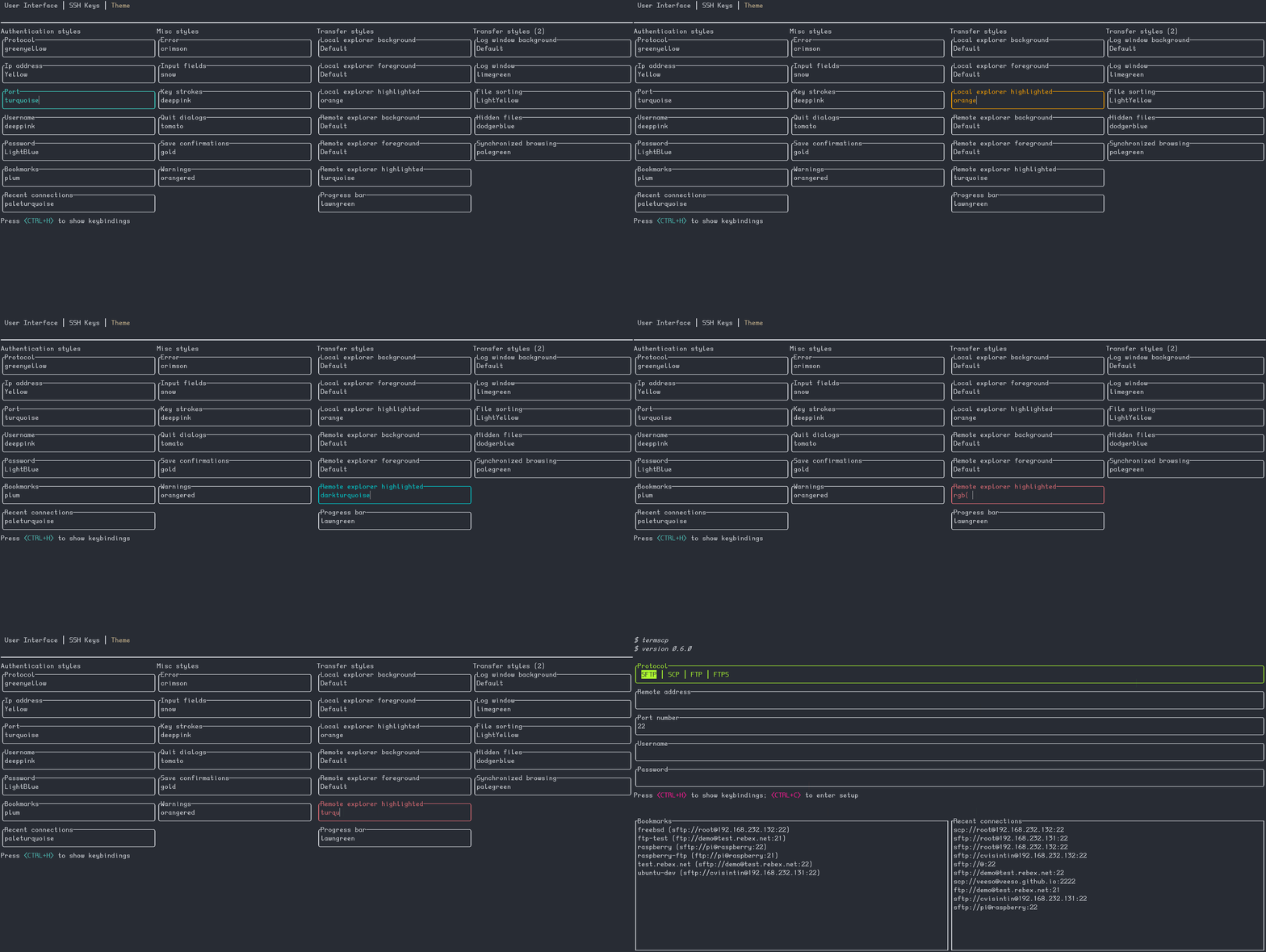
|
||||
|
||||
## Import a theme file
|
||||
|
||||
You can also import theme files. You can take inspiration from, or directly use,
|
||||
one of the themes bundled with termscp in the `themes/` directory of the
|
||||
repository. Import a theme by running:
|
||||
|
||||
```sh
|
||||
termscp theme <theme_file>
|
||||
```
|
||||
|
||||
If everything is fine, termscp confirms the theme has been imported.
|
||||
|
||||
## Color syntax
|
||||
|
||||
termscp accepts the following color formats:
|
||||
|
||||
- Explicit hexadecimal: `#rrggbb`
|
||||
- RGB: `rgb(r, g, b)`
|
||||
- [CSS color names](https://www.w3schools.com/cssref/css_colors.asp) (such as
|
||||
`crimson`)
|
||||
- The special keyword `Default`, which uses the situational default foreground
|
||||
or background color (foreground for texts and lines, background otherwise)
|
||||
|
||||
## Recovering from a theme that won't load
|
||||
|
||||
After an update, a saved theme can fail to load. This happens when a new key is
|
||||
added to themes: the previously saved theme no longer contains that key. There
|
||||
are two quick fixes:
|
||||
|
||||
1. Re-import the official theme. After each release the official themes are
|
||||
patched, so download the updated theme from the repository and re-import it:
|
||||
|
||||
```sh
|
||||
termscp theme <theme.toml>
|
||||
```
|
||||
|
||||
2. Edit your theme by hand. If you use a custom theme, edit the file and add the
|
||||
missing key. The theme is located at `$CONFIG_DIR/theme.toml`, where
|
||||
`$CONFIG_DIR` is:
|
||||
|
||||
- FreeBSD/Linux: `$HOME/.config/termscp`
|
||||
- macOS: `$HOME/.config/termscp`
|
||||
- Windows: `%USERPROFILE%\.termscp`
|
||||
|
||||
Missing keys are reported in the CHANGELOG under `BREAKING CHANGES` for the
|
||||
version you have just installed.
|
||||
|
||||
## Styles
|
||||
|
||||
The tables below describe each style field. Note that styles do **not** apply to
|
||||
the configuration page, so it always remains usable in case you change something
|
||||
by mistake.
|
||||
|
||||
### Authentication page
|
||||
|
||||
| Key | Description |
|
||||
| ---------------- | ---------------------------------------- |
|
||||
| `auth_address` | Color of the input field for IP address |
|
||||
| `auth_bookmarks` | Color of the bookmarks panel |
|
||||
| `auth_password` | Color of the input field for password |
|
||||
| `auth_port` | Color of the input field for port number |
|
||||
| `auth_protocol` | Color of the radio group for protocol |
|
||||
| `auth_recents` | Color of the recents panel |
|
||||
| `auth_username` | Color of the input field for username |
|
||||
|
||||
### Transfer page
|
||||
|
||||
| Key | Description |
|
||||
| -------------------------------------- | ------------------------------------------------------------------------- |
|
||||
| `transfer_local_explorer_background` | Background color of localhost explorer |
|
||||
| `transfer_local_explorer_foreground` | Foreground color of localhost explorer |
|
||||
| `transfer_local_explorer_highlighted` | Border and highlighted color for localhost explorer |
|
||||
| `transfer_remote_explorer_background` | Background color of remote explorer |
|
||||
| `transfer_remote_explorer_foreground` | Foreground color of remote explorer |
|
||||
| `transfer_remote_explorer_highlighted` | Border and highlighted color for remote explorer |
|
||||
| `transfer_log_background` | Background color for log panel |
|
||||
| `transfer_log_window` | Window color for log panel |
|
||||
| `transfer_progress_bar_partial` | Partial progress bar color |
|
||||
| `transfer_progress_bar_total` | Total progress bar color |
|
||||
| `transfer_status_hidden` | Color for status bar "hidden" label |
|
||||
| `transfer_status_sorting` | Color for status bar "sorting" label; applies also to file sorting dialog |
|
||||
| `transfer_status_sync_browsing` | Color for status bar "sync browsing" label |
|
||||
|
||||
### Misc
|
||||
|
||||
These styles apply to different parts of the application.
|
||||
|
||||
| Key | Description |
|
||||
| ------------------- | ------------------------------------------- |
|
||||
| `misc_error_dialog` | Color for error messages |
|
||||
| `misc_info_dialog` | Color for info dialogs |
|
||||
| `misc_input_dialog` | Color for input dialogs (such as copy file) |
|
||||
| `misc_keys` | Color of text for key strokes |
|
||||
| `misc_quit_dialog` | Color for quit dialogs |
|
||||
| `misc_save_dialog` | Color for save dialogs |
|
||||
| `misc_warn_dialog` | Color for warn dialogs |
|
||||
@@ -0,0 +1,128 @@
|
||||
# Developer manual
|
||||
|
||||
Welcome to the developer manual for termscp. This chapter does NOT contain the
|
||||
documentation for termscp modules, which can instead be found on Rust Docs at
|
||||
<https://docs.rs/termscp>. This chapter describes how termscp works and the
|
||||
guidelines to implement features such as file transfers and additions to the
|
||||
user interface.
|
||||
|
||||
termscp is written in Rust (edition 2024, MSRV 1.89.0). The user interface is
|
||||
built with [tuirealm](https://github.com/veeso/tui-realm) v3, which runs on top
|
||||
of [crossterm](https://github.com/crossterm-rs/crossterm).
|
||||
|
||||
## How termscp works
|
||||
|
||||
termscp is basically made up of 3 core modules:
|
||||
|
||||
- The **host**: the host module provides functions to interact with file
|
||||
systems. It exposes the `HostBridge` trait, which abstracts file operations
|
||||
over both the local host (`Localhost`) and the remote host (`RemoteBridged`).
|
||||
- The **ui**: this module contains the implementation of the user interface. As
|
||||
shown in the next chapter, this is achieved through **activities**.
|
||||
- The **activity_manager**: the activity manager takes care of managing
|
||||
activities. It runs the activities of the user interface and chooses, based on
|
||||
their state, when to terminate the current activity and which activity to run
|
||||
next.
|
||||
|
||||
In addition to the 3 core modules, others have been added over time:
|
||||
|
||||
- **config**: provides the configuration schema and its serialization methods.
|
||||
- **explorer**: exposes the explorer structures, which are used to handle the
|
||||
file explorer in the ui. They store the current directory model and the view
|
||||
states (e.g. sorting, whether to display hidden files, the transfer queue).
|
||||
- **filetransfer**: defines the `FileTransferProtocol` enum and the
|
||||
`RemoteFsBuilder`, which constructs the appropriate `RemoteFs` client from the
|
||||
connection parameters.
|
||||
- **system**: provides a way to interact with the configuration, the ssh key
|
||||
storage and the bookmarks.
|
||||
- **utils**: contains the utilities used by pretty much all of the project.
|
||||
|
||||
termscp supports the following protocols: SFTP, SCP, FTP/FTPS, Kube, S3, SMB and
|
||||
WebDAV.
|
||||
|
||||
## Activities
|
||||
|
||||
This paragraph gives a short overview of activities. Read the code and the
|
||||
documentation for a clear idea of how the ui works.
|
||||
|
||||
There are many ways to implement a user interface. This project borrows what
|
||||
works best from different frameworks:
|
||||
|
||||
- **Activities on top**: each "view" is an Activity, and an `Activity Manager`
|
||||
handles them. This approach is inspired by Android. It fits a ui that has
|
||||
different views, each one with its own components and logic. Activities work
|
||||
with the `Context`, which is a data holder used to share data between
|
||||
activities.
|
||||
- **Activities display Applications**: each activity can show different
|
||||
**Applications**. An application contains a **View**, which is basically a list
|
||||
of **components**, each one with its properties. The view is a facade to the
|
||||
components and also handles the focus, which is the current active component.
|
||||
You cannot have more than one active component, so this must be handled; at the
|
||||
same time, focus must be given back to the previously active component if the
|
||||
current one is destroyed. The **Application** takes care of all this. To learn
|
||||
more, read <https://github.com/veeso/tui-realm>.
|
||||
- **Components**: components are built around tui in order to reuse widgets. This
|
||||
is achieved through the `Component` trait, inspired by
|
||||
[React](https://reactjs.org/). Each component has its *Properties* and can have
|
||||
its *States*. Each component must handle input events, accept new properties,
|
||||
and provide a method to **render** itself. This logic now lives in
|
||||
[tui-realm](https://github.com/veeso/tui-realm).
|
||||
- **Messages: an Elm-based approach**: input events are handled with an approach
|
||||
inspired by [Elm](https://elm-lang.org/). In Elm you implement your ui using
|
||||
three basic functions: **update**, **view** and **init**. termscp implements
|
||||
the equivalent of the Elm update function as a large match case inside a
|
||||
recursive function, which you can find in the `update.rs` file inside each
|
||||
activity. This match case handles the messages produced by the components in
|
||||
response to incoming input events and causes the activity to change its state.
|
||||
|
||||
termscp implements a trait called `Activity`, a much reduced version of the
|
||||
Android activity. This trait provides these methods:
|
||||
|
||||
- `on_create`: initializes the activity. The context is passed to the activity,
|
||||
which becomes the only owner of the Context until the activity terminates.
|
||||
- `on_draw`: called each time the user interface should be updated. This is
|
||||
basically the run method of the activity, and it also handles input events. The
|
||||
interface should not be drawn on every call (this method may be called hundreds
|
||||
of times per second), but only when something has actually changed (for example
|
||||
after an input event).
|
||||
- `will_umount`: returns whether the activity should be destroyed. If so, it
|
||||
returns an `ExitReason`, which indicates why the activity should terminate.
|
||||
Based on the reason, the activity manager chooses whether to stop the execution
|
||||
of termscp or to start a new activity, and which one.
|
||||
- `on_destroy`: finalizes the activity and drops it. This method returns the
|
||||
Context to the caller (the activity manager).
|
||||
|
||||
### The Context
|
||||
|
||||
The context is a structure that holds data shared between activities. Every time
|
||||
an Activity starts, the Context is taken by the activity, until it is destroyed,
|
||||
where the context is finally returned to the activity manager. The context holds
|
||||
the following data:
|
||||
|
||||
- The **Localhost**: the local host structure.
|
||||
- The **File Transfer Params**: the current parameters used to connect to the
|
||||
remote.
|
||||
- The **Config Client**: a structure that provides functions to access the user
|
||||
configuration.
|
||||
- The **Store**: a key-value storage that can hold any kind of data. It can be
|
||||
used to share state between activities or to keep persistence for heavy or slow
|
||||
tasks (such as checking for updates).
|
||||
- The **Terminal**: used to render the tui on the terminal.
|
||||
|
||||
## Achieving an abstract file transfer client
|
||||
|
||||
When the implementation of termscp started, in December 2020, file transfer was
|
||||
at the core of the design, since it is at the heart of termscp. The first
|
||||
implementation consisted of a `filetransfer` module that exposed a trait called
|
||||
`FileTransfer`, which provided methods to generically interact with the remote
|
||||
file system.
|
||||
|
||||
This changed over time, as different users asked for a dedicated library. In the
|
||||
last quarter of 2021, [remotefs](https://github.com/veeso/remotefs-rs) was born:
|
||||
an abstract library to work with remote device file systems. remotefs provides a
|
||||
`RemoteFs` trait that exposes all of the core file-system functionalities, and
|
||||
since version 0.8.0 it has replaced the `FileTransfer` trait.
|
||||
|
||||
The file transfer module still exists, but its only task is to build a
|
||||
`RemoteFs` client implementation from the file transfer parameters through the
|
||||
`RemoteFsBuilder`.
|
||||
@@ -0,0 +1,77 @@
|
||||
# Connecting to a server
|
||||
|
||||
termscp can start in three different ways depending on the arguments you pass.
|
||||
|
||||
- No arguments: termscp opens the authentication form, where you provide the
|
||||
parameters required to connect to the remote host.
|
||||
- An address argument: termscp skips the authentication form and connects
|
||||
directly to the remote host.
|
||||
- A bookmark name with `-b <bookmark-name>`: termscp resolves the argument as a
|
||||
saved bookmark and connects. Repeat `-b` to open several bookmarks.
|
||||
|
||||
When you provide an address argument or a bookmark name, you can also provide a
|
||||
start working directory for the local host.
|
||||
|
||||
## The authentication form
|
||||
|
||||
When termscp starts without an address, it shows the authentication form. Fill
|
||||
in the protocol, address, port, username, and password, then connect. termscp
|
||||
will open the dual-pane explorer once the connection succeeds.
|
||||
|
||||
## Address argument syntax
|
||||
|
||||
The generic address argument has the following syntax:
|
||||
|
||||
```txt
|
||||
[protocol://][username@]<address>[:port][:wrkdir]
|
||||
```
|
||||
|
||||
This syntax is convenient, and you will probably use it instead of the
|
||||
interactive form. Here are some examples.
|
||||
|
||||
Connect using the default protocol (defined in your configuration) to
|
||||
`192.168.1.31`. If the port is not provided, the default port for the selected
|
||||
protocol is used. The username is the current user's name.
|
||||
|
||||
```sh
|
||||
termscp 192.168.1.31
|
||||
```
|
||||
|
||||
Connect using the default protocol to `192.168.1.31` as user `root`:
|
||||
|
||||
```sh
|
||||
termscp root@192.168.1.31
|
||||
```
|
||||
|
||||
Connect using SCP to `192.168.1.31` on port `4022` as user `omar`:
|
||||
|
||||
```sh
|
||||
termscp scp://omar@192.168.1.31:4022
|
||||
```
|
||||
|
||||
Connect using SCP to `192.168.1.31` on port `4022` as user `omar`, starting in
|
||||
directory `/tmp`:
|
||||
|
||||
```sh
|
||||
termscp scp://omar@192.168.1.31:4022:/tmp
|
||||
```
|
||||
|
||||
For protocol-specific address syntax (S3, Kube, WebDAV, and SMB), see
|
||||
[Connection parameters](connection-parameters.md).
|
||||
|
||||
## How the password is provided
|
||||
|
||||
When you provide the address as an argument, there is no field for the password
|
||||
in the address itself. You can provide the password in three ways:
|
||||
|
||||
- You will be prompted for it. This is the default: if you don't use any of the
|
||||
methods below, termscp prompts for the password, like classic tools such as
|
||||
`scp` and `ssh`.
|
||||
- `-P, --password` option: pass the password directly on the command line. This
|
||||
method is discouraged because it is insecure: the password may be kept in
|
||||
your shell history.
|
||||
- Via `sshpass`: provide the password through `sshpass`, for example:
|
||||
|
||||
```sh
|
||||
sshpass -f ~/.ssh/topsecret.key termscp cvisintin@192.168.1.31
|
||||
```
|
||||
@@ -0,0 +1,168 @@
|
||||
# Connection parameters
|
||||
|
||||
Each protocol has its own set of authentication-form fields and its own
|
||||
command-line address syntax. This page describes them protocol by protocol.
|
||||
|
||||
## SFTP / SCP
|
||||
|
||||
Authentication-form fields:
|
||||
|
||||
- Host (address)
|
||||
- Port (default `22`)
|
||||
- Username
|
||||
- Password or SSH key
|
||||
|
||||
You can authenticate either with a username and password or with an SSH key.
|
||||
See [SSH key storage](../configuration/ssh-keys.md) for how to manage keys.
|
||||
|
||||
Address syntax:
|
||||
|
||||
```txt
|
||||
[protocol://][username@]<address>[:port][:wrkdir]
|
||||
```
|
||||
|
||||
## FTP / FTPS
|
||||
|
||||
Authentication-form fields:
|
||||
|
||||
- Host (address)
|
||||
- Port (default `21`)
|
||||
- Username
|
||||
- Password
|
||||
- Secure (FTPS): enable TLS to use FTPS instead of plain FTP
|
||||
|
||||
Address syntax:
|
||||
|
||||
```txt
|
||||
[protocol://][username@]<address>[:port][:wrkdir]
|
||||
```
|
||||
|
||||
## Kube
|
||||
|
||||
Authentication-form fields:
|
||||
|
||||
- Namespace
|
||||
- Cluster URL (Kubernetes API URL)
|
||||
- Username
|
||||
- Client certificate path
|
||||
- Client key path
|
||||
|
||||
Address syntax:
|
||||
|
||||
```txt
|
||||
kube://[namespace][@<cluster_url>][$</path>]
|
||||
```
|
||||
|
||||
## S3
|
||||
|
||||
termscp supports both AWS S3 and other S3-compatible endpoints.
|
||||
|
||||
Authentication-form fields:
|
||||
|
||||
- Bucket name
|
||||
- Region (for AWS S3) or endpoint (for other S3-compatible servers)
|
||||
- Profile
|
||||
- Access key
|
||||
- Secret access key
|
||||
- Security token
|
||||
- Session token
|
||||
- New path style
|
||||
|
||||
The required and optional fields differ depending on the endpoint:
|
||||
|
||||
- AWS S3:
|
||||
- bucket name (required)
|
||||
- region (required)
|
||||
- profile (optional; defaults to `default`)
|
||||
- access key (required unless the bucket is public)
|
||||
- secret access key (required unless the bucket is public)
|
||||
- security token (if required)
|
||||
- session token (if required)
|
||||
- new path style: NO
|
||||
- Other S3 endpoints:
|
||||
- bucket name (required)
|
||||
- endpoint (required)
|
||||
- access key (required unless the bucket is public)
|
||||
- secret access key (required unless the bucket is public)
|
||||
- new path style: YES
|
||||
|
||||
Address syntax:
|
||||
|
||||
```txt
|
||||
s3://<bucket>@<region>[:profile][:/wrkdir]
|
||||
```
|
||||
|
||||
For example:
|
||||
|
||||
```txt
|
||||
s3://buckethead@eu-central-1:default:/assets
|
||||
```
|
||||
|
||||
### S3 credentials
|
||||
|
||||
To connect to an AWS S3 bucket you must provide credentials. There are three
|
||||
ways to do this.
|
||||
|
||||
1. Authentication form: provide the access key (usually mandatory), the secret
|
||||
access key (usually mandatory), the security token, and the session token.
|
||||
If you save the S3 connection as a bookmark, the access key and secret access
|
||||
key are saved as an encrypted AES-256/BASE64 string in your bookmarks file.
|
||||
The security token and session token are not saved, since they are meant to
|
||||
be temporary credentials.
|
||||
2. Credentials file: configure the AWS CLI with `aws configure`. Your
|
||||
credentials are then stored at `~/.aws/credentials`. If you use a profile
|
||||
other than `default`, provide it in the profile field of the authentication
|
||||
form.
|
||||
3. Environment variables: provide your credentials as environment variables.
|
||||
These always override the credentials in the credentials file. The following
|
||||
are usually mandatory:
|
||||
|
||||
- `AWS_ACCESS_KEY_ID`: AWS access key ID (usually starts with `AKIA...`)
|
||||
- `AWS_SECRET_ACCESS_KEY`: the secret access key
|
||||
|
||||
If you have configured stronger security, you may also need:
|
||||
|
||||
- `AWS_SECURITY_TOKEN`: security token
|
||||
- `AWS_SESSION_TOKEN`: session token
|
||||
|
||||
Your credentials are safe: termscp does not manipulate these values directly.
|
||||
They are consumed directly by the `s3` crate.
|
||||
|
||||
## SMB
|
||||
|
||||
Authentication-form fields:
|
||||
|
||||
- Server (address)
|
||||
- Share
|
||||
- Username
|
||||
- Password
|
||||
- Port (other systems only; default `445`)
|
||||
- Workgroup (other systems only)
|
||||
|
||||
On Windows the port and workgroup fields are not used.
|
||||
|
||||
Windows address syntax:
|
||||
|
||||
```txt
|
||||
\\[username@]<server-name>\<share>[\path\...]
|
||||
```
|
||||
|
||||
Other systems address syntax:
|
||||
|
||||
```txt
|
||||
smb://[username@]<server-name>[:port]/<share>[/path/.../]
|
||||
```
|
||||
|
||||
## WebDAV
|
||||
|
||||
Authentication-form fields:
|
||||
|
||||
- URI (the base WebDAV endpoint)
|
||||
- Username
|
||||
- Password
|
||||
|
||||
Address syntax:
|
||||
|
||||
```txt
|
||||
http(s)://<username>:<password>@<url></path>
|
||||
```
|
||||
@@ -0,0 +1,83 @@
|
||||
# Installation
|
||||
|
||||
termscp is available for many platforms. Pick the method that matches your
|
||||
system below.
|
||||
|
||||
## Linux, FreeBSD, and macOS
|
||||
|
||||
This shell script installs termscp on your system with a single command:
|
||||
|
||||
```sh
|
||||
curl --proto '=https' --tlsv1.2 -sSLf https://termscp.rs/install.sh | sh
|
||||
```
|
||||
|
||||
On macOS the installation requires [Homebrew](https://brew.sh/); otherwise the
|
||||
Rust compiler is installed to build termscp from source.
|
||||
|
||||
## Windows
|
||||
|
||||
Install termscp from PowerShell with a single command:
|
||||
|
||||
```ps
|
||||
irm https://termscp.rs/install.ps1 | iex
|
||||
```
|
||||
|
||||
Alternatively, install it with [Chocolatey](https://chocolatey.org/):
|
||||
|
||||
```ps
|
||||
choco install termscp
|
||||
```
|
||||
|
||||
## NetBSD
|
||||
|
||||
Install termscp from the official repositories:
|
||||
|
||||
```sh
|
||||
pkgin install termscp
|
||||
```
|
||||
|
||||
## Arch Linux
|
||||
|
||||
Install termscp from the official repositories:
|
||||
|
||||
```sh
|
||||
pacman -S termscp
|
||||
```
|
||||
|
||||
## Requirements
|
||||
|
||||
The following system dependencies are required to run termscp.
|
||||
|
||||
- Linux users:
|
||||
- libdbus-1
|
||||
- pkg-config
|
||||
- libsmbclient
|
||||
- FreeBSD and NetBSD users:
|
||||
- dbus
|
||||
- pkgconf
|
||||
- libsmbclient
|
||||
|
||||
### Optional requirements
|
||||
|
||||
These dependencies are not required to run termscp, but they are needed to
|
||||
enjoy all of its features.
|
||||
|
||||
- Linux and FreeBSD users, to open files via `V` (at least one of these):
|
||||
- xdg-open
|
||||
- gio
|
||||
- gnome-open
|
||||
- kde-open
|
||||
- Linux users: a keyring manager. Read more in the
|
||||
[Password security](../configuration/password-security.md) page.
|
||||
- WSL users, to open files via `V`:
|
||||
- [wslu](https://github.com/wslutilities/wslu)
|
||||
|
||||
## Updating termscp
|
||||
|
||||
To update termscp to the latest version, run it from the command line with:
|
||||
|
||||
```sh
|
||||
(sudo) termscp update
|
||||
```
|
||||
|
||||
For all platforms and methods, see <https://termscp.rs/install>.
|
||||
@@ -0,0 +1,28 @@
|
||||
# termscp
|
||||
|
||||

|
||||
|
||||
termscp is a feature-rich terminal file transfer client and explorer with a
|
||||
TUI (Terminal User Interface). It lets you connect to a remote server to
|
||||
upload and download files while interacting with your local file system at the
|
||||
same time. termscp runs on Linux, macOS, FreeBSD, NetBSD, and Windows.
|
||||
|
||||
## Features
|
||||
|
||||
- Multiple transfer protocols: SFTP, SCP, FTP and FTPS, Kube, S3, SMB,
|
||||
and WebDAV.
|
||||
- Dual-pane explorer to browse and operate on both the remote and the local
|
||||
file system: create, remove, rename, search, view, and edit files.
|
||||
- Bookmarks and recent connections to quickly reconnect to your favorite
|
||||
hosts.
|
||||
- View and edit files with your favorite editor.
|
||||
- SFTP/SCP authentication with SSH keys or username and password.
|
||||
- Embedded terminal for running commands on your system.
|
||||
- Make it yours: themes, custom file explorer format, customizable text
|
||||
editor, and customizable file sorting.
|
||||
- Desktop notifications when a large file has been transferred.
|
||||
- File watcher that keeps your changes synchronized with the remote host.
|
||||
- Save your passwords in your operating system's key vault.
|
||||
- Rust-powered and built with an eye on performance.
|
||||
|
||||
Ready to try it? See [Installation](getting-started/installation.md).
|
||||
@@ -0,0 +1,47 @@
|
||||
// Injects a language toggle (EN / 中文) into the mdBook menu bar.
|
||||
// Swaps the leading /en-US/ <-> /zh-CN/ path segment, preserving the
|
||||
// rest of the path; falls back to the language root on 404 navigation.
|
||||
(function () {
|
||||
const LANGS = [
|
||||
{ code: "en-US", label: "EN" },
|
||||
{ code: "zh-CN", label: "中文" },
|
||||
];
|
||||
|
||||
function currentLang() {
|
||||
const m = window.location.pathname.match(/\/(en-US|zh-CN)\//);
|
||||
return m ? m[1] : "en-US";
|
||||
}
|
||||
|
||||
function swapTo(code) {
|
||||
const path = window.location.pathname;
|
||||
const cur = currentLang();
|
||||
if (path.includes(`/${cur}/`)) {
|
||||
return path.replace(`/${cur}/`, `/${code}/`);
|
||||
}
|
||||
return `/${code}/`;
|
||||
}
|
||||
|
||||
function build() {
|
||||
const right = document.querySelector(".right-buttons");
|
||||
if (!right) return;
|
||||
const cur = currentLang();
|
||||
const wrap = document.createElement("div");
|
||||
wrap.className = "lang-switcher";
|
||||
wrap.style.display = "inline-flex";
|
||||
wrap.style.gap = "0.5rem";
|
||||
wrap.style.marginInlineStart = "0.5rem";
|
||||
LANGS.forEach((l) => {
|
||||
const a = document.createElement("a");
|
||||
a.textContent = l.label;
|
||||
a.href = swapTo(l.code);
|
||||
a.title = l.code;
|
||||
a.setAttribute("aria-current", l.code === cur ? "true" : "false");
|
||||
if (l.code === cur) a.style.fontWeight = "bold";
|
||||
wrap.appendChild(a);
|
||||
});
|
||||
right.appendChild(wrap);
|
||||
}
|
||||
|
||||
if (document.readyState !== "loading") build();
|
||||
else document.addEventListener("DOMContentLoaded", build);
|
||||
})();
|
||||
@@ -0,0 +1,39 @@
|
||||
// This Source Code Form is subject to the terms of the Mozilla Public
|
||||
// License, v. 2.0. If a copy of the MPL was not distributed with this
|
||||
// file, You can obtain one at https://mozilla.org/MPL/2.0/.
|
||||
|
||||
(() => {
|
||||
const darkThemes = ['ayu', 'navy', 'coal'];
|
||||
const lightThemes = ['light', 'rust'];
|
||||
|
||||
const classList = document.getElementsByTagName('html')[0].classList;
|
||||
|
||||
let lastThemeWasLight = true;
|
||||
for (const cssClass of classList) {
|
||||
if (darkThemes.includes(cssClass)) {
|
||||
lastThemeWasLight = false;
|
||||
break;
|
||||
}
|
||||
}
|
||||
|
||||
const theme = lastThemeWasLight ? 'default' : 'dark';
|
||||
mermaid.initialize({ startOnLoad: true, theme });
|
||||
|
||||
// Simplest way to make mermaid re-render the diagrams in the new theme is via refreshing the page
|
||||
|
||||
for (const darkTheme of darkThemes) {
|
||||
document.getElementById(darkTheme).addEventListener('click', () => {
|
||||
if (lastThemeWasLight) {
|
||||
window.location.reload();
|
||||
}
|
||||
});
|
||||
}
|
||||
|
||||
for (const lightTheme of lightThemes) {
|
||||
document.getElementById(lightTheme).addEventListener('click', () => {
|
||||
if (!lastThemeWasLight) {
|
||||
window.location.reload();
|
||||
}
|
||||
});
|
||||
}
|
||||
})();
|
||||
@@ -0,0 +1,13 @@
|
||||
<link rel="icon" type="image/x-icon" href="/shared/favicon.ico">
|
||||
<link rel="icon" type="image/svg+xml" href="/shared/termscp.svg">
|
||||
|
||||
<meta property="og:title" content="{{#if chapter_title}}{{ chapter_title }} · {{/if}}{{ book_title }}">
|
||||
<meta property="og:description" content="A feature rich terminal UI file transfer and explorer with support for SCP/SFTP/FTP/Kube/S3/SMB/WebDAV">
|
||||
<meta property="og:image" content="https://docs.termscp.rs/og_preview.jpg">
|
||||
<meta property="og:url" content="https://docs.termscp.rs/">
|
||||
<meta property="og:type" content="website">
|
||||
|
||||
<meta name="twitter:card" content="summary_large_image">
|
||||
<meta name="twitter:title" content="{{#if chapter_title}}{{ chapter_title }} · {{/if}}{{ book_title }}">
|
||||
<meta name="twitter:description" content="A feature rich terminal UI file transfer and explorer with support for SCP/SFTP/FTP/Kube/S3/SMB/WebDAV">
|
||||
<meta name="twitter:image" content="https://docs.termscp.rs/og_preview.jpg">
|
||||
@@ -0,0 +1,31 @@
|
||||
# Bookmarks and recent hosts
|
||||
|
||||
termscp lets you save your favourite hosts as bookmarks, which can then be loaded quickly from the main layout. termscp also keeps the last 16 hosts you connected to. Both features let you reload all the parameters required to connect to a remote simply by selecting an entry in the tab under the authentication form.
|
||||
|
||||
## Where bookmarks are stored
|
||||
|
||||
Bookmarks are saved, when possible, in the configuration directory:
|
||||
|
||||
- `$HOME/.config/termscp/` on Linux/BSD
|
||||
- `$HOME/.config/termscp/` on macOS
|
||||
- `%USERPROFILE%\.termscp\` on Windows
|
||||
|
||||
## Saving passwords
|
||||
|
||||
For bookmarks only, you can optionally save the password used to authenticate. This does not apply to recent hosts, which never save passwords. The password is not saved by default; you are prompted to choose whether to save it when you create a new bookmark.
|
||||
|
||||
If you are concerned about the security of the passwords saved for your bookmarks, see [Are my passwords safe?](../configuration/password-security.md)
|
||||
|
||||
## Creating a bookmark
|
||||
|
||||
1. Fill in the authentication form with the parameters to connect to your remote server.
|
||||
2. Press `<CTRL+S>`.
|
||||
3. Type the name you want to give to the bookmark.
|
||||
4. Choose whether to remember the password.
|
||||
5. Press `<ENTER>` to submit.
|
||||
|
||||
## Loading a bookmark
|
||||
|
||||
To use a previously saved connection, press `<TAB>` to navigate to the bookmarks list, then press `<ENTER>` to load the bookmark parameters into the form.
|
||||
|
||||
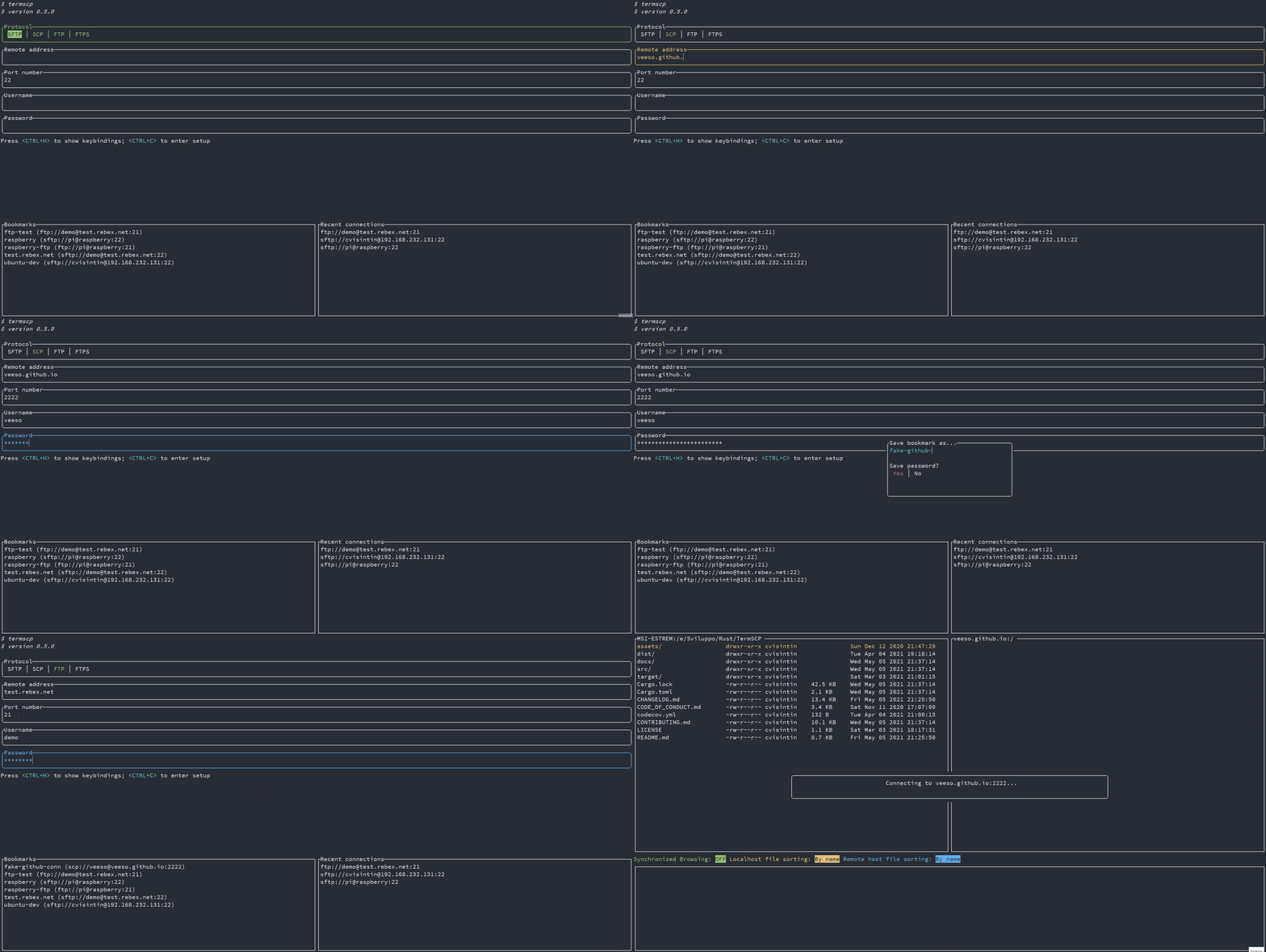
|
||||
@@ -0,0 +1,18 @@
|
||||
# The file explorer
|
||||
|
||||
After you establish a connection with a remote host, termscp shows the file explorer. The explorer is made up of three panels.
|
||||
|
||||
- **Local explorer panel**: displayed on the left of the screen. It shows the entries of the current directory on localhost.
|
||||
- **Remote explorer panel**: displayed on the right of the screen. It shows the entries of the current directory on the remote host.
|
||||
- **Find results panel**: shown after you search for files. Depending on where you searched (local or remote), it replaces the local explorer panel or the remote explorer panel and lists the entries matching your search query.
|
||||
|
||||
## Switching between panels
|
||||
|
||||
Use the following keys to move between panels.
|
||||
|
||||
- `<LEFT>`: move to the local explorer panel.
|
||||
- `<RIGHT>`: move to the remote explorer panel.
|
||||
- `<TAB>`: switch the active explorer tab.
|
||||
- `<ESC>`: while in the find results panel, exit it and return to the previous panel.
|
||||
|
||||
For the complete list of keys available in the explorer, see [Keyboard shortcuts](keyboard-shortcuts.md).
|
||||
@@ -0,0 +1,29 @@
|
||||
# Keeping files in sync
|
||||
|
||||
The file watcher synchronizes local paths to a remote path. When a change is detected on a watched local path, it is propagated to the configured remote path within about 5 seconds.
|
||||
|
||||
You can watch as many paths as you like.
|
||||
|
||||
## Watching a path
|
||||
|
||||
1. Put the cursor on the local explorer, on the file or directory you want to keep synchronized.
|
||||
2. In the remote panel, navigate to the directory where the changes should be reported.
|
||||
3. Press `<T>`.
|
||||
4. Answer `<YES>` to the popup.
|
||||
|
||||
## Unwatching a path
|
||||
|
||||
You can stop watching a path in two ways:
|
||||
|
||||
- Press `<T>` on the watched local path (or any of its subfolders).
|
||||
- Press `<CTRL+T>`, then press `<ENTER>` on the path you want to unwatch.
|
||||
|
||||
## Propagated changes
|
||||
|
||||
The following changes are reported to the remote host:
|
||||
|
||||
- New files and file changes
|
||||
- Files moved or renamed
|
||||
- Files removed or unlinked
|
||||
|
||||
The watcher works in one direction only (local to remote). Changes made on the remote host are **not** synchronized back to the local host.
|
||||
@@ -0,0 +1,49 @@
|
||||
# Keyboard shortcuts
|
||||
|
||||
The following keys are available in the file explorer. Press `<H|F1>` at any time to open the in-app help.
|
||||
|
||||
| Key | Action |
|
||||
| -------------- | ---------------------------------------------------------------------- |
|
||||
| `<ESC>` | Disconnect from the remote and return to the authentication page |
|
||||
| `<BACKSPACE>` | Go to the previous directory in the navigation stack |
|
||||
| `<TAB>` | Switch the active explorer tab |
|
||||
| `<RIGHT>` | Move to the remote explorer tab |
|
||||
| `<LEFT>` | Move to the local explorer tab |
|
||||
| `<UP>` | Move up in the selected list |
|
||||
| `<DOWN>` | Move down in the selected list |
|
||||
| `<PGUP>` | Move up in the selected list by 8 rows |
|
||||
| `<PGDOWN>` | Move down in the selected list by 8 rows |
|
||||
| `<ENTER>` | Enter the selected directory |
|
||||
| `<SPACE>` | Upload or download the selected file |
|
||||
| `<BACKTAB>` | Switch between the log tab and the explorer |
|
||||
| `<A>` | Toggle the display of hidden files |
|
||||
| `<B>` | Choose how files are sorted |
|
||||
| `<C\|F5>` | Copy the selected file or directory |
|
||||
| `<D\|F7>` | Make a new directory |
|
||||
| `<E\|F8\|DEL>` | Delete the selected file |
|
||||
| `<F>` | Search for files (wildcard matching is supported) |
|
||||
| `<G>` | Go to the supplied path |
|
||||
| `<H\|F1>` | Show the help |
|
||||
| `<I>` | Show information about the selected file or directory |
|
||||
| `<K>` | Create a symlink pointing to the currently selected entry |
|
||||
| `<L>` | Reload the current directory's content, or clear the current selection |
|
||||
| `<M>` | Select a file |
|
||||
| `<N>` | Create a new file with the provided name |
|
||||
| `<O\|F4>` | Edit the selected file in your text editor |
|
||||
| `<P>` | Open the log panel |
|
||||
| `<Q\|F10>` | Quit termscp |
|
||||
| `<R\|F6>` | Rename the selected file |
|
||||
| `<S\|F2>` | Save the selected file as a new name |
|
||||
| `<T>` | Synchronize changes on the selected path to the remote |
|
||||
| `<U>` | Go to the parent directory |
|
||||
| `<V\|F3>` | Open the selected file with the default program for its file type |
|
||||
| `<W>` | Open the selected file with a program you specify |
|
||||
| `<X>` | Execute a command |
|
||||
| `<Y>` | Toggle synchronized browsing |
|
||||
| `<Z>` | Change the file mode |
|
||||
| `</>` | Filter files (both regex and wildcard matching are supported) |
|
||||
| `<CTRL+A>` | Select all files |
|
||||
| `<ALT+A>` | Deselect all files |
|
||||
| `<CTRL+C>` | Abort the file transfer process |
|
||||
| `<CTRL+S>` | Get the total size of the selected path |
|
||||
| `<CTRL+T>` | Show all synchronized paths |
|
||||
@@ -0,0 +1,32 @@
|
||||
# Working with multiple files
|
||||
|
||||
termscp lets you act on several files at once. Use these controls to build a selection.
|
||||
|
||||
- `<M>`: mark the highlighted file for selection.
|
||||
- `<CTRL+A>`: select all files in the current directory.
|
||||
- `<ALT+A>`: deselect all files.
|
||||
|
||||
Once a file is marked for selection, it is displayed with a highlighted background.
|
||||
|
||||
When a selection exists, only the selected files are processed for actions; the currently highlighted item is ignored. You can also work on multiple files while in the find results panel.
|
||||
|
||||
## Actions on a selection
|
||||
|
||||
All actions are available when working with multiple files, but some behave slightly differently. With a selection, the name you enter refers to the destination directory rather than a single destination file.
|
||||
|
||||
- **Copy**: you are prompted for a destination. With multiple files selected, this name is the destination directory where all the files are copied.
|
||||
- **Rename**: same as copy, but the files are moved to the destination directory.
|
||||
- **Save as**: same as copy, but the files are written to the destination directory.
|
||||
|
||||
## The transfer queue
|
||||
|
||||
If you select a file in a directory (for example `/home`) and then change directory, the file stays selected and is shown in the **transfer queue** in the bottom panel.
|
||||
|
||||
When a file is selected, the remote directory active at that moment is associated with its entry. If the file is later transferred, it is transferred to the remote directory associated with it.
|
||||
|
||||
### Example
|
||||
|
||||
Suppose you select the local file `/home/a.txt` while the remote panel is at `/tmp`, then you move to `/var`, select `/var/b.txt` while the remote panel is at `/home`, and finally perform a transfer. The result is:
|
||||
|
||||
- `/home/a.txt` is transferred to `/tmp/a.txt`
|
||||
- `/var/b.txt` is transferred to `/home/b.txt`
|
||||
@@ -0,0 +1,24 @@
|
||||
# Opening and editing files
|
||||
|
||||
termscp can open files with an external application and edit text files in your configured editor. Both local and remote files are supported.
|
||||
|
||||
## Open and Open With
|
||||
|
||||
Press `<V>` to open a file with the system default application for its file type. termscp relies on your operating system's default opener (powered by the [open](https://docs.rs/crate/open/1.7.0) crate), so make sure at least one of the following is available on your system.
|
||||
|
||||
- **Windows**: handled automatically through the `start` command.
|
||||
- **macOS**: handled automatically through `open`, which is already installed.
|
||||
- **Linux**: one of `xdg-open`, `gio`, `gnome-open`, or `kde-open` must be installed.
|
||||
- **WSL**: `wslview` is required. Install [wslu](https://github.com/wslutilities/wslu).
|
||||
|
||||
Press `<W>` to open a file with a program you specify.
|
||||
|
||||
## Editing text files
|
||||
|
||||
Press `<O>` to open a file in your configured text editor. Only text files are supported; binary files are not.
|
||||
|
||||
If the file is located on the remote host, it is first downloaded into your temporary file directory, and then re-uploaded to the remote host **only** if you changed it. termscp detects changes by checking the file's last modification time.
|
||||
|
||||
## Editing remote files
|
||||
|
||||
You cannot edit a remote file in place directly from the remote panel. When you open a remote file, it is downloaded into a temporary directory, but termscp cannot create a watcher to detect when the external program you used to open it has closed, so it cannot tell when you are done editing. To edit a remote file, download it to a local directory first, edit it there, and then upload it again.
|
||||
@@ -0,0 +1,5 @@
|
||||
# Synchronized browsing
|
||||
|
||||
Synchronized browsing keeps navigation in sync between the two explorer panels. While it is enabled, whenever you change the working directory in one panel, the same change is reproduced in the other panel.
|
||||
|
||||
To enable synchronized browsing, press `<Y>`. Press `<Y>` again to disable it. While it is enabled, the status bar reports the synchronized browsing state as `ON`.
|
||||
@@ -1,418 +0,0 @@
|
||||
# User manual 🎓
|
||||
|
||||
- [User manual 🎓](#user-manual-)
|
||||
- [Usage ❓](#usage-)
|
||||
- [Address argument 🌎](#address-argument-)
|
||||
- [How Password can be provided 🔐](#how-password-can-be-provided-)
|
||||
- [File explorer 📂](#file-explorer-)
|
||||
- [Keybindings ⌨](#keybindings-)
|
||||
- [Work on multiple files 🥷](#work-on-multiple-files-)
|
||||
- [Synchronized browsing ⏲️](#synchronized-browsing-️)
|
||||
- [Open and Open With 🚪](#open-and-open-with-)
|
||||
- [Bookmarks ⭐](#bookmarks-)
|
||||
- [Are my passwords Safe 😈](#are-my-passwords-safe-)
|
||||
- [Linux Keyring](#linux-keyring)
|
||||
- [KeepassXC setup for termscp](#keepassxc-setup-for-termscp)
|
||||
- [Configuration ⚙️](#configuration-️)
|
||||
- [SSH Key Storage 🔐](#ssh-key-storage-)
|
||||
- [File Explorer Format](#file-explorer-format)
|
||||
- [Themes 🎨](#themes-)
|
||||
- [Styles 💈](#styles-)
|
||||
- [Authentication page](#authentication-page)
|
||||
- [Transfer page](#transfer-page)
|
||||
- [Misc](#misc)
|
||||
- [Text Editor ✏](#text-editor-)
|
||||
- [How do I configure the text editor 🦥](#how-do-i-configure-the-text-editor-)
|
||||
- [Logging 🩺](#logging-)
|
||||
|
||||
## Usage ❓
|
||||
|
||||
termscp can be started with the following options:
|
||||
|
||||
`termscp [options]... [protocol://user@address:port:wrkdir] [local-wrkdir]`
|
||||
|
||||
- `-P, --password <password>` if address is provided, password will be this argument
|
||||
- `-c, --config` Open termscp starting from the configuration page
|
||||
- `-q, --quiet` Disable logging
|
||||
- `-t, --theme <path>` Import specified theme
|
||||
- `-v, --version` Print version info
|
||||
- `-h, --help` Print help page
|
||||
|
||||
termscp can be started in two different mode, if no extra arguments is provided, termscp will show the authentication form, where the user will be able to provide the parameters required to connect to the remote peer.
|
||||
|
||||
Alternatively, the user can provide an address as argument to skip the authentication form and starting directly the connection to the remote server.
|
||||
|
||||
If address argument is provided you can also provide the start working directory for local host
|
||||
|
||||
### Address argument 🌎
|
||||
|
||||
The address argument has the following syntax:
|
||||
|
||||
```txt
|
||||
[protocol://][username@]<address>[:port][:wrkdir]
|
||||
```
|
||||
|
||||
Let's see some example of this particular syntax, since it's very comfortable and you'll probably going to use this instead of the other one...
|
||||
|
||||
- Connect using default protocol (*defined in configuration*) to 192.168.1.31, port if not provided is default for the selected protocol (in this case depends on your configuration); username is current user's name
|
||||
|
||||
```sh
|
||||
termscp 192.168.1.31
|
||||
```
|
||||
|
||||
- Connect using default protocol (*defined in configuration*) to 192.168.1.31; username is `root`
|
||||
|
||||
```sh
|
||||
termscp root@192.168.1.31
|
||||
```
|
||||
|
||||
- Connect using scp to 192.168.1.31, port is 4022; username is `omar`
|
||||
|
||||
```sh
|
||||
termscp scp://omar@192.168.1.31:4022
|
||||
```
|
||||
|
||||
- Connect using scp to 192.168.1.31, port is 4022; username is `omar`. You will start in directory `/tmp`
|
||||
|
||||
```sh
|
||||
termscp scp://omar@192.168.1.31:4022:/tmp
|
||||
```
|
||||
|
||||
#### How Password can be provided 🔐
|
||||
|
||||
You have probably noticed, that, when providing the address as argument, there's no way to provide the password.
|
||||
Password can be basically provided through 3 ways when address argument is provided:
|
||||
|
||||
- `-P, --password` option: just use this CLI option providing the password. I strongly unrecommend this method, since it's very unsecure (since you might keep the password in the shell history)
|
||||
- Via `sshpass`: you can provide password via `sshpass`, e.g. `sshpass -f ~/.ssh/topsecret.key termscp cvisintin@192.168.1.31`
|
||||
- You will be prompted for it: if you don't use any of the previous methods, you will be prompted for the password, as happens with the more classics tools such as `scp`, `ssh`, etc.
|
||||
|
||||
---
|
||||
|
||||
## File explorer 📂
|
||||
|
||||
When we refer to file explorers in termscp, we refer to the panels you can see after establishing a connection with the remote.
|
||||
These panels are basically 3 (yes, three actually):
|
||||
|
||||
- Local explorer panel: it is displayed on the left of your screen and shows the current directory entries for localhost
|
||||
- Remote explorer panel: it is displayed on the right of your screen and shows the current directory entries for the remote host.
|
||||
- Find results panel: depending on where you're searching for files (local/remote) it will replace the local or the explorer panel. This panel shows the entries matching the search query you performed.
|
||||
|
||||
In order to change panel you need to type `<LEFT>` to move the remote explorer panel and `<RIGHT>` to move back to the local explorer panel. Whenever you are in the find results panel, you need to press `<ESC>` to exit panel and go back to the previous panel.
|
||||
|
||||
### Keybindings ⌨
|
||||
|
||||
| Key | Command | Reminder |
|
||||
|---------------|-------------------------------------------------------|-------------|
|
||||
| `<ESC>` | Disconnect from remote; return to authentication page | |
|
||||
| `<TAB>` | Switch between log tab and explorer | |
|
||||
| `<BACKSPACE>` | Go to previous directory in stack | |
|
||||
| `<RIGHT>` | Move to remote explorer tab | |
|
||||
| `<LEFT>` | Move to local explorer tab | |
|
||||
| `<UP>` | Move up in selected list | |
|
||||
| `<DOWN>` | Move down in selected list | |
|
||||
| `<PGUP>` | Move up in selected list by 8 rows | |
|
||||
| `<PGDOWN>` | Move down in selected list by 8 rows | |
|
||||
| `<ENTER>` | Enter directory | |
|
||||
| `<SPACE>` | Upload / download selected file | |
|
||||
| `<A>` | Toggle hidden files | All |
|
||||
| `<B>` | Sort files by | Bubblesort? |
|
||||
| `<C>` | Copy file/directory | Copy |
|
||||
| `<D>` | Make directory | Directory |
|
||||
| `<E>` | Delete file (Same as `DEL`) | Erase |
|
||||
| `<F>` | Search for files (wild match is supported) | Find |
|
||||
| `<G>` | Go to supplied path | Go to |
|
||||
| `<H>` | Show help | Help |
|
||||
| `<I>` | Show info about selected file or directory | Info |
|
||||
| `<L>` | Reload current directory's content / Clear selection | List |
|
||||
| `<M>` | Select a file | Mark |
|
||||
| `<N>` | Create new file with provided name | New |
|
||||
| `<O>` | Edit file; see Text editor | Open |
|
||||
| `<Q>` | Quit termscp | Quit |
|
||||
| `<R>` | Rename file | Rename |
|
||||
| `<S>` | Save file as... | Save |
|
||||
| `<U>` | Go to parent directory | Upper |
|
||||
| `<V>` | Open file with default program for filetype | View |
|
||||
| `<W>` | Open file with provided program | With |
|
||||
| `<X>` | Execute a command | eXecute |
|
||||
| `<Y>` | Toggle synchronized browsing | sYnc |
|
||||
| `<DEL>` | Delete file | |
|
||||
| `<CTRL+A>` | Select all files | |
|
||||
| `<CTRL+C>` | Abort file transfer process | |
|
||||
|
||||
### Work on multiple files 🥷
|
||||
|
||||
You can opt to work on multiple files, selecting them pressing `<M>`, in order to select the current file, or pressing `<CTRL+A>`, which will select all the files in the working directory.
|
||||
Once a file is marked for selection, it will be displayed with a `*` on the left.
|
||||
When working on selection, only selected file will be processed for actions, while the current highlighted item will be ignored.
|
||||
It is possible to work on multiple files also when in the find result panel.
|
||||
All the actions are available when working with multiple files, but be aware that some actions work in a slightly different way. Let's dive in:
|
||||
|
||||
- *Copy*: whenever you copy a file, you'll be prompted to insert the destination name. When working with multiple file, this name refers to the destination directory where all these files will be copied.
|
||||
- *Rename*: same as copy, but will move files there.
|
||||
- *Save as*: same as copy, but will write them there.
|
||||
|
||||
### Synchronized browsing ⏲️
|
||||
|
||||
When enabled, synchronized browsing, will allow you to synchronize the navigation between the two panels.
|
||||
This means that whenever you'll change the working directory on one panel, the same action will be reproduced on the other panel. If you want to enable synchronized browsing just press `<Y>`; press twice to disable. While enabled, the synchronized browising state will be reported on the status bar on `ON`.
|
||||
|
||||
*Warning*: at the moment, whenever you try to access an unexisting directory, you won't be prompted to create it. This might change in a future update.
|
||||
|
||||
### Open and Open With 🚪
|
||||
|
||||
Open and open with commands are powered by [open-rs](https://docs.rs/crate/open/1.7.0).
|
||||
When opening files with View command (`<V>`), the system default application for the file type will be used. To do so, the default operting system service will be used, so be sure to have at least one of these installed on your system:
|
||||
|
||||
- **Windows** users: you don't have to worry about it, since the crate will use the `start` command.
|
||||
- **MacOS** users: you don't have to worry either, since the crate will use `open`, which is already installed on your system.
|
||||
- **Linux** users: one of these should be installed
|
||||
- *xdg-open*
|
||||
- *gio*
|
||||
- *gnome-open*
|
||||
- *kde-open*
|
||||
- **WSL** users: *wslview* is required, you must install [wslu](https://github.com/wslutilities/wslu).
|
||||
|
||||
> Q: Can I edit remote files using the view command?
|
||||
> A: No, at least not directly from the "remote panel". You have to download it to a local directory first, that's due to the fact that when you open a remote file, the file is downloaded into a temporary directory, but there's no way to create a watcher for the file to check when the program you used to open it was closed, so termscp is not able to know when you're done editing the file.
|
||||
|
||||
---
|
||||
|
||||
## Bookmarks ⭐
|
||||
|
||||
In termscp it is possible to save favourites hosts, which can be then loaded quickly from the main layout of termscp.
|
||||
termscp will also save the last 16 hosts you connected to.
|
||||
This feature allows you to load all the parameters required to connect to a certain remote, simply selecting the bookmark in the tab under the authentication form.
|
||||
|
||||
Bookmarks will be saved, if possible at:
|
||||
|
||||
- `$HOME/.config/termscp/` on Linux/BSD
|
||||
- `$HOME/Library/Application Support/termscp` on MacOs
|
||||
- `FOLDERID_RoamingAppData\termscp\` on Windows
|
||||
|
||||
For bookmarks only (this won't apply to recent hosts) it is also possible to save the password used to authenticate. The password is not saved by default and must be specified through the prompt when saving a new Bookmark.
|
||||
|
||||
> I was very undecided about storing passwords in termscp. The reason? Saving a password on your computer might give access to a hacker to any server you've registered. But I must admit by myself that for many machines typing the password everytime is really boring, also many times I have to work with machines in LAN, which wouldn't provide any advantage to an attacker, So I came out with a good compromise for passwords.
|
||||
|
||||
I warmly suggest you to follow these guidelines in order to decide whether you should or you shouldn't save passwords:
|
||||
|
||||
- **DON'T** save passwords for machines which are exposed on the internet, save passwords only for machines in LAN
|
||||
- Make sure your machine is protected by attackers. If possible encrypt your disk and don't leave your PC unlocked while you're away.
|
||||
- Preferably, save passwords only when a compromising of the target machine wouldn't be a problem.
|
||||
|
||||
In order to create a new bookmark, just follow these steps:
|
||||
|
||||
1. Type in the authentication form the parameters to connect to your remote server
|
||||
2. Press `<CTRL+S>`
|
||||
3. Type in the name you want to give to the bookmark
|
||||
4. Choose whether to remind the password or not
|
||||
5. Press `<ENTER>` to submit
|
||||
|
||||
whenever you want to use the previously saved connection, just press `<TAB>` to navigate to the bookmarks list and load the bookmark parameters into the form pressing `<ENTER>`.
|
||||
|
||||

|
||||
|
||||
### Are my passwords Safe 😈
|
||||
|
||||
Well, Yep 😉.
|
||||
As said before, bookmarks are saved in your configuration directory along with passwords. Passwords are obviously not plain text, they are encrypted with **AES-128**. Does this make them safe? Absolutely! (except for BSD and WSL users 😢)
|
||||
|
||||
On **Windows**, **Linux** and **MacOS** the passwords are stored, if possible (but should be), respectively in the *Windows Vault*, in the *system keyring* and into the *Keychain*. This is actually super-safe and is directly managed by your operating system.
|
||||
|
||||
❗ Please, notice that if you're a Linux user, you should really read the [chapter below 👀](#linux-keyring), because the keyring might not be enabled or supported on your system!
|
||||
|
||||
On *BSD* and *WSL*, on the other hand, the key used to encrypt your passwords is stored on your drive (at $HOME/.config/termscp). It is then, still possible to retrieve the key to decrypt passwords. Luckily, the location of the key guarantees your key can't be read by users different from yours, but yeah, I still wouldn't save the password for a server exposed on the internet 😉.
|
||||
|
||||
#### Linux Keyring
|
||||
|
||||
We all love Linux thanks to the freedom it gives to the users. You can basically do anything you want as a Linux user, but this has also some cons, such as the fact that often there is no standard applications across different distributions. And this involves keyring too.
|
||||
This means that on Linux there might be no keyring installed on your system. Unfortunately the library we use to work with the key storage requires a service which exposes `org.freedesktop.secrets` on D-BUS and the worst fact is that there only two services exposing it.
|
||||
|
||||
- ❗ If you use GNOME as desktop environment (e.g. ubuntu users), you should already be fine, since keyring is already provided by `gnome-keyring` and everything should already be working.
|
||||
- ❗ For other desktop environment users there is a nice program you can use to get a keyring which is [KeepassXC](https://keepassxc.org/), which I use on my Manjaro installation (with KDE) and works fine. The only problem is that you have to setup it to be used along with termscp (but it's quite simple). To get started with KeepassXC read more [here](#keepassxc-setup-for-termscp).
|
||||
- ❗ What about you don't want to install any of these services? Well, there's no problem! **termscp will keep working as usual**, but it will save the key in a file, as it usually does for BSD and WSL.
|
||||
|
||||
##### KeepassXC setup for termscp
|
||||
|
||||
Follow these steps in order to setup keepassXC for termscp:
|
||||
|
||||
1. Install KeepassXC
|
||||
2. Go to "tools" > "settings" in toolbar
|
||||
3. Select "Secret service integration" and toggle "Enable KeepassXC freedesktop.org secret service integration"
|
||||
4. Create a database, if you don't have one yet: from toolbar "Database" > "New database"
|
||||
5. From toolbar: "Database" > "Database settings"
|
||||
6. Select "Secret service integration" and toggle "Expose entries under this group"
|
||||
7. Select the group in the list where you want the termscp secret to be kept. Remember that this group might be used by any other application to store secrets via DBUS.
|
||||
|
||||
---
|
||||
|
||||
## Configuration ⚙️
|
||||
|
||||
termscp supports some user defined parameters, which can be defined in the configuration.
|
||||
Underhood termscp has a TOML file and some other directories where all the parameters will be saved, but don't worry, you won't touch any of these files manually, since I made possible to configure termscp from its user interface entirely.
|
||||
|
||||
termscp, like for bookmarks, just requires to have these paths accessible:
|
||||
|
||||
- `$HOME/.config/termscp/` on Linux/BSD
|
||||
- `$HOME/Library/Application Support/termscp` on MacOs
|
||||
- `FOLDERID_RoamingAppData\termscp\` on Windows
|
||||
|
||||
To access configuration, you just have to press `<CTRL+C>` from the home of termscp.
|
||||
|
||||
These parameters can be changed:
|
||||
|
||||
- **Text Editor**: the text editor to use. By default termscp will find the default editor for you; with this option you can force an editor to be used (e.g. `vim`). **Also GUI editors are supported**, unless they `nohup` from the parent process so if you ask: yes, you can use `notepad.exe`, and no: **Visual Studio Code doesn't work**.
|
||||
- **Default Protocol**: the default protocol is the default value for the file transfer protocol to be used in termscp. This applies for the login page and for the address CLI argument.
|
||||
- **Show Hidden Files**: select whether hidden files shall be displayed by default. You will be able to decide whether to show or not hidden files at runtime pressing `A` anyway.
|
||||
- **Check for updates**: if set to `yes`, termscp will fetch the Github API to check if there is a new version of termscp available.
|
||||
- **Group Dirs**: select whether directories should be groupped or not in file explorers. If `Display first` is selected, directories will be sorted using the configured method but displayed before files, viceversa if `Display last` is selected.
|
||||
- **Remote File formatter syntax**: syntax to display file info for each file in the remote explorer. See [File explorer format](#file-explorer-format)
|
||||
- **Local File formatter syntax**: syntax to display file info for each file in the local explorer. See [File explorer format](#file-explorer-format)
|
||||
|
||||
### SSH Key Storage 🔐
|
||||
|
||||
Along with configuration, termscp provides also an **essential** feature for **SFTP/SCP clients**: the SSH key storage.
|
||||
|
||||
You can access the SSH key storage, from configuration moving to the `SSH Keys` tab, once there you can:
|
||||
|
||||
- **Add a new key**: just press `<CTRL+N>` and you will be prompted to create a new key. Provide the hostname/ip address and the username associated to the key and finally a text editor will open up: paste the **PRIVATE** ssh key into the text editor, save and quit.
|
||||
- **Remove an existing key**: just press `<DEL>` or `<CTRL+E>` on the key you want to remove, to delete persistently the key from termscp.
|
||||
- **Edit an existing key**: just press `<ENTER>` on the key you want to edit, to change the private key.
|
||||
|
||||
> Q: Wait, my private key is protected with password, can I use it?
|
||||
> A: Of course you can. The password provided for authentication in termscp, is valid both for username/password authentication and for RSA key authentication.
|
||||
|
||||
### File Explorer Format
|
||||
|
||||
It is possible through configuration to define a custom format for the file explorer. This is possible both for local and remote host, so you can have two different syntax in use. These fields, with name `File formatter syntax (local)` and `File formatter syntax (remote)` will define how the file entries will be displayed in the file explorer.
|
||||
The syntax for the formatter is the following `{KEY1}... {KEY2:LENGTH}... {KEY3:LENGTH:EXTRA} {KEYn}...`.
|
||||
Each key in bracket will be replaced with the related attribute, while everything outside brackets will be left unchanged.
|
||||
|
||||
- The key name is mandatory and must be one of the keys below
|
||||
- The length describes the length reserved to display the field. Static attributes doesn't support this (GROUP, PEX, SIZE, USER)
|
||||
- Extra is supported only by some parameters and is an additional options. See keys to check if extra is supported.
|
||||
|
||||
These are the keys supported by the formatter:
|
||||
|
||||
- `ATIME`: Last access time (with default syntax `%b %d %Y %H:%M`); Extra might be provided as the time syntax (e.g. `{ATIME:8:%H:%M}`)
|
||||
- `CTIME`: Creation time (with syntax `%b %d %Y %H:%M`); Extra might be provided as the time syntax (e.g. `{CTIME:8:%H:%M}`)
|
||||
- `GROUP`: Owner group
|
||||
- `MTIME`: Last change time (with syntax `%b %d %Y %H:%M`); Extra might be provided as the time syntax (e.g. `{MTIME:8:%H:%M}`)
|
||||
- `NAME`: File name (Elided if longer than 24)
|
||||
- `PEX`: File permissions (UNIX format)
|
||||
- `SIZE`: File size (omitted for directories)
|
||||
- `SYMLINK`: Symlink (if any `-> {FILE_PATH}`)
|
||||
- `USER`: Owner user
|
||||
|
||||
If left empty, the default formatter syntax will be used: `{NAME:24} {PEX} {USER} {SIZE} {MTIME:17:%b %d %Y %H:%M}`
|
||||
|
||||
---
|
||||
|
||||
## Themes 🎨
|
||||
|
||||
Termscp provides you with an awesome feature: the possibility to set the colors for several components in the application.
|
||||
If you want to customize termscp there are two available ways to do so:
|
||||
|
||||
- From the **configuration menu**
|
||||
- Importing a **theme file**
|
||||
|
||||
In order to create your own customization from termscp, all you have to do so is to enter the configuration from the auth activity, pressing `<CTRL+C>` and then `<TAB>` twice. You should have now moved to the `themes` panel.
|
||||
|
||||
Here you can move with `<UP>` and `<DOWN>` to change the style you want to change, as shown in the gif below:
|
||||
|
||||

|
||||
|
||||
termscp supports both the traditional explicit hex (`#rrggbb`) and rgb `rgb(r, g, b)` syntax to provide colors, but also **[css colors](https://www.w3schools.com/cssref/css_colors.asp)** (such as `crimson`) are accepted 😉. There is also a special keywork which is `Default`. Default means that the color used will be the default foreground or background color based on the situation (foreground for texts and lines, background for well, guess what).
|
||||
|
||||
As said before, you can also import theme files. You can take inspiration from or directly use one of the themes provided along with termscp, located in the `themes/` directory of this repository and import them running termscp as `termscp -t <theme_file>`. If everything was fine, it should tell you the theme has successfully been imported.
|
||||
|
||||
### Styles 💈
|
||||
|
||||
You can find in the table below, the description for each style field.
|
||||
Please, notice that **styles won't apply to configuration page**, in order to make it always accessible in case you mess everything up
|
||||
|
||||
#### Authentication page
|
||||
|
||||
| Key | Description |
|
||||
|----------------|------------------------------------------|
|
||||
| auth_address | Color of the input field for IP address |
|
||||
| auth_bookmarks | Color of the bookmarks panel |
|
||||
| auth_password | Color of the input field for password |
|
||||
| auth_port | Color of the input field for port number |
|
||||
| auth_protocol | Color of the radio group for protocol |
|
||||
| auth_recents | Color of the recents panel |
|
||||
| auth_username | Color of the input field for username |
|
||||
|
||||
#### Transfer page
|
||||
|
||||
| Key | Description |
|
||||
|--------------------------------------|---------------------------------------------------------------------------|
|
||||
| transfer_local_explorer_background | Background color of localhost explorer |
|
||||
| transfer_local_explorer_foreground | Foreground coloor of localhost explorer |
|
||||
| transfer_local_explorer_highlighted | Border and highlighted color for localhost explorer |
|
||||
| transfer_remote_explorer_background | Background color of remote explorer |
|
||||
| transfer_remote_explorer_foreground | Foreground coloor of remote explorer |
|
||||
| transfer_remote_explorer_highlighted | Border and highlighted color for remote explorer |
|
||||
| transfer_log_background | Background color for log panel |
|
||||
| transfer_log_window | Window color for log panel |
|
||||
| transfer_progress_bar_partial | Partial progress bar color |
|
||||
| transfer_progress_bar_total | Total progress bar color |
|
||||
| transfer_status_hidden | Color for status bar "hidden" label |
|
||||
| transfer_status_sorting | Color for status bar "sorting" label; applies also to file sorting dialog |
|
||||
| transfer_status_sync_browsing | Color for status bar "sync browsing" label |
|
||||
|
||||
#### Misc
|
||||
|
||||
These styles applie to different part of the application.
|
||||
|
||||
| Key | Description |
|
||||
|-------------------|---------------------------------------------|
|
||||
| misc_error_dialog | Color for error messages |
|
||||
| misc_input_dialog | Color for input dialogs (such as copy file) |
|
||||
| misc_keys | Color of text for key strokes |
|
||||
| misc_quit_dialog | Color for quit dialogs |
|
||||
| misc_save_dialog | Color for save dialogs |
|
||||
| misc_warn_dialog | Color for warn dialogs |
|
||||
|
||||
---
|
||||
|
||||
## Text Editor ✏
|
||||
|
||||
termscp has, as you might have noticed, many features, one of these is the possibility to view and edit text file. It doesn't matter if the file is located on the local host or on the remote host, termscp provides the possibility to open a file in your favourite text editor.
|
||||
In case the file is located on remote host, the file will be first downloaded into your temporary file directory and then, **only** if changes were made to the file, re-uploaded to the remote host. termscp checks if you made changes to the file verifying the last modification time of the file.
|
||||
|
||||
Just a reminder: **you can edit only textual file**; binary files are not supported.
|
||||
|
||||
### How do I configure the text editor 🦥
|
||||
|
||||
Text editor is automatically found using this [awesome crate](https://github.com/milkey-mouse/edit), if you want to change the text editor to use, change it in termscp configuration. [Read more](#configuration-️)
|
||||
|
||||
---
|
||||
|
||||
## Logging 🩺
|
||||
|
||||
termscp writes a log file for each session, which is written at
|
||||
|
||||
- `$HOME/.config/termscp/termscp.log` on Linux/BSD
|
||||
- `$HOME/Library/Application Support/termscp/termscp.log` on MacOs
|
||||
- `FOLDERID_RoamingAppData\termscp\termscp.log` on Windows
|
||||
|
||||
the log won't be rotated, but will just be truncated after each launch of termscp, so if you want to report an issue and you want to attach your log file, keep in mind to save the log file in a safe place before using termscp again.
|
||||
The log file always reports in *trace* level, so it is kinda verbose.
|
||||
I know you might have some questions regarding log files, so I made a kind of a Q/A:
|
||||
|
||||
> Is it possible to reduce verbosity?
|
||||
|
||||
No. The reason is quite simple: when an issue happens, you must be able to know what's causing it and the only way to do that, is to have the log file with the maximum verbosity level set.
|
||||
|
||||
> If trace level is set for logging, is the file going to reach a huge size?
|
||||
|
||||
Probably not, unless you never quit termscp, but I think that's likely to happne. A long session may produce up to 10MB of log files (I said a long session), but I think a normal session won't exceed 2MB.
|
||||
|
||||
> I don't want logging, can I turn it off?
|
||||
|
||||
Yes, you can. Just start termscp with `-q or --quiet` option. You can alias termscp to make it persistent. Remember that logging is used to diagnose issues, so since behind every open source project, there should always be this kind of mutual help, keeping log files might be your way to support the project 😉. I don't want you to feel guilty, but just to say.
|
||||
|
||||
> Is logging safe?
|
||||
|
||||
If you're concerned about security, the log file doesn't contain any plain password, so don't worry and exposes the same information the sibling file `bookmarks` reports.
|
||||
@@ -0,0 +1,28 @@
|
||||
Termscp is a feature rich terminal file transfer and explorer, with support for SCP/SFTP/FTP/Kube/S3/WebDAV.
|
||||
Basically is a terminal utility with an TUI to connect to a remote server to retrieve and upload files and
|
||||
to interact with the local file system.
|
||||
|
||||
Features:
|
||||
|
||||
- 📁 Different communication protocols
|
||||
- SFTP
|
||||
- SCP
|
||||
- FTP and FTPS
|
||||
- S3
|
||||
- 🖥 Explore and operate on the remote and on the local machine file system with a handy UI
|
||||
- Create, remove, rename, search, view and edit files
|
||||
- ⭐ Connect to your favourite hosts through built-in bookmarks and recent connections
|
||||
- 📝 View and edit files with your favourite applications
|
||||
- 💁 SFTP/SCP authentication with SSH keys and username/password
|
||||
- 🐧 Compatible with Windows, Linux, FreeBSD and MacOS
|
||||
- 🎨 Make it yours!
|
||||
- Themes
|
||||
- Custom file explorer format
|
||||
- Customizable text editor
|
||||
- Customizable file sorting
|
||||
- and many other parameters...
|
||||
- 📫 Get notified via Desktop Notifications when a large file has been transferred
|
||||
- 🔐 Save your password in your operating system key vault
|
||||
- 🦀 Rust-powered
|
||||
- 👀 Developed keeping an eye on performance
|
||||
- 🦄 Frequent awesome updates
|
||||

|
After Width: | Height: | Size: 879 B |

|
After Width: | Height: | Size: 1.6 KiB |

|
After Width: | Height: | Size: 2.8 KiB |
|
After Width: | Height: | Size: 361 KiB |
@@ -0,0 +1,47 @@
|
||||
// Injects a language toggle (EN / 中文) into the mdBook menu bar.
|
||||
// Swaps the leading /en-US/ <-> /zh-CN/ path segment, preserving the
|
||||
// rest of the path; falls back to the language root on 404 navigation.
|
||||
(function () {
|
||||
const LANGS = [
|
||||
{ code: "en-US", label: "EN" },
|
||||
{ code: "zh-CN", label: "中文" },
|
||||
];
|
||||
|
||||
function currentLang() {
|
||||
const m = window.location.pathname.match(/\/(en-US|zh-CN)\//);
|
||||
return m ? m[1] : "en-US";
|
||||
}
|
||||
|
||||
function swapTo(code) {
|
||||
const path = window.location.pathname;
|
||||
const cur = currentLang();
|
||||
if (path.includes(`/${cur}/`)) {
|
||||
return path.replace(`/${cur}/`, `/${code}/`);
|
||||
}
|
||||
return `/${code}/`;
|
||||
}
|
||||
|
||||
function build() {
|
||||
const right = document.querySelector(".right-buttons");
|
||||
if (!right) return;
|
||||
const cur = currentLang();
|
||||
const wrap = document.createElement("div");
|
||||
wrap.className = "lang-switcher";
|
||||
wrap.style.display = "inline-flex";
|
||||
wrap.style.gap = "0.5rem";
|
||||
wrap.style.marginInlineStart = "0.5rem";
|
||||
LANGS.forEach((l) => {
|
||||
const a = document.createElement("a");
|
||||
a.textContent = l.label;
|
||||
a.href = swapTo(l.code);
|
||||
a.title = l.code;
|
||||
a.setAttribute("aria-current", l.code === cur ? "true" : "false");
|
||||
if (l.code === cur) a.style.fontWeight = "bold";
|
||||
wrap.appendChild(a);
|
||||
});
|
||||
right.appendChild(wrap);
|
||||
}
|
||||
|
||||
if (document.readyState !== "loading") build();
|
||||
else document.addEventListener("DOMContentLoaded", build);
|
||||
})();
|
||||

|
After Width: | Height: | Size: 79 KiB |

@@ -0,0 +1 @@
|
||||
<svg xmlns="http://www.w3.org/2000/svg" viewBox="0 0 500 500"><circle style="fill:#31363b" cx="250" cy="250" r="250"/><circle style="fill:#ea4444" cx="225" cy="40" r="7.344"/><circle style="fill:#eac944" cx="58.177" cy="22.745" r="7.344" transform="matrix(1, 0, 0, 1.031863, 191.822998, 16.530386)"/><circle style="fill:#34b938" cx="57.564" cy="22.269" r="7.344" transform="matrix(1, 0, 0, 1.031863, 217.43605, 17.021263)"/><polygon style="stroke:#000;fill:#f0f0f0" points="83.462 135.575 200 252.112 87.687 364.425 48.108 324.846 122.07 250.881 45.738 174.55"/><g transform="matrix(0.408921, 0, 0, 0.408921, 241.338654, 169.687912)"><polygon style="fill:#f0f0f0" points="196.4 0 292 49.2 388 98 292 147.2 196.4 196.4 100.8 147.2 4.8 98 100.8 49.2"/><polygon style="fill:#31363b" points="316 179.6 316 135.2 268 159.6 268 204 294.4 171.6"/><polygon style="fill:#f0f0f0" points="196.4 196.4 196.4 392.8 388 294.8 388 98 316 135.2 314.4 136 314.4 179.2 294.4 171.6 268 204 268 159.6"/><polygon style="fill:#f0f0f0" points="196.4 392.8 196.4 196.4 100.8 147.2 4.8 98 4.8 294.8"/><polygon style="fill:#31363b" points="76.8 61.2 268 159.6 314.4 136 316 135.2 124.8 36.8 100.8 49.2"/></g><rect style="fill:#f0f0f0" width="200" height="35.702" x="222.229" y="364.298" rx="10" ry="10"/></svg>
|
||||
|
After Width: | Height: | Size: 1.3 KiB |