mirror of
https://github.com/veeso/termscp.git
synced 2025-12-07 09:36:00 -08:00
Compare commits
56 Commits
| Author | SHA1 | Date | |
|---|---|---|---|

|
6205c7f3c5 | ||
|
|
e4af014013 | ||
|
|
c9f649f40f | ||
|
|
1f27ca2607 | ||
|
|
a1288c7480 | ||
|
|
4bfec52ba5 | ||
|
|
3f01be3baa | ||
|
|
8e2ffeabce | ||
|
|
fc68e2621b | ||
|
|
b2a8a3041c | ||
|
|
c507d54700 | ||
|
|
31c5ad7534 | ||
|
|
14ac10547c | ||
|
|
ae1638ee17 | ||
|
|
c5f76ec51c | ||
|
|
d319a2fae4 | ||
|
|
72a5703a08 | ||
|
|
91b4d4e463 | ||
|
|
17719ea370 | ||
|
|
707a3faa54 | ||
|
|
dfe58e6147 | ||
|
|
c49dab3888 | ||
|
|
47ff07e496 | ||
|
|
61a8fb95e4 | ||
|
|
f757336d75 | ||
|
|
cf529c1678 | ||
|
|
631f09b9a8 | ||

|
65aed76605 | ||
|
|
9036d83635 | ||
|
|
179c4de4ed | ||
|
|
f3b84c97e1 | ||
|
|
b5b3aeb645 | ||
|
|
e5172d4207 | ||
|
|
50e7f5f5d0 | ||
|
|
88cdae79a8 | ||

|
4f3b97b198 | ||

|
54a8317d0e | ||

|
3a46aa74f9 | ||
|
|
aca5b37898 | ||

|
0394a12c9f | ||
|
|
e61d04aa1b | ||
|
|
c0c9f7c0dd | ||
|
|
905fe5fc9f | ||
|
|
89ab53a71b | ||
|
|
7dccac6105 | ||
|
|
44051ec718 | ||
|
|
c7469b8594 | ||
|
|
5dfee2cbd9 | ||
|
|
679a829744 | ||

|
2a51ab984c | ||

|
2b2ebadd6a | ||
|
|
2b15a23fe8 | ||
|
|
d30c3dfadd | ||
|
|
ef8dbb6305 | ||
|
|
623ba806e1 | ||
|
|
ea9dd03f55 |
10
.github/workflows/build-artifacts.yml
vendored
10
.github/workflows/build-artifacts.yml
vendored
@@ -22,21 +22,21 @@ jobs:
|
||||
runs-on: ${{ matrix.platform.os }}
|
||||
steps:
|
||||
- uses: actions/checkout@v2
|
||||
- uses: actions-rs/toolchain@v1
|
||||
- uses: dtolnay/rust-toolchain@stable
|
||||
with:
|
||||
toolchain: stable
|
||||
override: true
|
||||
target: ${{ matrix.platform.target }}
|
||||
targets: ${{ matrix.platform.target }}
|
||||
- name: Build release
|
||||
run: cargo build --release --target ${{ matrix.platform.target }}
|
||||
- name: Prepare artifact files
|
||||
run: |
|
||||
mkdir -p .artifact
|
||||
mv target/${{ matrix.platform.target }}/release/termscp .artifact/termscp
|
||||
ls -l .artifact/
|
||||
- name: "Upload artifact"
|
||||
uses: actions/upload-artifact@v3
|
||||
uses: actions/upload-artifact@v4
|
||||
with:
|
||||
if-no-files-found: error
|
||||
retention-days: 1
|
||||
name: ${{ matrix.platform.release_for }}
|
||||
path: .artifact/*
|
||||
path: .artifact/termscp
|
||||
|
||||
45
.github/workflows/coverage.yml
vendored
45
.github/workflows/coverage.yml
vendored
@@ -1,45 +0,0 @@
|
||||
name: Coverage
|
||||
|
||||
on:
|
||||
pull_request:
|
||||
paths-ignore:
|
||||
- "*.md"
|
||||
- "./site/**/*"
|
||||
push:
|
||||
paths-ignore:
|
||||
- "*.md"
|
||||
- "./site/**/*"
|
||||
|
||||
env:
|
||||
CARGO_TERM_COLOR: always
|
||||
|
||||
jobs:
|
||||
build:
|
||||
runs-on: ubuntu-latest
|
||||
|
||||
steps:
|
||||
- uses: actions/checkout@v2
|
||||
- name: Install dependencies
|
||||
run: sudo apt update && sudo apt install -y libdbus-1-dev libsmbclient-dev libsmbclient
|
||||
- name: Setup nightly toolchain
|
||||
uses: actions-rs/toolchain@v1
|
||||
with:
|
||||
toolchain: nightly
|
||||
override: true
|
||||
- name: Run tests (nightly)
|
||||
uses: actions-rs/cargo@v1
|
||||
with:
|
||||
command: test
|
||||
args: --no-default-features --features github-actions --no-fail-fast
|
||||
env:
|
||||
CARGO_INCREMENTAL: "0"
|
||||
RUSTFLAGS: "-Zprofile -Ccodegen-units=1 -Cinline-threshold=0 -Clink-dead-code -Coverflow-checks=off -Cpanic=abort -Zpanic_abort_tests"
|
||||
RUSTDOCFLAGS: "-Zprofile -Ccodegen-units=1 -Cinline-threshold=0 -Clink-dead-code -Coverflow-checks=off -Cpanic=abort -Zpanic_abort_tests"
|
||||
- name: Coverage with grcov
|
||||
id: coverage
|
||||
uses: actions-rs/grcov@v0.1
|
||||
- name: Coveralls
|
||||
uses: coverallsapp/github-action@v1.1.1
|
||||
with:
|
||||
github-token: ${{ secrets.GITHUB_TOKEN }}
|
||||
path-to-lcov: ${{ steps.coverage.outputs.report }}
|
||||
2
.github/workflows/install.yml
vendored
2
.github/workflows/install.yml
vendored
@@ -19,5 +19,5 @@ jobs:
|
||||
run: sudo apt update && sudo apt install -y curl wget libsmbclient
|
||||
- name: Install termscp from script
|
||||
run: |
|
||||
./install.sh -v=0.12.2 -f
|
||||
./install.sh -v=0.12.3 -f
|
||||
which termscp || exit 1
|
||||
|
||||
3
.github/workflows/linux.yml
vendored
3
.github/workflows/linux.yml
vendored
@@ -21,10 +21,9 @@ jobs:
|
||||
- uses: actions/checkout@v2
|
||||
- name: Install dependencies
|
||||
run: sudo apt update && sudo apt install -y libdbus-1-dev libsmbclient-dev
|
||||
- uses: actions-rs/toolchain@v1
|
||||
- uses: dtolnay/rust-toolchain@stable
|
||||
with:
|
||||
toolchain: stable
|
||||
override: true
|
||||
components: rustfmt, clippy
|
||||
- name: Run tests
|
||||
uses: actions-rs/cargo@v1
|
||||
|
||||
3
.github/workflows/macos.yml
vendored
3
.github/workflows/macos.yml
vendored
@@ -18,10 +18,9 @@ jobs:
|
||||
runs-on: macos-latest
|
||||
steps:
|
||||
- uses: actions/checkout@v2
|
||||
- uses: actions-rs/toolchain@v1
|
||||
- uses: dtolnay/rust-toolchain@stable
|
||||
with:
|
||||
toolchain: stable
|
||||
override: true
|
||||
components: rustfmt, clippy
|
||||
- name: Build
|
||||
run: cargo build
|
||||
|
||||
3
.github/workflows/windows.yml
vendored
3
.github/workflows/windows.yml
vendored
@@ -19,10 +19,9 @@ jobs:
|
||||
|
||||
steps:
|
||||
- uses: actions/checkout@v2
|
||||
- uses: actions-rs/toolchain@v1
|
||||
- uses: dtolnay/rust-toolchain@stable
|
||||
with:
|
||||
toolchain: stable
|
||||
override: true
|
||||
components: rustfmt, clippy
|
||||
- name: Build
|
||||
run: cargo build
|
||||
|
||||
50
CHANGELOG.md
50
CHANGELOG.md
@@ -1,6 +1,10 @@
|
||||
# Changelog
|
||||
|
||||
- [Changelog](#changelog)
|
||||
- [0.15.0](#0150)
|
||||
- [0.14.0](#0140)
|
||||
- [0.13.0](#0130)
|
||||
- [0.12.3](#0123)
|
||||
- [0.12.2](#0122)
|
||||
- [0.12.1](#0121)
|
||||
- [0.12.0](#0120)
|
||||
@@ -33,6 +37,52 @@
|
||||
|
||||
---
|
||||
|
||||
## 0.15.0
|
||||
|
||||
Released on 03/10/2024
|
||||
|
||||
- [Issue 249](https://github.com/veeso/termscp/issues/249): The old *find* command has been replaced with a brand new explorer with support to 🪄 **Fuzzy search** 🪄. The command is still `<F>`.
|
||||
- [Issue 283](https://github.com/veeso/termscp/issues/283): **Find command can now be cancelled** by pressing `<CTRL+C>`. While scanning the directory it will also display the current progress.
|
||||
- [Issue 268](https://github.com/veeso/termscp/issues/268): 📦 **Pods and container explorer** 🐳 for Kube protocol.
|
||||
- BREAKING ‼️ Kube address argument has changed to `namespace[@<cluster_url>][$<path>]`
|
||||
- Pod and container argumets have been removed; from now on you will connect with the following syntax to the provided namespace: `/pod-name/container-name/path/to/file`
|
||||
- [Issue 279](https://github.com/veeso/termscp/issues/279): do not clear screen
|
||||
- [Issue 277](https://github.com/veeso/termscp/issues/277): Fix a bug in the configuration page, which caused being stuck if the added SSH key was empty
|
||||
- [Issue 272](https://github.com/veeso/termscp/issues/272): `isolated-tests` feature to run tests for releasing on distributions which run in isolated environments
|
||||
- [Issue 280](https://github.com/veeso/termscp/issues/280): Autocompletion when pressing `<TAB>` on the `Go to` popup.
|
||||
|
||||
## 0.14.0
|
||||
|
||||
Released on 17/07/2024
|
||||
|
||||
- [Issue 226](https://github.com/veeso/termscp/issues/226): Use ssh-agent
|
||||
- [Issue 241](https://github.com/veeso/termscp/issues/241): Jump to next entry after select
|
||||
- [Issue 242](https://github.com/veeso/termscp/issues/242): Added `Kube` protocol support
|
||||
- [Issue 255](https://github.com/veeso/termscp/issues/255): New keybindings `Alt + A` to deselect all files
|
||||
- [Issue 256](https://github.com/veeso/termscp/issues/256): Filter files in current folder. You can now filter files by pressing `/`. Both wildmatch and regex are accepted to filter files.
|
||||
- [Issue 257](https://github.com/veeso/termscp/issues/257): CLI remote args cannot handle '@' in the username
|
||||
|
||||
## 0.13.0
|
||||
|
||||
Released on 03/03/2024
|
||||
|
||||
- Added CLI subcommands
|
||||
- Changed `-t` to `theme`
|
||||
- Changed `-u` to `update`
|
||||
- Changed `-c` to `config`
|
||||
- Introduced support for [WebDAV](https://www.rfc-editor.org/rfc/rfc4918)
|
||||
- It is now possible also to connect directly to WebDAV server with the syntax `http(s)://username:password@google.com`
|
||||
- Bugfix:
|
||||
- [Issue 232](https://github.com/veeso/termscp/issues/232): AWS S3 wasn't working anymore due to rust-s3 outdate
|
||||
- Dependencies:
|
||||
- Added `remotefs-webdav 0.1.1`
|
||||
|
||||
## 0.12.3
|
||||
|
||||
Released on 06/10/2023
|
||||
|
||||
- Dropped ratatui support, reverted to tui-realm 1.8
|
||||
|
||||
## 0.12.2
|
||||
|
||||
Released on 01/10/2023
|
||||
|
||||
3515
Cargo.lock
generated
3515
Cargo.lock
generated
File diff suppressed because it is too large
Load Diff
76
Cargo.toml
76
Cargo.toml
@@ -1,22 +1,16 @@
|
||||
[package]
|
||||
authors = ["Christian Visintin <christian.visintin@veeso.dev>"]
|
||||
categories = ["command-line-utilities"]
|
||||
description = "termscp is a feature rich terminal file transfer and explorer with support for SCP/SFTP/FTP/S3/SMB"
|
||||
description = "termscp is a feature rich terminal file transfer and explorer with support for SCP/SFTP/FTP/Kube/S3/WebDAV"
|
||||
edition = "2021"
|
||||
homepage = "https://termscp.veeso.dev"
|
||||
include = ["src/**/*", "LICENSE", "README.md", "CHANGELOG.md"]
|
||||
keywords = [
|
||||
"scp-client",
|
||||
"sftp-client",
|
||||
"ftp-client",
|
||||
"winscp",
|
||||
"command-line-utility",
|
||||
]
|
||||
include = ["src/**/*", "build.rs", "LICENSE", "README.md", "CHANGELOG.md"]
|
||||
keywords = ["terminal", "ftp", "scp", "sftp", "tui"]
|
||||
license = "MIT"
|
||||
name = "termscp"
|
||||
readme = "README.md"
|
||||
repository = "https://github.com/veeso/termscp"
|
||||
version = "0.12.2"
|
||||
version = "0.15.0"
|
||||
|
||||
[package.metadata.rpm]
|
||||
package = "termscp"
|
||||
@@ -38,30 +32,38 @@ path = "src/main.rs"
|
||||
|
||||
[dependencies]
|
||||
argh = "^0.1"
|
||||
bitflags = "^2.1"
|
||||
bytesize = "^1.1"
|
||||
bitflags = "^2"
|
||||
bytesize = "^1"
|
||||
chrono = "^0.4"
|
||||
content_inspector = "^0.2"
|
||||
dirs = "^5.0"
|
||||
edit = "^0.1"
|
||||
filetime = "^0.2"
|
||||
hostname = "^0.3"
|
||||
keyring = { version = "^2.0", optional = true }
|
||||
hostname = "^0.4"
|
||||
keyring = { version = "^3", optional = true, features = [
|
||||
"apple-native",
|
||||
"windows-native",
|
||||
"sync-secret-service",
|
||||
] }
|
||||
lazy-regex = "^3"
|
||||
lazy_static = "^1.4"
|
||||
lazy_static = "^1"
|
||||
log = "^0.4"
|
||||
magic-crypt = "^3.1"
|
||||
notify = "=4.0.17"
|
||||
magic-crypt = "^3"
|
||||
notify = "6"
|
||||
notify-rust = { version = "^4.5", default-features = false, features = ["d"] }
|
||||
nucleo = "0.5"
|
||||
open = "^5.0"
|
||||
rand = "^0.8.5"
|
||||
remotefs = "^0.2.0"
|
||||
remotefs-aws-s3 = { version = "^0.2.1", default-features = false, features = [
|
||||
regex = "^1"
|
||||
remotefs = "^0.3"
|
||||
remotefs-aws-s3 = { version = "^0.3", default-features = false, features = [
|
||||
"find",
|
||||
"rustls",
|
||||
] }
|
||||
rpassword = "^7.0"
|
||||
self_update = { version = "^0.37", default-features = false, features = [
|
||||
remotefs-kube = "0.4"
|
||||
remotefs-webdav = "^0.2"
|
||||
rpassword = "^7"
|
||||
self_update = { version = "^0.41", default-features = false, features = [
|
||||
"rustls",
|
||||
"archive-tar",
|
||||
"archive-zip",
|
||||
@@ -71,41 +73,43 @@ self_update = { version = "^0.37", default-features = false, features = [
|
||||
serde = { version = "^1", features = ["derive"] }
|
||||
simplelog = "^0.12"
|
||||
ssh2-config = "^0.2"
|
||||
tempfile = "^3.4"
|
||||
tempfile = "^3"
|
||||
thiserror = "^1"
|
||||
toml = "^0.7"
|
||||
tokio = { version = "=1.38.1", features = ["rt"] }
|
||||
toml = "^0.8"
|
||||
tui-realm-stdlib = "^1.3"
|
||||
tuirealm = "^1.9"
|
||||
unicode-width = "^0.1"
|
||||
version-compare = "^0.1"
|
||||
whoami = "^1.4"
|
||||
wildmatch = "^2.1"
|
||||
unicode-width = "^0.2"
|
||||
version-compare = "^0.2"
|
||||
whoami = "^1.5"
|
||||
wildmatch = "^2"
|
||||
|
||||
[dev-dependencies]
|
||||
pretty_assertions = "^1.3"
|
||||
serial_test = "^2.0"
|
||||
pretty_assertions = "^1"
|
||||
serial_test = "^3"
|
||||
|
||||
[build-dependencies]
|
||||
cfg_aliases = "0.1"
|
||||
cfg_aliases = "0.2"
|
||||
|
||||
[features]
|
||||
default = ["smb", "with-keyring"]
|
||||
github-actions = []
|
||||
with-keyring = ["keyring"]
|
||||
isolated-tests = []
|
||||
smb = ["remotefs-smb"]
|
||||
with-keyring = ["keyring"]
|
||||
|
||||
[target."cfg(not(target_os = \"macos\"))".dependencies]
|
||||
remotefs-smb = { version = "^0.2", optional = true }
|
||||
remotefs-smb = { version = "^0.3", optional = true }
|
||||
|
||||
[target."cfg(target_family = \"windows\")"]
|
||||
[target."cfg(target_family = \"windows\")".dependencies]
|
||||
remotefs-ftp = { version = "^0.1.2", features = ["native-tls"] }
|
||||
remotefs-ssh = "^0.2"
|
||||
remotefs-ftp = { version = "^0.2", features = ["native-tls"] }
|
||||
remotefs-ssh = "^0.4"
|
||||
|
||||
[target."cfg(target_family = \"unix\")"]
|
||||
[target."cfg(target_family = \"unix\")".dependencies]
|
||||
remotefs-ftp = { version = "^0.1.2", features = ["vendored", "native-tls"] }
|
||||
remotefs-ssh = { version = "^0.2", features = ["ssh2-vendored"] }
|
||||
remotefs-ftp = { version = "^0.2", features = ["vendored", "native-tls"] }
|
||||
remotefs-ssh = { version = "^0.4", features = ["ssh2-vendored"] }
|
||||
users = "0.11.0"
|
||||
|
||||
[profile.dev]
|
||||
|
||||
39
README.md
39
README.md
@@ -1,7 +1,7 @@
|
||||
# termscp
|
||||
|
||||
<p align="center">
|
||||
<img src="/assets/images/termscp.svg" width="256" height="256" />
|
||||
<img src="/assets/images/termscp.svg" alt="termscp logo" width="256" height="256" />
|
||||
</p>
|
||||
|
||||
<p align="center">~ A feature rich terminal file transfer ~</p>
|
||||
@@ -21,6 +21,14 @@
|
||||
alt="English"
|
||||
/></a>
|
||||
|
||||
<a
|
||||
href="/docs/ptbr/README.md"
|
||||
><img
|
||||
height="20"
|
||||
src="/assets/images/flags/br.png"
|
||||
alt="Brazilian Portuguese"
|
||||
/></a>
|
||||
|
||||
<a
|
||||
href="/docs/de/README.md"
|
||||
><img
|
||||
@@ -63,7 +71,7 @@
|
||||
</p>
|
||||
|
||||
<p align="center">Developed by <a href="https://veeso.dev/" target="_blank">@veeso</a></p>
|
||||
<p align="center">Current version: 0.12.2 (01/10/2023)</p>
|
||||
<p align="center">Current version: 0.15.0 (03/10/2024)</p>
|
||||
|
||||
<p align="center">
|
||||
<a href="https://opensource.org/licenses/MIT"
|
||||
@@ -73,7 +81,7 @@
|
||||
/></a>
|
||||
<a href="https://github.com/veeso/termscp/stargazers"
|
||||
><img
|
||||
src="https://img.shields.io/github/stars/veeso/termscp.svg"
|
||||
src="https://img.shields.io/github/stars/veeso/termscp?style=flat"
|
||||
alt="Repo stars"
|
||||
/></a>
|
||||
<a href="https://crates.io/crates/termscp"
|
||||
@@ -108,18 +116,13 @@
|
||||
src="https://github.com/veeso/termscp/workflows/Windows/badge.svg"
|
||||
alt="Windows CI"
|
||||
/></a>
|
||||
<a href="https://coveralls.io/github/veeso/termscp"
|
||||
><img
|
||||
src="https://coveralls.io/repos/github/veeso/termscp/badge.svg"
|
||||
alt="Coveralls"
|
||||
/></a>
|
||||
</p>
|
||||
|
||||
---
|
||||
|
||||
## About termscp 🖥
|
||||
|
||||
Termscp is a feature rich terminal file transfer and explorer, with support for SCP/SFTP/FTP/S3. So basically is a terminal utility with an TUI to connect to a remote server to retrieve and upload files and to interact with the local file system. It is **Linux**, **MacOS**, **FreeBSD**, **NetBSD** and **Windows** compatible.
|
||||
Termscp is a feature rich terminal file transfer and explorer, with support for SCP/SFTP/FTP/Kube/S3/WebDAV. So basically is a terminal utility with an TUI to connect to a remote server to retrieve and upload files and to interact with the local file system. It is **Linux**, **MacOS**, **FreeBSD**, **NetBSD** and **Windows** compatible.
|
||||
|
||||

|
||||
|
||||
@@ -131,8 +134,10 @@ Termscp is a feature rich terminal file transfer and explorer, with support for
|
||||
- **SFTP**
|
||||
- **SCP**
|
||||
- **FTP** and **FTPS**
|
||||
- **Kube**
|
||||
- **S3**
|
||||
- **SMB**
|
||||
- **WebDAV**
|
||||
- 🖥 Explore and operate on the remote and on the local machine file system with a handy UI
|
||||
- Create, remove, rename, search, view and edit files
|
||||
- ⭐ Connect to your favourite hosts through built-in bookmarks and recent connections
|
||||
@@ -162,7 +167,7 @@ If you want to contribute to this project, don't forget to check out our [contri
|
||||
If you are a Linux, a FreeBSD or a MacOS user this simple shell script will install termscp on your system with a single command:
|
||||
|
||||
```sh
|
||||
curl -sSLf http://get-termscp.veeso.dev | sh
|
||||
curl --proto '=https' --tlsv1.2 -sSLf "https://git.io/JBhDb" | sh
|
||||
```
|
||||
|
||||
> ❗ MacOs installation requires [Homebrew](https://brew.sh/), otherwise the Rust compiler will be installed
|
||||
@@ -179,6 +184,12 @@ NetBSD users can install termscp from the official repositories.
|
||||
pkgin install termscp
|
||||
```
|
||||
|
||||
Arch Linux users can install termscp from the official repositories.
|
||||
|
||||
```sh
|
||||
pacman -S termscp
|
||||
```
|
||||
|
||||
For more information or other platforms, please visit [termscp.veeso.dev](https://termscp.veeso.dev/#get-started) to view all installation methods.
|
||||
|
||||
⚠️ If you're looking on how to update termscp just run termscp from CLI with: `(sudo) termscp --update` ⚠️
|
||||
@@ -220,7 +231,6 @@ You can make a donation with one of these platforms:
|
||||
|
||||
[](https://ko-fi.com/veeso)
|
||||
[](https://www.paypal.me/chrisintin)
|
||||
[](https://btc.com/bc1qvlmykjn7htz0vuprmjrlkwtv9m9pan6kylsr8w)
|
||||
|
||||
---
|
||||
|
||||
@@ -232,9 +242,7 @@ The user manual can be found on the [termscp's website](https://termscp.veeso.de
|
||||
|
||||
## Upcoming Features 🧪
|
||||
|
||||
For **2023** there will be two major updates during the year.
|
||||
|
||||
Along to new features, termscp developments is now focused on UX and performance improvements, so if you have any suggestion, feel free to open an issue.
|
||||
See [Milestones](https://github.com/veeso/termscp/milestones)
|
||||
|
||||
---
|
||||
|
||||
@@ -263,12 +271,13 @@ termscp is powered by these awesome projects:
|
||||
- [crossterm](https://github.com/crossterm-rs/crossterm)
|
||||
- [edit](https://github.com/milkey-mouse/edit)
|
||||
- [keyring-rs](https://github.com/hwchen/keyring-rs)
|
||||
- [kube](https://github.com/kube-rs/kube)
|
||||
- [open-rs](https://github.com/Byron/open-rs)
|
||||
- [pavao](https://github.com/veeso/pavao)
|
||||
- [remotefs](https://github.com/veeso/remotefs-rs)
|
||||
- [rpassword](https://github.com/conradkleinespel/rpassword)
|
||||
- [self_update](https://github.com/jaemk/self_update)
|
||||
- [tui-rs](https://github.com/fdehau/tui-rs)
|
||||
- [ratatui](https://github.com/ratatui-org/ratatui)
|
||||
- [tui-realm](https://github.com/veeso/tui-realm)
|
||||
- [whoami](https://github.com/libcala/whoami)
|
||||
- [wildmatch](https://github.com/becheran/wildmatch)
|
||||
|
||||
4
dist/build/freebsd.sh
vendored
4
dist/build/freebsd.sh
vendored
@@ -34,9 +34,9 @@ rm manifest
|
||||
echo -e "name: \"termscp\"" > manifest
|
||||
echo -e "version: $VERSION" >> manifest
|
||||
echo -e "origin: veeso/termscp" >> manifest
|
||||
echo -e "comment: \"A feature rich terminal UI file transfer and explorer with support for SCP/SFTP/FTP/S3\"" >> manifest
|
||||
echo -e "comment: \"A feature rich terminal UI file transfer and explorer with support for SCP/SFTP/FTP/Kube/S3/WebDAV\"" >> manifest
|
||||
echo -e "desc: <<EOD\n\
|
||||
A feature rich terminal UI file transfer and explorer with support for SCP/SFTP/FTP/S3\n\
|
||||
A feature rich terminal UI file transfer and explorer with support for SCP/SFTP/FTP/Kube/S3/WebDAV\n\
|
||||
EOD\n\
|
||||
arch: \"amd64\"\n\
|
||||
www: \"https://termscp.veeso.dev/termscp/\"\n\
|
||||
|
||||
12
dist/build/linux-aarch64.sh
vendored
12
dist/build/linux-aarch64.sh
vendored
@@ -21,7 +21,6 @@ fi
|
||||
|
||||
# names
|
||||
ARM64_DEB_NAME="termscp-arm64_deb"
|
||||
ARM64_RPM_NAME="termscp-arm64_rpm"
|
||||
|
||||
docker run --rm --privileged multiarch/qemu-user-static --reset -p yes
|
||||
|
||||
@@ -40,7 +39,7 @@ mkdir -p ${PKGS_DIR}/deb/
|
||||
mkdir -p ${PKGS_DIR}/aarch64-unknown-linux-gnu/
|
||||
docker run --name "$ARM64_DEB_NAME" -d "$ARM64_DEB_NAME" || docker start "$ARM64_DEB_NAME"
|
||||
docker exec -it "$ARM64_DEB_NAME" bash -c ". \$HOME/.cargo/env && git fetch origin && git checkout origin/$BRANCH && cargo build --release && cargo deb"
|
||||
docker cp ${ARM64_DEB_NAME}:/usr/src/termscp/target/debian/termscp_${VERSION}_arm64.deb ${PKGS_DIR}/deb/
|
||||
docker cp ${ARM64_DEB_NAME}:/usr/src/termscp/target/debian/termscp_${VERSION}-1_arm64.deb ${PKGS_DIR}/deb/termscp_${VERSION}_arm64.deb
|
||||
docker cp ${ARM64_DEB_NAME}:/usr/src/termscp/target/release/termscp ${PKGS_DIR}/aarch64-unknown-linux-gnu/
|
||||
docker stop "$ARM64_DEB_NAME"
|
||||
# Make tar.gz
|
||||
@@ -49,14 +48,5 @@ tar cvzf termscp-v${VERSION}-aarch64-unknown-linux-gnu.tar.gz termscp
|
||||
echo "Sha256 (homebrew aarch64): $(sha256sum termscp-v${VERSION}-aarch64-unknown-linux-gnu.tar.gz)"
|
||||
rm termscp
|
||||
cd -
|
||||
# Build aarch64_centos7
|
||||
cd aarch64_centos7/
|
||||
docker buildx build --platform linux/arm64 $CACHE --build-arg branch=${BRANCH} --tag $ARM64_RPM_NAME .
|
||||
cd -
|
||||
mkdir -p ${PKGS_DIR}/rpm/
|
||||
docker run --name "$ARM64_RPM_NAME" -d "$ARM64_RPM_NAME" || docker start "$ARM64_RPM_NAME"
|
||||
docker exec -it "$ARM64_RPM_NAME" bash -c ". \$HOME/.cargo/env && git fetch origin && git checkout origin/$BRANCH; cargo rpm init; cargo rpm build"
|
||||
docker cp ${ARM64_RPM_NAME}:/usr/src/termscp/target/release/rpmbuild/RPMS/aarch64/termscp-${VERSION}-1.el7.aarch64.rpm ${PKGS_DIR}/rpm/termscp-${VERSION}-1.aarch64.rpm
|
||||
docker stop "$ARM64_RPM_NAME"
|
||||
|
||||
exit $?
|
||||
|
||||
12
dist/build/linux-x86_64.sh
vendored
12
dist/build/linux-x86_64.sh
vendored
@@ -21,7 +21,6 @@ fi
|
||||
|
||||
# names
|
||||
X86_64_DEB_NAME="termscp-x86_64_deb"
|
||||
X86_64_RPM_NAME="termscp-x86_64_rpm"
|
||||
|
||||
set -e # Don't fail
|
||||
|
||||
@@ -38,7 +37,7 @@ mkdir -p ${PKGS_DIR}/deb/
|
||||
mkdir -p ${PKGS_DIR}/x86_64-unknown-linux-gnu/
|
||||
docker run --name "$X86_64_DEB_NAME" -d "$X86_64_DEB_NAME" || docker start "$X86_64_DEB_NAME"
|
||||
docker exec -it "$X86_64_DEB_NAME" bash -c ". \$HOME/.cargo/env && git fetch origin && git checkout origin/$BRANCH && cargo build --release && cargo deb"
|
||||
docker cp ${X86_64_DEB_NAME}:/usr/src/termscp/target/debian/termscp_${VERSION}_amd64.deb ${PKGS_DIR}/deb/
|
||||
docker cp ${X86_64_DEB_NAME}:/usr/src/termscp/target/debian/termscp_${VERSION}-1_amd64.deb ${PKGS_DIR}/deb/termscp_${VERSION}_amd64.deb
|
||||
docker cp ${X86_64_DEB_NAME}:/usr/src/termscp/target/release/termscp ${PKGS_DIR}/x86_64-unknown-linux-gnu/
|
||||
docker stop "$X86_64_DEB_NAME"
|
||||
# Make tar.gz
|
||||
@@ -47,14 +46,5 @@ tar cvzf termscp-v${VERSION}-x86_64-unknown-linux-gnu.tar.gz termscp
|
||||
echo "Sha256 x86_64 (homebrew): $(sha256sum termscp-v${VERSION}-x86_64-unknown-linux-gnu.tar.gz)"
|
||||
rm termscp
|
||||
cd -
|
||||
# Build x86_64_centos7
|
||||
cd x86_64_centos7/
|
||||
docker build $CACHE --build-arg branch=${BRANCH} --tag "$X86_64_RPM_NAME" .
|
||||
cd -
|
||||
mkdir -p ${PKGS_DIR}/rpm/
|
||||
docker run --name "$X86_64_RPM_NAME" -d "$X86_64_RPM_NAME" || docker start "$X86_64_RPM_NAME"
|
||||
docker exec -it "$X86_64_RPM_NAME" bash -c ". \$HOME/.cargo/env && git fetch origin && git checkout origin/$BRANCH; cargo rpm init; cargo rpm build"
|
||||
docker cp ${X86_64_RPM_NAME}:/usr/src/termscp/target/release/rpmbuild/RPMS/x86_64/termscp-${VERSION}-1.el7.x86_64.rpm ${PKGS_DIR}/rpm/termscp-${VERSION}-1.x86_64.rpm
|
||||
docker stop "$X86_64_RPM_NAME"
|
||||
|
||||
exit $?
|
||||
|
||||
@@ -1,7 +1,7 @@
|
||||
# termscp
|
||||
|
||||
<p align="center">
|
||||
<img src="/assets/images/termscp.svg" width="256" height="256" />
|
||||
<img src="/assets/images/termscp.svg" alt="logo" width="256" height="256" />
|
||||
</p>
|
||||
|
||||
<p align="center">~ Eine funktionsreiche Terminal-Dateiübertragung ~</p>
|
||||
@@ -14,13 +14,21 @@
|
||||
</p>
|
||||
|
||||
<p align="center">
|
||||
<a href="https://github.com/veeso/termscp"
|
||||
<a href="https://github.com/veeso/termscp"
|
||||
><img
|
||||
height="20"
|
||||
src="/assets/images/flags/gb.png"
|
||||
alt="English"
|
||||
/></a>
|
||||
|
||||
<a
|
||||
href="https://github.com/veeso/termscp/blob/main/docs/ptbr/README.md"
|
||||
><img
|
||||
height="20"
|
||||
src="/assets/images/flags/br.png"
|
||||
alt="Brazilian Portuguese"
|
||||
/></a>
|
||||
|
||||
<a
|
||||
href="/docs/de/README.md"
|
||||
><img
|
||||
@@ -63,7 +71,7 @@
|
||||
</p>
|
||||
|
||||
<p align="center">Entwickelt von <a href="https://veeso.dev/" target="_blank">@veeso</a></p>
|
||||
<p align="center">Aktuelle Version: 0.12.2 (01/10/2023)</p>
|
||||
<p align="center">Aktuelle Version: 0.15.0 (03/10/2024)</p>
|
||||
|
||||
<p align="center">
|
||||
<a href="https://opensource.org/licenses/MIT"
|
||||
@@ -124,7 +132,7 @@
|
||||
|
||||
## Über termscp 🖥
|
||||
|
||||
Termscp ist ein funktionsreicher Terminal-Dateitransfer und Explorer mit Unterstützung für SCP/SFTP/FTP/S3. Im Grunde handelt es sich also um ein Terminal-Dienstprogramm mit einer TUI, um eine Verbindung zu einem Remote-Server herzustellen, um Dateien abzurufen und hochzuladen und mit dem lokalen Dateisystem zu interagieren. Es ist **Linux**, **MacOS**, **FreeBSD** und **Windows** kompatibel.
|
||||
Termscp ist ein funktionsreicher Terminal-Dateitransfer und Explorer mit Unterstützung für SCP/SFTP/FTP/Kube/S3/WebDAV. Im Grunde handelt es sich also um ein Terminal-Dienstprogramm mit einer TUI, um eine Verbindung zu einem Remote-Server herzustellen, um Dateien abzurufen und hochzuladen und mit dem lokalen Dateisystem zu interagieren. Es ist **Linux**, **MacOS**, **FreeBSD** und **Windows** kompatibel.
|
||||
|
||||

|
||||
|
||||
@@ -136,8 +144,10 @@ Termscp ist ein funktionsreicher Terminal-Dateitransfer und Explorer mit Unterst
|
||||
- **SFTP**
|
||||
- **SCP**
|
||||
- **FTP** und **FTPS**
|
||||
- **Kube**
|
||||
- **S3**
|
||||
- **SMB**
|
||||
- **WebDAV**
|
||||
- 🖥 Erkunden und bedienen Sie das Dateisystem der Fernbedienung und des lokalen Computers mit einer praktischen Benutzeroberfläche
|
||||
- Erstellen, Entfernen, Umbenennen, Suchen, Anzeigen und Bearbeiten von Dateien
|
||||
- ⭐ Verbinden Sie sich über integrierte Lesezeichen und aktuelle Verbindungen mit Ihren Lieblingshosts
|
||||
@@ -257,7 +267,7 @@ termscp wird von diesen großartigen Projekten unterstützt:
|
||||
- [self_update](https://github.com/jaemk/self_update)
|
||||
- [ssh2-rs](https://github.com/alexcrichton/ssh2-rs)
|
||||
- [suppaftp](https://github.com/veeso/suppaftp)
|
||||
- [tui-rs](https://github.com/fdehau/tui-rs)
|
||||
- [ratatui](https://github.com/ratatui-org/ratatui)
|
||||
- [tui-realm](https://github.com/veeso/tui-realm)
|
||||
- [whoami](https://github.com/libcala/whoami)
|
||||
- [wildmatch](https://github.com/becheran/wildmatch)
|
||||
|
||||
1331
docs/de/man.md
1331
docs/de/man.md
File diff suppressed because it is too large
Load Diff
@@ -1,7 +1,7 @@
|
||||
# termscp
|
||||
|
||||
<p align="center">
|
||||
<img src="/assets/images/termscp.svg" width="256" height="256" />
|
||||
<img src="/assets/images/termscp.svg" alt="logo" width="256" height="256" />
|
||||
</p>
|
||||
|
||||
<p align="center">~ Una transferencia de archivos de terminal rica en funciones ~</p>
|
||||
@@ -21,6 +21,14 @@
|
||||
alt="English"
|
||||
/></a>
|
||||
|
||||
<a
|
||||
href="https://github.com/veeso/termscp/blob/main/docs/ptbr/README.md"
|
||||
><img
|
||||
height="20"
|
||||
src="/assets/images/flags/br.png"
|
||||
alt="Brazilian Portuguese"
|
||||
/></a>
|
||||
|
||||
<a
|
||||
href="/docs/de/README.md"
|
||||
><img
|
||||
@@ -63,7 +71,7 @@
|
||||
</p>
|
||||
|
||||
<p align="center">Desarrollado por <a href="https://veeso.dev/" target="_blank">@veeso</a></p>
|
||||
<p align="center">Versión actual: 0.12.2 (01/10/2023)</p>
|
||||
<p align="center">Versión actual: 0.15.0 (03/10/2024)</p>
|
||||
|
||||
<p align="center">
|
||||
<a href="https://opensource.org/licenses/MIT"
|
||||
@@ -124,7 +132,7 @@
|
||||
|
||||
## Sobre termscp 🖥
|
||||
|
||||
Termscp es un explorador y transferencia de archivos de terminal rico en funciones, con apoyo para SCP/SFTP/FTP/S3. Básicamente, es una utilidad de terminal con una TUI para conectarse a un servidor remoto para recuperar y cargar archivos e interactuar con el sistema de archivos local. Es compatible con **Linux**, **MacOS**, **FreeBSD** y **Windows**.
|
||||
Termscp es un explorador y transferencia de archivos de terminal rico en funciones, con apoyo para SCP/SFTP/FTP/Kube/S3/WebDAV. Básicamente, es una utilidad de terminal con una TUI para conectarse a un servidor remoto para recuperar y cargar archivos e interactuar con el sistema de archivos local. Es compatible con **Linux**, **MacOS**, **FreeBSD** y **Windows**.
|
||||
|
||||

|
||||
|
||||
@@ -136,8 +144,10 @@ Termscp es un explorador y transferencia de archivos de terminal rico en funcion
|
||||
- **SFTP**
|
||||
- **SCP**
|
||||
- **FTP** y **FTPS**
|
||||
- **Kube**
|
||||
- **S3**
|
||||
- **SMB**
|
||||
- **WebDAV**
|
||||
- 🖥 Explore y opere en el sistema de archivos de la máquina local y remota con una interfaz de usuario práctica
|
||||
- Cree, elimine, cambie el nombre, busque, vea y edite archivos
|
||||
- ⭐ Conéctese a sus hosts favoritos y conexiones recientes
|
||||
@@ -255,7 +265,7 @@ termscp funciona con estos increíbles proyectos:
|
||||
- [self_update](https://github.com/jaemk/self_update)
|
||||
- [ssh2-rs](https://github.com/alexcrichton/ssh2-rs)
|
||||
- [suppaftp](https://github.com/veeso/suppaftp)
|
||||
- [tui-rs](https://github.com/fdehau/tui-rs)
|
||||
- [ratatui](https://github.com/ratatui-org/ratatui)
|
||||
- [tui-realm](https://github.com/veeso/tui-realm)
|
||||
- [whoami](https://github.com/libcala/whoami)
|
||||
- [wildmatch](https://github.com/becheran/wildmatch)
|
||||
|
||||
@@ -4,6 +4,8 @@
|
||||
- [Uso ❓](#uso-)
|
||||
- [Argumento dirección 🌎](#argumento-dirección-)
|
||||
- [Argumento dirección por AWS S3](#argumento-dirección-por-aws-s3)
|
||||
- [Argumento de dirección Kube](#argumento-de-dirección-kube)
|
||||
- [Argumento de dirección de WebDAV](#argumento-de-dirección-de-webdav)
|
||||
- [Argumento dirección por SMB](#argumento-dirección-por-smb)
|
||||
- [Cómo se puede proporcionar la contraseña 🔐](#cómo-se-puede-proporcionar-la-contraseña-)
|
||||
- [S3 parámetros de conexión](#s3-parámetros-de-conexión)
|
||||
@@ -45,10 +47,7 @@ OR
|
||||
|
||||
- `-P, --password <password>` si se proporciona la dirección, la contraseña será este argumento
|
||||
- `-b, --address-as-bookmark` resuelve el argumento de la dirección como un nombre de marcador
|
||||
- `-c, --config` Abrir termscp comenzando desde la página de configuración
|
||||
- `-q, --quiet` Deshabilitar el registro
|
||||
- `-t, --theme <path>` Importar tema especificado
|
||||
- `-u, --update` Actualizar termscp a la última versión
|
||||
- `-v, --version` Imprimir información de la versión
|
||||
- `-h, --help` Imprimir página de ayuda
|
||||
|
||||
@@ -106,6 +105,28 @@ por ejemplo
|
||||
s3://buckethead@eu-central-1:default:/assets
|
||||
```
|
||||
|
||||
#### Argumento de dirección Kube
|
||||
|
||||
En caso de que quieras conectarte a Kube, utiliza la siguiente sintaxis
|
||||
|
||||
```txt
|
||||
kube://[namespace][@<cluster_url>][$</path>]
|
||||
```
|
||||
|
||||
#### Argumento de dirección de WebDAV
|
||||
|
||||
En caso de que quieras conectarte a WebDAV utiliza la siguiente sintaxis
|
||||
|
||||
```txt
|
||||
http://<username>:<password>@<url></path>
|
||||
```
|
||||
|
||||
o en caso de que quieras usar https
|
||||
|
||||
```txt
|
||||
https://<username>:<password>@<url></path>
|
||||
```
|
||||
|
||||
#### Argumento dirección por SMB
|
||||
|
||||
SMB tiene una sintaxis diferente para el argumento de la dirección CLI, que es diferente si está en Windows u otros sistemas:
|
||||
@@ -232,7 +253,9 @@ Para cambiar de panel, debe escribir `<LEFT>` para mover el panel del explorador
|
||||
| `<X>` | Ejecutar un comando | eXecute |
|
||||
| `<Y>` | Alternar navegación sincronizada | sYnc |
|
||||
| `<Z>` | Cambiar ppermisos de archivo | |
|
||||
| `</>` | Filtrar archivos (se admite tanto regex como coincidencias con comodines) | |
|
||||
| `<CTRL+A>` | Seleccionar todos los archivos | |
|
||||
| `<ALT+A>` | Deseleccionar todos los archivos | |
|
||||
| `<CTRL+C>` | Abortar el proceso de transferencia de archivos | |
|
||||
| `<CTRL+T>` | Mostrar todas las rutas sincronizadas | Track |
|
||||
|
||||
|
||||
@@ -1,7 +1,7 @@
|
||||
# termscp
|
||||
|
||||
<p align="center">
|
||||
<img src="/assets/images/termscp.svg" width="256" height="256" />
|
||||
<img src="/assets/images/termscp.svg" alt="logo" width="256" height="256" />
|
||||
</p>
|
||||
|
||||
<p align="center">~ Un file transfer de terminal riche en fonctionnalités ~</p>
|
||||
@@ -21,6 +21,14 @@
|
||||
alt="English"
|
||||
/></a>
|
||||
|
||||
<a
|
||||
href="https://github.com/veeso/termscp/blob/main/docs/ptbr/README.md"
|
||||
><img
|
||||
height="20"
|
||||
src="/assets/images/flags/br.png"
|
||||
alt="Brazilian Portuguese"
|
||||
/></a>
|
||||
|
||||
<a
|
||||
href="/docs/de/README.md"
|
||||
><img
|
||||
@@ -63,7 +71,7 @@
|
||||
</p>
|
||||
|
||||
<p align="center">Développé par <a href="https://veeso.dev/" target="_blank">@veeso</a></p>
|
||||
<p align="center">Version actuelle: 0.12.2 (01/10/2023)</p>
|
||||
<p align="center">Version actuelle: 0.15.0 (03/10/2024)</p>
|
||||
|
||||
<p align="center">
|
||||
<a href="https://opensource.org/licenses/MIT"
|
||||
@@ -124,7 +132,7 @@
|
||||
|
||||
## À propos des termscp 🖥
|
||||
|
||||
Termscp est un file transfer et explorateur de fichiers de terminal riche en fonctionnalités, avec support pour SCP/SFTP/FTP/S3. Essentiellement c'est une utilitaire terminal avec une TUI pour se connecter à un serveur distant pour télécharger de fichiers et interagir avec le système de fichiers local. Il est compatible avec **Linux**, **MacOS**, **FreeBSD** et **Windows**.
|
||||
Termscp est un file transfer et explorateur de fichiers de terminal riche en fonctionnalités, avec support pour SCP/SFTP/FTP/Kube/S3/WebDAV. Essentiellement c'est une utilitaire terminal avec une TUI pour se connecter à un serveur distant pour télécharger de fichiers et interagir avec le système de fichiers local. Il est compatible avec **Linux**, **MacOS**, **FreeBSD** et **Windows**.
|
||||
|
||||

|
||||
|
||||
@@ -136,8 +144,10 @@ Termscp est un file transfer et explorateur de fichiers de terminal riche en fon
|
||||
- **SFTP**
|
||||
- **SCP**
|
||||
- **FTP** et **FTPS**
|
||||
- **Kube**
|
||||
- **S3**
|
||||
- **SMB**
|
||||
- **WebDAV**
|
||||
- 🖥 Explorer et opérer sur le système de fichiers distant et local avec une interface utilisateur pratique.
|
||||
- Créer, supprimer, renommer, rechercher, afficher et modifier des fichiers
|
||||
- ⭐ Connectez-vous à vos hôtes préférés via des signets et des connexions récentes.
|
||||
@@ -257,7 +267,7 @@ termscp est soutenu par ces projets impressionnants:
|
||||
- [self_update](https://github.com/jaemk/self_update)
|
||||
- [ssh2-rs](https://github.com/alexcrichton/ssh2-rs)
|
||||
- [suppaftp](https://github.com/veeso/suppaftp)
|
||||
- [tui-rs](https://github.com/fdehau/tui-rs)
|
||||
- [ratatui](https://github.com/ratatui-org/ratatui)
|
||||
- [tui-realm](https://github.com/veeso/tui-realm)
|
||||
- [whoami](https://github.com/libcala/whoami)
|
||||
- [wildmatch](https://github.com/becheran/wildmatch)
|
||||
|
||||
@@ -4,6 +4,8 @@
|
||||
- [Usage ❓](#usage-)
|
||||
- [Argument d'adresse 🌎](#argument-dadresse-)
|
||||
- [Argument d'adresse AWS S3](#argument-dadresse-aws-s3)
|
||||
- [Argument d'adresse Kube](#argument-dadresse-kube)
|
||||
- [Argument d'adresse WebDAV](#argument-dadresse-webdav)
|
||||
- [Argument d'adresse SMB](#argument-dadresse-smb)
|
||||
- [Comment le mot de passe peut être fourni 🔐](#comment-le-mot-de-passe-peut-être-fourni-)
|
||||
- [S3 paramètres de connexion](#s3-paramètres-de-connexion)
|
||||
@@ -43,10 +45,7 @@ ou
|
||||
|
||||
- `-P, --password <password>` si l'adresse est fournie, le mot de passe sera cet argument
|
||||
- `-b, --address-as-bookmark` résoudre l'argument d'adresse en tant que nom de signet
|
||||
- `-c, --config` Ouvrir termscp à partir de la page de configuration
|
||||
- `-q, --quiet` Désactiver la journalisation
|
||||
- `-t, --theme <path>` Importer le thème spécifié
|
||||
- `-u, --update` Mettre à jour termscp vers la dernière version
|
||||
- `-v, --version` Imprimer les informations sur la version
|
||||
- `-h, --help` Imprimer la page d'aide
|
||||
|
||||
@@ -104,6 +103,28 @@ e.g.
|
||||
s3://buckethead@eu-central-1:default:/assets
|
||||
```
|
||||
|
||||
#### Argument d'adresse Kube
|
||||
|
||||
Si vous souhaitez vous connecter à Kube, utilisez la syntaxe suivante
|
||||
|
||||
```txt
|
||||
kube://[namespace][@<cluster_url>][$</path>]
|
||||
```
|
||||
|
||||
#### Argument d'adresse WebDAV
|
||||
|
||||
Dans le cas où vous souhaitez vous connecter à WebDAV, utilisez la syntaxe suivante
|
||||
|
||||
```txt
|
||||
http://<username>:<password>@<url></path>
|
||||
```
|
||||
|
||||
ou dans le cas où vous souhaitez utiliser https
|
||||
|
||||
```txt
|
||||
https://<username>:<password>@<url></path>
|
||||
```
|
||||
|
||||
#### Argument d'adresse SMB
|
||||
|
||||
SMB a une syntaxe différente pour l'argument d'adresse CLI, qui est différente que vous soyez sur Windows ou sur d'autres systèmes :
|
||||
@@ -231,7 +252,9 @@ Pour changer de panneau, vous devez taper `<LEFT>` pour déplacer le panneau de
|
||||
| `<X>` | Exécuter une commande | eXecute |
|
||||
| `<Y>` | Basculer la navigation synchronisée | sYnc |
|
||||
| `<Z>` | Changer permissions de fichier | |
|
||||
| `</>` | Filtrer les fichiers (les expressions régulières et les correspondances génériques sont prises en charge) | |
|
||||
| `<CTRL+A>` | Sélectionner tous les fichiers | |
|
||||
| `<ALT+A>` | Desélectionner tous les fichiers | |
|
||||
| `<CTRL+C>` | Abandonner le processus de transfert de fichiers | |
|
||||
| `<CTRL+T>` | Afficher tous les chemins synchronisés | Track |
|
||||
|
||||
|
||||
@@ -1,7 +1,7 @@
|
||||
# termscp
|
||||
|
||||
<p align="center">
|
||||
<img src="/assets/images/termscp.svg" width="256" height="256" />
|
||||
<img src="/assets/images/termscp.svg" alt="logo" width="256" height="256" />
|
||||
</p>
|
||||
|
||||
<p align="center">~ Un file transfer ricco di funzionalità ~</p>
|
||||
@@ -21,6 +21,14 @@
|
||||
alt="English"
|
||||
/></a>
|
||||
|
||||
<a
|
||||
href="https://github.com/veeso/termscp/blob/main/docs/ptbr/README.md"
|
||||
><img
|
||||
height="20"
|
||||
src="/assets/images/flags/br.png"
|
||||
alt="Brazilian Portuguese"
|
||||
/></a>
|
||||
|
||||
<a
|
||||
href="https://github.com/veeso/termscp/blob/main/docs/de/README.md"
|
||||
><img
|
||||
@@ -63,7 +71,7 @@
|
||||
</p>
|
||||
|
||||
<p align="center">Sviluppato da <a href="https://veeso.dev/" target="_blank">@veeso</a></p>
|
||||
<p align="center">Versione corrente: 0.12.2 (01/10/2023)</p>
|
||||
<p align="center">Versione corrente: 0.15.0 (03/10/2024)</p>
|
||||
|
||||
<p align="center">
|
||||
<a href="https://opensource.org/licenses/MIT"
|
||||
@@ -124,7 +132,7 @@
|
||||
|
||||
## Riguardo a termscp 🖥
|
||||
|
||||
Termscp è un file transfer ed explorer ricco di funzionalità, con supporto a SCP/SFTP/FTP/S3. In pratica è un utility su terminale con una terminal user-interface per connettersi a server remoti per scambiare file ed interagire con il file system sia locale che remoto. È compatibile con **Linux**, **MacOS**, **FreeBSD** e **Windows**.
|
||||
Termscp è un file transfer ed explorer ricco di funzionalità, con supporto a SCP/SFTP/FTP/Kube/S3/WebDAV. In pratica è un utility su terminale con una terminal user-interface per connettersi a server remoti per scambiare file ed interagire con il file system sia locale che remoto. È compatibile con **Linux**, **MacOS**, **FreeBSD** e **Windows**.
|
||||
|
||||

|
||||
|
||||
@@ -136,8 +144,10 @@ Termscp è un file transfer ed explorer ricco di funzionalità, con supporto a S
|
||||
- **SFTP**
|
||||
- **SCP**
|
||||
- **FTP** and **FTPS**
|
||||
- **Kube**
|
||||
- **S3**
|
||||
- **SMB**
|
||||
- **WebDAV**
|
||||
- 🖥 Esplora e opera sia sul file system locale che su quello remoto con una UI di facile utilizzo.
|
||||
- Crea, rimuove, rinomina, cerca, visualizza e modifica file
|
||||
- ⭐ Connettiti ai tuoi host preferiti tramite la funzionalità integrata dei segnalibri e delle connessioni recenti.
|
||||
@@ -255,7 +265,7 @@ se termscp esiste, è anche grazie a questi fantastici progetti:
|
||||
- [self_update](https://github.com/jaemk/self_update)
|
||||
- [ssh2-rs](https://github.com/alexcrichton/ssh2-rs)
|
||||
- [suppaftp](https://github.com/veeso/suppaftp)
|
||||
- [tui-rs](https://github.com/fdehau/tui-rs)
|
||||
- [ratatui](https://github.com/ratatui-org/ratatui)
|
||||
- [tui-realm](https://github.com/veeso/tui-realm)
|
||||
- [whoami](https://github.com/libcala/whoami)
|
||||
- [wildmatch](https://github.com/becheran/wildmatch)
|
||||
|
||||
@@ -4,6 +4,8 @@
|
||||
- [Argomenti da linea di comando ❓](#argomenti-da-linea-di-comando-)
|
||||
- [Argomento indirizzo 🌎](#argomento-indirizzo-)
|
||||
- [Argomento indirizzo per AWS S3](#argomento-indirizzo-per-aws-s3)
|
||||
- [Argomento indirizzo Kube](#argomento-indirizzo-kube)
|
||||
- [Argomento indirizzo per WebDAV](#argomento-indirizzo-per-webdav)
|
||||
- [Indirizzo SMB](#indirizzo-smb)
|
||||
- [Come fornire la password 🔐](#come-fornire-la-password-)
|
||||
- [Parametri di connessione S3](#parametri-di-connessione-s3)
|
||||
@@ -43,10 +45,7 @@ O
|
||||
|
||||
- `-P, --password <password>` Se viene fornito l'argomento indirizzo, questa sarà la password utilizzata per autenticarsi
|
||||
- `-b, --address-as-bookmark` risolve l'argomento indirizzo come nome di un segnalibro
|
||||
- `-c, --config` Apri la configurazione di termscp
|
||||
- `-q, --quiet` Disabilita i log
|
||||
- `-t, --theme <path>` Importa il tema al percorso fornito
|
||||
- `-u, --update` Aggiorna termscp all'ultima versione
|
||||
- `-v, --version` Mostra a video le informazioni sulla versione attualmente installata
|
||||
- `-h, --help` Mostra la pagina di aiuto.
|
||||
|
||||
@@ -102,6 +101,28 @@ e.g.
|
||||
s3://buckethead@eu-central-1:default:/assets
|
||||
```
|
||||
|
||||
#### Argomento indirizzo Kube
|
||||
|
||||
Nel caso tu voglia connetterti a Kube usa la seguente sintassi
|
||||
|
||||
```txt
|
||||
kube://[namespace][@<cluster_url>][$</path>]
|
||||
```
|
||||
|
||||
#### Argomento indirizzo per WebDAV
|
||||
|
||||
Nel caso in cui si desideri connettersi a WebDAV utilizzare la seguente sintassi
|
||||
|
||||
```txt
|
||||
http://<username>:<password>@<url></path>
|
||||
```
|
||||
|
||||
oppure nel caso in cui si desideri utilizzare https
|
||||
|
||||
```txt
|
||||
https://<username>:<password>@<url></path>
|
||||
```
|
||||
|
||||
#### Indirizzo SMB
|
||||
|
||||
SMB ha una sintassi differente rispetto agli altri protocolli e cambia in base al sistema operativo:
|
||||
@@ -227,7 +248,9 @@ Per cambiare pannello ti puoi muovere con le frecce, `<LEFT>` per andare sul pan
|
||||
| `<X>` | Esegui comando shell | eXecute |
|
||||
| `<Y>` | Abilita/disabilita Sync-Browsing | sYnc |
|
||||
| `<Z>` | Modifica permessi file | |
|
||||
| `</>` | Filtra i file (supporta sia regex che wildmatch ) | |
|
||||
| `<CTRL+A>` | Seleziona tutti i file | |
|
||||
| `<ALT+A>` | Deseleziona tutti i file | |
|
||||
| `<CTRL+C>` | Annulla trasferimento file | |
|
||||
| `<CTRL+T>` | Visualizza tutti i percorsi sincronizzati | Track |
|
||||
|
||||
|
||||
62
docs/man.md
62
docs/man.md
@@ -4,8 +4,13 @@
|
||||
- [Usage ❓](#usage-)
|
||||
- [Address argument 🌎](#address-argument-)
|
||||
- [AWS S3 address argument](#aws-s3-address-argument)
|
||||
- [Kube address argument](#kube-address-argument)
|
||||
- [WebDAV address argument](#webdav-address-argument)
|
||||
- [SMB address argument](#smb-address-argument)
|
||||
- [How Password can be provided 🔐](#how-password-can-be-provided-)
|
||||
- [Subcommands](#subcommands)
|
||||
- [Import a theme](#import-a-theme)
|
||||
- [Install latest version](#install-latest-version)
|
||||
- [S3 connection parameters](#s3-connection-parameters)
|
||||
- [S3 credentials 🦊](#s3-credentials-)
|
||||
- [File explorer 📂](#file-explorer-)
|
||||
@@ -43,10 +48,7 @@ OR
|
||||
|
||||
- `-P, --password <password>` if address is provided, password will be this argument
|
||||
- `-b, --address-as-bookmark` resolve address argument as a bookmark name
|
||||
- `-c, --config` Open termscp starting from the configuration page
|
||||
- `-q, --quiet` Disable logging
|
||||
- `-t, --theme <path>` Import specified theme
|
||||
- `-u, --update` Update termscp to latest version
|
||||
- `-v, --version` Print version info
|
||||
- `-h, --help` Print help page
|
||||
|
||||
@@ -104,6 +106,28 @@ e.g.
|
||||
s3://buckethead@eu-central-1:default:/assets
|
||||
```
|
||||
|
||||
#### Kube address argument
|
||||
|
||||
In case you want to connect to Kube use the following syntax
|
||||
|
||||
```txt
|
||||
kube://[namespace][@<cluster_url>][$</path>]
|
||||
```
|
||||
|
||||
#### WebDAV address argument
|
||||
|
||||
In case you want to connect to webDAV use the following syntax
|
||||
|
||||
```txt
|
||||
http://<username>:<password>@<url></path>
|
||||
```
|
||||
|
||||
or in case you want to use https
|
||||
|
||||
```txt
|
||||
https://<username>:<password>@<url></path>
|
||||
```
|
||||
|
||||
#### SMB address argument
|
||||
|
||||
SMB has a different syntax for CLI address argument, which is different whether you're on Windows or other systems:
|
||||
@@ -129,6 +153,16 @@ Password can be basically provided through 3 ways when address argument is provi
|
||||
- Via `sshpass`: you can provide password via `sshpass`, e.g. `sshpass -f ~/.ssh/topsecret.key termscp cvisintin@192.168.1.31`
|
||||
- You will be prompted for it: if you don't use any of the previous methods, you will be prompted for the password, as happens with the more classics tools such as `scp`, `ssh`, etc.
|
||||
|
||||
### Subcommands
|
||||
|
||||
#### Import a theme
|
||||
|
||||
Run termscp as `termscp theme <theme-file>`
|
||||
|
||||
#### Install latest version
|
||||
|
||||
Run termscp as `termscp update`
|
||||
|
||||
---
|
||||
|
||||
## S3 connection parameters
|
||||
@@ -207,30 +241,32 @@ In order to change panel you need to type `<LEFT>` to move the remote explorer p
|
||||
| `<BACKTAB>` | Switch between log tab and explorer | |
|
||||
| `<A>` | Toggle hidden files | All |
|
||||
| `<B>` | Sort files by | Bubblesort? |
|
||||
| `<C|F5>` | Copy file/directory | Copy |
|
||||
| `<D|F7>` | Make directory | Directory |
|
||||
| `<E|F8|DEL>` | Delete file | Erase |
|
||||
| `<C\|F5>` | Copy file/directory | Copy |
|
||||
| `<D\|F7>` | Make directory | Directory |
|
||||
| `<E\|F8\|DEL>`| Delete file | Erase |
|
||||
| `<F>` | Search for files (wild match is supported) | Find |
|
||||
| `<G>` | Go to supplied path | Go to |
|
||||
| `<H|F1>` | Show help | Help |
|
||||
| `<H\|F1>` | Show help | Help |
|
||||
| `<I>` | Show info about selected file or directory | Info |
|
||||
| `<K>` | Create symlink pointing to the currently selected entry | symlinK |
|
||||
| `<L>` | Reload current directory's content / Clear selection | List |
|
||||
| `<M>` | Select a file | Mark |
|
||||
| `<N>` | Create new file with provided name | New |
|
||||
| `<O|F4>` | Edit file; see Text editor | Open |
|
||||
| `<O\|F4>` | Edit file; see Text editor | Open |
|
||||
| `<P>` | Open log panel | Panel |
|
||||
| `<Q|F10>` | Quit termscp | Quit |
|
||||
| `<R|F6>` | Rename file | Rename |
|
||||
| `<S|F2>` | Save file as... | Save |
|
||||
| `<Q\|F10>` | Quit termscp | Quit |
|
||||
| `<R\|F6>` | Rename file | Rename |
|
||||
| `<S\|F2>` | Save file as... | Save |
|
||||
| `<T>` | Synchronize changes to selected path to remote | Track |
|
||||
| `<U>` | Go to parent directory | Up |
|
||||
| `<V|F3>` | Open file with default program for filetype | View |
|
||||
| `<V\|F3>` | Open file with default program for filetype | View |
|
||||
| `<W>` | Open file with provided program | With |
|
||||
| `<X>` | Execute a command | eXecute |
|
||||
| `<Y>` | Toggle synchronized browsing | sYnc |
|
||||
| `<Z>` | Change file mode | |
|
||||
| `<Z>` | Change file mode | |
|
||||
| `</>` | Filter files (both regex and wildmatch is supported) | |
|
||||
| `<CTRL+A>` | Select all files | |
|
||||
| `<ALT+A>` | Deselect all files | |
|
||||
| `<CTRL+C>` | Abort file transfer process | |
|
||||
| `<CTRL+T>` | Show all synchronized paths | Track |
|
||||
|
||||
|
||||
@@ -1,4 +1,4 @@
|
||||
Termscp is a feature rich terminal file transfer and explorer, with support for SCP/SFTP/FTP/S3.
|
||||
Termscp is a feature rich terminal file transfer and explorer, with support for SCP/SFTP/FTP/Kube/S3/WebDAV.
|
||||
Basically is a terminal utility with an TUI to connect to a remote server to retrieve and upload files and
|
||||
to interact with the local file system.
|
||||
|
||||
|
||||
317
docs/ptbr/README.md
Normal file
317
docs/ptbr/README.md
Normal file
@@ -0,0 +1,317 @@
|
||||
# termscp
|
||||
|
||||
<p align="center">
|
||||
<img src="/assets/images/termscp.svg" alt="termscp logo" width="256" height="256" />
|
||||
</p>
|
||||
|
||||
<p align="center">~ Uma transferência de arquivos de terminal rica em recursos ~</p>
|
||||
<p align="center">
|
||||
<a href="https://termscp.veeso.dev" target="_blank">Website</a>
|
||||
·
|
||||
<a href="https://termscp.veeso.dev/#get-started" target="_blank">Instalação</a>
|
||||
·
|
||||
<a href="https://termscp.veeso.dev/#user-manual" target="_blank">Manual do usuário</a>
|
||||
</p>
|
||||
|
||||
<p align="center">
|
||||
<a href="https://github.com/veeso/termscp"
|
||||
><img
|
||||
height="20"
|
||||
src="/assets/images/flags/gb.png"
|
||||
alt="English"
|
||||
/></a>
|
||||
|
||||
<a
|
||||
href="https://github.com/veeso/termscp/blob/main/docs/ptbr/README.md"
|
||||
><img
|
||||
height="20"
|
||||
src="/assets/images/flags/br.png"
|
||||
alt="Brazilian Portuguese"
|
||||
/></a>
|
||||
|
||||
<a
|
||||
href="https://github.com/veeso/termscp/blob/main/docs/de/README.md"
|
||||
><img
|
||||
height="20"
|
||||
src="/assets/images/flags/de.png"
|
||||
alt="Deutsch"
|
||||
/></a>
|
||||
|
||||
<a
|
||||
href="https://github.com/veeso/termscp/blob/main/docs/es/README.md"
|
||||
><img
|
||||
height="20"
|
||||
src="/assets/images/flags/es.png"
|
||||
alt="Español"
|
||||
/></a>
|
||||
|
||||
<a
|
||||
href="https://github.com/veeso/termscp/blob/main/docs/fr/README.md"
|
||||
><img
|
||||
height="20"
|
||||
src="/assets/images/flags/fr.png"
|
||||
alt="Français"
|
||||
/></a>
|
||||
|
||||
<a
|
||||
href="https://github.com/veeso/termscp/blob/main/docs/it/README.md"
|
||||
><img
|
||||
height="20"
|
||||
src="/assets/images/flags/it.png"
|
||||
alt="Italiano"
|
||||
/></a>
|
||||
|
||||
<a
|
||||
href="https://github.com/veeso/termscp/blob/main/docs/zh-CN/README.md"
|
||||
><img
|
||||
height="20"
|
||||
src="/assets/images/flags/cn.png"
|
||||
alt="简体中文"
|
||||
/></a>
|
||||
</p>
|
||||
|
||||
<p align="center">Desenvolvido por <a href="https://veeso.dev/" target="_blank">@veeso</a></p>
|
||||
<p align="center">Versão atual: 0.15.0 (03/10/2024)</p>
|
||||
|
||||
<p align="center">
|
||||
<a href="https://opensource.org/licenses/MIT"
|
||||
><img
|
||||
src="https://img.shields.io/badge/License-MIT-teal.svg"
|
||||
alt="License-MIT"
|
||||
/></a>
|
||||
<a href="https://github.com/veeso/termscp/stargazers"
|
||||
><img
|
||||
src="https://img.shields.io/github/stars/veeso/termscp?style=flat"
|
||||
alt="Repo stars"
|
||||
/></a>
|
||||
<a href="https://crates.io/crates/termscp"
|
||||
><img
|
||||
src="https://img.shields.io/crates/d/termscp.svg"
|
||||
alt="Downloads counter"
|
||||
/></a>
|
||||
<a href="https://crates.io/crates/termscp"
|
||||
><img
|
||||
src="https://img.shields.io/crates/v/termscp.svg"
|
||||
alt="Latest version"
|
||||
/></a>
|
||||
<a href="https://ko-fi.com/veeso">
|
||||
<img
|
||||
src="https://img.shields.io/badge/donate-ko--fi-red"
|
||||
alt="Ko-fi"
|
||||
/></a>
|
||||
</p>
|
||||
<p align="center">
|
||||
<a href="https://github.com/veeso/termscp/actions"
|
||||
><img
|
||||
src="https://github.com/veeso/termscp/workflows/Linux/badge.svg"
|
||||
alt="Linux CI"
|
||||
/></a>
|
||||
<a href="https://github.com/veeso/termscp/actions"
|
||||
><img
|
||||
src="https://github.com/veeso/termscp/workflows/MacOS/badge.svg"
|
||||
alt="MacOS CI"
|
||||
/></a>
|
||||
<a href="https://github.com/veeso/termscp/actions"
|
||||
><img
|
||||
src="https://github.com/veeso/termscp/workflows/Windows/badge.svg"
|
||||
alt="Windows CI"
|
||||
/></a>
|
||||
<a href="https://coveralls.io/github/veeso/termscp"
|
||||
><img
|
||||
src="https://coveralls.io/repos/github/veeso/termscp/badge.svg"
|
||||
alt="Coveralls"
|
||||
/></a>
|
||||
</p>
|
||||
|
||||
---
|
||||
|
||||
## Sobre o termscp 🖥
|
||||
|
||||
Termscp é um explorador e utilitário de transferência de arquivos com uma interface de terminal, com suporte para SCP/SFTP/FTP/Kube/S3/WebDAV. Basicamente, é uma ferramenta de terminal com uma interface de usuário para conectar-se a um servidor remoto para baixar e enviar arquivos e interagir com o sistema de arquivos local. Ele é compatível com **Linux**, **MacOS**, **FreeBSD**, **NetBSD** e **Windows**.
|
||||
|
||||

|
||||
|
||||
---
|
||||
|
||||
## Recursos 🎁
|
||||
|
||||
- 📁 Diferentes protocolos de comunicação
|
||||
- **SFTP**
|
||||
- **SCP**
|
||||
- **FTP** e **FTPS**
|
||||
- **Kube**
|
||||
- **S3**
|
||||
- **SMB**
|
||||
- **WebDAV**
|
||||
- 🖥 Explore e opere no sistema de arquivos remoto e local com uma interface amigável
|
||||
- Crie, remova, renomeie, pesquise, visualize e edite arquivos
|
||||
- ⭐ Conecte-se aos seus hosts favoritos por meio de marcadores integrados e conexões recentes
|
||||
- 📝 Veja e edite arquivos com suas aplicações favoritas
|
||||
- 💁 Autenticação SFTP/SCP com chaves SSH e nome de usuário/senha
|
||||
- 🐧 Compatível com Windows, Linux, FreeBSD, NetBSD e MacOS
|
||||
- 🎨 Personalize do seu jeito!
|
||||
- Temas
|
||||
- Formato de explorador de arquivos customizável
|
||||
- Editor de texto personalizável
|
||||
- Ordenação de arquivos customizável
|
||||
- e muitos outros parâmetros...
|
||||
- 📫 Receba notificações no Desktop quando um arquivo grande for transferido
|
||||
- 🔭 Mantenha as alterações de arquivos sincronizadas com o host remoto
|
||||
- 🔐 Salve sua senha no cofre de senhas do sistema operacional
|
||||
- 🦀 Feito em Rust
|
||||
- 👀 Desenvolvido com foco em desempenho
|
||||
- 🦄 Atualizações frequentes e incríveis
|
||||
|
||||
---
|
||||
|
||||
## Como começar 🚀
|
||||
|
||||
Se você está pensando em instalar o termscp, eu quero te agradecer 💜 ! Espero que você goste do termscp!
|
||||
Se você quiser contribuir para este projeto, não se esqueça de verificar nosso [guia de contribuição](CONTRIBUTING.md).
|
||||
|
||||
Se você é um usuário de Linux, FreeBSD ou MacOS, este simples script de shell instalará o termscp no seu sistema com um único comando:
|
||||
|
||||
```sh
|
||||
curl --proto '=https' --tlsv1.2 -sSLf "https://git.io/JBhDb" | sh
|
||||
```
|
||||
|
||||
> ❗ A instalação no MacOS requer [Homebrew](https://brew.sh/), caso contrário, o compilador Rust será instalado.
|
||||
|
||||
Se você é um usuário de Windows, pode instalar o termscp com [Chocolatey](https://chocolatey.org/):
|
||||
|
||||
```ps
|
||||
choco install termscp
|
||||
```
|
||||
|
||||
Usuários do NetBSD podem instalar o termscp pelos repositórios oficiais.
|
||||
|
||||
```sh
|
||||
pkgin install termscp
|
||||
```
|
||||
|
||||
Usuários do Arch Linux podem instalar o termscp pelos repositórios oficiais.
|
||||
|
||||
```sh
|
||||
pacman -S termscp
|
||||
```
|
||||
|
||||
Para mais informações ou outras plataformas, visite [termscp.veeso.dev](https://termscp.veeso.dev/#get-started) para ver todos os métodos de instalação.
|
||||
|
||||
⚠️ Se você quer saber como atualizar o termscp, basta executar o termscp a partir do CLI com: `(sudo) termscp --update` ⚠️
|
||||
|
||||
### Requisitos ❗
|
||||
|
||||
- Para usuários de **Linux**:
|
||||
- libdbus-1
|
||||
- pkg-config
|
||||
- libsmbclient
|
||||
- Para usuários de **FreeBSD** ou **NetBSD**:
|
||||
- dbus
|
||||
- pkgconf
|
||||
- libsmbclient
|
||||
|
||||
### Requisitos Opcionais ✔️
|
||||
|
||||
Estes requisitos não são obrigatórios para rodar o termscp, mas para aproveitar todos os seus recursos.
|
||||
|
||||
- Para usuários de **Linux/FreeBSD**:
|
||||
- Para **abrir** arquivos via `V` (pelo menos um dos seguintes)
|
||||
- *xdg-open*
|
||||
- *gio*
|
||||
- *gnome-open*
|
||||
- *kde-open*
|
||||
- Para usuários de **Linux**:
|
||||
- Um gerenciador de chaves: leia mais no [Manual do Usuário](docs/man.md#linux-keyring)
|
||||
- Para usuários do **WSL**
|
||||
- Para **abrir** arquivos via `V` (pelo menos um dos seguintes)
|
||||
- [wslu](https://github.com/wslutilities/wslu)
|
||||
|
||||
---
|
||||
|
||||
## Apoie o desenvolvedor ☕
|
||||
|
||||
Se você gosta do termscp e está grato pelo trabalho que fiz, considere uma pequena doação 🥳
|
||||
|
||||
Você pode fazer uma doação por meio de uma dessas plataformas:
|
||||
|
||||
[](https://ko-fi.com/veeso)
|
||||
[](https://www.paypal.me/chrisintin)
|
||||
|
||||
---
|
||||
|
||||
## Manual do Usuário 📚
|
||||
|
||||
O manual do usuário pode ser encontrado no [site do termscp](https://termscp.veeso.dev/#user-manual) ou no [Github](docs/man.md).
|
||||
|
||||
---
|
||||
|
||||
## Próximos Recursos 🧪
|
||||
|
||||
Para **2023**, haverá duas grandes atualizações durante o ano.
|
||||
|
||||
Além de novos recursos, o desenvolvimento do termscp agora está focado em melhorias de UX e desempenho, então, se você tiver alguma sugestão, sinta-se à vontade para abrir um problema.
|
||||
|
||||
---
|
||||
|
||||
## Contribuições e problemas 🤝🏻
|
||||
|
||||
Contribuições, relatos de bugs, novos recursos e perguntas são bem-vindos! 😉
|
||||
Se você tiver alguma pergunta ou preocupação, ou se quiser sugerir um novo recurso, ou apenas melhorar o termscp, sinta-se à vontade para abrir um problema ou um PR.
|
||||
|
||||
Uma contribuição **apreciada** seria a tradução do manual do usuário e do README para **outros idiomas**.
|
||||
|
||||
Por favor, siga [nosso guia de contribuição](CONTRIBUTING.md).
|
||||
|
||||
---
|
||||
|
||||
## Mudanças ⏳
|
||||
|
||||
Veja o changelog do termscp [AQUI](CHANGELOG.md).
|
||||
|
||||
---
|
||||
|
||||
## Impulsionado por 💪
|
||||
|
||||
O termscp é impulsionado por esses projetos incríveis:
|
||||
|
||||
- [bytesize](https://github.com/hyunsik/bytesize)
|
||||
- [crossterm](https://github.com/crossterm-rs/crossterm)
|
||||
- [edit](https://github.com/milkey-mouse/edit)
|
||||
- [keyring-rs](https://github.com/hwchen/keyring-rs)
|
||||
- [open-rs](https://github.com/Byron/open-rs)
|
||||
- [pavao](https://github.com/veeso/pavao)
|
||||
- [remotefs](https://github.com/veeso/remotefs-rs)
|
||||
- [rpassword](https://github.com/conradkleinespel/rpassword)
|
||||
- [self_update](https://github.com/jaemk/self_update)
|
||||
- [ratatui](https://github.com/ratatui-org/ratatui)
|
||||
- [tui-realm](https://github.com/veeso/tui-realm)
|
||||
- [whoami](https://github.com/libcala/whoami)
|
||||
- [wildmatch](https://github.com/becheran/wildmatch)
|
||||
|
||||
---
|
||||
|
||||
## Galeria 🎬
|
||||
|
||||
> Termscp Home
|
||||
|
||||

|
||||
|
||||
> Marcadores
|
||||
|
||||

|
||||
|
||||
> Configuração
|
||||
|
||||

|
||||
|
||||
> Editor de Texto
|
||||
|
||||

|
||||
|
||||
---
|
||||
|
||||
## Licença 📃
|
||||
|
||||
O termscp é licenciado sob a licença MIT.
|
||||
|
||||
Você pode ler a licença completa [AQUI](LICENSE).
|
||||
595
docs/ptbr/man.md
Normal file
595
docs/ptbr/man.md
Normal file
@@ -0,0 +1,595 @@
|
||||
# Manual do Usuário 🎓
|
||||
|
||||
- [Manual do Usuário 🎓](#manual-do-usuário-)
|
||||
- [Uso ❓](#uso-)
|
||||
- [Argumento de Endereço 🌎](#argumento-de-endereço-)
|
||||
- [Argumento de Endereço do AWS S3](#argumento-de-endereço-do-aws-s3)
|
||||
- [Argumento de endereço Kube](#argumento-de-endereço-kube)
|
||||
- [Argumento de Endereço do WebDAV](#argumento-de-endereço-do-webdav)
|
||||
- [Argumento de Endereço do SMB](#argumento-de-endereço-do-smb)
|
||||
- [Como a Senha Pode Ser Fornecida 🔐](#como-a-senha-pode-ser-fornecida-)
|
||||
- [Subcomandos](#subcomandos)
|
||||
- [Importar um Tema](#importar-um-tema)
|
||||
- [Instalar a Última Versão](#instalar-a-última-versão)
|
||||
- [Parâmetros de Conexão do S3](#parâmetros-de-conexão-do-s3)
|
||||
- [Credenciais do S3 🦊](#credenciais-do-s3-)
|
||||
- [Explorador de Arquivos 📂](#explorador-de-arquivos-)
|
||||
- [Atalhos de Teclado ⌨](#atalhos-de-teclado-)
|
||||
- [Trabalhar com Vários Arquivos 🥷](#trabalhar-com-vários-arquivos-)
|
||||
- [Navegação Sincronizada ⏲️](#navegação-sincronizada-️)
|
||||
- [Abrir e Abrir Com 🚪](#abrir-e-abrir-com-)
|
||||
- [Favoritos ⭐](#favoritos-)
|
||||
- [Minhas Senhas São Seguras? 😈](#minhas-senhas-são-seguras-)
|
||||
- [Keyring do Linux](#keyring-do-linux)
|
||||
- [Configuração do KeepassXC para o termscp](#configuração-do-keepassxc-para-o-termscp)
|
||||
- [Configuração ⚙️](#configuração-️)
|
||||
- [Armazenamento de Chave SSH 🔐](#armazenamento-de-chave-ssh-)
|
||||
- [Formato do Explorador de Arquivos](#formato-do-explorador-de-arquivos)
|
||||
- [Temas 🎨](#temas-)
|
||||
- [Meu Tema Não Carrega 😱](#meu-tema-não-carrega-)
|
||||
- [Estilos 💈](#estilos-)
|
||||
- [Página de Autenticação](#página-de-autenticação)
|
||||
- [Página de Transferência](#página-de-transferência)
|
||||
- [Diversos](#diversos)
|
||||
- [Editor de Texto ✏](#editor-de-texto-)
|
||||
- [Registro de Logs 🩺](#registro-de-logs-)
|
||||
- [Notificações 📫](#notificações-)
|
||||
- [Observador de Arquivos 🔭](#observador-de-arquivos-)
|
||||
|
||||
## Uso ❓
|
||||
|
||||
O termscp pode ser iniciado com as seguintes opções:
|
||||
|
||||
`termscp [opções]... [protocol://usuário@endereço:porta:diretório-trabalho] [diretório-trabalho-local]`
|
||||
|
||||
OU
|
||||
|
||||
`termscp [opções]... -b [nome-do-favorito] [diretório-trabalho-local]`
|
||||
|
||||
- `-P, --password <senha>` se o endereço for fornecido, a senha será este argumento
|
||||
- `-b, --address-as-bookmark` resolve o argumento do endereço como um nome de favorito
|
||||
- `-q, --quiet` Desabilita o registro de logs
|
||||
- `-v, --version` Exibe informações da versão
|
||||
- `-h, --help` Exibe a página de ajuda
|
||||
|
||||
O termscp pode ser iniciado em três modos diferentes, se nenhum argumento adicional for fornecido, ele exibirá o formulário de autenticação, onde o usuário poderá fornecer os parâmetros necessários para se conectar ao peer remoto.
|
||||
|
||||
Alternativamente, o usuário pode fornecer um endereço como argumento para pular o formulário de autenticação e iniciar diretamente a conexão com o servidor remoto.
|
||||
|
||||
Se um argumento de endereço ou nome de favorito for fornecido, você também pode definir o diretório de trabalho para o host local.
|
||||
|
||||
### Argumento de Endereço 🌎
|
||||
|
||||
O argumento de endereço tem a seguinte sintaxe:
|
||||
|
||||
```txt
|
||||
[protocol://][username@]<address>[:port][:wrkdir]
|
||||
```
|
||||
|
||||
Vamos ver alguns exemplos dessa sintaxe particular, pois ela é bem conveniente e você provavelmente a usará com mais frequência do que a outra...
|
||||
|
||||
- Conectar usando o protocolo padrão (*definido na configuração*) a 192.168.1.31; a porta, se não for fornecida, será a padrão para o protocolo selecionado (dependerá da sua configuração); o nome de usuário será o do usuário atual
|
||||
|
||||
```sh
|
||||
termscp 192.168.1.31
|
||||
```
|
||||
|
||||
- Conectar usando o protocolo padrão (*definido na configuração*) a 192.168.1.31; o nome de usuário é `root`
|
||||
|
||||
```sh
|
||||
termscp root@192.168.1.31
|
||||
```
|
||||
|
||||
- Conectar usando scp a 192.168.1.31, a porta é 4022; o nome de usuário é `omar`
|
||||
|
||||
```sh
|
||||
termscp scp://omar@192.168.1.31:4022
|
||||
```
|
||||
|
||||
- Conectar usando scp a 192.168.1.31, a porta é 4022; o nome de usuário é `omar`. Você começará no diretório `/tmp`
|
||||
|
||||
```sh
|
||||
termscp scp://omar@192.168.1.31:4022:/tmp
|
||||
```
|
||||
|
||||
#### Argumento de Endereço do AWS S3
|
||||
|
||||
O AWS S3 tem uma sintaxe diferente para o argumento de endereço CLI, por razões óbvias, mas tentei mantê-la o mais próxima possível do argumento de endereço genérico:
|
||||
|
||||
```txt
|
||||
s3://<bucket-name>@<region>[:profile][:/wrkdir]
|
||||
```
|
||||
|
||||
Exemplo:
|
||||
|
||||
```txt
|
||||
s3://buckethead@eu-central-1:default:/assets
|
||||
```
|
||||
|
||||
#### Argumento de endereço Kube
|
||||
|
||||
Caso queira se conectar ao Kube, use a seguinte sintaxe
|
||||
|
||||
```txt
|
||||
kube://[namespace][@<cluster_url>][$</path>]
|
||||
```
|
||||
|
||||
#### Argumento de Endereço do WebDAV
|
||||
|
||||
Caso você queira se conectar ao WebDAV, use a seguinte sintaxe:
|
||||
|
||||
```txt
|
||||
http://<username>:<password>@<url></path>
|
||||
```
|
||||
|
||||
ou, se preferir usar https:
|
||||
|
||||
```txt
|
||||
https://<username>:<password>@<url></path>
|
||||
```
|
||||
|
||||
#### Argumento de Endereço do SMB
|
||||
|
||||
O SMB tem uma sintaxe diferente para o argumento de endereço CLI, que varia se você estiver no Windows ou em outros sistemas:
|
||||
|
||||
**Sintaxe do Windows:**
|
||||
|
||||
```txt
|
||||
\\[username@]<server-name>\<share>[\path\...]
|
||||
```
|
||||
|
||||
**Sintaxe de outros sistemas:**
|
||||
|
||||
```txt
|
||||
smb://[username@]<server-name>[:port]/<share>[/path/.../]
|
||||
```
|
||||
|
||||
#### Como a Senha Pode Ser Fornecida 🔐
|
||||
|
||||
Você provavelmente notou que, ao fornecer o argumento de endereço, não há como fornecer a senha.
|
||||
A senha pode ser fornecida basicamente de três maneiras quando o argumento de endereço é fornecido:
|
||||
|
||||
- Opção `-P, --password`: apenas use essa opção CLI fornecendo a senha. Eu desaconselho fortemente esse método, pois é muito inseguro (você pode manter a senha no histórico do shell).
|
||||
- Via `sshpass`: você pode fornecer a senha via `sshpass`, por exemplo, `sshpass -f ~/.ssh/topsecret.key termscp cvisintin@192.168.1.31`.
|
||||
- Você será solicitado a fornecer a senha: se você não usar nenhum dos métodos anteriores, será solicitado a fornecer a senha, como acontece com ferramentas mais clássicas como `scp`, `ssh`, etc.
|
||||
|
||||
### Subcomandos
|
||||
|
||||
#### Importar um Tema
|
||||
|
||||
Execute o termscp como `termscp theme <theme-file>`
|
||||
|
||||
#### Instalar a Última Versão
|
||||
|
||||
Execute o termscp como `termscp update`
|
||||
|
||||
---
|
||||
|
||||
## Parâmetros de Conexão do S3
|
||||
|
||||
Esses parâmetros são necessários para se conectar ao AWS S3 e a outros servidores compatíveis com S3:
|
||||
|
||||
- AWS S3:
|
||||
- **Nome do balde**
|
||||
- **Região**
|
||||
- *Perfil* (se não fornecido: "default")
|
||||
- *Chave de acesso* (a menos que seja público)
|
||||
- *Chave de acesso secreta* (a menos que seja público)
|
||||
- *Token de segurança* (se necessário)
|
||||
- *Token de sessão* (se necessário)
|
||||
- Novo estilo de caminho: **NÃO**
|
||||
- Outros endpoints S3:
|
||||
- **Nome do balde**
|
||||
- **Endpoint**
|
||||
- *Chave de acesso* (a menos que seja público)
|
||||
- *Chave de acesso secreta* (a menos que seja público)
|
||||
- Novo estilo de caminho: **SIM**
|
||||
|
||||
### Credenciais do S3 🦊
|
||||
|
||||
Para se conectar a um balde do AWS S3, você obviamente precisa fornecer algumas credenciais.
|
||||
Existem basicamente três maneiras de fazer isso:
|
||||
Estes são os métodos para fornecer credenciais para o S3:
|
||||
|
||||
1. Formulário de autenticação:
|
||||
|
||||
|
||||
1. Você pode fornecer a `access_key` (deve ser obrigatória), a `secret_access_key` (deve ser obrigatória), o `security_token` e o `session_token`.
|
||||
2. Se você salvar a conexão S3 como um favorito, essas credenciais serão salvas como uma string criptografada AES-256/BASE64 no seu arquivo de favoritos (exceto para o token de segurança e o token de sessão, que são credenciais temporárias).
|
||||
2. Use seu arquivo de credenciais: basta configurar a CLI da AWS via `aws configure` e suas credenciais já devem estar localizadas em `~/.aws/credentials`. Caso você esteja usando um perfil diferente de `default`, apenas forneça-o no campo de perfil no formulário de autenticação.
|
||||
3. **Variáveis de ambiente**: você sempre pode fornecer suas credenciais como variáveis de ambiente. Lembre-se de que essas credenciais **sempre substituirão** as credenciais localizadas no arquivo de `credentials`. Veja como configurar o ambiente abaixo:
|
||||
|
||||
Estas devem sempre ser obrigatórias:
|
||||
|
||||
- `AWS_ACCESS_KEY_ID`: ID da chave de acesso da AWS (geralmente começa com `AKIA...`)
|
||||
- `AWS_SECRET_ACCESS_KEY`: a chave de acesso secreta
|
||||
|
||||
Caso você tenha configurado uma segurança mais rigorosa, você *pode* precisar destes também:
|
||||
|
||||
- `AWS_SECURITY_TOKEN`: token de segurança
|
||||
- `AWS_SESSION_TOKEN`: token de sessão
|
||||
|
||||
⚠️ Suas credenciais estão seguras: o termscp não manipula esses valores diretamente! Suas credenciais são consumidas diretamente pelo crate **s3**.
|
||||
Se você tiver alguma preocupação com a segurança, entre em contato com o autor da biblioteca no [Github](https://github.com/durch/rust-s3) ⚠️
|
||||
|
||||
---
|
||||
|
||||
## Explorador de Arquivos 📂
|
||||
|
||||
Quando nos referimos a exploradores de arquivos no termscp, estamos falando dos painéis que você pode ver após estabelecer uma conexão com o remoto.
|
||||
Esses painéis são basicamente três (sim, três na verdade):
|
||||
|
||||
- Painel do explorador local: ele é exibido à esquerda da sua tela e mostra as entradas do diretório atual do localhost.
|
||||
- Painel do explorador remoto: ele é exibido à direita da sua tela e mostra as entradas do diretório atual do host remoto.
|
||||
- Painel de resultados de busca: dependendo de onde você está buscando arquivos (local/remoto), ele substituirá o painel local ou o painel do explorador. Este painel mostra as entradas que correspondem à consulta de busca que você realizou.
|
||||
|
||||
Para trocar de painel, você precisa pressionar `<LEFT>` para mover para o painel do explorador remoto e `<RIGHT>` para voltar para o painel do explorador local. Sempre que estiver no painel de resultados da busca, você precisa pressionar `<ESC>` para sair do painel e voltar ao painel anterior.
|
||||
|
||||
### Atalhos de Teclado ⌨
|
||||
|
||||
| Tecla | Comando | Lembrete |
|
||||
|----------------|----------------------------------------------------------|-------------|
|
||||
| `<ESC>` | Desconectar do remoto; retornar à página de autenticação | |
|
||||
| `<BACKSPACE>` | Voltar ao diretório anterior na pilha | |
|
||||
| `<TAB>` | Alternar aba do explorador | |
|
||||
| `<RIGHT>` | Mover para a aba do explorador remoto | |
|
||||
| `<LEFT>` | Mover para a aba do explorador local | |
|
||||
| `<UP>` | Mover para cima na lista selecionada | |
|
||||
| `<DOWN>` | Mover para baixo na lista selecionada | |
|
||||
| `<PGUP>` | Mover para cima na lista selecionada por 8 linhas | |
|
||||
| `<PGDOWN>` | Mover para baixo na lista selecionada por 8 linhas | |
|
||||
| `<ENTER>` | Entrar no diretório | |
|
||||
| `<ESPAÇO>` | Fazer upload/download do arquivo selecionado | |
|
||||
| `<BACKTAB>` | Alternar entre aba de logs e explorador | |
|
||||
| `<A>` | Alternar arquivos ocultos | Todos |
|
||||
| `<B>` | Ordenar arquivos por | Bubblesort?|
|
||||
| `<C\|F5>` | Copiar arquivo/diretório | Copiar |
|
||||
| `<D\|F7>` | Criar diretório | Diretório |
|
||||
| `<E\|F8\|DEL>`| Deletar arquivo | Apagar |
|
||||
| `<F>` | Buscar arquivos (suporta pesquisa com coringas) | Buscar |
|
||||
| `<G>` | Ir para caminho especificado | Ir para |
|
||||
| `<H\|F1>` | Mostrar ajuda | Ajuda |
|
||||
| `<I>` | Mostrar informações sobre arquivo ou diretório selecionado | Informação |
|
||||
| `<K>` | Criar link simbólico apontando para a entrada selecionada | Symlink |
|
||||
| `<L>` | Recarregar conteúdo do diretório atual / Limpar seleção | Lista |
|
||||
| `<M>` | Selecionar um arquivo | Marcar |
|
||||
| `<N>` | Criar novo arquivo com o nome fornecido | Novo |
|
||||
| `<O\|F4>` | Editar arquivo; veja Editor de Texto | Abrir |
|
||||
| `<P>` | Abrir painel de logs | Painel |
|
||||
| `<Q\|F10>` | Sair do termscp | Sair |
|
||||
| `<R\|F6>` | Renomear arquivo | Renomear |
|
||||
| `<S\|F2>` | Salvar arquivo como... | Salvar |
|
||||
| `<T>` | Sincronizar alterações para caminho selecionado para remoto | Track |
|
||||
| `<U>` | Ir para o diretório pai | Subir |
|
||||
| `<V\|F3>` | Abrir arquivo com o programa padrão para o tipo de arquivo | Visualizar |
|
||||
| `<W>` | Abrir arquivo com o programa fornecido | Com |
|
||||
| `<X>` | Executar um comando | Executar |
|
||||
| `<Y>` | Alternar navegação sincronizada | Sincronizar |
|
||||
| `<Z>` | Alterar modo de arquivo | |
|
||||
| `</>` | Filtrar arquivos (suporte tanto para regex quanto para coringa) | |
|
||||
| `<CTRL+A>` | Selecionar todos os arquivos | |
|
||||
| `<ALT+A>` | Deselecionar todos os arquivos | |
|
||||
| `<CTRL+C>` | Abortir processo de transferência de arquivo | |
|
||||
| `<CTRL+T>` | Mostrar todos os caminhos sincronizados | Track |
|
||||
|
||||
### Trabalhar com Vários Arquivos 🥷
|
||||
|
||||
Você pode optar por trabalhar com vários arquivos, selecionando-os pressionando `<M>`, para selecionar o arquivo atual, ou pressionando `<CTRL+A>`, que selecionará todos os arquivos no diretório de trabalho.
|
||||
Uma vez que um arquivo esteja marcado para seleção, ele será exibido com um `*` à esquerda.
|
||||
Ao trabalhar com seleção, apenas o arquivo selecionado será processado para ações, enquanto o item destacado atual será ignorado.
|
||||
É possível trabalhar com vários arquivos também quando estiver no painel de resultados da busca.
|
||||
Todas as ações estão disponíveis ao trabalhar com vários arquivos, mas tenha em mente que algumas ações funcionam de forma ligeiramente diferente. Vamos explicar algumas delas:
|
||||
|
||||
- *Copiar*: sempre que você copiar um arquivo, você será solicitado a inserir o nome de destino. Ao trabalhar com vários arquivos, esse nome refere-se ao diretório de destino onde todos esses arquivos serão copiados.
|
||||
- *Renomear*: igual ao copiar, mas moverá os arquivos para lá.
|
||||
- *Salvar como*: igual ao copiar, mas gravará lá.
|
||||
|
||||
### Navegação Sincronizada ⏲️
|
||||
|
||||
Quando ativada, a navegação sincronizada permitirá sincronizar a navegação entre os dois painéis.
|
||||
Isso significa que, sempre que você mudar o diretório de trabalho em um painel, a mesma ação será reproduzida no outro painel. Se quiser ativar a navegação sincronizada, basta pressionar `<Y>`; pressione duas vezes para desativar. Enquanto estiver ativada, o estado da navegação sincronizada será exibido na barra de status como `ON` (Ligado).
|
||||
|
||||
### Abrir e Abrir Com 🚪
|
||||
|
||||
Os comandos para abrir e abrir com são alimentados pelo [open-rs](https://docs.rs/crate/open/1.7.0).
|
||||
Ao abrir arquivos com o comando Visualizar (`<V>`), será usado o aplicativo padrão do sistema para o tipo de arquivo. Para isso, será usado o serviço padrão do sistema operacional, então certifique-se de ter pelo menos um destes instalados no seu sistema:
|
||||
|
||||
- Para usuários do **Windows**: você não precisa se preocupar, pois o crate usará o comando `start`.
|
||||
- Para usuários do **MacOS**: também não é necessário se preocupar, pois o crate usará `open`, que já está instalado no seu sistema.
|
||||
- Para usuários do **Linux**: um dos seguintes deve estar instalado:
|
||||
- *xdg-open*
|
||||
- *gio*
|
||||
- *gnome-open*
|
||||
- *kde-open*
|
||||
- Para usuários do **WSL**: *wslview* é necessário, você deve instalar [wslu](https://github.com/wslutilities/wslu).
|
||||
|
||||
> Pergunta: Posso editar arquivos remotos usando o comando de visualização?
|
||||
> Resposta: Não, pelo menos não diretamente do "painel remoto". Você deve baixá-lo para um diretório local primeiro, porque quando você abre um arquivo remoto, ele é baixado para um diretório temporário, mas não há como criar um observador para o arquivo para verificar quando o programa que você usou para abri-lo foi fechado, então o termscp não pode saber quando você terminou de editar o arquivo.
|
||||
|
||||
---
|
||||
|
||||
## Favoritos ⭐
|
||||
|
||||
No termscp é possível salvar hosts favoritos, que podem ser carregados rapidamente a partir do layout principal do termscp.
|
||||
O termscp também salvará os últimos 16 hosts aos quais você se conectou.
|
||||
Esse recurso permite que você carregue todos os parâmetros necessários para se conectar a um determinado host remoto, simplesmente selecionando o favorito na aba abaixo do formulário de autenticação.
|
||||
|
||||
Os favoritos serão salvos, se possível, em:
|
||||
|
||||
- `$HOME/.config/termscp/` no Linux/BSD
|
||||
- `$HOME/Library/Application Support/termscp` no MacOS
|
||||
- `FOLDERID_RoamingAppData\termscp\` no Windows
|
||||
|
||||
Para os favoritos apenas (isso não se aplica aos hosts recentes), também é possível salvar a senha usada para autenticar. A senha não é salva por padrão e deve ser especificada no prompt ao salvar um novo favorito.
|
||||
Se você estiver preocupado com a segurança da senha salva para seus favoritos, por favor, leia o [capítulo abaixo 👀](#minhas-senhas-são-seguras-).
|
||||
|
||||
Para criar um novo favorito, siga estas etapas:
|
||||
|
||||
1. Digite no formulário de autenticação os parâmetros para se conectar ao seu servidor remoto
|
||||
2. Pressione `<CTRL+S>`
|
||||
3. Digite o nome que deseja dar ao favorito
|
||||
4. Escolha se deseja lembrar da senha ou não
|
||||
5. Pressione `<ENTER>` para enviar
|
||||
|
||||
Sempre que quiser usar a conexão salva anteriormente, basta pressionar `<TAB>` para navegar para a lista de favoritos e carregar os parâmetros do favorito no formulário pressionando `<ENTER>`.
|
||||
|
||||
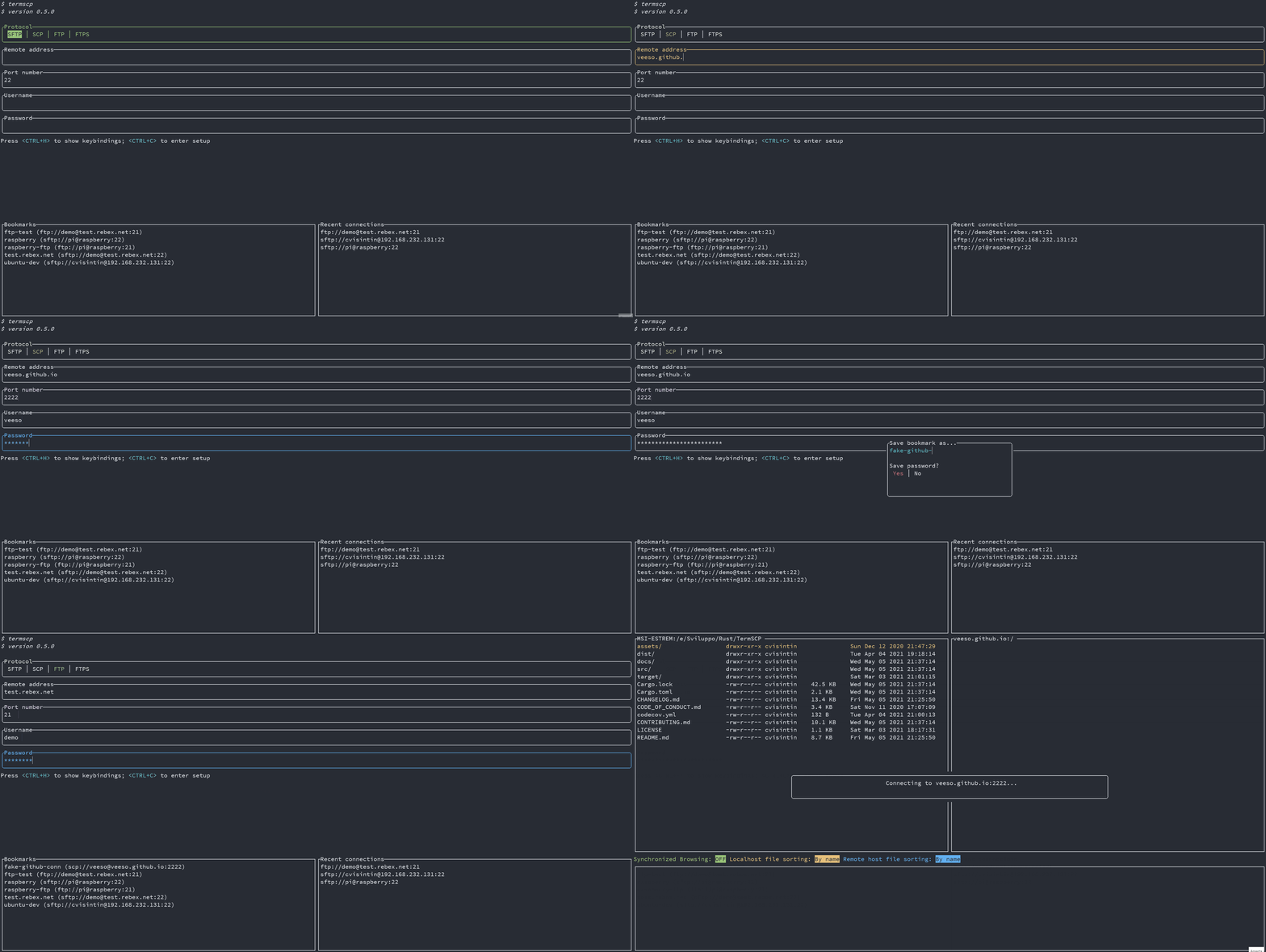
|
||||
|
||||
### Minhas Senhas São Seguras? 😈
|
||||
|
||||
Claro 😉.
|
||||
Como já mencionado, os favoritos são salvos no diretório de configuração juntamente com as senhas. As senhas, obviamente, não são texto simples, elas são criptografadas com **AES-128**. Isso as torna seguras? Absolutamente! (exceto para usuários de BSD e WSL 😢)
|
||||
|
||||
No **Windows**, **Linux** e **MacOS**, a chave usada para criptografar senhas é armazenada, se possível (e deve ser), respectivamente no *Windows Vault*, no *sistema keyring* e no *Keychain*. Isso é realmente super seguro e é gerenciado diretamente pelo seu sistema operacional.
|
||||
|
||||
❗ Por favor, note que se você é um usuário de Linux, seria melhor ler o [capítulo abaixo 👀](#keyring-do-linux), porque o keyring pode não estar habilitado ou suportado no seu sistema!
|
||||
|
||||
Por outro lado, no *BSD* e no *WSL*, a chave usada para criptografar suas senhas é armazenada em seu disco (em `$HOME/.config/termscp`). Ainda é possível recuperar a chave para descriptografar as senhas. Felizmente, a localização da chave garante que ela não possa ser lida por outros usuários diferentes de você, mas sim, eu ainda não salvaria a senha para um servidor exposto na internet 😉.
|
||||
|
||||
#### Keyring do Linux
|
||||
|
||||
Todos nós amamos o Linux por causa da liberdade que ele oferece aos usuários. Você pode basicamente fazer o que quiser como usuário de Linux, mas isso também tem alguns contras, como o fato de muitas vezes não haver aplicativos padrão em diferentes distribuições. E isso também envolve o keyring.
|
||||
Isso significa que no Linux pode não haver um keyring instalado no seu sistema. Infelizmente, a biblioteca que usamos para trabalhar com o armazenamento de chaves requer um serviço que expõe `org.freedesktop.secrets` no D-BUS, e o pior é que há apenas dois serviços que o expõem.
|
||||
|
||||
- ❗ Se você usa GNOME como ambiente de desktop (por exemplo, usuários do Ubuntu), já deve estar bem, pois o keyring já é fornecido pelo `gnome-keyring` e tudo deve estar funcionando.
|
||||
- ❗ Para usuários de outros ambientes de desktop, há um programa legal que você pode usar para obter um keyring, que é o [KeepassXC](https://keepassxc.org/), que eu uso na minha instalação Manjaro (com KDE) e funciona bem. O único problema é que você precisa configurá-lo para ser usado junto com o termscp (mas é bastante simples). Para começar com KeepassXC, leia mais [aqui](#configuração-do-keepassxc-para-o-termscp).
|
||||
- ❗ E se você não quiser instalar nenhum desses serviços? Bem, não tem problema! **termscp continuará funcionando normalmente**, mas salvará a chave em um arquivo, como normalmente faz para BSD e WSL.
|
||||
|
||||
##### Configuração do KeepassXC para o termscp
|
||||
|
||||
Siga estas etapas para configurar o KeepassXC para o termscp:
|
||||
|
||||
1. Instale o KeepassXC
|
||||
2. Vá para "ferramentas" > "configurações" na barra de ferramentas
|
||||
3. Selecione "Integração do Serviço Secreto" e ative "Habilitar Integração do Serviço Secreto do KeepassXC"
|
||||
4. Crie um banco de dados, se você ainda não tiver um: na barra de ferramentas "Banco de dados" > "Novo banco de dados"
|
||||
5. Na barra de ferramentas: "Banco de dados" > "Configurações do banco de dados"
|
||||
6. Selecione "Integração do Serviço Secreto" e ative "Expor entradas sob este grupo"
|
||||
7. Selecione o grupo na lista onde deseja que o segredo do termscp seja mantido. Lembre-se de que esse grupo pode ser usado por qualquer outro aplicativo para armazenar segredos via DBUS.
|
||||
|
||||
---
|
||||
|
||||
## Configuração ⚙️
|
||||
|
||||
O termscp suporta alguns parâmetros definidos pelo usuário, que podem ser definidos na configuração.
|
||||
Por baixo dos panos, o termscp tem um arquivo TOML e alguns outros diretórios onde todos os parâmetros serão salvos, mas não se preocupe, você não precisará tocar em nenhum desses arquivos manualmente, pois fiz com que fosse possível configurar o termscp completamente a partir de sua interface de usuário.
|
||||
|
||||
Assim como para os favoritos, o termscp só requer que esses caminhos estejam acessíveis:
|
||||
|
||||
- `$HOME/.config/termscp/` no Linux/BSD
|
||||
- `$HOME/Library/Application Support/termscp` no MacOs
|
||||
- `FOLDERID_RoamingAppData\termscp\` no Windows
|
||||
|
||||
Para acessar a configuração, basta pressionar `<CTRL+C>` a partir da tela inicial do termscp.
|
||||
|
||||
Estes parâmetros podem ser alterados:
|
||||
|
||||
- **Editor de Texto**: o editor de texto a ser usado. Por padrão, o termscp encontrará o editor padrão para você; com essa opção, você pode forçar um editor a ser usado (por exemplo, `vim`). **Também são suportados editores GUI**, a menos que eles `nohup` do processo pai.
|
||||
- **Protocolo Padrão**: o protocolo padrão é o valor padrão para o protocolo de transferência de arquivos a ser usado no termscp. Isso se aplica à página de login e ao argumento CLI do endereço.
|
||||
- **Exibir Arquivos Ocultos**: selecione se os arquivos ocultos devem ser exibidos por padrão. Você ainda poderá decidir se deseja exibir ou não arquivos ocultos em tempo de execução pressionando `A`.
|
||||
- **Verificar atualizações**: se definido como `yes`, o termscp buscará a API do Github para verificar se há uma nova versão do termscp disponível.
|
||||
- **Prompt ao substituir arquivos existentes?**: Se definido como `yes`, o termscp pedirá confirmação sempre que uma transferência de arquivos causaria a substituição de um arquivo existente no host de destino.
|
||||
- **Agrupar Diretórios**: selecione se os diretórios devem ser agrupados ou não nos exploradores de arquivos. Se `Display first` for selecionado, os diretórios serão ordenados usando o método configurado, mas exibidos antes dos arquivos; se `Display last` for selecionado, eles serão exibidos depois.
|
||||
- **Sintaxe do formatador de arquivos remotos**: sintaxe para exibir informações de arquivo para cada arquivo no explorador remoto. Veja [Formato do Explorador de Arquivos](#formato-do-explorador-de-arquivos)
|
||||
- **Sintaxe do formatador de arquivos locais**: sintaxe para exibir informações de arquivo para cada arquivo no explorador local. Veja [Formato do Explorador de Arquivos](#formato-do-explorador-de-arquivos)
|
||||
- **Habilitar notificações?**: Se definido como `Yes`, as notificações serão exibidas.
|
||||
- **Notificações: tamanho mínimo para transferência**: se o tamanho da transferência for maior ou igual ao valor especificado, as notificações para a transferência serão exibidas. Os valores aceitos estão no formato `{UNSIGNED} B/KB/MB/GB/TB/PB`.
|
||||
- **Caminho da configuração SSH**: define o arquivo de configuração SSH a ser usado ao se conectar a um servidor SCP/SFTP. Se não definido (vazio), nenhum arquivo será usado. Você pode especificar um caminho começando com `~` para indicar o caminho inicial (por exemplo, `~/.ssh/config`). Os parâmetros suportados pelo termscp estão especificados [AQUI](https://github.com/veeso/ssh2-config#exposed-attributes).
|
||||
|
||||
### Armazenamento de Chave SSH 🔐
|
||||
|
||||
Além da configuração, o termscp também oferece um recurso **essencial** para **clientes SFTP/SCP**: o armazenamento de chave SSH.
|
||||
|
||||
Você pode acessar o armazenamento de chaves SSH na configuração, indo para a aba `Chaves SSH`. Uma vez lá, você pode:
|
||||
|
||||
- **Adicionar uma nova chave**: basta pressionar `<CTRL+N>` e você será solicitado a criar uma nova chave. Forneça o nome do host/endereço IP e o nome de usuário associado à chave e, finalmente, um editor de texto será aberto: cole a **chave SSH PRIVADA** no editor de texto, salve e saia.
|
||||
- **Remover uma chave existente**: apenas pressione `<DEL>` ou `<CTRL+E>` na chave que você deseja remover para deletar a chave do termscp permanentemente.
|
||||
- **Editar uma chave existente**: basta pressionar `<ENTER>` na chave que você deseja editar para alterar a chave privada.
|
||||
|
||||
> Pergunta: Espere, minha chave privada está protegida com senha, posso usá-la?
|
||||
> Resposta: Claro que sim. A senha fornecida para autenticação no termscp é válida tanto para autenticação por nome de usuário/senha quanto para autenticação por chave RSA.
|
||||
|
||||
### Formato do Explorador de Arquivos
|
||||
|
||||
É possível, através da configuração, definir um formato personalizado para o explorador de arquivos. Isso é possível tanto para o host local quanto para o remoto, para que você possa ter duas sintaxes diferentes em uso. Esses campos, com nome `File formatter syntax (local)` e `File formatter syntax (remote)`, definirão como as entradas de arquivos serão exibidas no explorador de arquivos.
|
||||
A sintaxe para o formatador é a seguinte `{KEY1}... {KEY2:LENGTH}... {KEY3:LENGTH:EXTRA} {KEYn}...`.
|
||||
Cada chave entre colchetes será substituída pelo atributo relacionado, enquanto tudo fora dos colchetes permanecerá inalterado.
|
||||
|
||||
- O nome da chave é obrigatório e deve ser uma das chaves abaixo.
|
||||
- O comprimento descreve o espaço reservado para exibir o campo. Atributos estáticos não suportam esse recurso (GRUPO, PEX, TAMANHO, USUÁRIO).
|
||||
- O Extra é suportado apenas por alguns parâmetros e é uma opção adicional. Veja as chaves para verificar se o extra é suportado.
|
||||
|
||||
Estas são as chaves suportadas pelo formatador:
|
||||
|
||||
- `ATIME`: Última vez de acesso (com sintaxe padrão `%b %d %Y %H:%M`); O Extra pode ser fornecido como a sintaxe de tempo (por exemplo, `{ATIME:8:%H:%M}`).
|
||||
- `CTIME`: Tempo de criação (com sintaxe `%b %d %Y %H:%M`); O Extra pode ser fornecido como a sintaxe de tempo (por exemplo, `{CTIME:8:%H:%M}`).
|
||||
- `GROUP`: Grupo do proprietário.
|
||||
- `MTIME`: Última modificação (com sintaxe `%b %d %Y %H:%M`); O Extra pode ser fornecido como a sintaxe de tempo (por exemplo, `{MTIME:8:%H:%M}`).
|
||||
- `NAME`: Nome do arquivo (pastas entre a raiz e os primeiros ancestrais são omitidas se forem maiores que o comprimento).
|
||||
- `PATH`: Caminho absoluto do arquivo (pastas entre a raiz e os primeiros ancestrais são omitidas se forem maiores que o comprimento).
|
||||
- `PEX`: Permissões do arquivo (formato UNIX).
|
||||
- `SIZE`: Tamanho do arquivo (omitido para diretórios).
|
||||
- `SYMLINK`: Link simbólico (se houver `-> {FILE_PATH}`).
|
||||
- `USER`: Nome do proprietário.
|
||||
|
||||
Se deixado vazio, será usada a sintaxe padrão do formatador: `{NAME:24} {PEX} {USER} {SIZE} {MTIME:17:%b %d %Y %H:%M}`.
|
||||
|
||||
---
|
||||
|
||||
## Temas 🎨
|
||||
|
||||
O termscp oferece a você um recurso incrível: a possibilidade de definir as cores para vários componentes no aplicativo.
|
||||
Se você deseja personalizar o termscp, há duas maneiras disponíveis para fazer isso:
|
||||
|
||||
- A partir do **menu de configuração**
|
||||
- Importando um **arquivo de tema**
|
||||
|
||||
Para criar sua própria personalização no termscp, tudo o que você precisa fazer é entrar na configuração a partir da atividade de autenticação, pressionar `<CTRL+C>` e depois `<TAB>` duas vezes. Agora você deve ter se movido para o painel de `themes`.
|
||||
|
||||
Aqui você pode se mover com `<UP>` e `<DOWN>` para alterar o estilo que deseja alterar, como mostrado no gif abaixo:
|
||||
|
||||
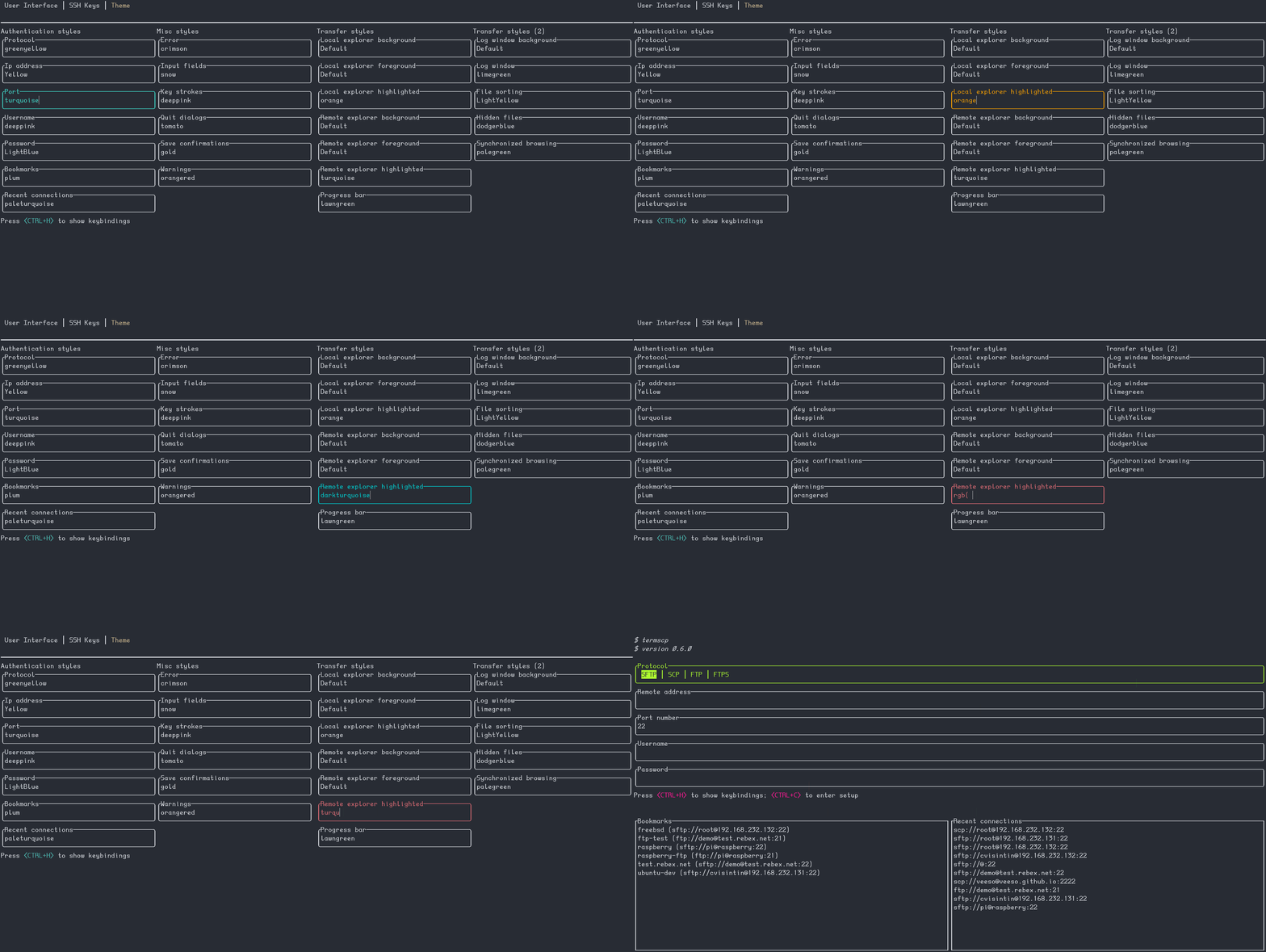
|
||||
|
||||
O termscp suporta tanto a sintaxe tradicional de hexadecimal explícito (`#rrggbb`) quanto rgb `rgb(r, g, b)` para fornecer cores, mas também **[cores CSS](https://www.w3schools.com/cssref/css_colors.asp)** (como `crimson`) são aceitas 😉. Há também uma palavra-chave especial, que é `Default`. Default significa que a cor usada será a cor padrão de primeiro plano ou plano de fundo, dependendo da situação (primeiro plano para textos e linhas, plano de fundo para, bem, adivinhe).
|
||||
|
||||
Como mencionado antes, você também pode importar arquivos de temas. Você pode se inspirar ou usar diretamente um dos temas fornecidos junto com o termscp, localizado no diretório `themes/` deste repositório, e importá-los executando o termscp como `termscp -t <arquivo-do-tema>`. Se tudo correu bem, ele deve informar que o tema foi importado com sucesso.
|
||||
|
||||
### Meu Tema Não Carrega 😱
|
||||
|
||||
Isso provavelmente se deve a uma atualização recente que quebrou o tema. Sempre que eu adiciono uma nova chave aos temas, o tema salvo não será carregado. Para corrigir esse problema, existem duas soluções rápidas:
|
||||
|
||||
1. Recarregar o tema: sempre que eu lançar uma atualização, também corrigirei os "temas oficiais", então você só precisará baixá-lo novamente do repositório e reimportar o tema usando a opção `-t`.
|
||||
|
||||
```sh
|
||||
termscp -t <theme.toml>
|
||||
```
|
||||
|
||||
2. Corrigir seu tema: se você estiver usando um tema personalizado, você pode editá-lo via `vim` e adicionar a chave que está faltando. O tema está localizado em `$CONFIG_DIR/termscp/theme.toml`, onde `$CONFIG_DIR` é:
|
||||
|
||||
- FreeBSD/GNU-Linux: `$HOME/.config/`
|
||||
- MacOs: `$HOME/Library/Application Support`
|
||||
- Windows: `%appdata%`
|
||||
|
||||
❗ As chaves que faltam são relatadas no CHANGELOG sob `BREAKING CHANGES` para a versão que você acabou de instalar.
|
||||
|
||||
### Estilos 💈
|
||||
|
||||
Você pode encontrar na tabela abaixo a descrição para cada campo de estilo.
|
||||
Por favor, note que **estilos não se aplicam à página de configuração**, para torná-la sempre acessível no caso de você bagunçar tudo.
|
||||
|
||||
#### Página de Autenticação
|
||||
|
||||
| Chave | Descrição |
|
||||
|-----------------|----------------------------------------------|
|
||||
| auth_address | Cor do campo de entrada para endereço IP |
|
||||
| auth_bookmarks | Cor do painel de favoritos |
|
||||
| auth_password | Cor do campo de entrada para senha |
|
||||
| auth_port | Cor do campo de entrada para número da porta |
|
||||
| auth_protocol | Cor do grupo de rádio para protocolo |
|
||||
| auth_recents | Cor do painel de recentes |
|
||||
| auth_username | Cor do campo de entrada para nome de usuário |
|
||||
|
||||
#### Página de Transferência
|
||||
|
||||
| Chave | Descrição |
|
||||
|--------------------------------------|---------------------------------------------------------------------------------|
|
||||
| transfer_local_explorer_background | Cor de fundo do explorador do localhost |
|
||||
| transfer_local_explorer_foreground | Cor de primeiro plano do explorador do localhost |
|
||||
| transfer_local_explorer_highlighted | Cor da borda e realce do explorador do localhost |
|
||||
| transfer_remote_explorer_background | Cor de fundo do explorador remoto |
|
||||
| transfer_remote_explorer_foreground | Cor de primeiro plano do explorador remoto |
|
||||
| transfer_remote_explorer_highlighted | Cor da borda e realce do explorador remoto |
|
||||
| transfer_log_background | Cor de fundo do painel de logs |
|
||||
| transfer_log_window | Cor da janela para o painel de logs |
|
||||
| transfer_progress_bar_partial | Cor parcial da barra de progresso |
|
||||
| transfer_progress_bar_total | Cor total da barra de progresso |
|
||||
| transfer_status_hidden | Cor para a etiqueta "oculto" na barra de status |
|
||||
| transfer_status_sorting | Cor para a etiqueta "ordenando" na barra de status; aplica-se também ao diálogo de ordenação de arquivos |
|
||||
| transfer_status_sync_browsing | Cor para a etiqueta "navegação sincronizada" na barra de status |
|
||||
|
||||
#### Diversos
|
||||
|
||||
Estes estilos se aplicam a diferentes partes do aplicativo.
|
||||
|
||||
| Chave | Descrição |
|
||||
|-----------------------------|------------------------------------------------|
|
||||
| misc_error_dialog | Cor para mensagens de erro |
|
||||
| misc_info_dialog | Cor para diálogos de informações |
|
||||
| misc_input_dialog | Cor para diálogos de entrada (como copiar arquivo) |
|
||||
| misc_keys | Cor do texto para teclas de atalho |
|
||||
| misc_quit_dialog | Cor para diálogos de saída |
|
||||
| misc_save_dialog | Cor para diálogos de salvar |
|
||||
| misc_warn_dialog | Cor para diálogos de aviso |
|
||||
|
||||
---
|
||||
|
||||
## Editor de Texto ✏
|
||||
|
||||
O termscp possui, como você deve ter notado, muitos recursos, um deles é a possibilidade de visualizar e editar arquivos de texto. Não importa se o arquivo está localizado no host local ou no host remoto, o termscp oferece a possibilidade de abrir um arquivo no seu editor de texto favorito.
|
||||
Caso o arquivo esteja localizado no host remoto, ele será primeiro baixado para o seu diretório temporário e, **somente** se alterações forem feitas no arquivo, ele será re-enviado para o host remoto. O termscp verifica se você fez alterações no arquivo verificando o último tempo de modificação do arquivo.
|
||||
|
||||
> ❗ Apenas um lembrete: **você só pode editar arquivos de texto**; arquivos binários não são suportados.
|
||||
|
||||
---
|
||||
|
||||
## Registro de Logs 🩺
|
||||
|
||||
O termscp escreve um arquivo de log para cada sessão, que é gravado em:
|
||||
|
||||
- `$HOME/.cache/termscp/termscp.log` no Linux/BSD
|
||||
- `$HOME/Library/Caches/termscp/termscp.log` no MacOs
|
||||
- `FOLDERID_LocalAppData\termscp\termscp.log` no Windows
|
||||
|
||||
o log não será rotacionado, mas será truncado após cada execução do termscp, então se você quiser relatar um problema e anexar seu arquivo de log, lembre-se de salvar o arquivo de log em um local seguro antes de usar o termscp novamente. O registro por padrão é feito no nível *INFO*, então não é muito detalhado.
|
||||
|
||||
Se você quiser enviar um problema, por favor, se puder, reproduza o problema com o nível definido como `TRACE`, para isso, inicie o termscp com a opção CLI `-D`.
|
||||
|
||||
Sei que você pode ter algumas perguntas sobre arquivos de log, então fiz um tipo de perguntas e respostas:
|
||||
|
||||
> Não quero registros, posso desativá-los?
|
||||
|
||||
Sim, você pode. Basta iniciar o termscp com a opção `-q ou --quiet`. Você pode aliasar o termscp para tornar isso persistente. Lembre-se de que os registros são usados para diagnosticar problemas, então, como atrás de todo projeto de código aberto deve sempre haver esse tipo de ajuda mútua, manter os arquivos de log pode ser sua maneira de apoiar o projeto 😉. Não quero que você se sinta culpado, mas só estou dizendo.
|
||||
|
||||
> O registro é seguro?
|
||||
|
||||
Se você estiver preocupado com a segurança, o arquivo de log não contém nenhuma senha em texto simples, então não se preocupe e expõe as mesmas informações que o arquivo irmão `bookmarks` relata.
|
||||
|
||||
## Notificações 📫
|
||||
|
||||
O termscp enviará notificações da área de trabalho para estes tipos de eventos:
|
||||
|
||||
- Em **Transferência concluída**: A notificação será enviada quando uma transferência for concluída com sucesso.
|
||||
- ❗ A notificação será exibida apenas se o tamanho total da transferência for pelo menos o especificado em `Notifications: minimum transfer size` na configuração.
|
||||
- Em **Transferência falhou**: A notificação será enviada quando uma transferência falhar devido a um erro.
|
||||
- ❗ A notificação será exibida apenas se o tamanho total da transferência for pelo menos o especificado em `Notifications: minimum transfer size` na configuração.
|
||||
- Em **Atualização disponível**: Sempre que uma nova versão do termscp estiver disponível, uma notificação será exibida.
|
||||
- Em **Atualização instalada**: Sempre que uma nova versão do termscp for instalada, uma notificação será exibida.
|
||||
- Em **Falha na atualização**: Sempre que a instalação da atualização falhar, uma notificação será exibida.
|
||||
|
||||
❗ Se você prefere manter as notificações desativadas, basta entrar na configuração e definir `Enable notifications?` para `No` 😉.
|
||||
❗ Se quiser alterar o tamanho mínimo para exibir notificações, você pode mudar o valor na configuração com a chave `Notifications: minimum transfer size` e ajustá-lo ao que for melhor para você 🙂.
|
||||
|
||||
---
|
||||
|
||||
## Observador de Arquivos 🔭
|
||||
|
||||
O observador de arquivos permite que você configure uma lista de caminhos para sincronizar com os hosts remotos.
|
||||
Isso significa que, sempre que uma alteração no sistema de arquivos local for detectada no caminho sincronizado, a alteração será automaticamente relatada para o caminho do host remoto configurado, dentro de 5 segundos.
|
||||
|
||||
Você pode definir quantos caminhos desejar para sincronizar:
|
||||
|
||||
1. Coloque o cursor no explorador local no diretório/arquivo que deseja manter sincronizado.
|
||||
2. Vá para o diretório para o qual deseja que as alterações sejam relatadas no host remoto.
|
||||
3. Pressione `<T>`.
|
||||
4. Responda `<YES>` na janela pop-up.
|
||||
|
||||
Para desfazer a observação, basta pressionar `<T>` no caminho local sincronizado (ou em qualquer um de seus subdiretórios)
|
||||
OU você pode simplesmente pressionar `<CTRL+T>` e pressionar `<ENTER>` no caminho sincronizado que deseja desfazer a observação.
|
||||
|
||||
Estas alterações serão relatadas para o host remoto:
|
||||
|
||||
- Novos arquivos, alterações em arquivos.
|
||||
- Arquivo movido/renomeado.
|
||||
- Arquivo removido/desvinculado.
|
||||
|
||||
> ❗ O observador funciona apenas em uma direção (local > remoto). Não é possível sincronizar automaticamente as alterações do host remoto para o local.
|
||||
@@ -1,7 +1,7 @@
|
||||
# termscp
|
||||
|
||||
<p align="center">
|
||||
<img src="/assets/images/termscp.svg" width="256" height="256" />
|
||||
<img src="/assets/images/termscp.svg" alt="logo" width="256" height="256" />
|
||||
</p>
|
||||
|
||||
<p align="center">~ 功能丰富的终端文件传输工具 ~</p>
|
||||
@@ -21,6 +21,14 @@
|
||||
alt="English"
|
||||
/></a>
|
||||
|
||||
<a
|
||||
href="https://github.com/veeso/termscp/blob/main/docs/ptbr/README.md"
|
||||
><img
|
||||
height="20"
|
||||
src="/assets/images/flags/br.png"
|
||||
alt="Brazilian Portuguese"
|
||||
/></a>
|
||||
|
||||
<a
|
||||
href="https://github.com/veeso/termscp/blob/main/docs/de/README.md"
|
||||
><img
|
||||
@@ -63,7 +71,7 @@
|
||||
</p>
|
||||
|
||||
<p align="center">由 <a href="https://veeso.dev/" target="_blank">@veeso</a> 开发</p>
|
||||
<p align="center">当前版本: 0.12.2 (01/10/2023)</p>
|
||||
<p align="center">当前版本: 0.15.0 (03/10/2024)</p>
|
||||
|
||||
<p align="center">
|
||||
<a href="https://opensource.org/licenses/MIT"
|
||||
@@ -124,7 +132,7 @@
|
||||
|
||||
## 关于 termscp 🖥
|
||||
|
||||
termscp 是一个功能丰富的终端文件浏览和传输工具,支持 SCP/SFTP/FTP/S3。 作为一个带有 TUI 的命令行工具,它可以连接到远程服务器进行文件检索和上传,并能够与本地文件系统进行交互。
|
||||
termscp 是一个功能丰富的终端文件浏览和传输工具,支持 SCP/SFTP/FTP/Kube/S3/WebDAV。 作为一个带有 TUI 的命令行工具,它可以连接到远程服务器进行文件检索和上传,并能够与本地文件系统进行交互。
|
||||
|
||||
兼容 **Linux**、**MacOS**、**FreeBSD** 和 **Windows** 操作系统。
|
||||
|
||||
@@ -138,8 +146,10 @@ termscp 是一个功能丰富的终端文件浏览和传输工具,支持 SCP/S
|
||||
- **SFTP**
|
||||
- **SCP**
|
||||
- **FTP** and **FTPS**
|
||||
- **Kube**
|
||||
- **S3**
|
||||
- **SMB**
|
||||
- **WebDAV**
|
||||
- 🖥 使用便捷的 UI 在远程和本地文件系统上浏览和操作
|
||||
- 创建、删除、重命名、搜索、查看和编辑文件
|
||||
- ⭐ 通过“内置书签”和“最近连接”快速连接到您的主机
|
||||
@@ -262,7 +272,7 @@ termscp 由这些很棒的项目提供支持:
|
||||
- [self_update](https://github.com/jaemk/self_update)
|
||||
- [ssh2-rs](https://github.com/alexcrichton/ssh2-rs)
|
||||
- [suppaftp](https://github.com/veeso/suppaftp)
|
||||
- [tui-rs](https://github.com/fdehau/tui-rs)
|
||||
- [ratatui](https://github.com/ratatui-org/ratatui)
|
||||
- [tui-realm](https://github.com/veeso/tui-realm)
|
||||
- [whoami](https://github.com/libcala/whoami)
|
||||
- [wildmatch](https://github.com/becheran/wildmatch)
|
||||
|
||||
@@ -4,6 +4,8 @@
|
||||
- [用法](#用法)
|
||||
- [地址参数](#地址参数)
|
||||
- [AWS S3 地址参数](#aws-s3-地址参数)
|
||||
- [Kube 地址参数](#kube-地址参数)
|
||||
- [WebDAV 地址参数](#webdav-地址参数)
|
||||
- [SMB 地址参数](#smb-地址参数)
|
||||
- [如何输入密码](#如何输入密码)
|
||||
- [S3 连接参数](#s3-连接参数)
|
||||
@@ -43,9 +45,7 @@ termscp启动时可以使用以下选项:
|
||||
|
||||
- `-P, --password <password>` 登陆密码
|
||||
- `-b, --address-as-bookmark` 将地址参数解析为书签名称
|
||||
- `-c, --config` 打开termscp时打开配置页面
|
||||
- `-q, --quiet` 禁用日志
|
||||
- `-t, --theme <path>` 导入自定义主题
|
||||
- `-v, --version` 打印版本信息
|
||||
- `-h, --help` 打开帮助
|
||||
|
||||
@@ -103,6 +103,27 @@ s3://<bucket-name>@<region>[:profile][:/wrkdir]
|
||||
s3://buckethead@eu-central-1:default:/assets
|
||||
```
|
||||
|
||||
#### Kube 地址参数
|
||||
|
||||
如果您想连接到 Kube,请使用以下语法
|
||||
|
||||
```txt
|
||||
kube://[namespace][@<cluster_url>][$</path>]
|
||||
```
|
||||
|
||||
#### WebDAV 地址参数
|
||||
|
||||
如果您想要连接到 WebDAV,请使用以下语法
|
||||
|
||||
```txt
|
||||
http://<username>:<password>@<url></path>
|
||||
或者如果您想要使用 https
|
||||
```
|
||||
|
||||
```txt
|
||||
https://<username>:<password>@<url></path>
|
||||
```
|
||||
|
||||
#### SMB 地址参数
|
||||
|
||||
SMB 对 CLI 地址参数有不同的语法,无论您是在 Windows 还是其他系统上,这都是不同的:
|
||||
@@ -227,7 +248,9 @@ termscp中的文件资源管理器是指你与远程建立连接后可以看到
|
||||
| `<X>` | 运行命令 | eXecute |
|
||||
| `<Y>` | 是否开启同步浏览 | sYnc |
|
||||
| `<Z>` | 更改文件权限 | |
|
||||
| `</>` | 过滤文件(支持正则表达式和通配符匹配) | |
|
||||
| `<CTRL+A>` | 选中所有文件 | |
|
||||
| `<ALT+A>` | 取消选择所有文件 | |
|
||||
| `<CTRL+C>` | 终止文件传输 | |
|
||||
| `<CTRL+T>` | 显示所有同步路径 | Track |
|
||||
|
||||
|
||||
35
install.sh
35
install.sh
@@ -8,12 +8,10 @@
|
||||
# -f, -y, --force, --yes
|
||||
# Skip the confirmation prompt during installation
|
||||
|
||||
TERMSCP_VERSION="0.12.2"
|
||||
TERMSCP_VERSION="0.15.0"
|
||||
GITHUB_URL="https://github.com/veeso/termscp/releases/download/v${TERMSCP_VERSION}"
|
||||
DEB_URL_AMD64="${GITHUB_URL}/termscp_${TERMSCP_VERSION}_amd64.deb"
|
||||
DEB_URL_AARCH64="${GITHUB_URL}/termscp_${TERMSCP_VERSION}_arm64.deb"
|
||||
RPM_URL_AMD64="${GITHUB_URL}/termscp-${TERMSCP_VERSION}-1.x86_64.rpm"
|
||||
RPM_URL_AARCH64="${GITHUB_URL}/termscp-${TERMSCP_VERSION}-1.aarch64.rpm"
|
||||
|
||||
PATH="$PATH:/usr/sbin"
|
||||
|
||||
@@ -37,8 +35,6 @@ set_termscp_version() {
|
||||
GITHUB_URL="https://github.com/veeso/termscp/releases/download/v${TERMSCP_VERSION}"
|
||||
DEB_URL_AMD64="${GITHUB_URL}/termscp_${TERMSCP_VERSION}_amd64.deb"
|
||||
DEB_URL_AARCH64="${GITHUB_URL}/termscp_${TERMSCP_VERSION}_arm64.deb"
|
||||
RPM_URL_AMD64="${GITHUB_URL}/termscp-${TERMSCP_VERSION}-1.x86_64.rpm"
|
||||
RPM_URL_AARCH64="${GITHUB_URL}/termscp-${TERMSCP_VERSION}-1.aarch64.rpm"
|
||||
}
|
||||
|
||||
info() {
|
||||
@@ -225,7 +221,9 @@ install_on_linux() {
|
||||
local msg
|
||||
local sudo
|
||||
local archive
|
||||
if has yay; then
|
||||
if has pacman; then
|
||||
install_on_arch_linux pacman
|
||||
elif has yay; then
|
||||
install_on_arch_linux yay
|
||||
elif has pakku; then
|
||||
install_on_arch_linux pakku
|
||||
@@ -260,29 +258,6 @@ install_on_linux() {
|
||||
info "$msg"
|
||||
$sudo dpkg -i "${archive}"
|
||||
rm -f ${archive}
|
||||
elif has rpm; then
|
||||
case "${ARCH}" in
|
||||
x86_64) RPM_URL="$RPM_URL_AMD64" ;;
|
||||
aarch64) RPM_URL="$RPM_URL_AARCH64" ;;
|
||||
*) try_with_cargo "we don't distribute packages for ${ARCH} at the moment" && return $? ;;
|
||||
esac
|
||||
info "Detected rpm on your system"
|
||||
info "Installing ${GREEN}termscp${NO_COLOR} via RPM package"
|
||||
archive=$(get_tmpfile "rpm")
|
||||
download "${archive}" "${RPM_URL}"
|
||||
info "Downloaded rpm package to ${archive}"
|
||||
if test_writeable "/usr/bin"; then
|
||||
sudo=""
|
||||
msg="Installing ${GREEN}termscp${NO_COLOR}, please wait…"
|
||||
else
|
||||
warn "Root permissions are required to install ${GREEN}termscp${NO_COLOR}…"
|
||||
elevate_priv
|
||||
sudo="sudo"
|
||||
msg="Installing ${GREEN}termscp${NO_COLOR} as root, please wait…"
|
||||
fi
|
||||
info "$msg"
|
||||
$sudo rpm -U "${archive}"
|
||||
rm -f ${archive}
|
||||
elif has brew; then
|
||||
install_with_brew
|
||||
else
|
||||
@@ -310,7 +285,7 @@ install_bsd_cargo_deps() {
|
||||
|
||||
install_linux_cargo_deps() {
|
||||
local debian_deps="gcc pkg-config libdbus-1-dev libsmbclient-dev"
|
||||
local rpm_deps="gcc openssl pkgconfig libdbus-devel openssl-devel libsmbclient-devel"
|
||||
local rpm_deps="gcc openssl pkgconfig dbus-devel openssl-devel libsmbclient-devel"
|
||||
local arch_deps="gcc openssl pkg-config dbus smbclient"
|
||||
local deps_cmd=""
|
||||
# Get pkg manager
|
||||
|
||||
@@ -3,13 +3,13 @@
|
||||
|
||||
<head>
|
||||
<title>
|
||||
termscp is a terminal file transfer and explorer for SCP/SFTP/FTP/S3/SMB | termscp
|
||||
termscp is a terminal file transfer and explorer for SCP/SFTP/FTP/Kube/S3/WebDAV/SMB/WebDAV | termscp
|
||||
</title>
|
||||
<meta property="og:description"
|
||||
content="termscp is a feature rich terminal file transfer and explorer, with support for SCP/SFTP/FTP/S3. It is Linux, MacOS, FreeBSD, NetBSD and Windows compatible" />
|
||||
content="termscp is a feature rich terminal file transfer and explorer, with support for SCP/SFTP/FTP/Kube/S3/WebDAV. It is Linux, MacOS, FreeBSD, NetBSD and Windows compatible" />
|
||||
<meta name="description"
|
||||
content="termscp is a feature rich terminal file transfer and explorer, with support for SCP/SFTP/FTP/S3. It is Linux, MacOS, FreeBSD, NetBSD and Windows compatible" />
|
||||
<meta property="og:title" content="termscp is a terminal file transfer and explorer for SCP/SFTP/FTP/S3 | termscp" />
|
||||
content="termscp is a feature rich terminal file transfer and explorer, with support for SCP/SFTP/FTP/Kube/S3/WebDAV. It is Linux, MacOS, FreeBSD, NetBSD and Windows compatible" />
|
||||
<meta property="og:title" content="termscp is a terminal file transfer and explorer for SCP/SFTP/FTP/Kube/S3/WebDAV | termscp" />
|
||||
<meta charset="utf-8" />
|
||||
<meta name="viewport" content="width=device-width, initial-scale=1" />
|
||||
<meta name="robots" content="index, follow" />
|
||||
|
||||
@@ -35,7 +35,7 @@
|
||||
<span translate="getStarted.windows.moderation">Consider that Chocolatey moderation can take up to a few weeks
|
||||
since last release, so if the latest version is not available yet,
|
||||
you can install it downloading the ZIP file from</span>
|
||||
<a href="https://github.com/veeso/termscp/releases/latest/download/termscp.0.12.2.nupkg"
|
||||
<a href="https://github.com/veeso/termscp/releases/latest/download/termscp.0.15.0.nupkg"
|
||||
target="_blank">Github</a>
|
||||
<span translate="getStarted.windows.then">and then, from the ZIP directory, install it via</span>
|
||||
</p>
|
||||
@@ -59,12 +59,11 @@
|
||||
</h3>
|
||||
<div class="installation">
|
||||
<p>
|
||||
<span translate="getStarted.arch.intro">On Arch Linux based distros, you can install termscp using an AUR
|
||||
package manager such as</span>
|
||||
<a href="https://github.com/Jguer/yay" target="_blank">yay</a>
|
||||
<span translate="getStarted.arch.intro">On Arch Linux based distros, you can install termscp using</span>
|
||||
<a href="https://wiki.archlinux.org/title/pacman" target="_blank">pacman</a>
|
||||
<span translate="getStarted.arch.then">then run:</span>
|
||||
</p>
|
||||
<pre><span class="function">yay</span> -S <span class="string">termscp</span></pre>
|
||||
<pre><span class="function">pacman</span> -S <span class="string">termscp</span></pre>
|
||||
</div>
|
||||
<h3>
|
||||
<i class="devicon-debian-plain"></i> <span translate="getStarted.debian.title">Debian derived
|
||||
@@ -75,21 +74,13 @@
|
||||
On Debian based distros, you can install termscp using the Deb
|
||||
package via:
|
||||
</p>
|
||||
<pre><span class="function">wget</span> -O termscp.deb <span class="string">https://github.com/veeso/termscp/releases/latest/download/termscp_0.12.2_amd64.deb</span>
|
||||
<pre><span class="function">wget</span> -O termscp.deb <span class="string">https://github.com/veeso/termscp/releases/latest/download/termscp_0.15.0_amd64.deb</span>
|
||||
sudo <span class="function">dpkg</span> -i <span class="string">termscp.deb</span></pre>
|
||||
</div>
|
||||
<h3>
|
||||
<i class="devicon-redhat-plain"></i> <span translate="getStarted.redhat.title">Redhat derived
|
||||
users</span>
|
||||
</h3>
|
||||
<div class="installation">
|
||||
<p translate="getStarted.redhat.body">
|
||||
On RedHat based distros, you can install termscp using the RPM
|
||||
package via:
|
||||
</p>
|
||||
<pre><span class="function">wget</span> -O termscp.rpm <span class="string">https://github.com/veeso/termscp/releases/latest/download/termscp-0.12.2-1.x86_64.rpm</span>
|
||||
sudo <span class="function">rpm</span> -U <span class="string">termscp.rpm</span></pre>
|
||||
</div>
|
||||
<h3>
|
||||
<span>Brew</span>
|
||||
</h3>
|
||||
|
||||
@@ -1,17 +1,18 @@
|
||||
<!DOCTYPE html>
|
||||
<section id="intro" class="flex flex-col mx-auto items-center justify-center w-full px-4 dark:bg-brand dark:text-gray-100">
|
||||
<section id="intro"
|
||||
class="flex flex-col mx-auto items-center justify-center w-full px-4 dark:bg-brand dark:text-gray-100">
|
||||
<h1 class="text-3xl text-center font-thin">termscp</h1>
|
||||
<img class="w-[256px] h-auto m-auto" alt="logo" src="assets/images/termscp.webp" />
|
||||
<h2 class="text-xl font-thin text-center py-6" translate="intro.caption">
|
||||
A feature rich terminal UI file transfer and explorer with support for
|
||||
SCP/SFTP/FTP/S3/SMB
|
||||
SCP/SFTP/FTP/Kube/S3/WebDAV/SMB/WebDAV
|
||||
</h2>
|
||||
<button class="bg-brand hover:bg-gray-800 text-white font-thin text-xl py-2 px-4 rounded-xl max-w-fit">
|
||||
<a href="/get-started.html" class="no-underline" translate="intro.getStarted">Get started →</a>
|
||||
</button>
|
||||
<div class="p-4 my-4 text-sm text-green-800 rounded-lg bg-green-50">
|
||||
<p class="text-lg">
|
||||
<span translate="intro.versionAlert">termscp 0.12.2 is NOW out! Download it from</span>
|
||||
<span translate="intro.versionAlert">termscp 0.15.0 is NOW out! Download it from</span>
|
||||
<a href="/get-started.html" translate="intro.here">here!</a>
|
||||
</p>
|
||||
</div>
|
||||
@@ -66,7 +67,8 @@
|
||||
<div class="flex flex-row sm:flex-col justify-around gap-12">
|
||||
<div class="hook">
|
||||
<h3 class="text-center text-gray-500 dark:text-gray-100 font-light text-xl">
|
||||
<a href="/get-started.html" class="no-underline hover:underline" translate="intro.footer.getStarted">Get started</a>
|
||||
<a href="/get-started.html" class="no-underline hover:underline" translate="intro.footer.getStarted">Get
|
||||
started</a>
|
||||
</h3>
|
||||
</div>
|
||||
<div class="hook">
|
||||
@@ -76,7 +78,8 @@
|
||||
</div>
|
||||
<div class="hook">
|
||||
<h3 class="text-center text-gray-500 dark:text-gray-100 font-light text-xl">
|
||||
<a href="/updates.html" class="no-underline hover:underline" translate="intro.footer.updates">Install updates</a>
|
||||
<a href="/updates.html" class="no-underline hover:underline" translate="intro.footer.updates">Install
|
||||
updates</a>
|
||||
</h3>
|
||||
</div>
|
||||
</div>
|
||||
|
||||
@@ -1,6 +1,7 @@
|
||||
<head>
|
||||
<link rel="stylesheet" href="css/updates.css" />
|
||||
</head>
|
||||
|
||||
<body>
|
||||
<section id="updates" class="flex flex-col mx-auto items-center justify-center w-full px-12 gap-8 dark:text-gray-100">
|
||||
<h1 translate="updates.title" class="text-3xl font-thin">Keeping termscp up to date</h1>
|
||||
@@ -8,7 +9,7 @@
|
||||
<section>
|
||||
<h2 class="text-2xl font-thin">
|
||||
<i class="fa fa-question-circle"></i> <span translate="updates.reasons.title">Why should you install
|
||||
updates</span>
|
||||
updates</span>
|
||||
</h2>
|
||||
<div class="wall-of-text">
|
||||
<p translate="updates.reasons.wallOfText" class="text-gray-700 dark:text-gray-300">
|
||||
@@ -41,7 +42,8 @@
|
||||
</section>
|
||||
<!-- Gui method -->
|
||||
<section>
|
||||
<h2 class="text-2xl font-thin"><i class="fa fa-desktop"></i> <span translate="updates.gui.title">GUI method</span></h2>
|
||||
<h2 class="text-2xl font-thin"><i class="fa fa-desktop"></i> <span translate="updates.gui.title">GUI
|
||||
method</span></h2>
|
||||
<div class="installation">
|
||||
<p translate="updates.gui.body" class="text-gray-700 dark:text-gray-300">
|
||||
The GUI method just consists in starting termscp with no options, you
|
||||
@@ -64,8 +66,8 @@
|
||||
<p>
|
||||
<i class="fas fa-exclamation-triangle"></i>
|
||||
<span translate="updates.gui.pex">
|
||||
If you have previously installed termscp via Deb/RPM package, you
|
||||
may need to use the CLI method running termscp with sudo
|
||||
If you have previously installed termscp via Deb package, you
|
||||
may need to use the CLI method running termscp with sudo
|
||||
</span>
|
||||
</p>
|
||||
</div>
|
||||
@@ -73,7 +75,8 @@
|
||||
</section>
|
||||
<!-- CLI method -->
|
||||
<section>
|
||||
<h2 class="text-2xl font-thin"><i class="fa fa-glasses"></i> <span translate="updates.cli.title">CLI method</span></h2>
|
||||
<h2 class="text-2xl font-thin"><i class="fa fa-glasses"></i> <span translate="updates.cli.title">CLI
|
||||
method</span></h2>
|
||||
<div class="installation">
|
||||
<p translate="updates.cli.body" class="text-gray-700 dark:text-gray-300">
|
||||
If you prefer, you can install a new update just using the dedicated
|
||||
@@ -94,4 +97,4 @@
|
||||
</div>
|
||||
</section>
|
||||
</section>
|
||||
</body>
|
||||
</body>
|
||||
@@ -3,13 +3,14 @@
|
||||
|
||||
<head>
|
||||
<title>
|
||||
termscp is a terminal file transfer and explorer for SCP/SFTP/FTP/S3/SMB | termscp
|
||||
termscp is a terminal file transfer and explorer for SCP/SFTP/FTP/Kube/S3/WebDAV/SMB/WebDAV | termscp
|
||||
</title>
|
||||
<meta property="og:description"
|
||||
content="a WinSCP alternative for Linux and MacOS with support for SCP/SFTP/FTP/S3/SMB. Command line file transfer with user interface compatible with all the operating systems." />
|
||||
content="a WinSCP alternative for Linux and MacOS with support for SCP/SFTP/FTP/Kube/S3/WebDAV/SMB/WebDAV. Command line file transfer with user interface compatible with all the operating systems." />
|
||||
<meta name="description"
|
||||
content="a WinSCP alternative for Linux and MacOS with support for SCP/SFTP/FTP/S3/SMB. Command line file transfer with user interface compatible with all the operating systems." />
|
||||
<meta property="og:title" content="termscp is a terminal file transfer and explorer for SCP/SFTP/FTP/S3/SMB | termscp" />
|
||||
content="a WinSCP alternative for Linux and MacOS with support for SCP/SFTP/FTP/Kube/S3/WebDAV/SMB/WebDAV. Command line file transfer with user interface compatible with all the operating systems." />
|
||||
<meta property="og:title"
|
||||
content="termscp is a terminal file transfer and explorer for SCP/SFTP/FTP/Kube/S3/WebDAV/SMB/WebDAV | termscp" />
|
||||
<meta charset="utf-8" />
|
||||
<meta name="viewport" content="width=device-width, initial-scale=1" />
|
||||
<meta name="robots" content="index, follow" />
|
||||
@@ -40,7 +41,7 @@
|
||||
|
||||
<body>
|
||||
<div id="layout" class="dark:bg-brand dark:text-gray-100">
|
||||
|
||||
|
||||
<!-- Menu -->
|
||||
<header id="menu"></header>
|
||||
<main>
|
||||
|
||||
@@ -10,9 +10,9 @@
|
||||
"support": "Support me"
|
||||
},
|
||||
"intro": {
|
||||
"caption": "A feature rich terminal UI file transfer and explorer with support for SCP/SFTP/FTP/S3",
|
||||
"caption": "A feature rich terminal UI file transfer and explorer with support for SCP/SFTP/FTP/Kube/S3/WebDAV",
|
||||
"getStarted": "Get started →",
|
||||
"versionAlert": "termscp 0.12.2 is NOW out! Download it from",
|
||||
"versionAlert": "termscp 0.15.0 is NOW out! Download it from",
|
||||
"here": "here",
|
||||
"features": {
|
||||
"handy": {
|
||||
@@ -62,7 +62,7 @@
|
||||
"noBinary": "Opt for this method instead if binaries for your platform are not available or you want to select features",
|
||||
"arch": {
|
||||
"title": "Arch derived users",
|
||||
"intro": "On Arch Linux based distros, you can install termscp using an AUR package manager such as",
|
||||
"intro": "On Arch Linux based distros, you can install termscp using",
|
||||
"then": "then run"
|
||||
},
|
||||
"debian": {
|
||||
|
||||
@@ -10,9 +10,9 @@
|
||||
"support": "Apoyame"
|
||||
},
|
||||
"intro": {
|
||||
"caption": "Un explorador y transferencia de archivos de terminal rico en funciones, con apoyo para SCP/SFTP/FTP/S3",
|
||||
"caption": "Un explorador y transferencia de archivos de terminal rico en funciones, con apoyo para SCP/SFTP/FTP/Kube/S3/WebDAV",
|
||||
"getStarted": "Para iniciar →",
|
||||
"versionAlert": "termscp 0.12.2 ya está disponible! Descárgalo desde",
|
||||
"versionAlert": "termscp 0.15.0 ya está disponible! Descárgalo desde",
|
||||
"here": "aquì",
|
||||
"features": {
|
||||
"handy": {
|
||||
|
||||
@@ -10,9 +10,9 @@
|
||||
"support": "Me soutenir"
|
||||
},
|
||||
"intro": {
|
||||
"caption": "Un file transfer et navigateur de terminal riche en fonctionnalités avec support pour SCP/SFTP/FTP/S3",
|
||||
"caption": "Un file transfer et navigateur de terminal riche en fonctionnalités avec support pour SCP/SFTP/FTP/Kube/S3/WebDAV",
|
||||
"getStarted": "Pour commencer →",
|
||||
"versionAlert": "termscp 0.12.2 est maintenant sorti! Télécharge-le depuis",
|
||||
"versionAlert": "termscp 0.15.0 est maintenant sorti! Télécharge-le depuis",
|
||||
"here": "ici",
|
||||
"features": {
|
||||
"handy": {
|
||||
|
||||
@@ -12,7 +12,7 @@
|
||||
"intro": {
|
||||
"caption": "Un file transfer ed explorer ricco di funzionalità con supporto per SFTP/SCP/FTP/S3",
|
||||
"getStarted": "Installa termscp →",
|
||||
"versionAlert": "termscp 0.12.2 è ORA disponbile! Scaricalo da",
|
||||
"versionAlert": "termscp 0.15.0 è ORA disponbile! Scaricalo da",
|
||||
"here": "qui",
|
||||
"features": {
|
||||
"handy": {
|
||||
|
||||
@@ -10,9 +10,9 @@
|
||||
"support": "支持我"
|
||||
},
|
||||
"intro": {
|
||||
"caption": "功能丰富的终端 UI 文件传输和浏览器,支持 SCP/SFTP/FTP/S3",
|
||||
"caption": "功能丰富的终端 UI 文件传输和浏览器,支持 SCP/SFTP/FTP/Kube/S3/WebDAV",
|
||||
"getStarted": "开始 →",
|
||||
"versionAlert": "termscp 0.12.2 现已发布! 从下载",
|
||||
"versionAlert": "termscp 0.15.0 现已发布! 从下载",
|
||||
"here": "这里",
|
||||
"features": {
|
||||
"handy": {
|
||||
|
||||
File diff suppressed because one or more lines are too long
@@ -34,36 +34,25 @@ Address syntax can be:
|
||||
Please, report issues to <https://github.com/veeso/termscp>
|
||||
Please, consider supporting the author <https://ko-fi.com/veeso>")]
|
||||
pub struct Args {
|
||||
#[argh(
|
||||
switch,
|
||||
short = 'b',
|
||||
description = "resolve address argument as a bookmark name"
|
||||
)]
|
||||
#[argh(subcommand)]
|
||||
pub nested: Option<ArgsSubcommands>,
|
||||
/// resolve address argument as a bookmark name
|
||||
#[argh(switch, short = 'b')]
|
||||
pub address_as_bookmark: bool,
|
||||
#[argh(switch, short = 'c', description = "open termscp configuration")]
|
||||
pub config: bool,
|
||||
#[argh(switch, short = 'D', description = "enable TRACE log level")]
|
||||
/// enable TRACE log level
|
||||
#[argh(switch, short = 'D')]
|
||||
pub debug: bool,
|
||||
#[argh(option, short = 'P', description = "provide password from CLI")]
|
||||
/// provide password from CLI
|
||||
#[argh(option, short = 'P')]
|
||||
pub password: Option<String>,
|
||||
#[argh(switch, short = 'q', description = "disable logging")]
|
||||
/// disable logging
|
||||
#[argh(switch, short = 'q')]
|
||||
pub quiet: bool,
|
||||
#[argh(option, short = 't', description = "import specified theme")]
|
||||
pub theme: Option<String>,
|
||||
#[argh(
|
||||
switch,
|
||||
short = 'u',
|
||||
description = "update termscp to the latest version"
|
||||
)]
|
||||
pub update: bool,
|
||||
#[argh(
|
||||
option,
|
||||
short = 'T',
|
||||
default = "10",
|
||||
description = "set UI ticks; default 10ms"
|
||||
)]
|
||||
/// set UI ticks; default 10ms
|
||||
#[argh(option, short = 'T', default = "10")]
|
||||
pub ticks: u64,
|
||||
#[argh(switch, short = 'v', description = "print version")]
|
||||
/// print version
|
||||
#[argh(switch, short = 'v')]
|
||||
pub version: bool,
|
||||
// -- positional
|
||||
#[argh(
|
||||
@@ -73,6 +62,33 @@ pub struct Args {
|
||||
pub positional: Vec<String>,
|
||||
}
|
||||
|
||||
#[derive(FromArgs)]
|
||||
#[argh(subcommand)]
|
||||
pub enum ArgsSubcommands {
|
||||
Config(ConfigArgs),
|
||||
LoadTheme(LoadThemeArgs),
|
||||
Update(UpdateArgs),
|
||||
}
|
||||
|
||||
#[derive(FromArgs)]
|
||||
/// open termscp configuration
|
||||
#[argh(subcommand, name = "config")]
|
||||
pub struct ConfigArgs {}
|
||||
|
||||
#[derive(FromArgs)]
|
||||
/// update termscp to the latest version
|
||||
#[argh(subcommand, name = "update")]
|
||||
pub struct UpdateArgs {}
|
||||
|
||||
#[derive(FromArgs)]
|
||||
/// import the specified theme
|
||||
#[argh(subcommand, name = "theme")]
|
||||
pub struct LoadThemeArgs {
|
||||
#[argh(positional)]
|
||||
/// theme file
|
||||
pub theme: PathBuf,
|
||||
}
|
||||
|
||||
pub struct RunOpts {
|
||||
pub remote: Remote,
|
||||
pub ticks: Duration,
|
||||
@@ -80,6 +96,29 @@ pub struct RunOpts {
|
||||
pub task: Task,
|
||||
}
|
||||
|
||||
impl RunOpts {
|
||||
pub fn config() -> Self {
|
||||
Self {
|
||||
task: Task::Activity(NextActivity::SetupActivity),
|
||||
..Default::default()
|
||||
}
|
||||
}
|
||||
|
||||
pub fn update() -> Self {
|
||||
Self {
|
||||
task: Task::InstallUpdate,
|
||||
..Default::default()
|
||||
}
|
||||
}
|
||||
|
||||
pub fn import_theme(theme: PathBuf) -> Self {
|
||||
Self {
|
||||
task: Task::ImportTheme(theme),
|
||||
..Default::default()
|
||||
}
|
||||
}
|
||||
}
|
||||
|
||||
impl Default for RunOpts {
|
||||
fn default() -> Self {
|
||||
Self {
|
||||
|
||||
@@ -2,6 +2,10 @@
|
||||
//!
|
||||
//! `bookmarks` is the module which provides data types and de/serializer for bookmarks
|
||||
|
||||
mod aws_s3;
|
||||
mod kube;
|
||||
mod smb;
|
||||
|
||||
use std::collections::HashMap;
|
||||
use std::path::PathBuf;
|
||||
use std::str::FromStr;
|
||||
@@ -9,8 +13,12 @@ use std::str::FromStr;
|
||||
use serde::de::Error as DeError;
|
||||
use serde::{Deserialize, Deserializer, Serialize, Serializer};
|
||||
|
||||
pub use self::aws_s3::S3Params;
|
||||
pub use self::kube::KubeParams;
|
||||
pub use self::smb::SmbParams;
|
||||
use crate::filetransfer::params::{
|
||||
AwsS3Params, GenericProtocolParams, ProtocolParams, SmbParams as TransferSmbParams,
|
||||
AwsS3Params, GenericProtocolParams, KubeProtocolParams, ProtocolParams,
|
||||
SmbParams as TransferSmbParams, WebDAVProtocolParams,
|
||||
};
|
||||
use crate::filetransfer::{FileTransferParams, FileTransferProtocol};
|
||||
|
||||
@@ -43,32 +51,14 @@ pub struct Bookmark {
|
||||
pub remote_path: Option<PathBuf>,
|
||||
/// local folder to open at startup
|
||||
pub local_path: Option<PathBuf>,
|
||||
/// Kube params; optional. When used other fields are empty for sure
|
||||
pub kube: Option<KubeParams>,
|
||||
/// S3 params; optional. When used other fields are empty for sure
|
||||
pub s3: Option<S3Params>,
|
||||
/// SMB params; optional. Extra params required for SMB protocol
|
||||
pub smb: Option<SmbParams>,
|
||||
}
|
||||
|
||||
/// Connection parameters for Aws s3 protocol
|
||||
#[derive(Clone, Deserialize, Serialize, Debug, PartialEq, Eq, Default)]
|
||||
pub struct S3Params {
|
||||
pub bucket: String,
|
||||
pub region: Option<String>,
|
||||
pub endpoint: Option<String>,
|
||||
pub profile: Option<String>,
|
||||
pub access_key: Option<String>,
|
||||
pub secret_access_key: Option<String>,
|
||||
/// NOTE: there are no session token and security token since they are always temporary
|
||||
pub new_path_style: Option<bool>,
|
||||
}
|
||||
|
||||
/// Extra Connection parameters for SMB protocol
|
||||
#[derive(Clone, Deserialize, Serialize, Debug, PartialEq, Eq, Default)]
|
||||
pub struct SmbParams {
|
||||
pub share: String,
|
||||
pub workgroup: Option<String>,
|
||||
}
|
||||
|
||||
// -- impls
|
||||
|
||||
impl From<FileTransferParams> for Bookmark {
|
||||
@@ -86,6 +76,7 @@ impl From<FileTransferParams> for Bookmark {
|
||||
password: params.password,
|
||||
remote_path,
|
||||
local_path,
|
||||
kube: None,
|
||||
s3: None,
|
||||
smb: None,
|
||||
},
|
||||
@@ -97,9 +88,22 @@ impl From<FileTransferParams> for Bookmark {
|
||||
password: None,
|
||||
remote_path,
|
||||
local_path,
|
||||
kube: None,
|
||||
s3: Some(S3Params::from(params)),
|
||||
smb: None,
|
||||
},
|
||||
ProtocolParams::Kube(params) => Self {
|
||||
protocol,
|
||||
address: None,
|
||||
port: None,
|
||||
username: None,
|
||||
password: None,
|
||||
remote_path,
|
||||
local_path,
|
||||
kube: Some(KubeParams::from(params)),
|
||||
s3: None,
|
||||
smb: None,
|
||||
},
|
||||
ProtocolParams::Smb(params) => Self {
|
||||
smb: Some(SmbParams::from(params.clone())),
|
||||
protocol,
|
||||
@@ -112,8 +116,21 @@ impl From<FileTransferParams> for Bookmark {
|
||||
password: params.password,
|
||||
remote_path,
|
||||
local_path,
|
||||
kube: None,
|
||||
s3: None,
|
||||
},
|
||||
ProtocolParams::WebDAV(parms) => Self {
|
||||
protocol,
|
||||
address: Some(parms.uri),
|
||||
port: None,
|
||||
username: Some(parms.username),
|
||||
password: Some(parms.password),
|
||||
remote_path,
|
||||
local_path,
|
||||
kube: None,
|
||||
s3: None,
|
||||
smb: None,
|
||||
},
|
||||
}
|
||||
}
|
||||
}
|
||||
@@ -137,6 +154,11 @@ impl From<Bookmark> for FileTransferParams {
|
||||
.password(bookmark.password);
|
||||
Self::new(bookmark.protocol, ProtocolParams::Generic(params))
|
||||
}
|
||||
FileTransferProtocol::Kube => {
|
||||
let params = bookmark.kube.unwrap_or_default();
|
||||
let params = KubeProtocolParams::from(params);
|
||||
Self::new(bookmark.protocol, ProtocolParams::Kube(params))
|
||||
}
|
||||
#[cfg(unix)]
|
||||
FileTransferProtocol::Smb => {
|
||||
let params = TransferSmbParams::new(
|
||||
@@ -161,56 +183,20 @@ impl From<Bookmark> for FileTransferParams {
|
||||
|
||||
Self::new(bookmark.protocol, ProtocolParams::Smb(params))
|
||||
}
|
||||
FileTransferProtocol::WebDAV => Self::new(
|
||||
FileTransferProtocol::WebDAV,
|
||||
ProtocolParams::WebDAV(WebDAVProtocolParams {
|
||||
uri: bookmark.address.unwrap_or_default(),
|
||||
username: bookmark.username.unwrap_or_default(),
|
||||
password: bookmark.password.unwrap_or_default(),
|
||||
}),
|
||||
),
|
||||
}
|
||||
.remote_path(bookmark.remote_path) // Set entry remote_path
|
||||
.local_path(bookmark.local_path) // Set entry local path
|
||||
}
|
||||
}
|
||||
|
||||
impl From<AwsS3Params> for S3Params {
|
||||
fn from(params: AwsS3Params) -> Self {
|
||||
S3Params {
|
||||
bucket: params.bucket_name,
|
||||
region: params.region,
|
||||
endpoint: params.endpoint,
|
||||
profile: params.profile,
|
||||
access_key: params.access_key,
|
||||
secret_access_key: params.secret_access_key,
|
||||
new_path_style: Some(params.new_path_style),
|
||||
}
|
||||
}
|
||||
}
|
||||
|
||||
impl From<S3Params> for AwsS3Params {
|
||||
fn from(params: S3Params) -> Self {
|
||||
AwsS3Params::new(params.bucket, params.region, params.profile)
|
||||
.endpoint(params.endpoint)
|
||||
.access_key(params.access_key)
|
||||
.secret_access_key(params.secret_access_key)
|
||||
.new_path_style(params.new_path_style.unwrap_or(false))
|
||||
}
|
||||
}
|
||||
|
||||
#[cfg(unix)]
|
||||
impl From<TransferSmbParams> for SmbParams {
|
||||
fn from(params: TransferSmbParams) -> Self {
|
||||
Self {
|
||||
share: params.share,
|
||||
workgroup: params.workgroup,
|
||||
}
|
||||
}
|
||||
}
|
||||
|
||||
#[cfg(windows)]
|
||||
impl From<TransferSmbParams> for SmbParams {
|
||||
fn from(params: TransferSmbParams) -> Self {
|
||||
Self {
|
||||
share: params.share,
|
||||
workgroup: None,
|
||||
}
|
||||
}
|
||||
}
|
||||
|
||||
fn deserialize_protocol<'de, D>(deserializer: D) -> Result<FileTransferProtocol, D::Error>
|
||||
where
|
||||
D: Deserializer<'de>,
|
||||
@@ -256,6 +242,7 @@ mod tests {
|
||||
password: Some(String::from("password")),
|
||||
remote_path: Some(PathBuf::from("/tmp")),
|
||||
local_path: Some(PathBuf::from("/usr")),
|
||||
kube: None,
|
||||
s3: None,
|
||||
smb: None,
|
||||
};
|
||||
@@ -267,6 +254,7 @@ mod tests {
|
||||
password: Some(String::from("password")),
|
||||
remote_path: Some(PathBuf::from("/home")),
|
||||
local_path: Some(PathBuf::from("/usr")),
|
||||
kube: None,
|
||||
s3: None,
|
||||
smb: None,
|
||||
};
|
||||
@@ -360,6 +348,34 @@ mod tests {
|
||||
assert_eq!(s3.secret_access_key.as_deref().unwrap(), "pluto");
|
||||
}
|
||||
|
||||
#[test]
|
||||
fn bookmark_from_kube_ftparams() {
|
||||
let params = ProtocolParams::Kube(KubeProtocolParams {
|
||||
namespace: Some("default".to_string()),
|
||||
username: Some("root".to_string()),
|
||||
cluster_url: Some("https://localhost:6443".to_string()),
|
||||
client_cert: Some("cert".to_string()),
|
||||
client_key: Some("key".to_string()),
|
||||
});
|
||||
let params: FileTransferParams =
|
||||
FileTransferParams::new(FileTransferProtocol::Kube, params);
|
||||
let bookmark = Bookmark::from(params);
|
||||
assert_eq!(bookmark.protocol, FileTransferProtocol::Kube);
|
||||
assert!(bookmark.address.is_none());
|
||||
assert!(bookmark.port.is_none());
|
||||
assert!(bookmark.username.is_none());
|
||||
assert!(bookmark.password.is_none());
|
||||
let kube: &KubeParams = bookmark.kube.as_ref().unwrap();
|
||||
assert_eq!(kube.namespace.as_deref().unwrap(), "default");
|
||||
assert_eq!(
|
||||
kube.cluster_url.as_deref().unwrap(),
|
||||
"https://localhost:6443"
|
||||
);
|
||||
assert_eq!(kube.username.as_deref().unwrap(), "root");
|
||||
assert_eq!(kube.client_cert.as_deref().unwrap(), "cert");
|
||||
assert_eq!(kube.client_key.as_deref().unwrap(), "key");
|
||||
}
|
||||
|
||||
#[test]
|
||||
fn ftparams_from_generic_bookmark() {
|
||||
let bookmark: Bookmark = Bookmark {
|
||||
@@ -370,6 +386,7 @@ mod tests {
|
||||
password: Some(String::from("password")),
|
||||
remote_path: Some(PathBuf::from("/tmp")),
|
||||
local_path: Some(PathBuf::from("/usr")),
|
||||
kube: None,
|
||||
s3: None,
|
||||
smb: None,
|
||||
};
|
||||
@@ -390,6 +407,36 @@ mod tests {
|
||||
assert_eq!(gparams.password.as_deref().unwrap(), "password");
|
||||
}
|
||||
|
||||
#[test]
|
||||
fn ftparams_from_webdav() {
|
||||
let bookmark: Bookmark = Bookmark {
|
||||
address: Some(String::from("192.168.1.1")),
|
||||
port: None,
|
||||
protocol: FileTransferProtocol::WebDAV,
|
||||
username: Some(String::from("root")),
|
||||
password: Some(String::from("password")),
|
||||
remote_path: Some(PathBuf::from("/tmp")),
|
||||
local_path: Some(PathBuf::from("/usr")),
|
||||
kube: None,
|
||||
s3: None,
|
||||
smb: None,
|
||||
};
|
||||
let params = FileTransferParams::from(bookmark);
|
||||
assert_eq!(params.protocol, FileTransferProtocol::WebDAV);
|
||||
assert_eq!(
|
||||
params.remote_path.as_deref().unwrap(),
|
||||
std::path::Path::new("/tmp")
|
||||
);
|
||||
assert_eq!(
|
||||
params.local_path.as_deref().unwrap(),
|
||||
std::path::Path::new("/usr")
|
||||
);
|
||||
let gparams = params.params.webdav_params().unwrap();
|
||||
assert_eq!(gparams.uri.as_str(), "192.168.1.1");
|
||||
assert_eq!(gparams.username, "root");
|
||||
assert_eq!(gparams.password, "password");
|
||||
}
|
||||
|
||||
#[test]
|
||||
fn ftparams_from_s3_bookmark() {
|
||||
let bookmark: Bookmark = Bookmark {
|
||||
@@ -400,6 +447,7 @@ mod tests {
|
||||
password: None,
|
||||
remote_path: Some(PathBuf::from("/tmp")),
|
||||
local_path: Some(PathBuf::from("/usr")),
|
||||
kube: None,
|
||||
s3: Some(S3Params {
|
||||
bucket: String::from("veeso"),
|
||||
region: Some(String::from("eu-west-1")),
|
||||
@@ -431,6 +479,47 @@ mod tests {
|
||||
assert_eq!(gparams.new_path_style, true);
|
||||
}
|
||||
|
||||
#[test]
|
||||
fn ftparams_from_kube_bookmark() {
|
||||
let bookmark: Bookmark = Bookmark {
|
||||
protocol: FileTransferProtocol::Kube,
|
||||
address: None,
|
||||
port: None,
|
||||
username: None,
|
||||
password: None,
|
||||
remote_path: Some(PathBuf::from("/tmp")),
|
||||
local_path: Some(PathBuf::from("/usr")),
|
||||
kube: Some(KubeParams {
|
||||
namespace: Some(String::from("default")),
|
||||
cluster_url: Some(String::from("https://localhost:6443")),
|
||||
username: Some(String::from("root")),
|
||||
client_cert: Some(String::from("cert")),
|
||||
client_key: Some(String::from("key")),
|
||||
}),
|
||||
s3: None,
|
||||
smb: None,
|
||||
};
|
||||
let params = FileTransferParams::from(bookmark);
|
||||
assert_eq!(params.protocol, FileTransferProtocol::Kube);
|
||||
assert_eq!(
|
||||
params.remote_path.as_deref().unwrap(),
|
||||
std::path::Path::new("/tmp")
|
||||
);
|
||||
assert_eq!(
|
||||
params.local_path.as_deref().unwrap(),
|
||||
std::path::Path::new("/usr")
|
||||
);
|
||||
let gparams = params.params.kube_params().unwrap();
|
||||
assert_eq!(gparams.namespace.as_deref().unwrap(), "default");
|
||||
assert_eq!(
|
||||
gparams.cluster_url.as_deref().unwrap(),
|
||||
"https://localhost:6443"
|
||||
);
|
||||
assert_eq!(gparams.username.as_deref().unwrap(), "root");
|
||||
assert_eq!(gparams.client_cert.as_deref().unwrap(), "cert");
|
||||
assert_eq!(gparams.client_key.as_deref().unwrap(), "key");
|
||||
}
|
||||
|
||||
#[test]
|
||||
#[cfg(unix)]
|
||||
fn should_get_ftparams_from_smb_bookmark() {
|
||||
@@ -442,6 +531,7 @@ mod tests {
|
||||
password: Some("bar".to_string()),
|
||||
remote_path: Some(PathBuf::from("/tmp")),
|
||||
local_path: Some(PathBuf::from("/usr")),
|
||||
kube: None,
|
||||
s3: None,
|
||||
smb: Some(SmbParams {
|
||||
share: "test".to_string(),
|
||||
@@ -480,6 +570,7 @@ mod tests {
|
||||
remote_path: Some(PathBuf::from("/tmp")),
|
||||
local_path: Some(PathBuf::from("/usr")),
|
||||
s3: None,
|
||||
kube: None,
|
||||
smb: Some(SmbParams {
|
||||
share: "test".to_string(),
|
||||
workgroup: None,
|
||||
|
||||
40
src/config/bookmarks/aws_s3.rs
Normal file
40
src/config/bookmarks/aws_s3.rs
Normal file
@@ -0,0 +1,40 @@
|
||||
use serde::{Deserialize, Serialize};
|
||||
|
||||
use crate::filetransfer::params::AwsS3Params;
|
||||
|
||||
/// Connection parameters for Aws s3 protocol
|
||||
#[derive(Clone, Deserialize, Serialize, Debug, PartialEq, Eq, Default)]
|
||||
pub struct S3Params {
|
||||
pub bucket: String,
|
||||
pub region: Option<String>,
|
||||
pub endpoint: Option<String>,
|
||||
pub profile: Option<String>,
|
||||
pub access_key: Option<String>,
|
||||
pub secret_access_key: Option<String>,
|
||||
/// NOTE: there are no session token and security token since they are always temporary
|
||||
pub new_path_style: Option<bool>,
|
||||
}
|
||||
|
||||
impl From<AwsS3Params> for S3Params {
|
||||
fn from(params: AwsS3Params) -> Self {
|
||||
S3Params {
|
||||
bucket: params.bucket_name,
|
||||
region: params.region,
|
||||
endpoint: params.endpoint,
|
||||
profile: params.profile,
|
||||
access_key: params.access_key,
|
||||
secret_access_key: params.secret_access_key,
|
||||
new_path_style: Some(params.new_path_style),
|
||||
}
|
||||
}
|
||||
}
|
||||
|
||||
impl From<S3Params> for AwsS3Params {
|
||||
fn from(params: S3Params) -> Self {
|
||||
AwsS3Params::new(params.bucket, params.region, params.profile)
|
||||
.endpoint(params.endpoint)
|
||||
.access_key(params.access_key)
|
||||
.secret_access_key(params.secret_access_key)
|
||||
.new_path_style(params.new_path_style.unwrap_or(false))
|
||||
}
|
||||
}
|
||||
37
src/config/bookmarks/kube.rs
Normal file
37
src/config/bookmarks/kube.rs
Normal file
@@ -0,0 +1,37 @@
|
||||
use serde::{Deserialize, Serialize};
|
||||
|
||||
use crate::filetransfer::params::KubeProtocolParams;
|
||||
|
||||
/// Extra Connection parameters for Kube protocol
|
||||
#[derive(Clone, Deserialize, Serialize, Debug, PartialEq, Eq, Default)]
|
||||
pub struct KubeParams {
|
||||
pub namespace: Option<String>,
|
||||
pub cluster_url: Option<String>,
|
||||
pub username: Option<String>,
|
||||
pub client_cert: Option<String>,
|
||||
pub client_key: Option<String>,
|
||||
}
|
||||
|
||||
impl From<KubeParams> for KubeProtocolParams {
|
||||
fn from(value: KubeParams) -> Self {
|
||||
Self {
|
||||
namespace: value.namespace,
|
||||
cluster_url: value.cluster_url,
|
||||
username: value.username,
|
||||
client_cert: value.client_cert,
|
||||
client_key: value.client_key,
|
||||
}
|
||||
}
|
||||
}
|
||||
|
||||
impl From<KubeProtocolParams> for KubeParams {
|
||||
fn from(value: KubeProtocolParams) -> Self {
|
||||
Self {
|
||||
namespace: value.namespace,
|
||||
cluster_url: value.cluster_url,
|
||||
username: value.username,
|
||||
client_cert: value.client_cert,
|
||||
client_key: value.client_key,
|
||||
}
|
||||
}
|
||||
}
|
||||
30
src/config/bookmarks/smb.rs
Normal file
30
src/config/bookmarks/smb.rs
Normal file
@@ -0,0 +1,30 @@
|
||||
use serde::{Deserialize, Serialize};
|
||||
|
||||
use crate::filetransfer::params::SmbParams as TransferSmbParams;
|
||||
|
||||
/// Extra Connection parameters for SMB protocol
|
||||
#[derive(Clone, Deserialize, Serialize, Debug, PartialEq, Eq, Default)]
|
||||
pub struct SmbParams {
|
||||
pub share: String,
|
||||
pub workgroup: Option<String>,
|
||||
}
|
||||
|
||||
#[cfg(unix)]
|
||||
impl From<TransferSmbParams> for SmbParams {
|
||||
fn from(params: TransferSmbParams) -> Self {
|
||||
Self {
|
||||
share: params.share,
|
||||
workgroup: params.workgroup,
|
||||
}
|
||||
}
|
||||
}
|
||||
|
||||
#[cfg(windows)]
|
||||
impl From<TransferSmbParams> for SmbParams {
|
||||
fn from(params: TransferSmbParams) -> Self {
|
||||
Self {
|
||||
share: params.share,
|
||||
workgroup: None,
|
||||
}
|
||||
}
|
||||
}
|
||||
@@ -3,7 +3,6 @@
|
||||
//! `config` is the module which provides access to all the termscp configurations
|
||||
|
||||
// export
|
||||
pub use params::*;
|
||||
|
||||
pub mod bookmarks;
|
||||
pub mod params;
|
||||
|
||||
@@ -115,7 +115,7 @@ mod tests {
|
||||
use tuirealm::tui::style::Color;
|
||||
|
||||
use super::*;
|
||||
use crate::config::bookmarks::{Bookmark, S3Params, SmbParams, UserHosts};
|
||||
use crate::config::bookmarks::{Bookmark, KubeParams, S3Params, SmbParams, UserHosts};
|
||||
use crate::config::params::UserConfig;
|
||||
use crate::config::themes::Theme;
|
||||
use crate::filetransfer::FileTransferProtocol;
|
||||
@@ -366,7 +366,7 @@ mod tests {
|
||||
assert_eq!(host.username.as_deref().unwrap(), "root");
|
||||
assert_eq!(host.password, None);
|
||||
// Verify bookmarks
|
||||
assert_eq!(hosts.bookmarks.len(), 5);
|
||||
assert_eq!(hosts.bookmarks.len(), 6);
|
||||
let host: &Bookmark = hosts.bookmarks.get("raspberrypi2").unwrap();
|
||||
assert_eq!(host.address.as_deref().unwrap(), "192.168.1.31");
|
||||
assert_eq!(host.port.unwrap(), 22);
|
||||
@@ -404,6 +404,19 @@ mod tests {
|
||||
assert_eq!(s3.access_key.as_deref().unwrap(), "pippo");
|
||||
assert_eq!(s3.secret_access_key.as_deref().unwrap(), "pluto");
|
||||
assert_eq!(s3.new_path_style.unwrap(), true);
|
||||
// Kube pod
|
||||
let host: &Bookmark = hosts.bookmarks.get("pod").unwrap();
|
||||
assert_eq!(host.address, None);
|
||||
assert_eq!(host.port, None);
|
||||
assert_eq!(host.username, None);
|
||||
assert_eq!(host.password, None);
|
||||
assert_eq!(host.protocol, FileTransferProtocol::Kube);
|
||||
let kube = host.kube.as_ref().unwrap();
|
||||
assert_eq!(kube.namespace.as_deref().unwrap(), "my-namespace");
|
||||
assert_eq!(kube.cluster_url.as_deref().unwrap(), "https://my-cluster");
|
||||
assert_eq!(kube.username.as_deref().unwrap(), "my-username");
|
||||
assert_eq!(kube.client_cert.as_deref().unwrap(), "my-cert");
|
||||
assert_eq!(kube.client_key.as_deref().unwrap(), "my-key");
|
||||
|
||||
// smb
|
||||
let host = hosts.bookmarks.get("smb").unwrap();
|
||||
@@ -443,6 +456,7 @@ mod tests {
|
||||
password: None,
|
||||
remote_path: None,
|
||||
local_path: None,
|
||||
kube: None,
|
||||
s3: None,
|
||||
smb: None,
|
||||
},
|
||||
@@ -457,6 +471,7 @@ mod tests {
|
||||
password: Some(String::from("password")),
|
||||
remote_path: Some(PathBuf::from("/tmp")),
|
||||
local_path: Some(PathBuf::from("/usr")),
|
||||
kube: None,
|
||||
s3: None,
|
||||
smb: None,
|
||||
},
|
||||
@@ -480,9 +495,33 @@ mod tests {
|
||||
secret_access_key: None,
|
||||
new_path_style: None,
|
||||
}),
|
||||
kube: None,
|
||||
smb: None,
|
||||
},
|
||||
);
|
||||
// push kube pod
|
||||
bookmarks.insert(
|
||||
String::from("pod"),
|
||||
Bookmark {
|
||||
address: None,
|
||||
port: None,
|
||||
protocol: FileTransferProtocol::Kube,
|
||||
username: None,
|
||||
password: None,
|
||||
remote_path: None,
|
||||
local_path: None,
|
||||
s3: None,
|
||||
smb: None,
|
||||
kube: Some(KubeParams {
|
||||
namespace: Some("my-namespace".to_string()),
|
||||
cluster_url: Some("https://my-cluster".to_string()),
|
||||
username: Some("my-username".to_string()),
|
||||
client_cert: Some("my-cert".to_string()),
|
||||
client_key: Some("my-key".to_string()),
|
||||
}),
|
||||
},
|
||||
);
|
||||
|
||||
let smb_params: Option<SmbParams> = Some(SmbParams {
|
||||
share: "test".to_string(),
|
||||
workgroup: None,
|
||||
@@ -498,6 +537,7 @@ mod tests {
|
||||
remote_path: None,
|
||||
local_path: None,
|
||||
s3: None,
|
||||
kube: None,
|
||||
smb: smb_params,
|
||||
},
|
||||
);
|
||||
@@ -513,6 +553,7 @@ mod tests {
|
||||
remote_path: Some(PathBuf::from("/tmp")),
|
||||
local_path: Some(PathBuf::from("/usr")),
|
||||
s3: None,
|
||||
kube: None,
|
||||
smb: None,
|
||||
},
|
||||
);
|
||||
@@ -548,6 +589,22 @@ mod tests {
|
||||
assert!(deserialize::<Theme>(Box::new(toml_file)).is_err());
|
||||
}
|
||||
|
||||
#[test]
|
||||
fn test_should_deserialize_v14_pod_bookmark() {
|
||||
let toml = create_v14_pod_bookmark();
|
||||
toml.as_file().sync_all().unwrap();
|
||||
toml.as_file().rewind().unwrap();
|
||||
let deserialized: UserHosts = deserialize(Box::new(toml)).unwrap();
|
||||
let kube = deserialized.bookmarks.get("pod").unwrap();
|
||||
assert_eq!(kube.protocol, FileTransferProtocol::Kube);
|
||||
let kube = kube.kube.as_ref().unwrap();
|
||||
assert_eq!(kube.namespace.as_deref().unwrap(), "my-namespace");
|
||||
assert_eq!(kube.cluster_url.as_deref().unwrap(), "https://my-cluster");
|
||||
assert_eq!(kube.username.as_deref().unwrap(), "my-username");
|
||||
assert_eq!(kube.client_cert.as_deref().unwrap(), "my-cert");
|
||||
assert_eq!(kube.client_key.as_deref().unwrap(), "my-key");
|
||||
}
|
||||
|
||||
fn create_good_toml_bookmarks() -> tempfile::NamedTempFile {
|
||||
// Write
|
||||
let mut tmpfile: tempfile::NamedTempFile = tempfile::NamedTempFile::new().unwrap();
|
||||
@@ -569,6 +626,15 @@ mod tests {
|
||||
secret_access_key = "pluto"
|
||||
new_path_style = true
|
||||
|
||||
[bookmarks.pod]
|
||||
protocol = "KUBE"
|
||||
[bookmarks.pod.kube]
|
||||
namespace = "my-namespace"
|
||||
cluster_url = "https://my-cluster"
|
||||
username = "my-username"
|
||||
client_cert = "my-cert"
|
||||
client_key = "my-key"
|
||||
|
||||
[bookmarks.smb]
|
||||
protocol = "SMB"
|
||||
address = "localhost"
|
||||
@@ -588,6 +654,29 @@ mod tests {
|
||||
tmpfile
|
||||
}
|
||||
|
||||
fn create_v14_pod_bookmark() -> tempfile::NamedTempFile {
|
||||
let mut tmpfile: tempfile::NamedTempFile = tempfile::NamedTempFile::new().unwrap();
|
||||
let file_content: &str = r#"
|
||||
[bookmarks]
|
||||
|
||||
[bookmarks.pod]
|
||||
protocol = "KUBE"
|
||||
[bookmarks.pod.kube]
|
||||
pod_name = "my-pod"
|
||||
container = "my-container"
|
||||
namespace = "my-namespace"
|
||||
cluster_url = "https://my-cluster"
|
||||
username = "my-username"
|
||||
client_cert = "my-cert"
|
||||
client_key = "my-key"
|
||||
|
||||
[recents]
|
||||
"#;
|
||||
tmpfile.write_all(file_content.as_bytes()).unwrap();
|
||||
//write!(tmpfile, "[bookmarks]\nraspberrypi2 = {{ address = \"192.168.1.31\", port = 22, protocol = \"SFTP\", username = \"root\" }}\nmsi-estrem = {{ address = \"192.168.1.30\", port = 22, protocol = \"SFTP\", username = \"cvisintin\" }}\naws-server-prod1 = {{ address = \"51.23.67.12\", port = 21, protocol = \"FTPS\", username = \"aws001\" }}\n\n[recents]\nISO20201215T094000Z = {{ address = \"172.16.104.10\", port = 22, protocol = \"SCP\", username = \"root\" }}\n");
|
||||
tmpfile
|
||||
}
|
||||
|
||||
fn create_bad_toml_bookmarks() -> tempfile::NamedTempFile {
|
||||
// Write
|
||||
let mut tmpfile: tempfile::NamedTempFile = tempfile::NamedTempFile::new().unwrap();
|
||||
|
||||
@@ -10,7 +10,6 @@ use std::cmp::Reverse;
|
||||
use std::collections::VecDeque;
|
||||
use std::path::{Path, PathBuf};
|
||||
use std::str::FromStr;
|
||||
use std::string::ToString;
|
||||
|
||||
use formatter::Formatter;
|
||||
// Ext
|
||||
@@ -31,6 +30,7 @@ pub enum FileSorting {
|
||||
ModifyTime,
|
||||
CreationTime,
|
||||
Size,
|
||||
None,
|
||||
}
|
||||
|
||||
/// GroupDirs defines how directories should be grouped in sorting files
|
||||
@@ -99,13 +99,6 @@ impl FileExplorer {
|
||||
}
|
||||
}
|
||||
|
||||
/*
|
||||
/// Return amount of files
|
||||
pub fn count(&self) -> usize {
|
||||
self.files.len()
|
||||
}
|
||||
*/
|
||||
|
||||
/// Iterate over files
|
||||
/// Filters are applied based on current options (e.g. hidden files not returned)
|
||||
pub fn iter_files(&self) -> impl Iterator<Item = &File> + '_ {
|
||||
@@ -186,6 +179,7 @@ impl FileExplorer {
|
||||
FileSorting::CreationTime => self.sort_files_by_creation_time(),
|
||||
FileSorting::ModifyTime => self.sort_files_by_mtime(),
|
||||
FileSorting::Size => self.sort_files_by_size(),
|
||||
FileSorting::None => {}
|
||||
}
|
||||
// Directories first (NOTE: MUST COME AFTER OTHER SORTING)
|
||||
// Group directories if necessary
|
||||
@@ -243,14 +237,19 @@ impl FileExplorer {
|
||||
|
||||
// Traits
|
||||
|
||||
impl ToString for FileSorting {
|
||||
fn to_string(&self) -> String {
|
||||
String::from(match self {
|
||||
FileSorting::CreationTime => "by_creation_time",
|
||||
FileSorting::ModifyTime => "by_mtime",
|
||||
FileSorting::Name => "by_name",
|
||||
FileSorting::Size => "by_size",
|
||||
})
|
||||
impl std::fmt::Display for FileSorting {
|
||||
fn fmt(&self, f: &mut std::fmt::Formatter<'_>) -> std::fmt::Result {
|
||||
write!(
|
||||
f,
|
||||
"{}",
|
||||
match self {
|
||||
FileSorting::CreationTime => "by_creation_time",
|
||||
FileSorting::ModifyTime => "by_mtime",
|
||||
FileSorting::Name => "by_name",
|
||||
FileSorting::Size => "by_size",
|
||||
FileSorting::None => "none",
|
||||
}
|
||||
)
|
||||
}
|
||||
}
|
||||
|
||||
@@ -267,12 +266,16 @@ impl FromStr for FileSorting {
|
||||
}
|
||||
}
|
||||
|
||||
impl ToString for GroupDirs {
|
||||
fn to_string(&self) -> String {
|
||||
String::from(match self {
|
||||
GroupDirs::First => "first",
|
||||
GroupDirs::Last => "last",
|
||||
})
|
||||
impl std::fmt::Display for GroupDirs {
|
||||
fn fmt(&self, f: &mut std::fmt::Formatter<'_>) -> std::fmt::Result {
|
||||
write!(
|
||||
f,
|
||||
"{}",
|
||||
match self {
|
||||
GroupDirs::First => "first",
|
||||
GroupDirs::Last => "last",
|
||||
}
|
||||
)
|
||||
}
|
||||
}
|
||||
|
||||
|
||||
@@ -3,20 +3,24 @@
|
||||
//! Remotefs client builder
|
||||
|
||||
use std::path::PathBuf;
|
||||
use std::sync::Arc;
|
||||
|
||||
use remotefs::RemoteFs;
|
||||
use remotefs_aws_s3::AwsS3Fs;
|
||||
use remotefs_ftp::FtpFs;
|
||||
use remotefs_kube::KubeMultiPodFs as KubeFs;
|
||||
#[cfg(smb_unix)]
|
||||
use remotefs_smb::SmbOptions;
|
||||
#[cfg(smb)]
|
||||
use remotefs_smb::{SmbCredentials, SmbFs};
|
||||
use remotefs_ssh::{ScpFs, SftpFs, SshConfigParseRule, SshOpts};
|
||||
use remotefs_ssh::{ScpFs, SftpFs, SshAgentIdentity, SshConfigParseRule, SshOpts};
|
||||
use remotefs_webdav::WebDAVFs;
|
||||
|
||||
#[cfg(not(smb))]
|
||||
use super::params::{AwsS3Params, GenericProtocolParams};
|
||||
#[cfg(smb)]
|
||||
use super::params::{AwsS3Params, GenericProtocolParams, SmbParams};
|
||||
use super::params::{KubeProtocolParams, WebDAVProtocolParams};
|
||||
use super::{FileTransferProtocol, ProtocolParams};
|
||||
use crate::system::config_client::ConfigClient;
|
||||
use crate::system::sshkey_storage::SshKeyStorage;
|
||||
@@ -41,6 +45,9 @@ impl Builder {
|
||||
(FileTransferProtocol::Ftp(secure), ProtocolParams::Generic(params)) => {
|
||||
Box::new(Self::ftp_client(params, secure))
|
||||
}
|
||||
(FileTransferProtocol::Kube, ProtocolParams::Kube(params)) => {
|
||||
Box::new(Self::kube_client(params))
|
||||
}
|
||||
(FileTransferProtocol::Scp, ProtocolParams::Generic(params)) => {
|
||||
Box::new(Self::scp_client(params, config_client))
|
||||
}
|
||||
@@ -51,6 +58,9 @@ impl Builder {
|
||||
(FileTransferProtocol::Smb, ProtocolParams::Smb(params)) => {
|
||||
Box::new(Self::smb_client(params))
|
||||
}
|
||||
(FileTransferProtocol::WebDAV, ProtocolParams::WebDAV(params)) => {
|
||||
Box::new(Self::webdav_client(params))
|
||||
}
|
||||
(protocol, params) => {
|
||||
error!("Invalid params for protocol '{:?}'", protocol);
|
||||
panic!("Invalid protocol '{protocol:?}' with parameters of type {params:?}")
|
||||
@@ -100,6 +110,23 @@ impl Builder {
|
||||
client
|
||||
}
|
||||
|
||||
/// Build kube client
|
||||
fn kube_client(params: KubeProtocolParams) -> KubeFs {
|
||||
let rt = Arc::new(
|
||||
tokio::runtime::Builder::new_current_thread()
|
||||
.worker_threads(1)
|
||||
.enable_all()
|
||||
.build()
|
||||
.expect("Unable to create tokio runtime"),
|
||||
);
|
||||
let kube_fs = KubeFs::new(&rt);
|
||||
if let Some(config) = params.config() {
|
||||
kube_fs.config(config)
|
||||
} else {
|
||||
kube_fs
|
||||
}
|
||||
}
|
||||
|
||||
/// Build scp client
|
||||
fn scp_client(params: GenericProtocolParams, config_client: &ConfigClient) -> ScpFs {
|
||||
Self::build_ssh_opts(params, config_client).into()
|
||||
@@ -154,10 +181,15 @@ impl Builder {
|
||||
SmbFs::new(credentials)
|
||||
}
|
||||
|
||||
fn webdav_client(params: WebDAVProtocolParams) -> WebDAVFs {
|
||||
WebDAVFs::new(¶ms.username, ¶ms.password, ¶ms.uri)
|
||||
}
|
||||
|
||||
/// Build ssh options from generic protocol params and client configuration
|
||||
fn build_ssh_opts(params: GenericProtocolParams, config_client: &ConfigClient) -> SshOpts {
|
||||
let mut opts = SshOpts::new(params.address.clone())
|
||||
.key_storage(Box::new(Self::make_ssh_storage(config_client)))
|
||||
.ssh_agent_identity(Some(SshAgentIdentity::All))
|
||||
.port(params.port);
|
||||
// get ssh config
|
||||
let ssh_config = config_client
|
||||
@@ -246,6 +278,19 @@ mod test {
|
||||
let _ = Builder::build(FileTransferProtocol::Ftp(true), params, &config_client);
|
||||
}
|
||||
|
||||
#[test]
|
||||
fn test_should_build_kube_fs() {
|
||||
let params = ProtocolParams::Kube(KubeProtocolParams {
|
||||
namespace: Some("namespace".to_string()),
|
||||
cluster_url: Some("cluster_url".to_string()),
|
||||
username: Some("username".to_string()),
|
||||
client_cert: Some("client_cert".to_string()),
|
||||
client_key: Some("client_key".to_string()),
|
||||
});
|
||||
let config_client = get_config_client();
|
||||
let _ = Builder::build(FileTransferProtocol::Kube, params, &config_client);
|
||||
}
|
||||
|
||||
#[test]
|
||||
fn should_build_scp_fs() {
|
||||
let params = ProtocolParams::Generic(
|
||||
|
||||
@@ -15,25 +15,33 @@ pub use params::{FileTransferParams, ProtocolParams};
|
||||
pub enum FileTransferProtocol {
|
||||
AwsS3,
|
||||
Ftp(bool), // Bool is for secure (true => ftps)
|
||||
Kube,
|
||||
Scp,
|
||||
Sftp,
|
||||
Smb,
|
||||
WebDAV,
|
||||
}
|
||||
|
||||
// Traits
|
||||
|
||||
impl std::string::ToString for FileTransferProtocol {
|
||||
fn to_string(&self) -> String {
|
||||
String::from(match self {
|
||||
FileTransferProtocol::AwsS3 => "S3",
|
||||
FileTransferProtocol::Ftp(secure) => match secure {
|
||||
true => "FTPS",
|
||||
false => "FTP",
|
||||
},
|
||||
FileTransferProtocol::Scp => "SCP",
|
||||
FileTransferProtocol::Sftp => "SFTP",
|
||||
FileTransferProtocol::Smb => "SMB",
|
||||
})
|
||||
impl std::fmt::Display for FileTransferProtocol {
|
||||
fn fmt(&self, f: &mut std::fmt::Formatter<'_>) -> std::fmt::Result {
|
||||
write!(
|
||||
f,
|
||||
"{}",
|
||||
match self {
|
||||
FileTransferProtocol::AwsS3 => "S3",
|
||||
FileTransferProtocol::Ftp(secure) => match secure {
|
||||
true => "FTPS",
|
||||
false => "FTP",
|
||||
},
|
||||
FileTransferProtocol::Kube => "KUBE",
|
||||
FileTransferProtocol::Scp => "SCP",
|
||||
FileTransferProtocol::Sftp => "SFTP",
|
||||
FileTransferProtocol::Smb => "SMB",
|
||||
FileTransferProtocol::WebDAV => "WEBDAV",
|
||||
}
|
||||
)
|
||||
}
|
||||
}
|
||||
|
||||
@@ -43,10 +51,12 @@ impl std::str::FromStr for FileTransferProtocol {
|
||||
match s.to_ascii_uppercase().as_str() {
|
||||
"FTP" => Ok(FileTransferProtocol::Ftp(false)),
|
||||
"FTPS" => Ok(FileTransferProtocol::Ftp(true)),
|
||||
"KUBE" => Ok(FileTransferProtocol::Kube),
|
||||
"S3" => Ok(FileTransferProtocol::AwsS3),
|
||||
"SCP" => Ok(FileTransferProtocol::Scp),
|
||||
"SFTP" => Ok(FileTransferProtocol::Sftp),
|
||||
"SMB" => Ok(FileTransferProtocol::Smb),
|
||||
"WEBDAV" | "HTTP" | "HTTPS" => Ok(FileTransferProtocol::WebDAV),
|
||||
_ => Err(s.to_string()),
|
||||
}
|
||||
}
|
||||
@@ -107,6 +117,14 @@ mod tests {
|
||||
FileTransferProtocol::from_str("scp").ok().unwrap(),
|
||||
FileTransferProtocol::Scp
|
||||
);
|
||||
assert_eq!(
|
||||
FileTransferProtocol::from_str("kube").ok().unwrap(),
|
||||
FileTransferProtocol::Kube
|
||||
);
|
||||
assert_eq!(
|
||||
FileTransferProtocol::from_str("KUBE").ok().unwrap(),
|
||||
FileTransferProtocol::Kube
|
||||
);
|
||||
assert_eq!(
|
||||
FileTransferProtocol::from_str("SMB").ok().unwrap(),
|
||||
FileTransferProtocol::Smb
|
||||
@@ -134,9 +152,18 @@ mod tests {
|
||||
FileTransferProtocol::Ftp(false).to_string(),
|
||||
String::from("FTP")
|
||||
);
|
||||
assert_eq!(
|
||||
FileTransferProtocol::WebDAV.to_string(),
|
||||
String::from("WEBDAV")
|
||||
);
|
||||
assert_eq!(FileTransferProtocol::Scp.to_string(), String::from("SCP"));
|
||||
assert_eq!(FileTransferProtocol::Sftp.to_string(), String::from("SFTP"));
|
||||
assert_eq!(FileTransferProtocol::AwsS3.to_string(), String::from("S3"));
|
||||
assert_eq!(FileTransferProtocol::Smb.to_string(), String::from("SMB"));
|
||||
assert_eq!(
|
||||
FileTransferProtocol::WebDAV.to_string(),
|
||||
String::from("WEBDAV")
|
||||
);
|
||||
assert_eq!(FileTransferProtocol::Kube.to_string(), String::from("KUBE"));
|
||||
}
|
||||
}
|
||||
|
||||
@@ -2,8 +2,17 @@
|
||||
//!
|
||||
//! file transfer parameters
|
||||
|
||||
mod aws_s3;
|
||||
mod kube;
|
||||
mod smb;
|
||||
mod webdav;
|
||||
|
||||
use std::path::{Path, PathBuf};
|
||||
|
||||
pub use self::aws_s3::AwsS3Params;
|
||||
pub use self::kube::KubeProtocolParams;
|
||||
pub use self::smb::SmbParams;
|
||||
pub use self::webdav::WebDAVProtocolParams;
|
||||
use super::FileTransferProtocol;
|
||||
|
||||
/// Holds connection parameters for file transfers
|
||||
@@ -20,7 +29,9 @@ pub struct FileTransferParams {
|
||||
pub enum ProtocolParams {
|
||||
Generic(GenericProtocolParams),
|
||||
AwsS3(AwsS3Params),
|
||||
Kube(KubeProtocolParams),
|
||||
Smb(SmbParams),
|
||||
WebDAV(WebDAVProtocolParams),
|
||||
}
|
||||
|
||||
/// Protocol params used by most common protocols
|
||||
@@ -32,33 +43,6 @@ pub struct GenericProtocolParams {
|
||||
pub password: Option<String>,
|
||||
}
|
||||
|
||||
/// Connection parameters for AWS S3 protocol
|
||||
#[derive(Debug, Clone)]
|
||||
pub struct AwsS3Params {
|
||||
pub bucket_name: String,
|
||||
pub region: Option<String>,
|
||||
pub endpoint: Option<String>,
|
||||
pub profile: Option<String>,
|
||||
pub access_key: Option<String>,
|
||||
pub secret_access_key: Option<String>,
|
||||
pub security_token: Option<String>,
|
||||
pub session_token: Option<String>,
|
||||
pub new_path_style: bool,
|
||||
}
|
||||
|
||||
/// Connection parameters for SMB protocol
|
||||
#[derive(Debug, Clone)]
|
||||
pub struct SmbParams {
|
||||
pub address: String,
|
||||
#[cfg(unix)]
|
||||
pub port: u16,
|
||||
pub share: String,
|
||||
pub username: Option<String>,
|
||||
pub password: Option<String>,
|
||||
#[cfg(unix)]
|
||||
pub workgroup: Option<String>,
|
||||
}
|
||||
|
||||
impl FileTransferParams {
|
||||
/// Instantiates a new `FileTransferParams`
|
||||
pub fn new(protocol: FileTransferProtocol, params: ProtocolParams) -> Self {
|
||||
@@ -88,7 +72,9 @@ impl FileTransferParams {
|
||||
match &self.params {
|
||||
ProtocolParams::AwsS3(params) => params.password_missing(),
|
||||
ProtocolParams::Generic(params) => params.password_missing(),
|
||||
ProtocolParams::Kube(params) => params.password_missing(),
|
||||
ProtocolParams::Smb(params) => params.password_missing(),
|
||||
ProtocolParams::WebDAV(params) => params.password_missing(),
|
||||
}
|
||||
}
|
||||
|
||||
@@ -97,7 +83,9 @@ impl FileTransferParams {
|
||||
match &mut self.params {
|
||||
ProtocolParams::AwsS3(params) => params.set_default_secret(secret),
|
||||
ProtocolParams::Generic(params) => params.set_default_secret(secret),
|
||||
ProtocolParams::Kube(params) => params.set_default_secret(secret),
|
||||
ProtocolParams::Smb(params) => params.set_default_secret(secret),
|
||||
ProtocolParams::WebDAV(params) => params.set_default_secret(secret),
|
||||
}
|
||||
}
|
||||
}
|
||||
@@ -141,6 +129,15 @@ impl ProtocolParams {
|
||||
}
|
||||
}
|
||||
|
||||
#[cfg(test)]
|
||||
/// Retrieve Kube params parameters if any
|
||||
pub fn kube_params(&self) -> Option<&KubeProtocolParams> {
|
||||
match self {
|
||||
ProtocolParams::Kube(params) => Some(params),
|
||||
_ => None,
|
||||
}
|
||||
}
|
||||
|
||||
#[cfg(test)]
|
||||
/// Retrieve SMB parameters if any
|
||||
pub fn smb_params(&self) -> Option<&SmbParams> {
|
||||
@@ -149,6 +146,15 @@ impl ProtocolParams {
|
||||
_ => None,
|
||||
}
|
||||
}
|
||||
|
||||
#[cfg(test)]
|
||||
/// Retrieve WebDAV parameters if any
|
||||
pub fn webdav_params(&self) -> Option<&WebDAVProtocolParams> {
|
||||
match self {
|
||||
ProtocolParams::WebDAV(params) => Some(params),
|
||||
_ => None,
|
||||
}
|
||||
}
|
||||
}
|
||||
|
||||
// -- Generic protocol params
|
||||
@@ -201,127 +207,6 @@ impl GenericProtocolParams {
|
||||
}
|
||||
}
|
||||
|
||||
// -- S3 params
|
||||
|
||||
impl AwsS3Params {
|
||||
/// Instantiates a new `AwsS3Params` struct
|
||||
pub fn new<S: AsRef<str>>(bucket: S, region: Option<S>, profile: Option<S>) -> Self {
|
||||
Self {
|
||||
bucket_name: bucket.as_ref().to_string(),
|
||||
region: region.map(|x| x.as_ref().to_string()),
|
||||
profile: profile.map(|x| x.as_ref().to_string()),
|
||||
endpoint: None,
|
||||
access_key: None,
|
||||
secret_access_key: None,
|
||||
security_token: None,
|
||||
session_token: None,
|
||||
new_path_style: false,
|
||||
}
|
||||
}
|
||||
|
||||
/// Construct aws s3 params with specified endpoint
|
||||
pub fn endpoint<S: AsRef<str>>(mut self, endpoint: Option<S>) -> Self {
|
||||
self.endpoint = endpoint.map(|x| x.as_ref().to_string());
|
||||
self
|
||||
}
|
||||
|
||||
/// Construct aws s3 params with provided access key
|
||||
pub fn access_key<S: AsRef<str>>(mut self, key: Option<S>) -> Self {
|
||||
self.access_key = key.map(|x| x.as_ref().to_string());
|
||||
self
|
||||
}
|
||||
|
||||
/// Construct aws s3 params with provided secret_access_key
|
||||
pub fn secret_access_key<S: AsRef<str>>(mut self, key: Option<S>) -> Self {
|
||||
self.secret_access_key = key.map(|x| x.as_ref().to_string());
|
||||
self
|
||||
}
|
||||
|
||||
/// Construct aws s3 params with provided security_token
|
||||
pub fn security_token<S: AsRef<str>>(mut self, key: Option<S>) -> Self {
|
||||
self.security_token = key.map(|x| x.as_ref().to_string());
|
||||
self
|
||||
}
|
||||
|
||||
/// Construct aws s3 params with provided session_token
|
||||
pub fn session_token<S: AsRef<str>>(mut self, key: Option<S>) -> Self {
|
||||
self.session_token = key.map(|x| x.as_ref().to_string());
|
||||
self
|
||||
}
|
||||
|
||||
/// Specify new path style when constructing aws s3 params
|
||||
pub fn new_path_style(mut self, new_path_style: bool) -> Self {
|
||||
self.new_path_style = new_path_style;
|
||||
self
|
||||
}
|
||||
|
||||
/// Returns whether a password is supposed to be required for this protocol params.
|
||||
/// The result true is returned ONLY if the supposed secret is MISSING!!!
|
||||
pub fn password_missing(&self) -> bool {
|
||||
self.secret_access_key.is_none() && self.security_token.is_none()
|
||||
}
|
||||
|
||||
/// Set password
|
||||
pub fn set_default_secret(&mut self, secret: String) {
|
||||
self.secret_access_key = Some(secret);
|
||||
}
|
||||
}
|
||||
|
||||
// -- SMB params
|
||||
|
||||
impl SmbParams {
|
||||
/// Instantiates a new `AwsS3Params` struct
|
||||
pub fn new<S: AsRef<str>>(address: S, share: S) -> Self {
|
||||
Self {
|
||||
address: address.as_ref().to_string(),
|
||||
#[cfg(unix)]
|
||||
port: 445,
|
||||
share: share.as_ref().to_string(),
|
||||
username: None,
|
||||
password: None,
|
||||
#[cfg(unix)]
|
||||
workgroup: None,
|
||||
}
|
||||
}
|
||||
|
||||
#[cfg(unix)]
|
||||
pub fn port(mut self, port: u16) -> Self {
|
||||
self.port = port;
|
||||
self
|
||||
}
|
||||
|
||||
pub fn username(mut self, username: Option<impl ToString>) -> Self {
|
||||
self.username = username.map(|x| x.to_string());
|
||||
self
|
||||
}
|
||||
|
||||
pub fn password(mut self, password: Option<impl ToString>) -> Self {
|
||||
self.password = password.map(|x| x.to_string());
|
||||
self
|
||||
}
|
||||
|
||||
#[cfg(unix)]
|
||||
pub fn workgroup(mut self, workgroup: Option<impl ToString>) -> Self {
|
||||
self.workgroup = workgroup.map(|x| x.to_string());
|
||||
self
|
||||
}
|
||||
|
||||
/// Returns whether a password is supposed to be required for this protocol params.
|
||||
/// The result true is returned ONLY if the supposed secret is MISSING!!!
|
||||
pub fn password_missing(&self) -> bool {
|
||||
self.password.is_none()
|
||||
}
|
||||
|
||||
/// Set password
|
||||
#[cfg(unix)]
|
||||
pub fn set_default_secret(&mut self, secret: String) {
|
||||
self.password = Some(secret);
|
||||
}
|
||||
|
||||
#[cfg(windows)]
|
||||
pub fn set_default_secret(&mut self, _secret: String) {}
|
||||
}
|
||||
|
||||
#[cfg(test)]
|
||||
mod test {
|
||||
|
||||
@@ -356,87 +241,6 @@ mod test {
|
||||
assert!(params.password.is_none());
|
||||
}
|
||||
|
||||
#[test]
|
||||
fn should_init_aws_s3_params() {
|
||||
let params: AwsS3Params = AwsS3Params::new("omar", Some("eu-west-1"), Some("test"));
|
||||
assert_eq!(params.bucket_name.as_str(), "omar");
|
||||
assert_eq!(params.region.as_deref().unwrap(), "eu-west-1");
|
||||
assert_eq!(params.profile.as_deref().unwrap(), "test");
|
||||
assert!(params.endpoint.is_none());
|
||||
assert!(params.access_key.is_none());
|
||||
assert!(params.secret_access_key.is_none());
|
||||
assert!(params.security_token.is_none());
|
||||
assert!(params.session_token.is_none());
|
||||
assert_eq!(params.new_path_style, false);
|
||||
}
|
||||
|
||||
#[test]
|
||||
fn should_init_aws_s3_params_with_optionals() {
|
||||
let params: AwsS3Params = AwsS3Params::new("omar", Some("eu-west-1"), Some("test"))
|
||||
.endpoint(Some("http://omar.it"))
|
||||
.access_key(Some("pippo"))
|
||||
.secret_access_key(Some("pluto"))
|
||||
.security_token(Some("omar"))
|
||||
.session_token(Some("gerry-scotti"))
|
||||
.new_path_style(true);
|
||||
assert_eq!(params.bucket_name.as_str(), "omar");
|
||||
assert_eq!(params.region.as_deref().unwrap(), "eu-west-1");
|
||||
assert_eq!(params.profile.as_deref().unwrap(), "test");
|
||||
assert_eq!(params.endpoint.as_deref().unwrap(), "http://omar.it");
|
||||
assert_eq!(params.access_key.as_deref().unwrap(), "pippo");
|
||||
assert_eq!(params.secret_access_key.as_deref().unwrap(), "pluto");
|
||||
assert_eq!(params.security_token.as_deref().unwrap(), "omar");
|
||||
assert_eq!(params.session_token.as_deref().unwrap(), "gerry-scotti");
|
||||
assert_eq!(params.new_path_style, true);
|
||||
}
|
||||
|
||||
#[test]
|
||||
fn should_init_smb_params() {
|
||||
let params = SmbParams::new("localhost", "temp");
|
||||
assert_eq!(¶ms.address, "localhost");
|
||||
|
||||
#[cfg(unix)]
|
||||
assert_eq!(params.port, 445);
|
||||
assert_eq!(¶ms.share, "temp");
|
||||
|
||||
#[cfg(unix)]
|
||||
assert!(params.username.is_none());
|
||||
#[cfg(unix)]
|
||||
assert!(params.password.is_none());
|
||||
#[cfg(unix)]
|
||||
assert!(params.workgroup.is_none());
|
||||
}
|
||||
|
||||
#[test]
|
||||
#[cfg(unix)]
|
||||
fn should_init_smb_params_with_optionals() {
|
||||
let params = SmbParams::new("localhost", "temp")
|
||||
.port(3456)
|
||||
.username(Some("foo"))
|
||||
.password(Some("bar"))
|
||||
.workgroup(Some("baz"));
|
||||
|
||||
assert_eq!(¶ms.address, "localhost");
|
||||
assert_eq!(params.port, 3456);
|
||||
assert_eq!(¶ms.share, "temp");
|
||||
assert_eq!(params.username.as_deref().unwrap(), "foo");
|
||||
assert_eq!(params.password.as_deref().unwrap(), "bar");
|
||||
assert_eq!(params.workgroup.as_deref().unwrap(), "baz");
|
||||
}
|
||||
|
||||
#[test]
|
||||
#[cfg(windows)]
|
||||
fn should_init_smb_params_with_optionals() {
|
||||
let params = SmbParams::new("localhost", "temp")
|
||||
.username(Some("foo"))
|
||||
.password(Some("bar"));
|
||||
|
||||
assert_eq!(¶ms.address, "localhost");
|
||||
assert_eq!(¶ms.share, "temp");
|
||||
assert_eq!(params.username.as_deref().unwrap(), "foo");
|
||||
assert_eq!(params.password.as_deref().unwrap(), "bar");
|
||||
}
|
||||
|
||||
#[test]
|
||||
fn references() {
|
||||
let mut params =
|
||||
@@ -512,6 +316,40 @@ mod test {
|
||||
);
|
||||
}
|
||||
|
||||
#[test]
|
||||
#[cfg(unix)]
|
||||
fn set_default_secret_smb() {
|
||||
let mut params = FileTransferParams::new(
|
||||
FileTransferProtocol::Scp,
|
||||
ProtocolParams::Smb(SmbParams::new("localhost", "temp")),
|
||||
);
|
||||
params.set_default_secret(String::from("secret"));
|
||||
assert_eq!(
|
||||
params
|
||||
.params
|
||||
.smb_params()
|
||||
.unwrap()
|
||||
.password
|
||||
.as_deref()
|
||||
.unwrap(),
|
||||
"secret"
|
||||
);
|
||||
}
|
||||
|
||||
#[test]
|
||||
fn set_default_secret_webdav() {
|
||||
let mut params = FileTransferParams::new(
|
||||
FileTransferProtocol::Scp,
|
||||
ProtocolParams::WebDAV(WebDAVProtocolParams {
|
||||
uri: "http://localhost".to_string(),
|
||||
username: "user".to_string(),
|
||||
password: "pass".to_string(),
|
||||
}),
|
||||
);
|
||||
params.set_default_secret(String::from("secret"));
|
||||
assert_eq!(params.params.webdav_params().unwrap().password, "secret");
|
||||
}
|
||||
|
||||
#[test]
|
||||
fn set_default_secret_generic() {
|
||||
let mut params =
|
||||
|
||||
121
src/filetransfer/params/aws_s3.rs
Normal file
121
src/filetransfer/params/aws_s3.rs
Normal file
@@ -0,0 +1,121 @@
|
||||
/// Connection parameters for AWS S3 protocol
|
||||
#[derive(Debug, Clone)]
|
||||
pub struct AwsS3Params {
|
||||
pub bucket_name: String,
|
||||
pub region: Option<String>,
|
||||
pub endpoint: Option<String>,
|
||||
pub profile: Option<String>,
|
||||
pub access_key: Option<String>,
|
||||
pub secret_access_key: Option<String>,
|
||||
pub security_token: Option<String>,
|
||||
pub session_token: Option<String>,
|
||||
pub new_path_style: bool,
|
||||
}
|
||||
|
||||
// -- S3 params
|
||||
|
||||
impl AwsS3Params {
|
||||
/// Instantiates a new `AwsS3Params` struct
|
||||
pub fn new<S: AsRef<str>>(bucket: S, region: Option<S>, profile: Option<S>) -> Self {
|
||||
Self {
|
||||
bucket_name: bucket.as_ref().to_string(),
|
||||
region: region.map(|x| x.as_ref().to_string()),
|
||||
profile: profile.map(|x| x.as_ref().to_string()),
|
||||
endpoint: None,
|
||||
access_key: None,
|
||||
secret_access_key: None,
|
||||
security_token: None,
|
||||
session_token: None,
|
||||
new_path_style: false,
|
||||
}
|
||||
}
|
||||
|
||||
/// Construct aws s3 params with specified endpoint
|
||||
pub fn endpoint<S: AsRef<str>>(mut self, endpoint: Option<S>) -> Self {
|
||||
self.endpoint = endpoint.map(|x| x.as_ref().to_string());
|
||||
self
|
||||
}
|
||||
|
||||
/// Construct aws s3 params with provided access key
|
||||
pub fn access_key<S: AsRef<str>>(mut self, key: Option<S>) -> Self {
|
||||
self.access_key = key.map(|x| x.as_ref().to_string());
|
||||
self
|
||||
}
|
||||
|
||||
/// Construct aws s3 params with provided secret_access_key
|
||||
pub fn secret_access_key<S: AsRef<str>>(mut self, key: Option<S>) -> Self {
|
||||
self.secret_access_key = key.map(|x| x.as_ref().to_string());
|
||||
self
|
||||
}
|
||||
|
||||
/// Construct aws s3 params with provided security_token
|
||||
pub fn security_token<S: AsRef<str>>(mut self, key: Option<S>) -> Self {
|
||||
self.security_token = key.map(|x| x.as_ref().to_string());
|
||||
self
|
||||
}
|
||||
|
||||
/// Construct aws s3 params with provided session_token
|
||||
pub fn session_token<S: AsRef<str>>(mut self, key: Option<S>) -> Self {
|
||||
self.session_token = key.map(|x| x.as_ref().to_string());
|
||||
self
|
||||
}
|
||||
|
||||
/// Specify new path style when constructing aws s3 params
|
||||
pub fn new_path_style(mut self, new_path_style: bool) -> Self {
|
||||
self.new_path_style = new_path_style;
|
||||
self
|
||||
}
|
||||
|
||||
/// Returns whether a password is supposed to be required for this protocol params.
|
||||
/// The result true is returned ONLY if the supposed secret is MISSING!!!
|
||||
pub fn password_missing(&self) -> bool {
|
||||
self.secret_access_key.is_none() && self.security_token.is_none()
|
||||
}
|
||||
|
||||
/// Set password
|
||||
pub fn set_default_secret(&mut self, secret: String) {
|
||||
self.secret_access_key = Some(secret);
|
||||
}
|
||||
}
|
||||
|
||||
#[cfg(test)]
|
||||
mod test {
|
||||
|
||||
use pretty_assertions::assert_eq;
|
||||
|
||||
use super::*;
|
||||
|
||||
#[test]
|
||||
fn should_init_aws_s3_params() {
|
||||
let params: AwsS3Params = AwsS3Params::new("omar", Some("eu-west-1"), Some("test"));
|
||||
assert_eq!(params.bucket_name.as_str(), "omar");
|
||||
assert_eq!(params.region.as_deref().unwrap(), "eu-west-1");
|
||||
assert_eq!(params.profile.as_deref().unwrap(), "test");
|
||||
assert!(params.endpoint.is_none());
|
||||
assert!(params.access_key.is_none());
|
||||
assert!(params.secret_access_key.is_none());
|
||||
assert!(params.security_token.is_none());
|
||||
assert!(params.session_token.is_none());
|
||||
assert_eq!(params.new_path_style, false);
|
||||
}
|
||||
|
||||
#[test]
|
||||
fn should_init_aws_s3_params_with_optionals() {
|
||||
let params: AwsS3Params = AwsS3Params::new("omar", Some("eu-west-1"), Some("test"))
|
||||
.endpoint(Some("http://omar.it"))
|
||||
.access_key(Some("pippo"))
|
||||
.secret_access_key(Some("pluto"))
|
||||
.security_token(Some("omar"))
|
||||
.session_token(Some("gerry-scotti"))
|
||||
.new_path_style(true);
|
||||
assert_eq!(params.bucket_name.as_str(), "omar");
|
||||
assert_eq!(params.region.as_deref().unwrap(), "eu-west-1");
|
||||
assert_eq!(params.profile.as_deref().unwrap(), "test");
|
||||
assert_eq!(params.endpoint.as_deref().unwrap(), "http://omar.it");
|
||||
assert_eq!(params.access_key.as_deref().unwrap(), "pippo");
|
||||
assert_eq!(params.secret_access_key.as_deref().unwrap(), "pluto");
|
||||
assert_eq!(params.security_token.as_deref().unwrap(), "omar");
|
||||
assert_eq!(params.session_token.as_deref().unwrap(), "gerry-scotti");
|
||||
assert_eq!(params.new_path_style, true);
|
||||
}
|
||||
}
|
||||
35
src/filetransfer/params/kube.rs
Normal file
35
src/filetransfer/params/kube.rs
Normal file
@@ -0,0 +1,35 @@
|
||||
use remotefs_kube::Config;
|
||||
|
||||
/// Protocol params used by WebDAV
|
||||
#[derive(Debug, Clone)]
|
||||
pub struct KubeProtocolParams {
|
||||
pub namespace: Option<String>,
|
||||
pub cluster_url: Option<String>,
|
||||
pub username: Option<String>,
|
||||
pub client_cert: Option<String>,
|
||||
pub client_key: Option<String>,
|
||||
}
|
||||
|
||||
impl KubeProtocolParams {
|
||||
pub fn set_default_secret(&mut self, _secret: String) {}
|
||||
|
||||
pub fn password_missing(&self) -> bool {
|
||||
false
|
||||
}
|
||||
|
||||
pub fn config(self) -> Option<Config> {
|
||||
if let Some(cluster_url) = self.cluster_url {
|
||||
let mut config = Config::new(cluster_url.parse().unwrap_or_default());
|
||||
config.auth_info.username = self.username;
|
||||
config.auth_info.client_certificate = self.client_cert;
|
||||
config.auth_info.client_key = self.client_key;
|
||||
if let Some(namespace) = self.namespace {
|
||||
config.default_namespace = namespace;
|
||||
}
|
||||
|
||||
Some(config)
|
||||
} else {
|
||||
None
|
||||
}
|
||||
}
|
||||
}
|
||||
122
src/filetransfer/params/smb.rs
Normal file
122
src/filetransfer/params/smb.rs
Normal file
@@ -0,0 +1,122 @@
|
||||
/// Connection parameters for SMB protocol
|
||||
#[derive(Debug, Clone)]
|
||||
pub struct SmbParams {
|
||||
pub address: String,
|
||||
#[cfg(unix)]
|
||||
pub port: u16,
|
||||
pub share: String,
|
||||
pub username: Option<String>,
|
||||
pub password: Option<String>,
|
||||
#[cfg(unix)]
|
||||
pub workgroup: Option<String>,
|
||||
}
|
||||
|
||||
// -- SMB params
|
||||
|
||||
impl SmbParams {
|
||||
/// Instantiates a new `AwsS3Params` struct
|
||||
pub fn new<S: AsRef<str>>(address: S, share: S) -> Self {
|
||||
Self {
|
||||
address: address.as_ref().to_string(),
|
||||
#[cfg(unix)]
|
||||
port: 445,
|
||||
share: share.as_ref().to_string(),
|
||||
username: None,
|
||||
password: None,
|
||||
#[cfg(unix)]
|
||||
workgroup: None,
|
||||
}
|
||||
}
|
||||
|
||||
#[cfg(unix)]
|
||||
pub fn port(mut self, port: u16) -> Self {
|
||||
self.port = port;
|
||||
self
|
||||
}
|
||||
|
||||
pub fn username(mut self, username: Option<impl ToString>) -> Self {
|
||||
self.username = username.map(|x| x.to_string());
|
||||
self
|
||||
}
|
||||
|
||||
pub fn password(mut self, password: Option<impl ToString>) -> Self {
|
||||
self.password = password.map(|x| x.to_string());
|
||||
self
|
||||
}
|
||||
|
||||
#[cfg(unix)]
|
||||
pub fn workgroup(mut self, workgroup: Option<impl ToString>) -> Self {
|
||||
self.workgroup = workgroup.map(|x| x.to_string());
|
||||
self
|
||||
}
|
||||
|
||||
/// Returns whether a password is supposed to be required for this protocol params.
|
||||
/// The result true is returned ONLY if the supposed secret is MISSING!!!
|
||||
pub fn password_missing(&self) -> bool {
|
||||
self.password.is_none()
|
||||
}
|
||||
|
||||
/// Set password
|
||||
#[cfg(unix)]
|
||||
pub fn set_default_secret(&mut self, secret: String) {
|
||||
self.password = Some(secret);
|
||||
}
|
||||
|
||||
#[cfg(windows)]
|
||||
pub fn set_default_secret(&mut self, _secret: String) {}
|
||||
}
|
||||
|
||||
#[cfg(test)]
|
||||
mod test {
|
||||
|
||||
use pretty_assertions::assert_eq;
|
||||
|
||||
use super::*;
|
||||
|
||||
#[test]
|
||||
fn should_init_smb_params() {
|
||||
let params = SmbParams::new("localhost", "temp");
|
||||
assert_eq!(¶ms.address, "localhost");
|
||||
|
||||
#[cfg(unix)]
|
||||
assert_eq!(params.port, 445);
|
||||
assert_eq!(¶ms.share, "temp");
|
||||
|
||||
#[cfg(unix)]
|
||||
assert!(params.username.is_none());
|
||||
#[cfg(unix)]
|
||||
assert!(params.password.is_none());
|
||||
#[cfg(unix)]
|
||||
assert!(params.workgroup.is_none());
|
||||
}
|
||||
|
||||
#[test]
|
||||
#[cfg(unix)]
|
||||
fn should_init_smb_params_with_optionals() {
|
||||
let params = SmbParams::new("localhost", "temp")
|
||||
.port(3456)
|
||||
.username(Some("foo"))
|
||||
.password(Some("bar"))
|
||||
.workgroup(Some("baz"));
|
||||
|
||||
assert_eq!(¶ms.address, "localhost");
|
||||
assert_eq!(params.port, 3456);
|
||||
assert_eq!(¶ms.share, "temp");
|
||||
assert_eq!(params.username.as_deref().unwrap(), "foo");
|
||||
assert_eq!(params.password.as_deref().unwrap(), "bar");
|
||||
assert_eq!(params.workgroup.as_deref().unwrap(), "baz");
|
||||
}
|
||||
|
||||
#[test]
|
||||
#[cfg(windows)]
|
||||
fn should_init_smb_params_with_optionals() {
|
||||
let params = SmbParams::new("localhost", "temp")
|
||||
.username(Some("foo"))
|
||||
.password(Some("bar"));
|
||||
|
||||
assert_eq!(¶ms.address, "localhost");
|
||||
assert_eq!(¶ms.share, "temp");
|
||||
assert_eq!(params.username.as_deref().unwrap(), "foo");
|
||||
assert_eq!(params.password.as_deref().unwrap(), "bar");
|
||||
}
|
||||
}
|
||||
17
src/filetransfer/params/webdav.rs
Normal file
17
src/filetransfer/params/webdav.rs
Normal file
@@ -0,0 +1,17 @@
|
||||
/// Protocol params used by WebDAV
|
||||
#[derive(Debug, Clone)]
|
||||
pub struct WebDAVProtocolParams {
|
||||
pub uri: String,
|
||||
pub username: String,
|
||||
pub password: String,
|
||||
}
|
||||
|
||||
impl WebDAVProtocolParams {
|
||||
pub fn set_default_secret(&mut self, secret: String) {
|
||||
self.password = secret;
|
||||
}
|
||||
|
||||
pub fn password_missing(&self) -> bool {
|
||||
self.password.is_empty()
|
||||
}
|
||||
}
|
||||
139
src/host/mod.rs
139
src/host/mod.rs
@@ -16,7 +16,6 @@ use filetime::{self, FileTime};
|
||||
use remotefs::fs::UnixPex;
|
||||
use remotefs::fs::{File, FileType, Metadata};
|
||||
use thiserror::Error;
|
||||
use wildmatch::WildMatch;
|
||||
|
||||
// Locals
|
||||
use crate::utils::path;
|
||||
@@ -112,7 +111,7 @@ impl Localhost {
|
||||
));
|
||||
}
|
||||
// Retrieve files for provided path
|
||||
host.files = match host.scan_dir(host.wrkdir.as_path()) {
|
||||
host.files = match host.list_dir(host.wrkdir.as_path()) {
|
||||
Ok(files) => files,
|
||||
Err(err) => {
|
||||
error!(
|
||||
@@ -131,12 +130,6 @@ impl Localhost {
|
||||
self.wrkdir.clone()
|
||||
}
|
||||
|
||||
/// List files in current directory
|
||||
#[allow(dead_code)]
|
||||
pub fn list_dir(&self) -> Vec<File> {
|
||||
self.files.clone()
|
||||
}
|
||||
|
||||
/// Change working directory with the new provided directory
|
||||
pub fn change_wrkdir(&mut self, new_dir: &Path) -> Result<PathBuf, HostError> {
|
||||
let new_dir: PathBuf = self.to_path(new_dir);
|
||||
@@ -164,7 +157,7 @@ impl Localhost {
|
||||
// Change dir
|
||||
self.wrkdir = new_dir;
|
||||
// Scan new directory
|
||||
self.files = match self.scan_dir(self.wrkdir.as_path()) {
|
||||
self.files = match self.list_dir(self.wrkdir.as_path()) {
|
||||
Ok(files) => files,
|
||||
Err(err) => {
|
||||
error!("Could not scan new directory: {}", err);
|
||||
@@ -204,7 +197,7 @@ impl Localhost {
|
||||
Ok(_) => {
|
||||
// Update dir
|
||||
if dir_name.is_relative() {
|
||||
self.files = self.scan_dir(self.wrkdir.as_path())?;
|
||||
self.files = self.list_dir(self.wrkdir.as_path())?;
|
||||
}
|
||||
info!("Created directory {}", dir_path.display());
|
||||
Ok(())
|
||||
@@ -237,7 +230,7 @@ impl Localhost {
|
||||
match std::fs::remove_dir_all(entry.path()) {
|
||||
Ok(_) => {
|
||||
// Update dir
|
||||
self.files = self.scan_dir(self.wrkdir.as_path())?;
|
||||
self.files = self.list_dir(self.wrkdir.as_path())?;
|
||||
info!("Removed directory {}", entry.path().display());
|
||||
Ok(())
|
||||
}
|
||||
@@ -265,7 +258,7 @@ impl Localhost {
|
||||
match std::fs::remove_file(entry.path()) {
|
||||
Ok(_) => {
|
||||
// Update dir
|
||||
self.files = self.scan_dir(self.wrkdir.as_path())?;
|
||||
self.files = self.list_dir(self.wrkdir.as_path())?;
|
||||
info!("Removed file {}", entry.path().display());
|
||||
Ok(())
|
||||
}
|
||||
@@ -286,7 +279,7 @@ impl Localhost {
|
||||
match std::fs::rename(entry.path(), dst_path) {
|
||||
Ok(_) => {
|
||||
// Scan dir
|
||||
self.files = self.scan_dir(self.wrkdir.as_path())?;
|
||||
self.files = self.list_dir(self.wrkdir.as_path())?;
|
||||
debug!(
|
||||
"Moved file {} to {}",
|
||||
entry.path().display(),
|
||||
@@ -327,7 +320,7 @@ impl Localhost {
|
||||
self.mkdir(dst.as_path())?;
|
||||
}
|
||||
// Scan dir
|
||||
let dir_files: Vec<File> = self.scan_dir(entry.path())?;
|
||||
let dir_files: Vec<File> = self.list_dir(entry.path())?;
|
||||
// Iterate files
|
||||
for dir_entry in dir_files.iter() {
|
||||
// Calculate dst
|
||||
@@ -362,11 +355,11 @@ impl Localhost {
|
||||
match dst.is_dir() {
|
||||
true => {
|
||||
if dst == self.pwd().as_path() {
|
||||
self.files = self.scan_dir(self.wrkdir.as_path())?;
|
||||
self.files = self.list_dir(self.wrkdir.as_path())?;
|
||||
} else if let Some(parent) = dst.parent() {
|
||||
// If parent is pwd, scan directory
|
||||
if parent == self.pwd().as_path() {
|
||||
self.files = self.scan_dir(self.wrkdir.as_path())?;
|
||||
self.files = self.list_dir(self.wrkdir.as_path())?;
|
||||
}
|
||||
}
|
||||
}
|
||||
@@ -374,7 +367,7 @@ impl Localhost {
|
||||
if let Some(parent) = dst.parent() {
|
||||
// If parent is pwd, scan directory
|
||||
if parent == self.pwd().as_path() {
|
||||
self.files = self.scan_dir(self.wrkdir.as_path())?;
|
||||
self.files = self.list_dir(self.wrkdir.as_path())?;
|
||||
}
|
||||
}
|
||||
}
|
||||
@@ -557,7 +550,7 @@ impl Localhost {
|
||||
}
|
||||
|
||||
/// Get content of the current directory as a list of fs entry
|
||||
pub fn scan_dir(&self, dir: &Path) -> Result<Vec<File>, HostError> {
|
||||
pub fn list_dir(&self, dir: &Path) -> Result<Vec<File>, HostError> {
|
||||
info!("Reading directory {}", dir.display());
|
||||
match std::fs::read_dir(dir) {
|
||||
Ok(e) => {
|
||||
@@ -579,12 +572,6 @@ impl Localhost {
|
||||
}
|
||||
}
|
||||
|
||||
/// Find files matching `search` on localhost starting from current directory. Search supports recursive search of course.
|
||||
/// The `search` argument supports wilcards ('*', '?')
|
||||
pub fn find(&self, search: &str) -> Result<Vec<File>, HostError> {
|
||||
self.iter_search(self.wrkdir.as_path(), &WildMatch::new(search))
|
||||
}
|
||||
|
||||
/// Create a symlink at path pointing at target
|
||||
#[cfg(unix)]
|
||||
pub fn symlink(&self, path: &Path, target: &Path) -> Result<(), HostError> {
|
||||
@@ -600,41 +587,6 @@ impl Localhost {
|
||||
})
|
||||
}
|
||||
|
||||
// -- privates
|
||||
|
||||
/// Recursive call for `find` method.
|
||||
/// Search in current directory for files which match `filter`.
|
||||
/// If a directory is found in current directory, `iter_search` will be called using that dir as argument.
|
||||
fn iter_search(&self, dir: &Path, filter: &WildMatch) -> Result<Vec<File>, HostError> {
|
||||
// Scan directory
|
||||
let mut drained: Vec<File> = Vec::new();
|
||||
match self.scan_dir(dir) {
|
||||
Err(err) => Err(err),
|
||||
Ok(entries) => {
|
||||
// Iter entries
|
||||
/* For each entry:
|
||||
- if is dir: call iter_search with `dir`
|
||||
- push `iter_search` result to `drained`
|
||||
- if is file: check if it matches `filter`
|
||||
- if it matches `filter`: push to to filter
|
||||
*/
|
||||
for entry in entries.into_iter() {
|
||||
if entry.is_dir() {
|
||||
// If directory matches; push directory to drained
|
||||
let next_path = entry.path().to_path_buf();
|
||||
if filter.matches(entry.name().as_str()) {
|
||||
drained.push(entry);
|
||||
}
|
||||
drained.append(&mut self.iter_search(next_path.as_path(), filter)?);
|
||||
} else if filter.matches(entry.name().as_str()) {
|
||||
drained.push(entry);
|
||||
}
|
||||
}
|
||||
Ok(drained)
|
||||
}
|
||||
}
|
||||
}
|
||||
|
||||
/// Convert path to absolute path
|
||||
fn to_path(&self, p: &Path) -> PathBuf {
|
||||
path::absolutize(self.wrkdir.as_path(), p)
|
||||
@@ -658,7 +610,7 @@ mod tests {
|
||||
use super::*;
|
||||
#[cfg(unix)]
|
||||
use crate::utils::test_helpers::make_fsentry;
|
||||
use crate::utils::test_helpers::{create_sample_file, make_dir_at, make_file_at};
|
||||
use crate::utils::test_helpers::{create_sample_file, make_file_at};
|
||||
|
||||
#[test]
|
||||
fn test_host_error_new() {
|
||||
@@ -711,19 +663,6 @@ mod tests {
|
||||
assert_eq!(host.pwd(), PathBuf::from("/dev"));
|
||||
}
|
||||
|
||||
#[test]
|
||||
#[cfg(unix)]
|
||||
fn test_host_localhost_list_files() {
|
||||
let host: Localhost = Localhost::new(PathBuf::from("/dev")).ok().unwrap();
|
||||
// Scan dir
|
||||
let entries = std::fs::read_dir(PathBuf::from("/dev").as_path()).unwrap();
|
||||
let mut counter: usize = 0;
|
||||
for _ in entries {
|
||||
counter += 1;
|
||||
}
|
||||
assert_eq!(host.list_dir().len(), counter);
|
||||
}
|
||||
|
||||
#[test]
|
||||
#[cfg(unix)]
|
||||
fn test_host_localhost_change_dir() {
|
||||
@@ -813,7 +752,7 @@ mod tests {
|
||||
.is_ok());
|
||||
// Get dir
|
||||
let host: Localhost = Localhost::new(PathBuf::from(tmpdir.path())).ok().unwrap();
|
||||
let files: Vec<File> = host.list_dir();
|
||||
let files: Vec<File> = host.files.clone();
|
||||
// Verify files
|
||||
let file_0: &File = files.get(0).unwrap();
|
||||
if file_0.name() == *"foo.txt" {
|
||||
@@ -841,10 +780,10 @@ mod tests {
|
||||
fn test_host_localhost_mkdir() {
|
||||
let tmpdir: tempfile::TempDir = tempfile::TempDir::new().unwrap();
|
||||
let mut host: Localhost = Localhost::new(PathBuf::from(tmpdir.path())).ok().unwrap();
|
||||
let files: Vec<File> = host.list_dir();
|
||||
let files: Vec<File> = host.files.clone();
|
||||
assert_eq!(files.len(), 0); // There should be 0 files now
|
||||
assert!(host.mkdir(PathBuf::from("test_dir").as_path()).is_ok());
|
||||
let files: Vec<File> = host.list_dir();
|
||||
let files: Vec<File> = host.files.clone();
|
||||
assert_eq!(files.len(), 1); // There should be 1 file now
|
||||
// Try to re-create directory
|
||||
assert!(host.mkdir(PathBuf::from("test_dir").as_path()).is_err());
|
||||
@@ -868,17 +807,17 @@ mod tests {
|
||||
// Create sample file
|
||||
assert!(StdFile::create(format!("{}/foo.txt", tmpdir.path().display()).as_str()).is_ok());
|
||||
let mut host: Localhost = Localhost::new(PathBuf::from(tmpdir.path())).ok().unwrap();
|
||||
let files: Vec<File> = host.list_dir();
|
||||
let files: Vec<File> = host.files.clone();
|
||||
assert_eq!(files.len(), 1); // There should be 1 file now
|
||||
// Remove file
|
||||
assert!(host.remove(files.get(0).unwrap()).is_ok());
|
||||
// There should be 0 files now
|
||||
let files: Vec<File> = host.list_dir();
|
||||
let files: Vec<File> = host.files.clone();
|
||||
assert_eq!(files.len(), 0); // There should be 0 files now
|
||||
// Create directory
|
||||
assert!(host.mkdir(PathBuf::from("test_dir").as_path()).is_ok());
|
||||
// Delete directory
|
||||
let files: Vec<File> = host.list_dir();
|
||||
let files: Vec<File> = host.files.clone();
|
||||
assert_eq!(files.len(), 1); // There should be 1 file now
|
||||
assert!(host.remove(files.get(0).unwrap()).is_ok());
|
||||
// Remove unexisting directory
|
||||
@@ -899,7 +838,7 @@ mod tests {
|
||||
PathBuf::from(format!("{}/foo.txt", tmpdir.path().display()).as_str());
|
||||
assert!(StdFile::create(src_path.as_path()).is_ok());
|
||||
let mut host: Localhost = Localhost::new(PathBuf::from(tmpdir.path())).ok().unwrap();
|
||||
let files: Vec<File> = host.list_dir();
|
||||
let files: Vec<File> = host.files.clone();
|
||||
assert_eq!(files.len(), 1); // There should be 1 file now
|
||||
assert_eq!(files.get(0).unwrap().name(), "foo.txt");
|
||||
// Rename file
|
||||
@@ -909,7 +848,7 @@ mod tests {
|
||||
.rename(files.get(0).unwrap(), dst_path.as_path())
|
||||
.is_ok());
|
||||
// There should be still 1 file now, but named bar.txt
|
||||
let files: Vec<File> = host.list_dir();
|
||||
let files: Vec<File> = host.files.clone();
|
||||
assert_eq!(files.len(), 1); // There should be 0 files now
|
||||
assert_eq!(files.get(0).unwrap().name(), "bar.txt");
|
||||
// Fail
|
||||
@@ -1081,43 +1020,7 @@ mod tests {
|
||||
let tmpdir: tempfile::TempDir = tempfile::TempDir::new().unwrap();
|
||||
let host: Localhost = Localhost::new(PathBuf::from(tmpdir.path())).ok().unwrap();
|
||||
// Execute
|
||||
#[cfg(unix)]
|
||||
assert_eq!(host.exec("echo 5").ok().unwrap().as_str(), "5\n");
|
||||
#[cfg(windows)]
|
||||
assert_eq!(host.exec("echo 5").ok().unwrap().as_str(), "5\r\n");
|
||||
}
|
||||
|
||||
#[test]
|
||||
fn test_host_find() {
|
||||
let tmpdir: tempfile::TempDir = tempfile::TempDir::new().unwrap();
|
||||
let dir_path: &Path = tmpdir.path();
|
||||
// Make files
|
||||
assert!(make_file_at(dir_path, "pippo.txt").is_ok());
|
||||
assert!(make_file_at(dir_path, "foo.jpg").is_ok());
|
||||
// Make nested struct
|
||||
assert!(make_dir_at(dir_path, "examples").is_ok());
|
||||
let mut subdir: PathBuf = PathBuf::from(dir_path);
|
||||
subdir.push("examples/");
|
||||
assert!(make_file_at(subdir.as_path(), "omar.txt").is_ok());
|
||||
assert!(make_file_at(subdir.as_path(), "errors.txt").is_ok());
|
||||
assert!(make_file_at(subdir.as_path(), "screenshot.png").is_ok());
|
||||
assert!(make_file_at(subdir.as_path(), "examples.csv").is_ok());
|
||||
let host: Localhost = Localhost::new(PathBuf::from(dir_path)).ok().unwrap();
|
||||
// Find txt files
|
||||
let mut result: Vec<File> = host.find("*.txt").ok().unwrap();
|
||||
result.sort_by_key(|x: &File| x.name().to_lowercase());
|
||||
// There should be 3 entries
|
||||
assert_eq!(result.len(), 3);
|
||||
// Check names (they should be sorted alphabetically already; NOTE: examples/ comes before pippo.txt)
|
||||
assert_eq!(result[0].name(), "errors.txt");
|
||||
assert_eq!(result[1].name(), "omar.txt");
|
||||
assert_eq!(result[2].name(), "pippo.txt");
|
||||
// Search for directory
|
||||
let mut result: Vec<File> = host.find("examples*").ok().unwrap();
|
||||
result.sort_by_key(|x: &File| x.name().to_lowercase());
|
||||
assert_eq!(result.len(), 2);
|
||||
assert_eq!(result[0].name(), "examples");
|
||||
assert_eq!(result[1].name(), "examples.csv");
|
||||
assert!(host.exec("echo 5").ok().unwrap().as_str().contains("5"));
|
||||
}
|
||||
|
||||
#[cfg(unix)]
|
||||
|
||||
93
src/main.rs
93
src/main.rs
@@ -32,7 +32,7 @@ mod utils;
|
||||
|
||||
// namespaces
|
||||
use activity_manager::{ActivityManager, NextActivity};
|
||||
use cli_opts::{Args, BookmarkParams, HostParams, Remote, RunOpts, Task};
|
||||
use cli_opts::{Args, ArgsSubcommands, BookmarkParams, HostParams, Remote, RunOpts, Task};
|
||||
use filetransfer::FileTransferParams;
|
||||
use system::logging::{self, LogLevel};
|
||||
|
||||
@@ -63,59 +63,57 @@ fn main() {
|
||||
/// In case of success returns `RunOpts`
|
||||
/// in case something is wrong returns the error message
|
||||
fn parse_args(args: Args) -> Result<RunOpts, String> {
|
||||
let mut run_opts: RunOpts = RunOpts::default();
|
||||
// Version
|
||||
if args.version {
|
||||
return Err(format!(
|
||||
"termscp - {TERMSCP_VERSION} - Developed by {TERMSCP_AUTHORS}",
|
||||
));
|
||||
}
|
||||
// Setup activity?
|
||||
if args.config {
|
||||
run_opts.task = Task::Activity(NextActivity::SetupActivity);
|
||||
}
|
||||
// Logging
|
||||
if args.debug {
|
||||
run_opts.log_level = LogLevel::Trace;
|
||||
} else if args.quiet {
|
||||
run_opts.log_level = LogLevel::Off;
|
||||
}
|
||||
// Match ticks
|
||||
run_opts.ticks = Duration::from_millis(args.ticks);
|
||||
// @! extra modes
|
||||
if let Some(theme) = args.theme.as_deref() {
|
||||
run_opts.task = Task::ImportTheme(PathBuf::from(theme));
|
||||
}
|
||||
if args.update {
|
||||
run_opts.task = Task::InstallUpdate;
|
||||
}
|
||||
// @! Ordinary mode
|
||||
// Remote argument
|
||||
match parse_address_arg(&args) {
|
||||
Err(err) => return Err(err),
|
||||
Ok(Remote::None) => {}
|
||||
Ok(remote) => {
|
||||
// Set params
|
||||
run_opts.remote = remote;
|
||||
// In this case the first activity will be FileTransfer
|
||||
run_opts.task = Task::Activity(NextActivity::FileTransfer);
|
||||
}
|
||||
}
|
||||
let run_opts = match args.nested {
|
||||
Some(ArgsSubcommands::Update(_)) => RunOpts::update(),
|
||||
Some(ArgsSubcommands::LoadTheme(args)) => RunOpts::import_theme(args.theme),
|
||||
Some(ArgsSubcommands::Config(_)) => RunOpts::config(),
|
||||
None => {
|
||||
let mut run_opts: RunOpts = RunOpts::default();
|
||||
// Version
|
||||
if args.version {
|
||||
return Err(format!(
|
||||
"termscp - {TERMSCP_VERSION} - Developed by {TERMSCP_AUTHORS}",
|
||||
));
|
||||
}
|
||||
// Logging
|
||||
if args.debug {
|
||||
run_opts.log_level = LogLevel::Trace;
|
||||
} else if args.quiet {
|
||||
run_opts.log_level = LogLevel::Off;
|
||||
}
|
||||
// Match ticks
|
||||
run_opts.ticks = Duration::from_millis(args.ticks);
|
||||
// Remote argument
|
||||
match parse_address_arg(&args) {
|
||||
Err(err) => return Err(err),
|
||||
Ok(Remote::None) => {}
|
||||
Ok(remote) => {
|
||||
// Set params
|
||||
run_opts.remote = remote;
|
||||
// In this case the first activity will be FileTransfer
|
||||
run_opts.task = Task::Activity(NextActivity::FileTransfer);
|
||||
}
|
||||
}
|
||||
|
||||
// Local directory
|
||||
if let Some(localdir) = args.positional.get(1) {
|
||||
// Change working directory if local dir is set
|
||||
let localdir: PathBuf = PathBuf::from(localdir);
|
||||
if let Err(err) = env::set_current_dir(localdir.as_path()) {
|
||||
return Err(format!("Bad working directory argument: {err}"));
|
||||
// Local directory
|
||||
if let Some(localdir) = args.positional.get(1) {
|
||||
// Change working directory if local dir is set
|
||||
let localdir: PathBuf = PathBuf::from(localdir);
|
||||
if let Err(err) = env::set_current_dir(localdir.as_path()) {
|
||||
return Err(format!("Bad working directory argument: {err}"));
|
||||
}
|
||||
}
|
||||
|
||||
run_opts
|
||||
}
|
||||
}
|
||||
};
|
||||
|
||||
Ok(run_opts)
|
||||
}
|
||||
|
||||
/// Parse address argument from cli args
|
||||
fn parse_address_arg(args: &Args) -> Result<Remote, String> {
|
||||
if let Some(remote) = args.positional.get(0) {
|
||||
if let Some(remote) = args.positional.first() {
|
||||
if args.address_as_bookmark {
|
||||
Ok(Remote::Bookmark(BookmarkParams::new(
|
||||
remote,
|
||||
@@ -197,5 +195,6 @@ fn run_activity(activity: NextActivity, ticks: Duration, remote: Remote) -> i32
|
||||
Remote::None => {}
|
||||
}
|
||||
manager.run(activity);
|
||||
|
||||
0
|
||||
}
|
||||
|
||||
@@ -145,10 +145,13 @@ mod test {
|
||||
}
|
||||
|
||||
#[test]
|
||||
#[cfg(not(all(
|
||||
any(target_os = "macos", target_os = "freebsd"),
|
||||
feature = "github-actions"
|
||||
)))]
|
||||
#[cfg(all(
|
||||
not(all(
|
||||
any(target_os = "macos", target_os = "freebsd"),
|
||||
feature = "github-actions"
|
||||
)),
|
||||
not(feature = "isolated-tests")
|
||||
))]
|
||||
fn auto_update() {
|
||||
// Wno version
|
||||
assert_eq!(
|
||||
@@ -162,10 +165,13 @@ mod test {
|
||||
}
|
||||
|
||||
#[test]
|
||||
#[cfg(not(all(
|
||||
any(target_os = "macos", target_os = "freebsd"),
|
||||
feature = "github-actions"
|
||||
)))]
|
||||
#[cfg(all(
|
||||
not(all(
|
||||
any(target_os = "macos", target_os = "freebsd"),
|
||||
feature = "github-actions"
|
||||
)),
|
||||
not(feature = "isolated-tests")
|
||||
))]
|
||||
fn check_for_updates() {
|
||||
println!("{:?}", Update::is_new_version_available());
|
||||
assert!(Update::is_new_version_available().is_ok());
|
||||
|
||||
@@ -419,7 +419,7 @@ mod tests {
|
||||
use tempfile::TempDir;
|
||||
|
||||
use super::*;
|
||||
use crate::config::UserConfig;
|
||||
use crate::config::params::UserConfig;
|
||||
use crate::utils::random::random_alphanumeric_with_len;
|
||||
|
||||
#[test]
|
||||
|
||||
@@ -82,6 +82,7 @@ mod tests {
|
||||
use super::*;
|
||||
|
||||
#[test]
|
||||
#[cfg(not(feature = "isolated-tests"))]
|
||||
fn test_system_keys_keyringstorage() {
|
||||
let username: String = username();
|
||||
let storage: KeyringStorage = KeyringStorage::new(username.as_str());
|
||||
@@ -89,17 +90,17 @@ mod tests {
|
||||
let app_name: &str = "termscp-test2";
|
||||
let secret: &str = "Th15-15/My-Супер-Секрет";
|
||||
let kring: Keyring = Keyring::new(app_name, username.as_str()).unwrap();
|
||||
let _ = kring.delete_password();
|
||||
let _ = kring.delete_credential();
|
||||
drop(kring);
|
||||
// Secret should not exist
|
||||
assert!(storage.get_key(app_name).is_err());
|
||||
// Write secret
|
||||
assert!(storage.set_key(app_name, secret).is_ok());
|
||||
// Get secret
|
||||
assert_eq!(storage.get_key(app_name).ok().unwrap().as_str(), secret);
|
||||
assert_eq!(storage.get_key(app_name).unwrap().as_str(), secret);
|
||||
|
||||
// Delete the key manually...
|
||||
let kring: Keyring = Keyring::new(app_name, username.as_str()).unwrap();
|
||||
assert!(kring.delete_password().is_ok());
|
||||
assert!(kring.delete_credential().is_ok());
|
||||
}
|
||||
}
|
||||
|
||||
@@ -48,7 +48,7 @@ impl SshKeyStorage {
|
||||
.query(host)
|
||||
.identity_file
|
||||
.as_ref()
|
||||
.and_then(|x| x.get(0).cloned());
|
||||
.and_then(|x| x.first().cloned());
|
||||
|
||||
key
|
||||
})
|
||||
|
||||
@@ -12,7 +12,7 @@ use std::time::Duration;
|
||||
|
||||
pub use change::FsChange;
|
||||
use notify::{
|
||||
watcher, DebouncedEvent, Error as WatcherError, RecommendedWatcher, RecursiveMode, Watcher,
|
||||
Config, Error as WatcherError, Event, EventKind, RecommendedWatcher, RecursiveMode, Watcher,
|
||||
};
|
||||
use thiserror::Error;
|
||||
|
||||
@@ -27,6 +27,8 @@ pub enum FsWatcherError {
|
||||
PathNotWatched,
|
||||
#[error("unable to watch path, since it's already watched")]
|
||||
PathAlreadyWatched,
|
||||
#[error("unknown event: {0}")]
|
||||
UnknownEvent(&'static str),
|
||||
#[error("worker error: {0}")]
|
||||
WorkerError(WatcherError),
|
||||
}
|
||||
@@ -37,10 +39,61 @@ impl From<WatcherError> for FsWatcherError {
|
||||
}
|
||||
}
|
||||
|
||||
/// Describes an event that can be received from the `FsWatcher`
|
||||
#[derive(Debug, Clone, PartialEq, Eq)]
|
||||
enum FsWatcherEvent {
|
||||
Rename { source: PathBuf, dest: PathBuf },
|
||||
Remove(PathBuf),
|
||||
Create(PathBuf),
|
||||
Modify(PathBuf),
|
||||
Other,
|
||||
}
|
||||
|
||||
impl TryFrom<Event> for FsWatcherEvent {
|
||||
type Error = &'static str;
|
||||
|
||||
fn try_from(ev: Event) -> Result<Self, Self::Error> {
|
||||
match ev.kind {
|
||||
EventKind::Any | EventKind::Access(_) | EventKind::Other => Ok(Self::Other),
|
||||
EventKind::Create(_) => {
|
||||
if ev.paths.len() == 2 {
|
||||
Ok(Self::Rename {
|
||||
source: ev.paths[0].clone(),
|
||||
dest: ev.paths[1].clone(),
|
||||
})
|
||||
} else if let Some(p) = ev.paths.first() {
|
||||
Ok(Self::Create(p.clone()))
|
||||
} else {
|
||||
Err("No path found")
|
||||
}
|
||||
}
|
||||
EventKind::Modify(_) => {
|
||||
if ev.paths.len() == 2 {
|
||||
Ok(Self::Rename {
|
||||
source: ev.paths[0].clone(),
|
||||
dest: ev.paths[1].clone(),
|
||||
})
|
||||
} else if let Some(p) = ev.paths.first() {
|
||||
Ok(Self::Modify(p.clone()))
|
||||
} else {
|
||||
Err("No path found")
|
||||
}
|
||||
}
|
||||
EventKind::Remove(_) => {
|
||||
if let Some(p) = ev.paths.first() {
|
||||
Ok(Self::Remove(p.clone()))
|
||||
} else {
|
||||
Err("No path found")
|
||||
}
|
||||
}
|
||||
}
|
||||
}
|
||||
}
|
||||
|
||||
/// File system watcher
|
||||
pub struct FsWatcher {
|
||||
paths: HashMap<PathBuf, PathBuf>,
|
||||
receiver: Receiver<DebouncedEvent>,
|
||||
receiver: Receiver<notify::Result<Event>>,
|
||||
watcher: RecommendedWatcher,
|
||||
}
|
||||
|
||||
@@ -52,29 +105,32 @@ impl FsWatcher {
|
||||
Ok(Self {
|
||||
paths: HashMap::default(),
|
||||
receiver,
|
||||
watcher: watcher(tx, delay)?,
|
||||
watcher: RecommendedWatcher::new(tx, Config::default().with_poll_interval(delay))?,
|
||||
})
|
||||
}
|
||||
|
||||
/// Poll searching for the first available disk change
|
||||
pub fn poll(&self) -> FsWatcherResult<Option<FsChange>> {
|
||||
match self.receiver.recv_timeout(Duration::from_millis(1)) {
|
||||
Ok(DebouncedEvent::Rename(source, dest)) => Ok(self.build_fs_move(source, dest)),
|
||||
Ok(DebouncedEvent::Remove(p)) => Ok(self.build_fs_remove(p)),
|
||||
Ok(DebouncedEvent::Chmod(p) | DebouncedEvent::Create(p) | DebouncedEvent::Write(p)) => {
|
||||
Ok(self.build_fs_update(p))
|
||||
}
|
||||
Ok(
|
||||
DebouncedEvent::Rescan
|
||||
| DebouncedEvent::NoticeRemove(_)
|
||||
| DebouncedEvent::NoticeWrite(_),
|
||||
) => Ok(None),
|
||||
Ok(DebouncedEvent::Error(e, _)) => {
|
||||
error!("FsWatcher reported error: {}", e);
|
||||
Err(e.into())
|
||||
}
|
||||
Err(RecvTimeoutError::Timeout) => Ok(None),
|
||||
let res = match self.receiver.recv_timeout(Duration::from_millis(1)) {
|
||||
Ok(res) => res,
|
||||
Err(RecvTimeoutError::Timeout) => return Ok(None),
|
||||
Err(RecvTimeoutError::Disconnected) => panic!("File watcher died"),
|
||||
};
|
||||
|
||||
// convert event to FsChange
|
||||
let event = res
|
||||
.map(FsWatcherEvent::try_from)
|
||||
.map_err(FsWatcherError::from)?
|
||||
.map_err(FsWatcherError::UnknownEvent)?;
|
||||
|
||||
match event {
|
||||
FsWatcherEvent::Rename { source, dest } => Ok(self.build_fs_move(source, dest)),
|
||||
FsWatcherEvent::Remove(p) => Ok(self.build_fs_remove(p)),
|
||||
FsWatcherEvent::Modify(p) | FsWatcherEvent::Create(p) => Ok(self.build_fs_update(p)),
|
||||
FsWatcherEvent::Other => {
|
||||
debug!("unknown event");
|
||||
Ok(None)
|
||||
}
|
||||
}
|
||||
}
|
||||
|
||||
|
||||
@@ -4,7 +4,10 @@
|
||||
|
||||
// Locals
|
||||
use super::{AuthActivity, FileTransferParams};
|
||||
use crate::filetransfer::params::{AwsS3Params, GenericProtocolParams, ProtocolParams, SmbParams};
|
||||
use crate::filetransfer::params::{
|
||||
AwsS3Params, GenericProtocolParams, KubeProtocolParams, ProtocolParams, SmbParams,
|
||||
WebDAVProtocolParams,
|
||||
};
|
||||
|
||||
impl AuthActivity {
|
||||
/// Delete bookmark
|
||||
@@ -162,8 +165,11 @@ impl AuthActivity {
|
||||
);
|
||||
match bookmark.params {
|
||||
ProtocolParams::AwsS3(params) => self.load_bookmark_s3_into_gui(params),
|
||||
ProtocolParams::Kube(params) => self.load_bookmark_kube_into_gui(params),
|
||||
|
||||
ProtocolParams::Generic(params) => self.load_bookmark_generic_into_gui(params),
|
||||
ProtocolParams::Smb(params) => self.load_bookmark_smb_into_gui(params),
|
||||
ProtocolParams::WebDAV(params) => self.load_bookmark_webdav_into_gui(params),
|
||||
}
|
||||
}
|
||||
|
||||
@@ -186,6 +192,14 @@ impl AuthActivity {
|
||||
self.mount_s3_new_path_style(params.new_path_style);
|
||||
}
|
||||
|
||||
fn load_bookmark_kube_into_gui(&mut self, params: KubeProtocolParams) {
|
||||
self.mount_kube_cluster_url(params.cluster_url.as_deref().unwrap_or(""));
|
||||
self.mount_kube_namespace(params.namespace.as_deref().unwrap_or(""));
|
||||
self.mount_kube_client_cert(params.client_cert.as_deref().unwrap_or(""));
|
||||
self.mount_kube_client_key(params.client_key.as_deref().unwrap_or(""));
|
||||
self.mount_kube_username(params.username.as_deref().unwrap_or(""));
|
||||
}
|
||||
|
||||
fn load_bookmark_smb_into_gui(&mut self, params: SmbParams) {
|
||||
self.mount_address(params.address.as_str());
|
||||
#[cfg(unix)]
|
||||
@@ -196,4 +210,10 @@ impl AuthActivity {
|
||||
#[cfg(unix)]
|
||||
self.mount_smb_workgroup(params.workgroup.as_deref().unwrap_or(""));
|
||||
}
|
||||
|
||||
fn load_bookmark_webdav_into_gui(&mut self, params: WebDAVProtocolParams) {
|
||||
self.mount_webdav_uri(¶ms.uri);
|
||||
self.mount_username(¶ms.username);
|
||||
self.mount_password(¶ms.password);
|
||||
}
|
||||
}
|
||||
|
||||
@@ -10,8 +10,8 @@ use tuirealm::{Component, Event, MockComponent, NoUserEvent, State, StateValue};
|
||||
|
||||
use super::{FileTransferProtocol, FormMsg, Msg, UiMsg};
|
||||
use crate::ui::activities::auth::{
|
||||
RADIO_PROTOCOL_FTP, RADIO_PROTOCOL_FTPS, RADIO_PROTOCOL_S3, RADIO_PROTOCOL_SCP,
|
||||
RADIO_PROTOCOL_SFTP, RADIO_PROTOCOL_SMB,
|
||||
RADIO_PROTOCOL_FTP, RADIO_PROTOCOL_FTPS, RADIO_PROTOCOL_KUBE, RADIO_PROTOCOL_S3,
|
||||
RADIO_PROTOCOL_SCP, RADIO_PROTOCOL_SFTP, RADIO_PROTOCOL_SMB, RADIO_PROTOCOL_WEBDAV,
|
||||
};
|
||||
|
||||
// -- protocol
|
||||
@@ -31,9 +31,9 @@ impl ProtocolRadio {
|
||||
.modifiers(BorderType::Rounded),
|
||||
)
|
||||
.choices(if cfg!(smb) {
|
||||
&["SFTP", "SCP", "FTP", "FTPS", "S3", "SMB"]
|
||||
&["SFTP", "SCP", "FTP", "FTPS", "S3", "Kube", "WebDAV", "SMB"]
|
||||
} else {
|
||||
&["SFTP", "SCP", "FTP", "FTPS", "S3"]
|
||||
&["SFTP", "SCP", "FTP", "FTPS", "S3", "Kube", "WebDAV"]
|
||||
})
|
||||
.foreground(color)
|
||||
.rewind(true)
|
||||
@@ -50,6 +50,8 @@ impl ProtocolRadio {
|
||||
RADIO_PROTOCOL_FTPS => FileTransferProtocol::Ftp(true),
|
||||
RADIO_PROTOCOL_S3 => FileTransferProtocol::AwsS3,
|
||||
RADIO_PROTOCOL_SMB => FileTransferProtocol::Smb,
|
||||
RADIO_PROTOCOL_KUBE => FileTransferProtocol::Kube,
|
||||
RADIO_PROTOCOL_WEBDAV => FileTransferProtocol::WebDAV,
|
||||
_ => FileTransferProtocol::Sftp,
|
||||
}
|
||||
}
|
||||
@@ -62,7 +64,9 @@ impl ProtocolRadio {
|
||||
FileTransferProtocol::Ftp(false) => RADIO_PROTOCOL_FTP,
|
||||
FileTransferProtocol::Ftp(true) => RADIO_PROTOCOL_FTPS,
|
||||
FileTransferProtocol::AwsS3 => RADIO_PROTOCOL_S3,
|
||||
FileTransferProtocol::Kube => RADIO_PROTOCOL_KUBE,
|
||||
FileTransferProtocol::Smb => RADIO_PROTOCOL_SMB,
|
||||
FileTransferProtocol::WebDAV => RADIO_PROTOCOL_WEBDAV,
|
||||
}
|
||||
}
|
||||
}
|
||||
@@ -788,3 +792,221 @@ impl Component<Msg, NoUserEvent> for InputSmbWorkgroup {
|
||||
)
|
||||
}
|
||||
}
|
||||
|
||||
#[derive(MockComponent)]
|
||||
pub struct InputWebDAVUri {
|
||||
component: Input,
|
||||
}
|
||||
|
||||
impl InputWebDAVUri {
|
||||
pub fn new(host: &str, color: Color) -> Self {
|
||||
Self {
|
||||
component: Input::default()
|
||||
.borders(
|
||||
Borders::default()
|
||||
.color(color)
|
||||
.modifiers(BorderType::Rounded),
|
||||
)
|
||||
.foreground(color)
|
||||
.placeholder(
|
||||
"http://localhost:8080",
|
||||
Style::default().fg(Color::Rgb(128, 128, 128)),
|
||||
)
|
||||
.title("HTTP url", Alignment::Left)
|
||||
.input_type(InputType::Text)
|
||||
.value(host),
|
||||
}
|
||||
}
|
||||
}
|
||||
|
||||
impl Component<Msg, NoUserEvent> for InputWebDAVUri {
|
||||
fn on(&mut self, ev: Event<NoUserEvent>) -> Option<Msg> {
|
||||
handle_input_ev(
|
||||
self,
|
||||
ev,
|
||||
Msg::Ui(UiMsg::WebDAVUriBlurDown),
|
||||
Msg::Ui(UiMsg::WebDAVUriBlurUp),
|
||||
)
|
||||
}
|
||||
}
|
||||
|
||||
// kube
|
||||
|
||||
#[derive(MockComponent)]
|
||||
pub struct InputKubeNamespace {
|
||||
component: Input,
|
||||
}
|
||||
|
||||
impl InputKubeNamespace {
|
||||
pub fn new(bucket: &str, color: Color) -> Self {
|
||||
Self {
|
||||
component: Input::default()
|
||||
.borders(
|
||||
Borders::default()
|
||||
.color(color)
|
||||
.modifiers(BorderType::Rounded),
|
||||
)
|
||||
.foreground(color)
|
||||
.placeholder("namespace", Style::default().fg(Color::Rgb(128, 128, 128)))
|
||||
.title("Pod namespace (optional)", Alignment::Left)
|
||||
.input_type(InputType::Text)
|
||||
.value(bucket),
|
||||
}
|
||||
}
|
||||
}
|
||||
|
||||
impl Component<Msg, NoUserEvent> for InputKubeNamespace {
|
||||
fn on(&mut self, ev: Event<NoUserEvent>) -> Option<Msg> {
|
||||
handle_input_ev(
|
||||
self,
|
||||
ev,
|
||||
Msg::Ui(UiMsg::KubeNamespaceBlurDown),
|
||||
Msg::Ui(UiMsg::KubeNamespaceBlurUp),
|
||||
)
|
||||
}
|
||||
}
|
||||
|
||||
#[derive(MockComponent)]
|
||||
pub struct InputKubeClusterUrl {
|
||||
component: Input,
|
||||
}
|
||||
|
||||
impl InputKubeClusterUrl {
|
||||
pub fn new(bucket: &str, color: Color) -> Self {
|
||||
Self {
|
||||
component: Input::default()
|
||||
.borders(
|
||||
Borders::default()
|
||||
.color(color)
|
||||
.modifiers(BorderType::Rounded),
|
||||
)
|
||||
.foreground(color)
|
||||
.placeholder(
|
||||
"cluster url",
|
||||
Style::default().fg(Color::Rgb(128, 128, 128)),
|
||||
)
|
||||
.title("Kube cluster url (optional)", Alignment::Left)
|
||||
.input_type(InputType::Text)
|
||||
.value(bucket),
|
||||
}
|
||||
}
|
||||
}
|
||||
|
||||
impl Component<Msg, NoUserEvent> for InputKubeClusterUrl {
|
||||
fn on(&mut self, ev: Event<NoUserEvent>) -> Option<Msg> {
|
||||
handle_input_ev(
|
||||
self,
|
||||
ev,
|
||||
Msg::Ui(UiMsg::KubeClusterUrlBlurDown),
|
||||
Msg::Ui(UiMsg::KubeClusterUrlBlurUp),
|
||||
)
|
||||
}
|
||||
}
|
||||
|
||||
#[derive(MockComponent)]
|
||||
pub struct InputKubeUsername {
|
||||
component: Input,
|
||||
}
|
||||
|
||||
impl InputKubeUsername {
|
||||
pub fn new(bucket: &str, color: Color) -> Self {
|
||||
Self {
|
||||
component: Input::default()
|
||||
.borders(
|
||||
Borders::default()
|
||||
.color(color)
|
||||
.modifiers(BorderType::Rounded),
|
||||
)
|
||||
.foreground(color)
|
||||
.placeholder("username", Style::default().fg(Color::Rgb(128, 128, 128)))
|
||||
.title("Kube username (optional)", Alignment::Left)
|
||||
.input_type(InputType::Text)
|
||||
.value(bucket),
|
||||
}
|
||||
}
|
||||
}
|
||||
|
||||
impl Component<Msg, NoUserEvent> for InputKubeUsername {
|
||||
fn on(&mut self, ev: Event<NoUserEvent>) -> Option<Msg> {
|
||||
handle_input_ev(
|
||||
self,
|
||||
ev,
|
||||
Msg::Ui(UiMsg::KubeUsernameBlurDown),
|
||||
Msg::Ui(UiMsg::KubeUsernameBlurUp),
|
||||
)
|
||||
}
|
||||
}
|
||||
|
||||
#[derive(MockComponent)]
|
||||
pub struct InputKubeClientCert {
|
||||
component: Input,
|
||||
}
|
||||
|
||||
impl InputKubeClientCert {
|
||||
pub fn new(bucket: &str, color: Color) -> Self {
|
||||
Self {
|
||||
component: Input::default()
|
||||
.borders(
|
||||
Borders::default()
|
||||
.color(color)
|
||||
.modifiers(BorderType::Rounded),
|
||||
)
|
||||
.foreground(color)
|
||||
.placeholder(
|
||||
"/home/user/.kube/client.crt",
|
||||
Style::default().fg(Color::Rgb(128, 128, 128)),
|
||||
)
|
||||
.title("Kube client cert path (optional)", Alignment::Left)
|
||||
.input_type(InputType::Text)
|
||||
.value(bucket),
|
||||
}
|
||||
}
|
||||
}
|
||||
|
||||
impl Component<Msg, NoUserEvent> for InputKubeClientCert {
|
||||
fn on(&mut self, ev: Event<NoUserEvent>) -> Option<Msg> {
|
||||
handle_input_ev(
|
||||
self,
|
||||
ev,
|
||||
Msg::Ui(UiMsg::KubeClientCertBlurDown),
|
||||
Msg::Ui(UiMsg::KubeClientCertBlurUp),
|
||||
)
|
||||
}
|
||||
}
|
||||
|
||||
#[derive(MockComponent)]
|
||||
pub struct InputKubeClientKey {
|
||||
component: Input,
|
||||
}
|
||||
|
||||
impl InputKubeClientKey {
|
||||
pub fn new(bucket: &str, color: Color) -> Self {
|
||||
Self {
|
||||
component: Input::default()
|
||||
.borders(
|
||||
Borders::default()
|
||||
.color(color)
|
||||
.modifiers(BorderType::Rounded),
|
||||
)
|
||||
.foreground(color)
|
||||
.placeholder(
|
||||
"/home/user/.kube/client.key",
|
||||
Style::default().fg(Color::Rgb(128, 128, 128)),
|
||||
)
|
||||
.title("Kube client key path (optional)", Alignment::Left)
|
||||
.input_type(InputType::Text)
|
||||
.value(bucket),
|
||||
}
|
||||
}
|
||||
}
|
||||
|
||||
impl Component<Msg, NoUserEvent> for InputKubeClientKey {
|
||||
fn on(&mut self, ev: Event<NoUserEvent>) -> Option<Msg> {
|
||||
handle_input_ev(
|
||||
self,
|
||||
ev,
|
||||
Msg::Ui(UiMsg::KubeClientKeyBlurDown),
|
||||
Msg::Ui(UiMsg::KubeClientKeyBlurUp),
|
||||
)
|
||||
}
|
||||
}
|
||||
|
||||
@@ -16,10 +16,11 @@ pub use bookmarks::{
|
||||
#[cfg(unix)]
|
||||
pub use form::InputSmbWorkgroup;
|
||||
pub use form::{
|
||||
InputAddress, InputLocalDirectory, InputPassword, InputPort, InputRemoteDirectory,
|
||||
InputAddress, InputKubeClientCert, InputKubeClientKey, InputKubeClusterUrl, InputKubeNamespace,
|
||||
InputKubeUsername, InputLocalDirectory, InputPassword, InputPort, InputRemoteDirectory,
|
||||
InputS3AccessKey, InputS3Bucket, InputS3Endpoint, InputS3Profile, InputS3Region,
|
||||
InputS3SecretAccessKey, InputS3SecurityToken, InputS3SessionToken, InputSmbShare,
|
||||
InputUsername, ProtocolRadio, RadioS3NewPathStyle,
|
||||
InputUsername, InputWebDAVUri, ProtocolRadio, RadioS3NewPathStyle,
|
||||
};
|
||||
pub use popup::{
|
||||
ErrorPopup, InfoPopup, InstallUpdatePopup, Keybindings, QuitPopup, ReleaseNotes, WaitPopup,
|
||||
|
||||
@@ -14,7 +14,9 @@ impl AuthActivity {
|
||||
FileTransferProtocol::Sftp | FileTransferProtocol::Scp => 22,
|
||||
FileTransferProtocol::Ftp(_) => 21,
|
||||
FileTransferProtocol::AwsS3 => 22, // Doesn't matter, since not used
|
||||
FileTransferProtocol::Kube => 22, // Doesn't matter, since not used
|
||||
FileTransferProtocol::Smb => 445,
|
||||
FileTransferProtocol::WebDAV => 80, // Doesn't matter, since not used
|
||||
}
|
||||
}
|
||||
|
||||
@@ -37,10 +39,12 @@ impl AuthActivity {
|
||||
pub(super) fn collect_host_params(&self) -> Result<FileTransferParams, &'static str> {
|
||||
match self.protocol {
|
||||
FileTransferProtocol::AwsS3 => self.collect_s3_host_params(),
|
||||
FileTransferProtocol::Kube => self.collect_kube_host_params(),
|
||||
FileTransferProtocol::Smb => self.collect_smb_host_params(),
|
||||
FileTransferProtocol::Ftp(_)
|
||||
| FileTransferProtocol::Scp
|
||||
| FileTransferProtocol::Sftp => self.collect_generic_host_params(self.protocol),
|
||||
FileTransferProtocol::WebDAV => self.collect_webdav_host_params(),
|
||||
}
|
||||
}
|
||||
|
||||
@@ -78,6 +82,18 @@ impl AuthActivity {
|
||||
})
|
||||
}
|
||||
|
||||
/// Get input values from fields or return an error if fields are invalid to work as aws s3
|
||||
pub(super) fn collect_kube_host_params(&self) -> Result<FileTransferParams, &'static str> {
|
||||
let params = self.get_kube_params_input();
|
||||
|
||||
Ok(FileTransferParams {
|
||||
protocol: FileTransferProtocol::Kube,
|
||||
params: ProtocolParams::Kube(params),
|
||||
local_path: self.get_input_local_directory(),
|
||||
remote_path: self.get_input_remote_directory(),
|
||||
})
|
||||
}
|
||||
|
||||
pub(super) fn collect_smb_host_params(&self) -> Result<FileTransferParams, &'static str> {
|
||||
let params = self.get_smb_params_input();
|
||||
if params.address.is_empty() {
|
||||
@@ -98,6 +114,19 @@ impl AuthActivity {
|
||||
})
|
||||
}
|
||||
|
||||
pub(super) fn collect_webdav_host_params(&self) -> Result<FileTransferParams, &'static str> {
|
||||
let params = self.get_webdav_params_input();
|
||||
if params.uri.is_empty() {
|
||||
return Err("Invalid URI");
|
||||
}
|
||||
Ok(FileTransferParams {
|
||||
protocol: FileTransferProtocol::WebDAV,
|
||||
params: ProtocolParams::WebDAV(params),
|
||||
local_path: self.get_input_local_directory(),
|
||||
remote_path: self.get_input_remote_directory(),
|
||||
})
|
||||
}
|
||||
|
||||
// -- update install
|
||||
|
||||
/// If enabled in configuration, check for updates from Github
|
||||
|
||||
@@ -29,7 +29,9 @@ const RADIO_PROTOCOL_SCP: usize = 1;
|
||||
const RADIO_PROTOCOL_FTP: usize = 2;
|
||||
const RADIO_PROTOCOL_FTPS: usize = 3;
|
||||
const RADIO_PROTOCOL_S3: usize = 4;
|
||||
const RADIO_PROTOCOL_SMB: usize = 5;
|
||||
const RADIO_PROTOCOL_KUBE: usize = 5;
|
||||
const RADIO_PROTOCOL_WEBDAV: usize = 6;
|
||||
const RADIO_PROTOCOL_SMB: usize = 7;
|
||||
|
||||
// -- components
|
||||
#[derive(Debug, Eq, PartialEq, Clone, Hash)]
|
||||
@@ -46,6 +48,11 @@ pub enum Id {
|
||||
InfoPopup,
|
||||
InstallUpdatePopup,
|
||||
Keybindings,
|
||||
KubeNamespace,
|
||||
KubeClusterUrl,
|
||||
KubeUsername,
|
||||
KubeClientCert,
|
||||
KubeClientKey,
|
||||
LocalDirectory,
|
||||
NewVersionChangelog,
|
||||
NewVersionDisclaimer,
|
||||
@@ -71,6 +78,7 @@ pub enum Id {
|
||||
Title,
|
||||
Username,
|
||||
WaitPopup,
|
||||
WebDAVUri,
|
||||
WindowSizeError,
|
||||
}
|
||||
|
||||
@@ -109,6 +117,16 @@ pub enum UiMsg {
|
||||
CloseKeybindingsPopup,
|
||||
CloseQuitPopup,
|
||||
CloseSaveBookmark,
|
||||
KubeNamespaceBlurDown,
|
||||
KubeNamespaceBlurUp,
|
||||
KubeClusterUrlBlurDown,
|
||||
KubeClusterUrlBlurUp,
|
||||
KubeUsernameBlurDown,
|
||||
KubeUsernameBlurUp,
|
||||
KubeClientCertBlurDown,
|
||||
KubeClientCertBlurUp,
|
||||
KubeClientKeyBlurDown,
|
||||
KubeClientKeyBlurUp,
|
||||
LocalDirectoryBlurDown,
|
||||
LocalDirectoryBlurUp,
|
||||
ParamsFormBlur,
|
||||
@@ -155,6 +173,8 @@ pub enum UiMsg {
|
||||
ShowSaveBookmarkPopup,
|
||||
UsernameBlurDown,
|
||||
UsernameBlurUp,
|
||||
WebDAVUriBlurDown,
|
||||
WebDAVUriBlurUp,
|
||||
WindowResized,
|
||||
}
|
||||
|
||||
@@ -163,7 +183,9 @@ pub enum UiMsg {
|
||||
enum InputMask {
|
||||
Generic,
|
||||
AwsS3,
|
||||
Kube,
|
||||
Smb,
|
||||
WebDAV,
|
||||
}
|
||||
|
||||
// Store keys
|
||||
@@ -239,7 +261,9 @@ impl AuthActivity {
|
||||
FileTransferProtocol::Ftp(_)
|
||||
| FileTransferProtocol::Scp
|
||||
| FileTransferProtocol::Sftp => InputMask::Generic,
|
||||
FileTransferProtocol::Kube => InputMask::Kube,
|
||||
FileTransferProtocol::Smb => InputMask::Smb,
|
||||
FileTransferProtocol::WebDAV => InputMask::WebDAV,
|
||||
}
|
||||
}
|
||||
}
|
||||
|
||||
@@ -70,6 +70,8 @@ impl AuthActivity {
|
||||
InputMask::Generic => &Id::Password,
|
||||
InputMask::Smb => &Id::Password,
|
||||
InputMask::AwsS3 => &Id::S3Bucket,
|
||||
InputMask::Kube => &Id::KubeNamespace,
|
||||
InputMask::WebDAV => &Id::Password,
|
||||
})
|
||||
.is_ok());
|
||||
}
|
||||
@@ -82,6 +84,8 @@ impl AuthActivity {
|
||||
InputMask::Generic => &Id::Password,
|
||||
InputMask::Smb => &Id::Password,
|
||||
InputMask::AwsS3 => &Id::S3Bucket,
|
||||
InputMask::Kube => &Id::KubeNamespace,
|
||||
InputMask::WebDAV => &Id::Password,
|
||||
})
|
||||
.is_ok());
|
||||
}
|
||||
@@ -177,6 +181,8 @@ impl AuthActivity {
|
||||
#[cfg(windows)]
|
||||
InputMask::Smb => &Id::RemoteDirectory,
|
||||
InputMask::AwsS3 => panic!("this shouldn't happen (password on s3)"),
|
||||
InputMask::Kube => panic!("this shouldn't happen (password on kube)"),
|
||||
InputMask::WebDAV => &Id::RemoteDirectory,
|
||||
})
|
||||
.is_ok());
|
||||
}
|
||||
@@ -189,7 +195,8 @@ impl AuthActivity {
|
||||
.active(match self.input_mask() {
|
||||
InputMask::Generic => &Id::Username,
|
||||
InputMask::Smb => &Id::SmbShare,
|
||||
InputMask::AwsS3 => panic!("this shouldn't happen (port on s3)"),
|
||||
InputMask::AwsS3 | InputMask::Kube | InputMask::WebDAV =>
|
||||
panic!("this shouldn't happen (port on s3/kube/webdav)"),
|
||||
})
|
||||
.is_ok());
|
||||
}
|
||||
@@ -203,6 +210,8 @@ impl AuthActivity {
|
||||
InputMask::Generic => &Id::Address,
|
||||
InputMask::Smb => &Id::Address,
|
||||
InputMask::AwsS3 => &Id::S3Bucket,
|
||||
InputMask::Kube => &Id::KubeNamespace,
|
||||
InputMask::WebDAV => &Id::WebDAVUri,
|
||||
})
|
||||
.is_ok());
|
||||
}
|
||||
@@ -224,7 +233,9 @@ impl AuthActivity {
|
||||
InputMask::Smb => &Id::SmbWorkgroup,
|
||||
#[cfg(windows)]
|
||||
InputMask::Smb => &Id::Password,
|
||||
InputMask::Kube => &Id::KubeClientKey,
|
||||
InputMask::AwsS3 => &Id::S3NewPathStyle,
|
||||
InputMask::WebDAV => &Id::Password,
|
||||
})
|
||||
.is_ok());
|
||||
}
|
||||
@@ -282,6 +293,36 @@ impl AuthActivity {
|
||||
UiMsg::S3NewPathStyleBlurUp => {
|
||||
assert!(self.app.active(&Id::S3SessionToken).is_ok());
|
||||
}
|
||||
UiMsg::KubeClientCertBlurDown => {
|
||||
assert!(self.app.active(&Id::KubeClientKey).is_ok());
|
||||
}
|
||||
UiMsg::KubeClientCertBlurUp => {
|
||||
assert!(self.app.active(&Id::KubeUsername).is_ok());
|
||||
}
|
||||
UiMsg::KubeClientKeyBlurDown => {
|
||||
assert!(self.app.active(&Id::RemoteDirectory).is_ok());
|
||||
}
|
||||
UiMsg::KubeClientKeyBlurUp => {
|
||||
assert!(self.app.active(&Id::KubeClientCert).is_ok());
|
||||
}
|
||||
UiMsg::KubeNamespaceBlurDown => {
|
||||
assert!(self.app.active(&Id::KubeClusterUrl).is_ok());
|
||||
}
|
||||
UiMsg::KubeNamespaceBlurUp => {
|
||||
assert!(self.app.active(&Id::Protocol).is_ok());
|
||||
}
|
||||
UiMsg::KubeClusterUrlBlurDown => {
|
||||
assert!(self.app.active(&Id::KubeUsername).is_ok());
|
||||
}
|
||||
UiMsg::KubeClusterUrlBlurUp => {
|
||||
assert!(self.app.active(&Id::KubeNamespace).is_ok());
|
||||
}
|
||||
UiMsg::KubeUsernameBlurDown => {
|
||||
assert!(self.app.active(&Id::KubeClientCert).is_ok());
|
||||
}
|
||||
UiMsg::KubeUsernameBlurUp => {
|
||||
assert!(self.app.active(&Id::KubeClusterUrl).is_ok());
|
||||
}
|
||||
UiMsg::SmbShareBlurDown => {
|
||||
assert!(self.app.active(&Id::Username).is_ok());
|
||||
}
|
||||
@@ -331,10 +372,18 @@ impl AuthActivity {
|
||||
.active(match self.input_mask() {
|
||||
InputMask::Generic => &Id::Port,
|
||||
InputMask::Smb => &Id::SmbShare,
|
||||
InputMask::Kube => panic!("this shouldn't happen (username on kube)"),
|
||||
InputMask::AwsS3 => panic!("this shouldn't happen (username on s3)"),
|
||||
InputMask::WebDAV => &Id::WebDAVUri,
|
||||
})
|
||||
.is_ok());
|
||||
}
|
||||
UiMsg::WebDAVUriBlurDown => {
|
||||
assert!(self.app.active(&Id::Username).is_ok());
|
||||
}
|
||||
UiMsg::WebDAVUriBlurUp => {
|
||||
assert!(self.app.active(&Id::Protocol).is_ok());
|
||||
}
|
||||
UiMsg::WindowResized => {
|
||||
self.redraw = true;
|
||||
}
|
||||
|
||||
@@ -12,7 +12,10 @@ use tuirealm::tui::widgets::Clear;
|
||||
use tuirealm::{State, StateValue, Sub, SubClause, SubEventClause};
|
||||
|
||||
use super::{components, AuthActivity, Context, FileTransferProtocol, Id, InputMask};
|
||||
use crate::filetransfer::params::{AwsS3Params, GenericProtocolParams, ProtocolParams, SmbParams};
|
||||
use crate::filetransfer::params::{
|
||||
AwsS3Params, GenericProtocolParams, KubeProtocolParams, ProtocolParams, SmbParams,
|
||||
WebDAVProtocolParams,
|
||||
};
|
||||
use crate::filetransfer::FileTransferParams;
|
||||
use crate::utils::ui::{Popup, Size};
|
||||
|
||||
@@ -58,9 +61,15 @@ impl AuthActivity {
|
||||
self.mount_s3_security_token("");
|
||||
self.mount_s3_session_token("");
|
||||
self.mount_s3_new_path_style(false);
|
||||
self.mount_kube_client_cert("");
|
||||
self.mount_kube_client_key("");
|
||||
self.mount_kube_cluster_url("");
|
||||
self.mount_kube_namespace("");
|
||||
self.mount_kube_username("");
|
||||
self.mount_smb_share("");
|
||||
#[cfg(unix)]
|
||||
self.mount_smb_workgroup("");
|
||||
self.mount_webdav_uri("");
|
||||
// Version notice
|
||||
if let Some(version) = self
|
||||
.context()
|
||||
@@ -138,64 +147,18 @@ impl AuthActivity {
|
||||
.direction(Direction::Vertical)
|
||||
.split(main_chunks[0]);
|
||||
// Input mask chunks
|
||||
let input_mask = match self.input_mask() {
|
||||
InputMask::AwsS3 => Layout::default()
|
||||
.constraints(
|
||||
[
|
||||
Constraint::Length(3), // bucket
|
||||
Constraint::Length(3), // region
|
||||
Constraint::Length(3), // profile
|
||||
Constraint::Length(3), // access_key
|
||||
Constraint::Length(3), // remote directory
|
||||
]
|
||||
.as_ref(),
|
||||
)
|
||||
.direction(Direction::Vertical)
|
||||
.split(auth_chunks[4]),
|
||||
InputMask::Generic => Layout::default()
|
||||
.constraints(
|
||||
[
|
||||
Constraint::Length(3), // address
|
||||
Constraint::Length(3), // port
|
||||
Constraint::Length(3), // username
|
||||
Constraint::Length(3), // password
|
||||
Constraint::Length(3), // remote directory
|
||||
]
|
||||
.as_ref(),
|
||||
)
|
||||
.direction(Direction::Vertical)
|
||||
.split(auth_chunks[4]),
|
||||
#[cfg(unix)]
|
||||
InputMask::Smb => Layout::default()
|
||||
.constraints(
|
||||
[
|
||||
Constraint::Length(3), // address
|
||||
Constraint::Length(3), // port
|
||||
Constraint::Length(3), // share
|
||||
Constraint::Length(3), // username
|
||||
Constraint::Length(3), // password
|
||||
Constraint::Length(3), // workgroup
|
||||
Constraint::Length(3), // remote directory
|
||||
]
|
||||
.as_ref(),
|
||||
)
|
||||
.direction(Direction::Vertical)
|
||||
.split(auth_chunks[4]),
|
||||
#[cfg(windows)]
|
||||
InputMask::Smb => Layout::default()
|
||||
.constraints(
|
||||
[
|
||||
Constraint::Length(3), // address
|
||||
Constraint::Length(3), // share
|
||||
Constraint::Length(3), // username
|
||||
Constraint::Length(3), // password
|
||||
Constraint::Length(3), // remote directory
|
||||
]
|
||||
.as_ref(),
|
||||
)
|
||||
.direction(Direction::Vertical)
|
||||
.split(auth_chunks[4]),
|
||||
};
|
||||
let input_mask = Layout::default()
|
||||
.constraints(
|
||||
[
|
||||
Constraint::Length(3), // uri
|
||||
Constraint::Length(3), // username
|
||||
Constraint::Length(3), // password
|
||||
Constraint::Length(3), // dir
|
||||
]
|
||||
.as_ref(),
|
||||
)
|
||||
.direction(Direction::Vertical)
|
||||
.split(auth_chunks[4]);
|
||||
// Create bookmark chunks
|
||||
let bookmark_chunks = Layout::default()
|
||||
.constraints([Constraint::Percentage(50), Constraint::Percentage(50)].as_ref())
|
||||
@@ -223,6 +186,13 @@ impl AuthActivity {
|
||||
self.app.view(&view_ids[2], f, input_mask[2]);
|
||||
self.app.view(&view_ids[3], f, input_mask[3]);
|
||||
}
|
||||
InputMask::Kube => {
|
||||
let view_ids = self.get_kube_view();
|
||||
self.app.view(&view_ids[0], f, input_mask[0]);
|
||||
self.app.view(&view_ids[1], f, input_mask[1]);
|
||||
self.app.view(&view_ids[2], f, input_mask[2]);
|
||||
self.app.view(&view_ids[3], f, input_mask[3]);
|
||||
}
|
||||
InputMask::Smb => {
|
||||
let view_ids = self.get_smb_view();
|
||||
self.app.view(&view_ids[0], f, input_mask[0]);
|
||||
@@ -230,6 +200,13 @@ impl AuthActivity {
|
||||
self.app.view(&view_ids[2], f, input_mask[2]);
|
||||
self.app.view(&view_ids[3], f, input_mask[3]);
|
||||
}
|
||||
InputMask::WebDAV => {
|
||||
let view_ids = self.get_webdav_view();
|
||||
self.app.view(&view_ids[0], f, input_mask[0]);
|
||||
self.app.view(&view_ids[1], f, input_mask[1]);
|
||||
self.app.view(&view_ids[2], f, input_mask[2]);
|
||||
self.app.view(&view_ids[3], f, input_mask[3]);
|
||||
}
|
||||
}
|
||||
// Bookmark chunks
|
||||
self.app.view(&Id::BookmarksList, f, bookmark_chunks[0]);
|
||||
@@ -300,7 +277,7 @@ impl AuthActivity {
|
||||
.constraints(
|
||||
[
|
||||
Constraint::Length(3), // Input form
|
||||
Constraint::Length(2), // Yes/No
|
||||
Constraint::Length(4), // Yes/No
|
||||
]
|
||||
.as_ref(),
|
||||
)
|
||||
@@ -769,6 +746,66 @@ impl AuthActivity {
|
||||
.is_ok());
|
||||
}
|
||||
|
||||
pub(super) fn mount_kube_namespace(&mut self, value: &str) {
|
||||
let color = self.theme().auth_port;
|
||||
assert!(self
|
||||
.app
|
||||
.remount(
|
||||
Id::KubeNamespace,
|
||||
Box::new(components::InputKubeNamespace::new(value, color)),
|
||||
vec![]
|
||||
)
|
||||
.is_ok());
|
||||
}
|
||||
|
||||
pub(super) fn mount_kube_cluster_url(&mut self, value: &str) {
|
||||
let color = self.theme().auth_username;
|
||||
assert!(self
|
||||
.app
|
||||
.remount(
|
||||
Id::KubeClusterUrl,
|
||||
Box::new(components::InputKubeClusterUrl::new(value, color)),
|
||||
vec![]
|
||||
)
|
||||
.is_ok());
|
||||
}
|
||||
|
||||
pub(super) fn mount_kube_username(&mut self, value: &str) {
|
||||
let color = self.theme().auth_password;
|
||||
assert!(self
|
||||
.app
|
||||
.remount(
|
||||
Id::KubeUsername,
|
||||
Box::new(components::InputKubeUsername::new(value, color)),
|
||||
vec![]
|
||||
)
|
||||
.is_ok());
|
||||
}
|
||||
|
||||
pub(super) fn mount_kube_client_cert(&mut self, value: &str) {
|
||||
let color = self.theme().auth_address;
|
||||
assert!(self
|
||||
.app
|
||||
.remount(
|
||||
Id::KubeClientCert,
|
||||
Box::new(components::InputKubeClientCert::new(value, color)),
|
||||
vec![]
|
||||
)
|
||||
.is_ok());
|
||||
}
|
||||
|
||||
pub(super) fn mount_kube_client_key(&mut self, value: &str) {
|
||||
let color = self.theme().auth_port;
|
||||
assert!(self
|
||||
.app
|
||||
.remount(
|
||||
Id::KubeClientKey,
|
||||
Box::new(components::InputKubeClientKey::new(value, color)),
|
||||
vec![]
|
||||
)
|
||||
.is_ok());
|
||||
}
|
||||
|
||||
pub(crate) fn mount_smb_share(&mut self, share: &str) {
|
||||
let color = self.theme().auth_password;
|
||||
assert!(self
|
||||
@@ -794,6 +831,18 @@ impl AuthActivity {
|
||||
.is_ok());
|
||||
}
|
||||
|
||||
pub(super) fn mount_webdav_uri(&mut self, uri: &str) {
|
||||
let addr_color = self.theme().auth_address;
|
||||
assert!(self
|
||||
.app
|
||||
.remount(
|
||||
Id::WebDAVUri,
|
||||
Box::new(components::InputWebDAVUri::new(uri, addr_color)),
|
||||
vec![]
|
||||
)
|
||||
.is_ok());
|
||||
}
|
||||
|
||||
// -- query
|
||||
|
||||
/// Collect input values from view
|
||||
@@ -829,6 +878,22 @@ impl AuthActivity {
|
||||
.new_path_style(new_path_style)
|
||||
}
|
||||
|
||||
/// Collect s3 input values from view
|
||||
pub(super) fn get_kube_params_input(&self) -> KubeProtocolParams {
|
||||
let namespace = self.get_input_kube_namespace();
|
||||
let cluster_url = self.get_input_kube_cluster_url();
|
||||
let username = self.get_input_kube_username();
|
||||
let client_cert = self.get_input_kube_client_cert();
|
||||
let client_key = self.get_input_kube_client_key();
|
||||
KubeProtocolParams {
|
||||
namespace,
|
||||
cluster_url,
|
||||
username,
|
||||
client_cert,
|
||||
client_key,
|
||||
}
|
||||
}
|
||||
|
||||
/// Collect s3 input values from view
|
||||
#[cfg(unix)]
|
||||
pub(super) fn get_smb_params_input(&self) -> SmbParams {
|
||||
@@ -860,6 +925,18 @@ impl AuthActivity {
|
||||
.password(password)
|
||||
}
|
||||
|
||||
pub(super) fn get_webdav_params_input(&self) -> WebDAVProtocolParams {
|
||||
let uri: String = self.get_webdav_uri();
|
||||
let username = self.get_input_username().unwrap_or_default();
|
||||
let password = self.get_input_password().unwrap_or_default();
|
||||
|
||||
WebDAVProtocolParams {
|
||||
uri,
|
||||
username,
|
||||
password,
|
||||
}
|
||||
}
|
||||
|
||||
pub(super) fn get_input_remote_directory(&self) -> Option<PathBuf> {
|
||||
match self.app.state(&Id::RemoteDirectory) {
|
||||
Ok(State::One(StateValue::String(x))) if !x.is_empty() => {
|
||||
@@ -878,6 +955,13 @@ impl AuthActivity {
|
||||
}
|
||||
}
|
||||
|
||||
pub(super) fn get_webdav_uri(&self) -> String {
|
||||
match self.app.state(&Id::WebDAVUri) {
|
||||
Ok(State::One(StateValue::String(x))) => x,
|
||||
_ => String::new(),
|
||||
}
|
||||
}
|
||||
|
||||
pub(super) fn get_input_addr(&self) -> String {
|
||||
match self.app.state(&Id::Address) {
|
||||
Ok(State::One(StateValue::String(x))) => x,
|
||||
@@ -887,10 +971,7 @@ impl AuthActivity {
|
||||
|
||||
pub(super) fn get_input_port(&self) -> u16 {
|
||||
match self.app.state(&Id::Port) {
|
||||
Ok(State::One(StateValue::String(x))) => match u16::from_str(x.as_str()) {
|
||||
Ok(v) => v,
|
||||
_ => 0,
|
||||
},
|
||||
Ok(State::One(StateValue::String(x))) => u16::from_str(x.as_str()).unwrap_or_default(),
|
||||
_ => 0,
|
||||
}
|
||||
}
|
||||
@@ -972,6 +1053,41 @@ impl AuthActivity {
|
||||
)
|
||||
}
|
||||
|
||||
pub(super) fn get_input_kube_namespace(&self) -> Option<String> {
|
||||
match self.app.state(&Id::KubeNamespace) {
|
||||
Ok(State::One(StateValue::String(x))) if !x.is_empty() => Some(x),
|
||||
_ => None,
|
||||
}
|
||||
}
|
||||
|
||||
pub(super) fn get_input_kube_cluster_url(&self) -> Option<String> {
|
||||
match self.app.state(&Id::KubeClusterUrl) {
|
||||
Ok(State::One(StateValue::String(x))) if !x.is_empty() => Some(x),
|
||||
_ => None,
|
||||
}
|
||||
}
|
||||
|
||||
pub(super) fn get_input_kube_username(&self) -> Option<String> {
|
||||
match self.app.state(&Id::KubeUsername) {
|
||||
Ok(State::One(StateValue::String(x))) if !x.is_empty() => Some(x),
|
||||
_ => None,
|
||||
}
|
||||
}
|
||||
|
||||
pub(super) fn get_input_kube_client_cert(&self) -> Option<String> {
|
||||
match self.app.state(&Id::KubeClientCert) {
|
||||
Ok(State::One(StateValue::String(x))) if !x.is_empty() => Some(x),
|
||||
_ => None,
|
||||
}
|
||||
}
|
||||
|
||||
pub(super) fn get_input_kube_client_key(&self) -> Option<String> {
|
||||
match self.app.state(&Id::KubeClientKey) {
|
||||
Ok(State::One(StateValue::String(x))) if !x.is_empty() => Some(x),
|
||||
_ => None,
|
||||
}
|
||||
}
|
||||
|
||||
pub(super) fn get_input_smb_share(&self) -> String {
|
||||
match self.app.state(&Id::SmbShare) {
|
||||
Ok(State::One(StateValue::String(x))) => x,
|
||||
@@ -1010,7 +1126,9 @@ impl AuthActivity {
|
||||
match self.input_mask() {
|
||||
InputMask::AwsS3 => 12,
|
||||
InputMask::Generic => 12,
|
||||
InputMask::Kube => 12,
|
||||
InputMask::Smb => 12,
|
||||
InputMask::WebDAV => 12,
|
||||
}
|
||||
}
|
||||
|
||||
@@ -1050,6 +1168,22 @@ impl AuthActivity {
|
||||
protocol, username, params.address, params.port
|
||||
)
|
||||
}
|
||||
ProtocolParams::Kube(params) => {
|
||||
format!(
|
||||
"{}://{}{}",
|
||||
protocol,
|
||||
params
|
||||
.namespace
|
||||
.as_deref()
|
||||
.map(|x| format!("/{x}"))
|
||||
.unwrap_or_else(|| String::from("default")),
|
||||
params
|
||||
.cluster_url
|
||||
.as_deref()
|
||||
.map(|x| format!("@{x}"))
|
||||
.unwrap_or_default()
|
||||
)
|
||||
}
|
||||
#[cfg(unix)]
|
||||
ProtocolParams::Smb(params) => {
|
||||
let username: String = match params.username {
|
||||
@@ -1069,6 +1203,7 @@ impl AuthActivity {
|
||||
};
|
||||
format!("\\\\{username}{}\\{}", params.address, params.share)
|
||||
}
|
||||
ProtocolParams::WebDAV(params) => params.uri,
|
||||
}
|
||||
}
|
||||
|
||||
@@ -1134,6 +1269,42 @@ impl AuthActivity {
|
||||
}
|
||||
}
|
||||
|
||||
/// Get the visible element in the kube form, based on current focus
|
||||
fn get_kube_view(&self) -> [Id; 4] {
|
||||
match self.app.focus() {
|
||||
Some(&Id::KubeClientCert) => [
|
||||
Id::KubeNamespace,
|
||||
Id::KubeClusterUrl,
|
||||
Id::KubeUsername,
|
||||
Id::KubeClientCert,
|
||||
],
|
||||
Some(&Id::KubeClientKey) => [
|
||||
Id::KubeClusterUrl,
|
||||
Id::KubeUsername,
|
||||
Id::KubeClientCert,
|
||||
Id::KubeClientKey,
|
||||
],
|
||||
Some(&Id::RemoteDirectory) => [
|
||||
Id::KubeUsername,
|
||||
Id::KubeClientCert,
|
||||
Id::KubeClientKey,
|
||||
Id::RemoteDirectory,
|
||||
],
|
||||
Some(&Id::LocalDirectory) => [
|
||||
Id::KubeClientCert,
|
||||
Id::KubeClientKey,
|
||||
Id::RemoteDirectory,
|
||||
Id::LocalDirectory,
|
||||
],
|
||||
_ => [
|
||||
Id::KubeNamespace,
|
||||
Id::KubeClusterUrl,
|
||||
Id::KubeUsername,
|
||||
Id::KubeClientCert,
|
||||
],
|
||||
}
|
||||
}
|
||||
|
||||
#[cfg(unix)]
|
||||
fn get_smb_view(&self) -> [Id; 4] {
|
||||
match self.app.focus() {
|
||||
@@ -1180,6 +1351,23 @@ impl AuthActivity {
|
||||
}
|
||||
}
|
||||
|
||||
fn get_webdav_view(&self) -> [Id; 4] {
|
||||
match self.app.focus() {
|
||||
Some(&Id::LocalDirectory) => [
|
||||
Id::Username,
|
||||
Id::Password,
|
||||
Id::RemoteDirectory,
|
||||
Id::LocalDirectory,
|
||||
],
|
||||
_ => [
|
||||
Id::WebDAVUri,
|
||||
Id::Username,
|
||||
Id::Password,
|
||||
Id::RemoteDirectory,
|
||||
],
|
||||
}
|
||||
}
|
||||
|
||||
fn init_global_listener(&mut self) {
|
||||
use tuirealm::event::{Key, KeyEvent, KeyModifiers};
|
||||
assert!(self
|
||||
|
||||
51
src/ui/activities/filetransfer/actions/filter.rs
Normal file
51
src/ui/activities/filetransfer/actions/filter.rs
Normal file
@@ -0,0 +1,51 @@
|
||||
use std::str::FromStr;
|
||||
|
||||
use regex::Regex;
|
||||
use remotefs::File;
|
||||
use wildmatch::WildMatch;
|
||||
|
||||
use crate::ui::activities::filetransfer::lib::browser::FileExplorerTab;
|
||||
use crate::ui::activities::filetransfer::FileTransferActivity;
|
||||
|
||||
#[derive(Clone, Debug)]
|
||||
pub enum Filter {
|
||||
Regex(Regex),
|
||||
Wildcard(WildMatch),
|
||||
}
|
||||
|
||||
impl FromStr for Filter {
|
||||
type Err = ();
|
||||
fn from_str(s: &str) -> Result<Self, Self::Err> {
|
||||
// try as regex
|
||||
if let Ok(regex) = Regex::new(s) {
|
||||
Ok(Self::Regex(regex))
|
||||
} else {
|
||||
Ok(Self::Wildcard(WildMatch::new(s)))
|
||||
}
|
||||
}
|
||||
}
|
||||
|
||||
impl Filter {
|
||||
fn matches(&self, s: &str) -> bool {
|
||||
debug!("matching '{s}' with {:?}", self);
|
||||
match self {
|
||||
Self::Regex(re) => re.is_match(s),
|
||||
Self::Wildcard(wm) => wm.matches(s),
|
||||
}
|
||||
}
|
||||
}
|
||||
|
||||
impl FileTransferActivity {
|
||||
pub fn filter(&self, filter: &str) -> Vec<File> {
|
||||
let filter = Filter::from_str(filter).unwrap();
|
||||
|
||||
match self.browser.tab() {
|
||||
FileExplorerTab::Local => self.browser.local().iter_files(),
|
||||
FileExplorerTab::Remote => self.browser.remote().iter_files(),
|
||||
_ => return vec![],
|
||||
}
|
||||
.filter(|f| filter.matches(&f.name()))
|
||||
.cloned()
|
||||
.collect()
|
||||
}
|
||||
}
|
||||
@@ -9,23 +9,10 @@ use super::super::browser::FileExplorerTab;
|
||||
use super::{File, FileTransferActivity, LogLevel, SelectedFile, TransferOpts, TransferPayload};
|
||||
|
||||
impl FileTransferActivity {
|
||||
pub(crate) fn action_local_find(&mut self, input: String) -> Result<Vec<File>, String> {
|
||||
match self.host.find(input.as_str()) {
|
||||
Ok(entries) => Ok(entries),
|
||||
Err(err) => Err(format!("Could not search for files: {err}")),
|
||||
}
|
||||
}
|
||||
|
||||
pub(crate) fn action_remote_find(&mut self, input: String) -> Result<Vec<File>, String> {
|
||||
match self.client.as_mut().find(input.as_str()) {
|
||||
Ok(entries) => Ok(entries),
|
||||
Err(err) => Err(format!("Could not search for files: {err}")),
|
||||
}
|
||||
}
|
||||
|
||||
pub(crate) fn action_find_changedir(&mut self) {
|
||||
// Match entry
|
||||
if let SelectedFile::One(entry) = self.get_found_selected_entries() {
|
||||
debug!("Changedir to: {}", entry.name());
|
||||
// Get path: if a directory, use directory path; if it is a File, get parent path
|
||||
let path = if entry.is_dir() {
|
||||
entry.path().to_path_buf()
|
||||
|
||||
@@ -19,6 +19,7 @@ pub(crate) mod copy;
|
||||
pub(crate) mod delete;
|
||||
pub(crate) mod edit;
|
||||
pub(crate) mod exec;
|
||||
pub(crate) mod filter;
|
||||
pub(crate) mod find;
|
||||
pub(crate) mod mkdir;
|
||||
pub(crate) mod newfile;
|
||||
@@ -26,8 +27,10 @@ pub(crate) mod open;
|
||||
mod pending;
|
||||
pub(crate) mod rename;
|
||||
pub(crate) mod save;
|
||||
pub(crate) mod scan;
|
||||
pub(crate) mod submit;
|
||||
pub(crate) mod symlink;
|
||||
pub(crate) mod walkdir;
|
||||
pub(crate) mod watcher;
|
||||
|
||||
#[derive(Debug)]
|
||||
|
||||
19
src/ui/activities/filetransfer/actions/scan.rs
Normal file
19
src/ui/activities/filetransfer/actions/scan.rs
Normal file
@@ -0,0 +1,19 @@
|
||||
use std::path::Path;
|
||||
|
||||
use super::{File, FileTransferActivity};
|
||||
use crate::ui::activities::filetransfer::lib::browser::FileExplorerTab;
|
||||
|
||||
impl FileTransferActivity {
|
||||
pub(crate) fn action_scan(&mut self, p: &Path) -> Result<Vec<File>, String> {
|
||||
match self.browser.tab() {
|
||||
FileExplorerTab::Local | FileExplorerTab::FindLocal => self
|
||||
.host
|
||||
.list_dir(p)
|
||||
.map_err(|e| format!("Failed to list directory: {}", e)),
|
||||
FileExplorerTab::Remote | FileExplorerTab::FindRemote => self
|
||||
.client
|
||||
.list_dir(p)
|
||||
.map_err(|e| format!("Failed to list directory: {}", e)),
|
||||
}
|
||||
}
|
||||
}
|
||||
97
src/ui/activities/filetransfer/actions/walkdir.rs
Normal file
97
src/ui/activities/filetransfer/actions/walkdir.rs
Normal file
@@ -0,0 +1,97 @@
|
||||
//! ## FileTransferActivity
|
||||
//!
|
||||
//! `filetransfer_activiy` is the module which implements the Filetransfer activity, which is the main activity afterall
|
||||
|
||||
// locals
|
||||
use std::path::{Path, PathBuf};
|
||||
|
||||
use super::{File, FileTransferActivity};
|
||||
use crate::ui::activities::filetransfer::lib::walkdir::WalkdirStates;
|
||||
|
||||
#[derive(Debug, Clone, PartialEq, Eq)]
|
||||
pub enum WalkdirError {
|
||||
Aborted,
|
||||
Error(String),
|
||||
}
|
||||
|
||||
impl FileTransferActivity {
|
||||
pub(crate) fn action_walkdir_local(&mut self) -> Result<Vec<File>, WalkdirError> {
|
||||
let mut acc = Vec::with_capacity(32_768);
|
||||
|
||||
self.walkdir(&mut acc, &self.host.pwd(), |activity, path| {
|
||||
activity.host.list_dir(path).map_err(|e| e.to_string())
|
||||
})?;
|
||||
|
||||
Ok(acc)
|
||||
}
|
||||
|
||||
pub(crate) fn action_walkdir_remote(&mut self) -> Result<Vec<File>, WalkdirError> {
|
||||
let mut acc = Vec::with_capacity(32_768);
|
||||
|
||||
let pwd = self
|
||||
.client
|
||||
.pwd()
|
||||
.map_err(|e| WalkdirError::Error(e.to_string()))?;
|
||||
|
||||
self.walkdir(&mut acc, &pwd, |activity, path| {
|
||||
activity.client.list_dir(path).map_err(|e| e.to_string())
|
||||
})?;
|
||||
|
||||
Ok(acc)
|
||||
}
|
||||
|
||||
fn walkdir<F>(
|
||||
&mut self,
|
||||
acc: &mut Vec<File>,
|
||||
path: &Path,
|
||||
list_dir_fn: F,
|
||||
) -> Result<(), WalkdirError>
|
||||
where
|
||||
F: Fn(&mut Self, &Path) -> Result<Vec<File>, String> + Copy,
|
||||
{
|
||||
// init acc if empty
|
||||
if acc.is_empty() {
|
||||
self.init_walkdir();
|
||||
}
|
||||
|
||||
// list current directory
|
||||
let dir_entries = list_dir_fn(self, path).map_err(WalkdirError::Error)?;
|
||||
|
||||
// get dirs to scan later
|
||||
let dirs = dir_entries
|
||||
.iter()
|
||||
.filter(|entry| entry.is_dir())
|
||||
.map(|entry| entry.path.clone())
|
||||
.collect::<Vec<PathBuf>>();
|
||||
|
||||
// extend acc
|
||||
acc.extend(dir_entries.clone());
|
||||
// update view
|
||||
self.update_walkdir_entries(acc.len());
|
||||
|
||||
// check aborted
|
||||
self.check_aborted()?;
|
||||
|
||||
for dir in dirs {
|
||||
self.walkdir(acc, &dir, list_dir_fn)?;
|
||||
}
|
||||
|
||||
Ok(())
|
||||
}
|
||||
|
||||
fn check_aborted(&mut self) -> Result<(), WalkdirError> {
|
||||
// read events
|
||||
self.tick();
|
||||
|
||||
// check if the user wants to abort
|
||||
if self.walkdir.aborted {
|
||||
return Err(WalkdirError::Aborted);
|
||||
}
|
||||
|
||||
Ok(())
|
||||
}
|
||||
|
||||
fn init_walkdir(&mut self) {
|
||||
self.walkdir = WalkdirStates::default();
|
||||
}
|
||||
}
|
||||
@@ -5,8 +5,7 @@
|
||||
use tuirealm::command::{Cmd, CmdResult, Direction, Position};
|
||||
use tuirealm::event::{Key, KeyEvent};
|
||||
use tuirealm::props::{Alignment, AttrValue, Attribute, Borders, Color, Style, Table};
|
||||
use tuirealm::tui::layout::Corner;
|
||||
use tuirealm::tui::widgets::{List as TuiList, ListItem, ListState};
|
||||
use tuirealm::tui::widgets::{List as TuiList, ListDirection, ListItem, ListState};
|
||||
use tuirealm::{Component, Event, MockComponent, NoUserEvent, Props, State, StateValue};
|
||||
|
||||
use super::{Msg, UiMsg};
|
||||
@@ -63,7 +62,7 @@ impl MockComponent for Log {
|
||||
focus,
|
||||
None,
|
||||
))
|
||||
.start_corner(Corner::BottomLeft)
|
||||
.direction(ListDirection::BottomToTop)
|
||||
.highlight_symbol(">> ")
|
||||
.style(Style::default().bg(bg))
|
||||
.highlight_style(Style::default());
|
||||
|
||||
@@ -17,12 +17,13 @@ mod transfer;
|
||||
pub use misc::FooterBar;
|
||||
pub use popups::{
|
||||
ChmodPopup, CopyPopup, DeletePopup, DisconnectPopup, ErrorPopup, ExecPopup, FatalPopup,
|
||||
FileInfoPopup, FindPopup, GoToPopup, KeybindingsPopup, MkdirPopup, NewfilePopup, OpenWithPopup,
|
||||
ProgressBarFull, ProgressBarPartial, QuitPopup, RenamePopup, ReplacePopup,
|
||||
FileInfoPopup, FilterPopup, GotoPopup, KeybindingsPopup, MkdirPopup, NewfilePopup,
|
||||
OpenWithPopup, ProgressBarFull, ProgressBarPartial, QuitPopup, RenamePopup, ReplacePopup,
|
||||
ReplacingFilesListPopup, SaveAsPopup, SortingPopup, StatusBarLocal, StatusBarRemote,
|
||||
SymlinkPopup, SyncBrowsingMkdirPopup, WaitPopup, WatchedPathsList, WatcherPopup,
|
||||
SymlinkPopup, SyncBrowsingMkdirPopup, WaitPopup, WalkdirWaitPopup, WatchedPathsList,
|
||||
WatcherPopup, ATTR_FILES,
|
||||
};
|
||||
pub use transfer::{ExplorerFind, ExplorerLocal, ExplorerRemote};
|
||||
pub use transfer::{ExplorerFind, ExplorerFuzzy, ExplorerLocal, ExplorerRemote};
|
||||
|
||||
pub use self::log::Log;
|
||||
|
||||
|
||||
@@ -2,6 +2,9 @@
|
||||
//!
|
||||
//! popups components
|
||||
|
||||
mod chmod;
|
||||
mod goto;
|
||||
|
||||
use std::time::UNIX_EPOCH;
|
||||
|
||||
use bytesize::ByteSize;
|
||||
@@ -16,15 +19,13 @@ use tuirealm::{Component, Event, MockComponent, NoUserEvent, State, StateValue};
|
||||
#[cfg(unix)]
|
||||
use users::{get_group_by_gid, get_user_by_uid};
|
||||
|
||||
pub use self::chmod::ChmodPopup;
|
||||
pub use self::goto::{GotoPopup, ATTR_FILES};
|
||||
use super::super::Browser;
|
||||
use super::{Msg, PendingActionMsg, TransferMsg, UiMsg};
|
||||
use crate::explorer::FileSorting;
|
||||
use crate::utils::fmt::fmt_time;
|
||||
|
||||
mod chmod;
|
||||
|
||||
pub use chmod::ChmodPopup;
|
||||
|
||||
#[derive(MockComponent)]
|
||||
pub struct CopyPopup {
|
||||
component: Input,
|
||||
@@ -111,6 +112,93 @@ impl Component<Msg, NoUserEvent> for CopyPopup {
|
||||
}
|
||||
}
|
||||
|
||||
#[derive(MockComponent)]
|
||||
pub struct FilterPopup {
|
||||
component: Input,
|
||||
}
|
||||
|
||||
impl FilterPopup {
|
||||
pub fn new(color: Color) -> Self {
|
||||
Self {
|
||||
component: Input::default()
|
||||
.borders(
|
||||
Borders::default()
|
||||
.color(color)
|
||||
.modifiers(BorderType::Rounded),
|
||||
)
|
||||
.foreground(color)
|
||||
.input_type(InputType::Text)
|
||||
.placeholder(
|
||||
"regex or wildmatch",
|
||||
Style::default().fg(Color::Rgb(128, 128, 128)),
|
||||
)
|
||||
.title(
|
||||
"Filter files by regex or wildmatch in the current directory",
|
||||
Alignment::Center,
|
||||
),
|
||||
}
|
||||
}
|
||||
}
|
||||
|
||||
impl Component<Msg, NoUserEvent> for FilterPopup {
|
||||
fn on(&mut self, ev: Event<NoUserEvent>) -> Option<Msg> {
|
||||
match ev {
|
||||
Event::Keyboard(KeyEvent {
|
||||
code: Key::Left, ..
|
||||
}) => {
|
||||
self.perform(Cmd::Move(Direction::Left));
|
||||
Some(Msg::None)
|
||||
}
|
||||
Event::Keyboard(KeyEvent {
|
||||
code: Key::Right, ..
|
||||
}) => {
|
||||
self.perform(Cmd::Move(Direction::Right));
|
||||
Some(Msg::None)
|
||||
}
|
||||
Event::Keyboard(KeyEvent {
|
||||
code: Key::Home, ..
|
||||
}) => {
|
||||
self.perform(Cmd::GoTo(Position::Begin));
|
||||
Some(Msg::None)
|
||||
}
|
||||
Event::Keyboard(KeyEvent { code: Key::End, .. }) => {
|
||||
self.perform(Cmd::GoTo(Position::End));
|
||||
Some(Msg::None)
|
||||
}
|
||||
Event::Keyboard(KeyEvent {
|
||||
code: Key::Delete, ..
|
||||
}) => {
|
||||
self.perform(Cmd::Cancel);
|
||||
Some(Msg::None)
|
||||
}
|
||||
Event::Keyboard(KeyEvent {
|
||||
code: Key::Backspace,
|
||||
..
|
||||
}) => {
|
||||
self.perform(Cmd::Delete);
|
||||
Some(Msg::None)
|
||||
}
|
||||
Event::Keyboard(KeyEvent {
|
||||
code: Key::Char(ch),
|
||||
..
|
||||
}) => {
|
||||
self.perform(Cmd::Type(ch));
|
||||
Some(Msg::None)
|
||||
}
|
||||
Event::Keyboard(KeyEvent {
|
||||
code: Key::Enter, ..
|
||||
}) => match self.state() {
|
||||
State::One(StateValue::String(filter)) => Some(Msg::Ui(UiMsg::FilterFiles(filter))),
|
||||
_ => Some(Msg::None),
|
||||
},
|
||||
Event::Keyboard(KeyEvent { code: Key::Esc, .. }) => {
|
||||
Some(Msg::Ui(UiMsg::CloseFilterPopup))
|
||||
}
|
||||
_ => None,
|
||||
}
|
||||
}
|
||||
}
|
||||
|
||||
#[derive(MockComponent)]
|
||||
pub struct DeletePopup {
|
||||
component: Radio,
|
||||
@@ -496,176 +584,6 @@ impl Component<Msg, NoUserEvent> for FileInfoPopup {
|
||||
}
|
||||
}
|
||||
|
||||
#[derive(MockComponent)]
|
||||
pub struct FindPopup {
|
||||
component: Input,
|
||||
}
|
||||
|
||||
impl FindPopup {
|
||||
pub fn new(color: Color) -> Self {
|
||||
Self {
|
||||
component: Input::default()
|
||||
.borders(
|
||||
Borders::default()
|
||||
.color(color)
|
||||
.modifiers(BorderType::Rounded),
|
||||
)
|
||||
.foreground(color)
|
||||
.input_type(InputType::Text)
|
||||
.placeholder(
|
||||
"Search files by name",
|
||||
Style::default().fg(Color::Rgb(128, 128, 128)),
|
||||
)
|
||||
.title("*.txt", Alignment::Center),
|
||||
}
|
||||
}
|
||||
}
|
||||
|
||||
impl Component<Msg, NoUserEvent> for FindPopup {
|
||||
fn on(&mut self, ev: Event<NoUserEvent>) -> Option<Msg> {
|
||||
match ev {
|
||||
Event::Keyboard(KeyEvent {
|
||||
code: Key::Left, ..
|
||||
}) => {
|
||||
self.perform(Cmd::Move(Direction::Left));
|
||||
Some(Msg::None)
|
||||
}
|
||||
Event::Keyboard(KeyEvent {
|
||||
code: Key::Right, ..
|
||||
}) => {
|
||||
self.perform(Cmd::Move(Direction::Right));
|
||||
Some(Msg::None)
|
||||
}
|
||||
Event::Keyboard(KeyEvent {
|
||||
code: Key::Home, ..
|
||||
}) => {
|
||||
self.perform(Cmd::GoTo(Position::Begin));
|
||||
Some(Msg::None)
|
||||
}
|
||||
Event::Keyboard(KeyEvent { code: Key::End, .. }) => {
|
||||
self.perform(Cmd::GoTo(Position::End));
|
||||
Some(Msg::None)
|
||||
}
|
||||
Event::Keyboard(KeyEvent {
|
||||
code: Key::Delete, ..
|
||||
}) => {
|
||||
self.perform(Cmd::Cancel);
|
||||
Some(Msg::None)
|
||||
}
|
||||
Event::Keyboard(KeyEvent {
|
||||
code: Key::Backspace,
|
||||
..
|
||||
}) => {
|
||||
self.perform(Cmd::Delete);
|
||||
Some(Msg::None)
|
||||
}
|
||||
Event::Keyboard(KeyEvent {
|
||||
code: Key::Char(ch),
|
||||
..
|
||||
}) => {
|
||||
self.perform(Cmd::Type(ch));
|
||||
Some(Msg::None)
|
||||
}
|
||||
Event::Keyboard(KeyEvent {
|
||||
code: Key::Enter, ..
|
||||
}) => match self.state() {
|
||||
State::One(StateValue::String(i)) => {
|
||||
Some(Msg::Transfer(TransferMsg::SearchFile(i)))
|
||||
}
|
||||
_ => Some(Msg::None),
|
||||
},
|
||||
Event::Keyboard(KeyEvent { code: Key::Esc, .. }) => {
|
||||
Some(Msg::Ui(UiMsg::CloseFindPopup))
|
||||
}
|
||||
_ => None,
|
||||
}
|
||||
}
|
||||
}
|
||||
|
||||
#[derive(MockComponent)]
|
||||
pub struct GoToPopup {
|
||||
component: Input,
|
||||
}
|
||||
|
||||
impl GoToPopup {
|
||||
pub fn new(color: Color) -> Self {
|
||||
Self {
|
||||
component: Input::default()
|
||||
.borders(
|
||||
Borders::default()
|
||||
.color(color)
|
||||
.modifiers(BorderType::Rounded),
|
||||
)
|
||||
.foreground(color)
|
||||
.input_type(InputType::Text)
|
||||
.placeholder(
|
||||
"/foo/bar/buzz",
|
||||
Style::default().fg(Color::Rgb(128, 128, 128)),
|
||||
)
|
||||
.title("Go to…", Alignment::Center),
|
||||
}
|
||||
}
|
||||
}
|
||||
|
||||
impl Component<Msg, NoUserEvent> for GoToPopup {
|
||||
fn on(&mut self, ev: Event<NoUserEvent>) -> Option<Msg> {
|
||||
match ev {
|
||||
Event::Keyboard(KeyEvent {
|
||||
code: Key::Left, ..
|
||||
}) => {
|
||||
self.perform(Cmd::Move(Direction::Left));
|
||||
Some(Msg::None)
|
||||
}
|
||||
Event::Keyboard(KeyEvent {
|
||||
code: Key::Right, ..
|
||||
}) => {
|
||||
self.perform(Cmd::Move(Direction::Right));
|
||||
Some(Msg::None)
|
||||
}
|
||||
Event::Keyboard(KeyEvent {
|
||||
code: Key::Home, ..
|
||||
}) => {
|
||||
self.perform(Cmd::GoTo(Position::Begin));
|
||||
Some(Msg::None)
|
||||
}
|
||||
Event::Keyboard(KeyEvent { code: Key::End, .. }) => {
|
||||
self.perform(Cmd::GoTo(Position::End));
|
||||
Some(Msg::None)
|
||||
}
|
||||
Event::Keyboard(KeyEvent {
|
||||
code: Key::Delete, ..
|
||||
}) => {
|
||||
self.perform(Cmd::Cancel);
|
||||
Some(Msg::None)
|
||||
}
|
||||
Event::Keyboard(KeyEvent {
|
||||
code: Key::Backspace,
|
||||
..
|
||||
}) => {
|
||||
self.perform(Cmd::Delete);
|
||||
Some(Msg::None)
|
||||
}
|
||||
Event::Keyboard(KeyEvent {
|
||||
code: Key::Char(ch),
|
||||
..
|
||||
}) => {
|
||||
self.perform(Cmd::Type(ch));
|
||||
Some(Msg::None)
|
||||
}
|
||||
Event::Keyboard(KeyEvent {
|
||||
code: Key::Enter, ..
|
||||
}) => match self.state() {
|
||||
State::One(StateValue::String(i)) => Some(Msg::Transfer(TransferMsg::GoTo(i))),
|
||||
_ => Some(Msg::None),
|
||||
},
|
||||
Event::Keyboard(KeyEvent { code: Key::Esc, .. }) => {
|
||||
Some(Msg::Ui(UiMsg::CloseGotoPopup))
|
||||
}
|
||||
_ => None,
|
||||
}
|
||||
}
|
||||
}
|
||||
|
||||
#[derive(MockComponent)]
|
||||
pub struct KeybindingsPopup {
|
||||
component: List,
|
||||
@@ -790,12 +708,18 @@ impl KeybindingsPopup {
|
||||
.add_col(TextSpan::new("<Z>").bold().fg(key_color))
|
||||
.add_col(TextSpan::from(" Change file permissions"))
|
||||
.add_row()
|
||||
.add_col(TextSpan::new("</>").bold().fg(key_color))
|
||||
.add_col(TextSpan::from(" Filter files"))
|
||||
.add_row()
|
||||
.add_col(TextSpan::new("<DEL|F8|E>").bold().fg(key_color))
|
||||
.add_col(TextSpan::from(" Delete selected file"))
|
||||
.add_row()
|
||||
.add_col(TextSpan::new("<CTRL+A>").bold().fg(key_color))
|
||||
.add_col(TextSpan::from(" Select all files"))
|
||||
.add_row()
|
||||
.add_col(TextSpan::new("<ALT+A>").bold().fg(key_color))
|
||||
.add_col(TextSpan::from(" Deselect all files"))
|
||||
.add_row()
|
||||
.add_col(TextSpan::new("<CTRL+C>").bold().fg(key_color))
|
||||
.add_col(TextSpan::from(" Interrupt file transfer"))
|
||||
.add_row()
|
||||
@@ -1585,6 +1509,7 @@ impl SortingPopup {
|
||||
FileSorting::ModifyTime => 1,
|
||||
FileSorting::Name => 0,
|
||||
FileSorting::Size => 3,
|
||||
FileSorting::None => 0,
|
||||
}),
|
||||
}
|
||||
}
|
||||
@@ -1688,6 +1613,7 @@ fn file_sorting_label(sorting: FileSorting) -> &'static str {
|
||||
FileSorting::ModifyTime => "By modify time",
|
||||
FileSorting::Name => "By name",
|
||||
FileSorting::Size => "By size",
|
||||
FileSorting::None => "",
|
||||
}
|
||||
}
|
||||
|
||||
@@ -1888,6 +1814,47 @@ impl Component<Msg, NoUserEvent> for WaitPopup {
|
||||
}
|
||||
}
|
||||
|
||||
#[derive(MockComponent)]
|
||||
pub struct WalkdirWaitPopup {
|
||||
component: Paragraph,
|
||||
}
|
||||
|
||||
impl WalkdirWaitPopup {
|
||||
pub fn new<S: AsRef<str>>(text: S, color: Color) -> Self {
|
||||
Self {
|
||||
component: Paragraph::default()
|
||||
.alignment(Alignment::Center)
|
||||
.borders(
|
||||
Borders::default()
|
||||
.color(color)
|
||||
.modifiers(BorderType::Rounded),
|
||||
)
|
||||
.foreground(color)
|
||||
.text(&[
|
||||
TextSpan::from(text.as_ref()),
|
||||
TextSpan::from("Press 'CTRL+C' to abort"),
|
||||
])
|
||||
.wrap(true),
|
||||
}
|
||||
}
|
||||
}
|
||||
|
||||
impl Component<Msg, NoUserEvent> for WalkdirWaitPopup {
|
||||
fn on(&mut self, ev: Event<NoUserEvent>) -> Option<Msg> {
|
||||
if matches!(
|
||||
ev,
|
||||
Event::Keyboard(KeyEvent {
|
||||
code: Key::Char('c'),
|
||||
modifiers: KeyModifiers::CONTROL
|
||||
})
|
||||
) {
|
||||
Some(Msg::Transfer(TransferMsg::AbortWalkdir))
|
||||
} else {
|
||||
None
|
||||
}
|
||||
}
|
||||
}
|
||||
|
||||
#[derive(MockComponent)]
|
||||
pub struct WatchedPathsList {
|
||||
component: List,
|
||||
|
||||
435
src/ui/activities/filetransfer/components/popups/goto.rs
Normal file
435
src/ui/activities/filetransfer/components/popups/goto.rs
Normal file
@@ -0,0 +1,435 @@
|
||||
use std::path::PathBuf;
|
||||
|
||||
use tui_realm_stdlib::Input;
|
||||
use tuirealm::command::{Cmd, CmdResult, Direction, Position};
|
||||
use tuirealm::event::{Key, KeyEvent};
|
||||
use tuirealm::props::{Alignment, BorderType, Borders, Color, InputType, Style};
|
||||
use tuirealm::{
|
||||
AttrValue, Attribute, Component, Event, MockComponent, NoUserEvent, State, StateValue,
|
||||
};
|
||||
|
||||
use crate::ui::activities::filetransfer::{Msg, TransferMsg, UiMsg};
|
||||
|
||||
pub const ATTR_FILES: &str = "files";
|
||||
|
||||
#[derive(Default)]
|
||||
struct OwnStates {
|
||||
/// Path and name of the files
|
||||
files: Vec<(String, String)>,
|
||||
search: Option<String>,
|
||||
last_suggestion: Option<String>,
|
||||
}
|
||||
|
||||
impl OwnStates {
|
||||
pub fn set_files(&mut self, files: Vec<String>) {
|
||||
self.files = files
|
||||
.into_iter()
|
||||
.map(|f| {
|
||||
(
|
||||
f.clone(),
|
||||
PathBuf::from(&f)
|
||||
.file_name()
|
||||
.map(|x| x.to_string_lossy().to_string())
|
||||
.unwrap_or(f),
|
||||
)
|
||||
})
|
||||
.collect();
|
||||
}
|
||||
}
|
||||
|
||||
#[derive(Debug, PartialEq, Eq, Clone)]
|
||||
enum Suggestion {
|
||||
/// No suggestion
|
||||
None,
|
||||
/// Suggest a string
|
||||
Suggest(String),
|
||||
/// Rescan at `path` is required to satisfy the user input
|
||||
Rescan(PathBuf),
|
||||
}
|
||||
|
||||
impl From<CmdResult> for Suggestion {
|
||||
fn from(value: CmdResult) -> Self {
|
||||
match value {
|
||||
CmdResult::Batch(v) if v.len() == 1 => {
|
||||
if let CmdResult::Submit(State::One(StateValue::String(s))) = v.first().unwrap() {
|
||||
Suggestion::Suggest(s.clone())
|
||||
} else {
|
||||
Suggestion::None
|
||||
}
|
||||
}
|
||||
CmdResult::Batch(v) if v.len() == 2 => {
|
||||
if let CmdResult::Submit(State::One(StateValue::String(s))) = v.get(1).unwrap() {
|
||||
Suggestion::Rescan(PathBuf::from(s))
|
||||
} else {
|
||||
Suggestion::None
|
||||
}
|
||||
}
|
||||
_ => Suggestion::None,
|
||||
}
|
||||
}
|
||||
}
|
||||
|
||||
impl From<Suggestion> for CmdResult {
|
||||
fn from(value: Suggestion) -> Self {
|
||||
match value {
|
||||
Suggestion::None => CmdResult::None,
|
||||
Suggestion::Suggest(s) => {
|
||||
CmdResult::Batch(vec![CmdResult::Submit(State::One(StateValue::String(s)))])
|
||||
}
|
||||
Suggestion::Rescan(p) => CmdResult::Batch(vec![
|
||||
CmdResult::None,
|
||||
CmdResult::Submit(State::One(StateValue::String(
|
||||
p.to_string_lossy().to_string(),
|
||||
))),
|
||||
]),
|
||||
}
|
||||
}
|
||||
}
|
||||
|
||||
impl OwnStates {
|
||||
/// Return the current suggestion if any, otherwise return search
|
||||
pub fn computed_search(&self) -> String {
|
||||
match (&self.search, &self.last_suggestion) {
|
||||
(_, Some(s)) => s.clone(),
|
||||
(Some(s), _) => s.clone(),
|
||||
_ => "".to_string(),
|
||||
}
|
||||
}
|
||||
|
||||
/// Suggest files based on the input
|
||||
pub fn suggest(&mut self, input: &str) -> Suggestion {
|
||||
debug!(
|
||||
"Suggesting for: {input}; files {files:?}",
|
||||
files = self.files
|
||||
);
|
||||
|
||||
let is_path = PathBuf::from(input).is_absolute();
|
||||
|
||||
// case 1. search if any file starts with the input; get first if suggestion is `None`, otherwise get first after suggestion
|
||||
let suggestions: Vec<&String> = self
|
||||
.files
|
||||
.iter()
|
||||
.filter(|(path, file_name)| {
|
||||
if is_path {
|
||||
path.contains(input)
|
||||
} else {
|
||||
file_name.contains(input)
|
||||
}
|
||||
})
|
||||
.map(|(path, _)| path)
|
||||
.collect();
|
||||
|
||||
debug!("Suggestions for {input}: {:?}", suggestions);
|
||||
|
||||
// case 1. if suggestions not empty; then suggest next
|
||||
if !suggestions.is_empty() {
|
||||
let suggestion;
|
||||
if let Some(last_suggestion) = self.last_suggestion.take() {
|
||||
suggestion = suggestions
|
||||
.iter()
|
||||
.skip_while(|f| **f != &last_suggestion)
|
||||
.nth(1)
|
||||
.unwrap_or_else(|| suggestions.first().unwrap())
|
||||
.to_string();
|
||||
} else {
|
||||
suggestion = suggestions.first().map(|x| x.to_string()).unwrap();
|
||||
}
|
||||
|
||||
debug!("Suggested: {suggestion}");
|
||||
self.last_suggestion = Some(suggestion.clone());
|
||||
|
||||
return Suggestion::Suggest(suggestion);
|
||||
}
|
||||
|
||||
self.last_suggestion = None;
|
||||
|
||||
// case 2. otherwise convert suggest to a path and get the parent
|
||||
// to rescan the files
|
||||
let input_as_path = if input.starts_with('/') {
|
||||
input.to_string()
|
||||
} else {
|
||||
format!("./{}", input)
|
||||
};
|
||||
|
||||
let p = PathBuf::from(input_as_path);
|
||||
let parent = p
|
||||
.parent()
|
||||
.map(|p| p.to_path_buf())
|
||||
.unwrap_or_else(|| PathBuf::from("/"));
|
||||
|
||||
// if path is `.`, then return None
|
||||
if parent == PathBuf::from(".") {
|
||||
return Suggestion::None;
|
||||
}
|
||||
|
||||
debug!("Rescan required at: {}", parent.display());
|
||||
|
||||
Suggestion::Rescan(parent)
|
||||
}
|
||||
}
|
||||
|
||||
pub struct GotoPopup {
|
||||
input: Input,
|
||||
states: OwnStates,
|
||||
}
|
||||
|
||||
impl GotoPopup {
|
||||
pub fn new(color: Color, files: Vec<String>) -> Self {
|
||||
let mut states = OwnStates::default();
|
||||
states.set_files(files);
|
||||
|
||||
Self {
|
||||
input: Input::default()
|
||||
.borders(
|
||||
Borders::default()
|
||||
.color(color)
|
||||
.modifiers(BorderType::Rounded),
|
||||
)
|
||||
.foreground(color)
|
||||
.input_type(InputType::Text)
|
||||
.placeholder(
|
||||
"/foo/bar/buzz",
|
||||
Style::default().fg(Color::Rgb(128, 128, 128)),
|
||||
)
|
||||
.title("Go to… (Press <TAB> for autocompletion)", Alignment::Center),
|
||||
states,
|
||||
}
|
||||
}
|
||||
}
|
||||
|
||||
impl MockComponent for GotoPopup {
|
||||
fn view(&mut self, frame: &mut tuirealm::Frame, area: tuirealm::tui::prelude::Rect) {
|
||||
self.input.view(frame, area);
|
||||
}
|
||||
|
||||
fn attr(&mut self, attr: Attribute, value: AttrValue) {
|
||||
match attr {
|
||||
Attribute::Custom(ATTR_FILES) => {
|
||||
let files = value
|
||||
.unwrap_payload()
|
||||
.unwrap_vec()
|
||||
.into_iter()
|
||||
.map(|x| x.unwrap_str())
|
||||
.collect();
|
||||
|
||||
self.states.set_files(files);
|
||||
// call perform Change
|
||||
self.perform(Cmd::Change);
|
||||
}
|
||||
_ => self.input.attr(attr, value),
|
||||
}
|
||||
}
|
||||
|
||||
fn query(&self, attr: Attribute) -> Option<AttrValue> {
|
||||
self.input.query(attr)
|
||||
}
|
||||
|
||||
fn state(&self) -> State {
|
||||
State::One(StateValue::String(self.states.computed_search()))
|
||||
}
|
||||
|
||||
fn perform(&mut self, cmd: Cmd) -> CmdResult {
|
||||
match cmd {
|
||||
Cmd::Change => {
|
||||
let input = self
|
||||
.states
|
||||
.search
|
||||
.as_ref()
|
||||
.cloned()
|
||||
.unwrap_or_else(|| self.input.state().unwrap_one().unwrap_string());
|
||||
let suggest = self.states.suggest(&input);
|
||||
if let Suggestion::Suggest(suggestion) = suggest.clone() {
|
||||
self.input
|
||||
.attr(Attribute::Value, AttrValue::String(suggestion.clone()));
|
||||
}
|
||||
|
||||
suggest.into()
|
||||
}
|
||||
cmd => {
|
||||
let res = self.input.perform(cmd);
|
||||
if let CmdResult::Changed(State::One(StateValue::String(new_text))) = &res {
|
||||
self.states.search = Some(new_text.clone());
|
||||
}
|
||||
res
|
||||
}
|
||||
}
|
||||
}
|
||||
}
|
||||
|
||||
impl Component<Msg, NoUserEvent> for GotoPopup {
|
||||
fn on(&mut self, ev: Event<NoUserEvent>) -> Option<Msg> {
|
||||
match ev {
|
||||
Event::Keyboard(KeyEvent {
|
||||
code: Key::Left, ..
|
||||
}) => {
|
||||
self.perform(Cmd::Move(Direction::Left));
|
||||
Some(Msg::None)
|
||||
}
|
||||
Event::Keyboard(KeyEvent {
|
||||
code: Key::Right, ..
|
||||
}) => {
|
||||
self.perform(Cmd::Move(Direction::Right));
|
||||
Some(Msg::None)
|
||||
}
|
||||
Event::Keyboard(KeyEvent {
|
||||
code: Key::Home, ..
|
||||
}) => {
|
||||
self.perform(Cmd::GoTo(Position::Begin));
|
||||
Some(Msg::None)
|
||||
}
|
||||
Event::Keyboard(KeyEvent { code: Key::End, .. }) => {
|
||||
self.perform(Cmd::GoTo(Position::End));
|
||||
Some(Msg::None)
|
||||
}
|
||||
Event::Keyboard(KeyEvent {
|
||||
code: Key::Delete, ..
|
||||
}) => {
|
||||
self.perform(Cmd::Cancel);
|
||||
Some(Msg::None)
|
||||
}
|
||||
Event::Keyboard(KeyEvent {
|
||||
code: Key::Backspace,
|
||||
..
|
||||
}) => {
|
||||
self.perform(Cmd::Delete);
|
||||
Some(Msg::None)
|
||||
}
|
||||
Event::Keyboard(KeyEvent {
|
||||
code: Key::Char(ch),
|
||||
..
|
||||
}) => {
|
||||
self.perform(Cmd::Type(ch));
|
||||
Some(Msg::None)
|
||||
}
|
||||
Event::Keyboard(KeyEvent { code: Key::Tab, .. }) => {
|
||||
if let Suggestion::Rescan(path) = Suggestion::from(self.perform(Cmd::Change)) {
|
||||
Some(Msg::Transfer(TransferMsg::RescanGotoFiles(path)))
|
||||
} else {
|
||||
Some(Msg::None)
|
||||
}
|
||||
}
|
||||
Event::Keyboard(KeyEvent {
|
||||
code: Key::Enter, ..
|
||||
}) => match self.state() {
|
||||
State::One(StateValue::String(i)) => Some(Msg::Transfer(TransferMsg::GoTo(i))),
|
||||
_ => Some(Msg::None),
|
||||
},
|
||||
Event::Keyboard(KeyEvent { code: Key::Esc, .. }) => {
|
||||
Some(Msg::Ui(UiMsg::CloseGotoPopup))
|
||||
}
|
||||
_ => None,
|
||||
}
|
||||
}
|
||||
}
|
||||
|
||||
#[cfg(test)]
|
||||
mod test {
|
||||
|
||||
use pretty_assertions::assert_eq;
|
||||
|
||||
use super::*;
|
||||
|
||||
#[test]
|
||||
fn test_should_convert_from_and_back_cmd_result() {
|
||||
let s = Suggestion::Suggest("foo".to_string());
|
||||
let cmd: CmdResult = s.clone().into();
|
||||
let s2: Suggestion = cmd.into();
|
||||
assert_eq!(s, s2);
|
||||
|
||||
let s = Suggestion::Rescan(PathBuf::from("/foo/bar"));
|
||||
let cmd: CmdResult = s.clone().into();
|
||||
let s2: Suggestion = cmd.into();
|
||||
assert_eq!(s, s2);
|
||||
}
|
||||
|
||||
#[test]
|
||||
fn test_should_suggest_next() {
|
||||
let mut states = OwnStates {
|
||||
files: vec![
|
||||
("/home/foo".to_string(), "foo".to_string()),
|
||||
("/home/bar".to_string(), "bar".to_string()),
|
||||
("/home/buzz".to_string(), "buzz".to_string()),
|
||||
("/home/fizz".to_string(), "fizz".to_string()),
|
||||
],
|
||||
search: None,
|
||||
last_suggestion: None,
|
||||
};
|
||||
|
||||
let s = states.suggest("f");
|
||||
assert_eq!(Suggestion::Suggest("/home/foo".to_string()), s);
|
||||
let s = states.suggest("f");
|
||||
assert_eq!(Suggestion::Suggest("/home/fizz".to_string()), s);
|
||||
|
||||
let s = states.suggest("f");
|
||||
assert_eq!(Suggestion::Suggest("/home/foo".to_string()), s);
|
||||
}
|
||||
|
||||
#[test]
|
||||
#[cfg(unix)]
|
||||
fn test_should_suggest_absolute_path() {
|
||||
let mut states = OwnStates {
|
||||
files: vec![
|
||||
("/home/foo".to_string(), "foo".to_string()),
|
||||
("/home/bar".to_string(), "bar".to_string()),
|
||||
("/home/buzz".to_string(), "buzz".to_string()),
|
||||
("/home/fizz".to_string(), "fizz".to_string()),
|
||||
],
|
||||
search: None,
|
||||
last_suggestion: None,
|
||||
};
|
||||
|
||||
let s = states.suggest("/home/f");
|
||||
assert_eq!(Suggestion::Suggest("/home/foo".to_string()), s);
|
||||
}
|
||||
|
||||
#[test]
|
||||
fn test_should_suggest_rescan() {
|
||||
let mut states = OwnStates {
|
||||
files: vec![
|
||||
("/home/foo".to_string(), "foo".to_string()),
|
||||
("/home/bar".to_string(), "bar".to_string()),
|
||||
("/home/buzz".to_string(), "buzz".to_string()),
|
||||
("/home/fizz".to_string(), "fizz".to_string()),
|
||||
],
|
||||
search: None,
|
||||
last_suggestion: None,
|
||||
};
|
||||
|
||||
let s = states.suggest("/home/user");
|
||||
assert_eq!(Suggestion::Rescan(PathBuf::from("/home")), s);
|
||||
}
|
||||
|
||||
#[test]
|
||||
fn test_should_suggest_none() {
|
||||
let mut states = OwnStates {
|
||||
files: vec![
|
||||
("/home/foo".to_string(), "foo".to_string()),
|
||||
("/home/bar".to_string(), "bar".to_string()),
|
||||
("/home/buzz".to_string(), "buzz".to_string()),
|
||||
("/home/fizz".to_string(), "fizz".to_string()),
|
||||
],
|
||||
search: None,
|
||||
last_suggestion: None,
|
||||
};
|
||||
|
||||
let s = states.suggest("");
|
||||
assert_eq!(Suggestion::Suggest("/home/foo".to_string()), s);
|
||||
}
|
||||
|
||||
#[test]
|
||||
fn test_should_suggest_none_if_dot() {
|
||||
let mut states = OwnStates {
|
||||
files: vec![
|
||||
("/home/foo".to_string(), "foo".to_string()),
|
||||
("/home/bar".to_string(), "bar".to_string()),
|
||||
("/home/buzz".to_string(), "buzz".to_string()),
|
||||
("/home/fizz".to_string(), "fizz".to_string()),
|
||||
],
|
||||
search: None,
|
||||
last_suggestion: None,
|
||||
};
|
||||
|
||||
let s = states.suggest("./th");
|
||||
assert_eq!(Suggestion::None, s);
|
||||
}
|
||||
}
|
||||
@@ -6,12 +6,12 @@ use tuirealm::command::{Cmd, CmdResult, Direction, Position};
|
||||
use tuirealm::props::{
|
||||
Alignment, AttrValue, Attribute, Borders, Color, Style, Table, TextModifiers,
|
||||
};
|
||||
use tuirealm::tui::layout::Corner;
|
||||
use tuirealm::tui::text::{Line, Span};
|
||||
use tuirealm::tui::widgets::{List as TuiList, ListItem, ListState};
|
||||
use tuirealm::tui::widgets::{List as TuiList, ListDirection, ListItem, ListState};
|
||||
use tuirealm::{MockComponent, Props, State, StateValue};
|
||||
|
||||
pub const FILE_LIST_CMD_SELECT_ALL: &str = "A";
|
||||
pub const FILE_LIST_CMD_DESELECT_ALL: &str = "D";
|
||||
|
||||
/// OwnStates contains states for this component
|
||||
#[derive(Clone, Default)]
|
||||
@@ -102,6 +102,8 @@ impl OwnStates {
|
||||
true => self.deselect(entry),
|
||||
false => self.select(entry),
|
||||
}
|
||||
// increment index
|
||||
self.incr_list_index(false);
|
||||
}
|
||||
|
||||
/// Select all files
|
||||
@@ -111,6 +113,11 @@ impl OwnStates {
|
||||
}
|
||||
}
|
||||
|
||||
/// Select all files
|
||||
pub fn deselect_all(&mut self) {
|
||||
self.selected.clear();
|
||||
}
|
||||
|
||||
/// Select provided index if not selected yet
|
||||
fn select(&mut self, entry: usize) {
|
||||
if !self.is_selected(entry) {
|
||||
@@ -227,7 +234,7 @@ impl MockComponent for FileList {
|
||||
// Make list
|
||||
let mut list = TuiList::new(list_items)
|
||||
.block(div)
|
||||
.start_corner(Corner::TopLeft);
|
||||
.direction(ListDirection::TopToBottom);
|
||||
if let Some(highlighted_color) = highlighted_color {
|
||||
list = list.highlight_style(
|
||||
Style::default()
|
||||
@@ -245,7 +252,7 @@ impl MockComponent for FileList {
|
||||
if matches!(attr, Attribute::Content) {
|
||||
self.states.init_list_states(
|
||||
match self.props.get(Attribute::Content).map(|x| x.unwrap_table()) {
|
||||
Some(spans) => spans.len(),
|
||||
Some(line) => line.len(),
|
||||
_ => 0,
|
||||
},
|
||||
);
|
||||
@@ -330,6 +337,10 @@ impl MockComponent for FileList {
|
||||
self.states.select_all();
|
||||
CmdResult::None
|
||||
}
|
||||
Cmd::Custom(FILE_LIST_CMD_DESELECT_ALL) => {
|
||||
self.states.deselect_all();
|
||||
CmdResult::None
|
||||
}
|
||||
Cmd::Toggle => {
|
||||
self.states.toggle_file(self.states.list_index());
|
||||
CmdResult::None
|
||||
|
||||
@@ -0,0 +1,160 @@
|
||||
use tui_realm_stdlib::Input;
|
||||
use tuirealm::command::{Cmd, CmdResult};
|
||||
use tuirealm::props::{Alignment, AttrValue, Attribute, Borders, Color, Table};
|
||||
use tuirealm::tui::layout::{Constraint, Direction, Layout};
|
||||
use tuirealm::{MockComponent, State};
|
||||
|
||||
use super::file_list::FileList;
|
||||
|
||||
#[derive(Debug, Default, Clone, Copy, PartialEq, Eq)]
|
||||
pub enum Focus {
|
||||
List,
|
||||
#[default]
|
||||
Search,
|
||||
}
|
||||
|
||||
#[derive(Default)]
|
||||
struct OwnStates {
|
||||
focus: Focus,
|
||||
}
|
||||
|
||||
impl OwnStates {
|
||||
pub fn next(&mut self) {
|
||||
self.focus = match self.focus {
|
||||
Focus::List => Focus::Search,
|
||||
Focus::Search => Focus::List,
|
||||
};
|
||||
}
|
||||
}
|
||||
|
||||
#[derive(Default)]
|
||||
pub struct FileListWithSearch {
|
||||
file_list: FileList,
|
||||
search: Input,
|
||||
states: OwnStates,
|
||||
}
|
||||
|
||||
impl FileListWithSearch {
|
||||
pub fn focus(&self) -> Focus {
|
||||
self.states.focus
|
||||
}
|
||||
|
||||
pub fn foreground(mut self, fg: Color) -> Self {
|
||||
self.file_list
|
||||
.attr(Attribute::Foreground, AttrValue::Color(fg));
|
||||
self.search
|
||||
.attr(Attribute::Foreground, AttrValue::Color(fg));
|
||||
self
|
||||
}
|
||||
|
||||
pub fn background(mut self, bg: Color) -> Self {
|
||||
self.file_list
|
||||
.attr(Attribute::Background, AttrValue::Color(bg));
|
||||
self.search
|
||||
.attr(Attribute::Background, AttrValue::Color(bg));
|
||||
self
|
||||
}
|
||||
|
||||
pub fn borders(mut self, b: Borders) -> Self {
|
||||
self.file_list
|
||||
.attr(Attribute::Borders, AttrValue::Borders(b.clone()));
|
||||
self.search.attr(Attribute::Borders, AttrValue::Borders(b));
|
||||
self
|
||||
}
|
||||
|
||||
pub fn title<S: AsRef<str>>(mut self, t: S, a: Alignment) -> Self {
|
||||
self.file_list.attr(
|
||||
Attribute::Title,
|
||||
AttrValue::Title((t.as_ref().to_string(), a)),
|
||||
);
|
||||
self.search.attr(
|
||||
Attribute::Title,
|
||||
AttrValue::Title(("Fuzzy search".to_string(), a)),
|
||||
);
|
||||
self
|
||||
}
|
||||
|
||||
pub fn highlighted_color(mut self, c: Color) -> Self {
|
||||
self.file_list
|
||||
.attr(Attribute::HighlightedColor, AttrValue::Color(c));
|
||||
self
|
||||
}
|
||||
|
||||
pub fn rows(mut self, rows: Table) -> Self {
|
||||
self.file_list
|
||||
.attr(Attribute::Content, AttrValue::Table(rows));
|
||||
self
|
||||
}
|
||||
}
|
||||
|
||||
impl MockComponent for FileListWithSearch {
|
||||
fn view(&mut self, frame: &mut tuirealm::Frame, area: tuirealm::tui::layout::Rect) {
|
||||
// split the area in two
|
||||
let chunks = Layout::default()
|
||||
.direction(Direction::Vertical)
|
||||
.constraints(
|
||||
[
|
||||
Constraint::Length(3), // Search
|
||||
Constraint::Fill(1), // File list
|
||||
]
|
||||
.as_ref(),
|
||||
)
|
||||
.split(area);
|
||||
|
||||
// render the search input
|
||||
self.search.view(frame, chunks[0]);
|
||||
// render the file list
|
||||
self.file_list.view(frame, chunks[1]);
|
||||
}
|
||||
|
||||
fn query(&self, attr: Attribute) -> Option<AttrValue> {
|
||||
self.file_list.query(attr)
|
||||
}
|
||||
|
||||
fn attr(&mut self, attr: Attribute, value: AttrValue) {
|
||||
if attr == Attribute::Focus {
|
||||
let value = value.unwrap_flag();
|
||||
match value {
|
||||
true => self.states.focus = Focus::Search,
|
||||
false => self.states.focus = Focus::List,
|
||||
}
|
||||
self.search.attr(
|
||||
Attribute::Focus,
|
||||
AttrValue::Flag(self.states.focus == Focus::Search),
|
||||
);
|
||||
self.file_list.attr(
|
||||
Attribute::Focus,
|
||||
AttrValue::Flag(self.states.focus == Focus::List),
|
||||
);
|
||||
} else {
|
||||
self.file_list.attr(attr, value);
|
||||
}
|
||||
}
|
||||
|
||||
fn state(&self) -> State {
|
||||
match self.states.focus {
|
||||
Focus::List => self.file_list.state(),
|
||||
Focus::Search => self.search.state(),
|
||||
}
|
||||
}
|
||||
|
||||
fn perform(&mut self, cmd: Cmd) -> CmdResult {
|
||||
match cmd {
|
||||
Cmd::Change => {
|
||||
self.states.next();
|
||||
self.search.attr(
|
||||
Attribute::Focus,
|
||||
AttrValue::Flag(self.states.focus == Focus::Search),
|
||||
);
|
||||
self.file_list.attr(
|
||||
Attribute::Focus,
|
||||
AttrValue::Flag(self.states.focus == Focus::List),
|
||||
);
|
||||
|
||||
CmdResult::None
|
||||
}
|
||||
cmd if self.states.focus == Focus::Search => self.search.perform(cmd),
|
||||
cmd => self.file_list.perform(cmd),
|
||||
}
|
||||
}
|
||||
}
|
||||
@@ -2,14 +2,220 @@
|
||||
//!
|
||||
//! file transfer components
|
||||
|
||||
use super::{Msg, TransferMsg, UiMsg};
|
||||
|
||||
mod file_list;
|
||||
use file_list::FileList;
|
||||
use tuirealm::command::{Cmd, Direction, Position};
|
||||
mod file_list_with_search;
|
||||
|
||||
use tuirealm::command::{Cmd, CmdResult, Direction, Position};
|
||||
use tuirealm::event::{Key, KeyEvent, KeyModifiers};
|
||||
use tuirealm::props::{Alignment, Borders, Color, TextSpan};
|
||||
use tuirealm::{Component, Event, MockComponent, NoUserEvent};
|
||||
use tuirealm::{Component, Event, MockComponent, NoUserEvent, State, StateValue};
|
||||
|
||||
use self::file_list::FileList;
|
||||
use self::file_list_with_search::FileListWithSearch;
|
||||
use super::{Msg, TransferMsg, UiMsg};
|
||||
|
||||
#[derive(MockComponent)]
|
||||
pub struct ExplorerFuzzy {
|
||||
component: FileListWithSearch,
|
||||
}
|
||||
|
||||
impl ExplorerFuzzy {
|
||||
pub fn new<S: AsRef<str>>(title: S, files: &[&str], bg: Color, fg: Color, hg: Color) -> Self {
|
||||
Self {
|
||||
component: FileListWithSearch::default()
|
||||
.background(bg)
|
||||
.borders(Borders::default().color(hg))
|
||||
.foreground(fg)
|
||||
.highlighted_color(hg)
|
||||
.title(title, Alignment::Left)
|
||||
.rows(files.iter().map(|x| vec![TextSpan::from(x)]).collect()),
|
||||
}
|
||||
}
|
||||
|
||||
fn on_search(&mut self, ev: Event<NoUserEvent>) -> Option<Msg> {
|
||||
match ev {
|
||||
Event::Keyboard(KeyEvent {
|
||||
code: Key::Left, ..
|
||||
}) => {
|
||||
self.perform(Cmd::Move(Direction::Left));
|
||||
Some(Msg::None)
|
||||
}
|
||||
Event::Keyboard(KeyEvent {
|
||||
code: Key::Right, ..
|
||||
}) => {
|
||||
self.perform(Cmd::Move(Direction::Right));
|
||||
Some(Msg::None)
|
||||
}
|
||||
Event::Keyboard(KeyEvent {
|
||||
code: Key::Home, ..
|
||||
}) => {
|
||||
self.perform(Cmd::GoTo(Position::Begin));
|
||||
Some(Msg::None)
|
||||
}
|
||||
Event::Keyboard(KeyEvent { code: Key::End, .. }) => {
|
||||
self.perform(Cmd::GoTo(Position::End));
|
||||
Some(Msg::None)
|
||||
}
|
||||
Event::Keyboard(KeyEvent {
|
||||
code: Key::Delete, ..
|
||||
}) => {
|
||||
self.perform(Cmd::Cancel);
|
||||
Some(Msg::None)
|
||||
}
|
||||
Event::Keyboard(KeyEvent {
|
||||
code: Key::Backspace,
|
||||
..
|
||||
}) => {
|
||||
self.perform(Cmd::Delete);
|
||||
Some(Msg::None)
|
||||
}
|
||||
Event::Keyboard(KeyEvent {
|
||||
code: Key::Tab | Key::Up | Key::Down,
|
||||
..
|
||||
}) => {
|
||||
self.perform(Cmd::Change);
|
||||
Some(Msg::None)
|
||||
}
|
||||
Event::Keyboard(KeyEvent {
|
||||
code: Key::Char(ch),
|
||||
..
|
||||
}) => match self.perform(Cmd::Type(ch)) {
|
||||
CmdResult::Changed(State::One(StateValue::String(search))) => {
|
||||
Some(Msg::Ui(UiMsg::FuzzySearch(search)))
|
||||
}
|
||||
_ => Some(Msg::None),
|
||||
},
|
||||
Event::Keyboard(KeyEvent { code: Key::Esc, .. }) => {
|
||||
Some(Msg::Ui(UiMsg::CloseFindExplorer))
|
||||
}
|
||||
_ => None,
|
||||
}
|
||||
}
|
||||
|
||||
fn on_file_list(&mut self, ev: Event<NoUserEvent>) -> Option<Msg> {
|
||||
match ev {
|
||||
Event::Keyboard(KeyEvent {
|
||||
code: Key::Down, ..
|
||||
}) => {
|
||||
self.perform(Cmd::Move(Direction::Down));
|
||||
Some(Msg::None)
|
||||
}
|
||||
Event::Keyboard(KeyEvent { code: Key::Up, .. }) => {
|
||||
self.perform(Cmd::Move(Direction::Up));
|
||||
Some(Msg::None)
|
||||
}
|
||||
Event::Keyboard(KeyEvent {
|
||||
code: Key::PageDown,
|
||||
..
|
||||
}) => {
|
||||
self.perform(Cmd::Scroll(Direction::Down));
|
||||
Some(Msg::None)
|
||||
}
|
||||
Event::Keyboard(KeyEvent {
|
||||
code: Key::PageUp, ..
|
||||
}) => {
|
||||
self.perform(Cmd::Scroll(Direction::Up));
|
||||
Some(Msg::None)
|
||||
}
|
||||
Event::Keyboard(KeyEvent {
|
||||
code: Key::Home, ..
|
||||
}) => {
|
||||
self.perform(Cmd::GoTo(Position::Begin));
|
||||
Some(Msg::None)
|
||||
}
|
||||
Event::Keyboard(KeyEvent { code: Key::End, .. }) => {
|
||||
self.perform(Cmd::GoTo(Position::End));
|
||||
Some(Msg::None)
|
||||
}
|
||||
Event::Keyboard(KeyEvent {
|
||||
code: Key::Char('a'),
|
||||
modifiers: KeyModifiers::CONTROL,
|
||||
}) => {
|
||||
let _ = self.perform(Cmd::Custom(file_list::FILE_LIST_CMD_SELECT_ALL));
|
||||
Some(Msg::None)
|
||||
}
|
||||
Event::Keyboard(KeyEvent {
|
||||
code: Key::Char('a'),
|
||||
modifiers: KeyModifiers::ALT,
|
||||
}) => {
|
||||
let _ = self.perform(Cmd::Custom(file_list::FILE_LIST_CMD_DESELECT_ALL));
|
||||
Some(Msg::None)
|
||||
}
|
||||
Event::Keyboard(KeyEvent {
|
||||
code: Key::Char('m'),
|
||||
modifiers: KeyModifiers::NONE,
|
||||
}) => {
|
||||
let _ = self.perform(Cmd::Toggle);
|
||||
Some(Msg::None)
|
||||
}
|
||||
Event::Keyboard(KeyEvent { code: Key::Tab, .. }) => {
|
||||
self.perform(Cmd::Change);
|
||||
Some(Msg::None)
|
||||
}
|
||||
// -- comp msg
|
||||
Event::Keyboard(KeyEvent { code: Key::Esc, .. }) => {
|
||||
Some(Msg::Ui(UiMsg::CloseFindExplorer))
|
||||
}
|
||||
Event::Keyboard(KeyEvent {
|
||||
code: Key::Left | Key::Right,
|
||||
..
|
||||
}) => Some(Msg::Ui(UiMsg::ChangeTransferWindow)),
|
||||
Event::Keyboard(KeyEvent {
|
||||
code: Key::Enter, ..
|
||||
}) => Some(Msg::Transfer(TransferMsg::EnterDirectory)),
|
||||
Event::Keyboard(KeyEvent {
|
||||
code: Key::Char(' '),
|
||||
..
|
||||
}) => Some(Msg::Transfer(TransferMsg::TransferFile)),
|
||||
Event::Keyboard(KeyEvent {
|
||||
code: Key::Backspace,
|
||||
..
|
||||
}) => Some(Msg::Transfer(TransferMsg::GoToPreviousDirectory)),
|
||||
Event::Keyboard(KeyEvent {
|
||||
code: Key::Char('a'),
|
||||
modifiers: KeyModifiers::NONE,
|
||||
}) => Some(Msg::Ui(UiMsg::ToggleHiddenFiles)),
|
||||
Event::Keyboard(KeyEvent {
|
||||
code: Key::Char('b'),
|
||||
modifiers: KeyModifiers::NONE,
|
||||
}) => Some(Msg::Ui(UiMsg::ShowFileSortingPopup)),
|
||||
Event::Keyboard(KeyEvent {
|
||||
code: Key::Char('e') | Key::Delete | Key::Function(8),
|
||||
modifiers: KeyModifiers::NONE,
|
||||
}) => Some(Msg::Ui(UiMsg::ShowDeletePopup)),
|
||||
Event::Keyboard(KeyEvent {
|
||||
code: Key::Char('i'),
|
||||
modifiers: KeyModifiers::NONE,
|
||||
}) => Some(Msg::Ui(UiMsg::ShowFileInfoPopup)),
|
||||
Event::Keyboard(KeyEvent {
|
||||
code: Key::Char('s') | Key::Function(2),
|
||||
modifiers: KeyModifiers::NONE,
|
||||
}) => Some(Msg::Ui(UiMsg::ShowSaveAsPopup)),
|
||||
Event::Keyboard(KeyEvent {
|
||||
code: Key::Char('v') | Key::Function(3),
|
||||
modifiers: KeyModifiers::NONE,
|
||||
}) => Some(Msg::Transfer(TransferMsg::OpenFile)),
|
||||
Event::Keyboard(KeyEvent {
|
||||
code: Key::Char('w'),
|
||||
modifiers: KeyModifiers::NONE,
|
||||
}) => Some(Msg::Ui(UiMsg::ShowOpenWithPopup)),
|
||||
Event::Keyboard(KeyEvent {
|
||||
code: Key::Char('z'),
|
||||
modifiers: KeyModifiers::NONE,
|
||||
}) => Some(Msg::Ui(UiMsg::ShowChmodPopup)),
|
||||
_ => None,
|
||||
}
|
||||
}
|
||||
}
|
||||
|
||||
impl Component<Msg, NoUserEvent> for ExplorerFuzzy {
|
||||
fn on(&mut self, ev: Event<NoUserEvent>) -> Option<Msg> {
|
||||
match self.component.focus() {
|
||||
file_list_with_search::Focus::List => self.on_file_list(ev),
|
||||
file_list_with_search::Focus::Search => self.on_search(ev),
|
||||
}
|
||||
}
|
||||
}
|
||||
|
||||
#[derive(MockComponent)]
|
||||
pub struct ExplorerFind {
|
||||
@@ -73,6 +279,13 @@ impl Component<Msg, NoUserEvent> for ExplorerFind {
|
||||
let _ = self.perform(Cmd::Custom(file_list::FILE_LIST_CMD_SELECT_ALL));
|
||||
Some(Msg::None)
|
||||
}
|
||||
Event::Keyboard(KeyEvent {
|
||||
code: Key::Char('a'),
|
||||
modifiers: KeyModifiers::ALT,
|
||||
}) => {
|
||||
let _ = self.perform(Cmd::Custom(file_list::FILE_LIST_CMD_DESELECT_ALL));
|
||||
Some(Msg::None)
|
||||
}
|
||||
Event::Keyboard(KeyEvent {
|
||||
code: Key::Char('m'),
|
||||
modifiers: KeyModifiers::NONE,
|
||||
@@ -198,6 +411,13 @@ impl Component<Msg, NoUserEvent> for ExplorerLocal {
|
||||
let _ = self.perform(Cmd::Custom(file_list::FILE_LIST_CMD_SELECT_ALL));
|
||||
Some(Msg::None)
|
||||
}
|
||||
Event::Keyboard(KeyEvent {
|
||||
code: Key::Char('a'),
|
||||
modifiers: KeyModifiers::ALT,
|
||||
}) => {
|
||||
let _ = self.perform(Cmd::Custom(file_list::FILE_LIST_CMD_DESELECT_ALL));
|
||||
Some(Msg::None)
|
||||
}
|
||||
Event::Keyboard(KeyEvent {
|
||||
code: Key::Char('m'),
|
||||
modifiers: KeyModifiers::NONE,
|
||||
@@ -247,7 +467,7 @@ impl Component<Msg, NoUserEvent> for ExplorerLocal {
|
||||
Event::Keyboard(KeyEvent {
|
||||
code: Key::Char('f'),
|
||||
modifiers: KeyModifiers::NONE,
|
||||
}) => Some(Msg::Ui(UiMsg::ShowFindPopup)),
|
||||
}) => Some(Msg::Transfer(TransferMsg::InitFuzzySearch)),
|
||||
Event::Keyboard(KeyEvent {
|
||||
code: Key::Char('g'),
|
||||
modifiers: KeyModifiers::NONE,
|
||||
@@ -316,6 +536,10 @@ impl Component<Msg, NoUserEvent> for ExplorerLocal {
|
||||
code: Key::Char('z'),
|
||||
modifiers: KeyModifiers::NONE,
|
||||
}) => Some(Msg::Ui(UiMsg::ShowChmodPopup)),
|
||||
Event::Keyboard(KeyEvent {
|
||||
code: Key::Char('/'),
|
||||
modifiers: KeyModifiers::NONE,
|
||||
}) => Some(Msg::Ui(UiMsg::ShowFilterPopup)),
|
||||
_ => None,
|
||||
}
|
||||
}
|
||||
@@ -383,6 +607,13 @@ impl Component<Msg, NoUserEvent> for ExplorerRemote {
|
||||
let _ = self.perform(Cmd::Custom(file_list::FILE_LIST_CMD_SELECT_ALL));
|
||||
Some(Msg::None)
|
||||
}
|
||||
Event::Keyboard(KeyEvent {
|
||||
code: Key::Char('a'),
|
||||
modifiers: KeyModifiers::ALT,
|
||||
}) => {
|
||||
let _ = self.perform(Cmd::Custom(file_list::FILE_LIST_CMD_DESELECT_ALL));
|
||||
Some(Msg::None)
|
||||
}
|
||||
Event::Keyboard(KeyEvent {
|
||||
code: Key::Char('m'),
|
||||
modifiers: KeyModifiers::NONE,
|
||||
@@ -432,7 +663,7 @@ impl Component<Msg, NoUserEvent> for ExplorerRemote {
|
||||
Event::Keyboard(KeyEvent {
|
||||
code: Key::Char('f'),
|
||||
modifiers: KeyModifiers::NONE,
|
||||
}) => Some(Msg::Ui(UiMsg::ShowFindPopup)),
|
||||
}) => Some(Msg::Transfer(TransferMsg::InitFuzzySearch)),
|
||||
Event::Keyboard(KeyEvent {
|
||||
code: Key::Char('g'),
|
||||
modifiers: KeyModifiers::NONE,
|
||||
@@ -501,6 +732,10 @@ impl Component<Msg, NoUserEvent> for ExplorerRemote {
|
||||
code: Key::Char('z'),
|
||||
modifiers: KeyModifiers::NONE,
|
||||
}) => Some(Msg::Ui(UiMsg::ShowChmodPopup)),
|
||||
Event::Keyboard(KeyEvent {
|
||||
code: Key::Char('/'),
|
||||
modifiers: KeyModifiers::NONE,
|
||||
}) => Some(Msg::Ui(UiMsg::ShowFilterPopup)),
|
||||
_ => None,
|
||||
}
|
||||
}
|
||||
|
||||
@@ -4,12 +4,15 @@
|
||||
|
||||
use std::path::Path;
|
||||
|
||||
use nucleo::Utf32String;
|
||||
use remotefs::File;
|
||||
|
||||
use crate::explorer::builder::FileExplorerBuilder;
|
||||
use crate::explorer::{FileExplorer, FileSorting, GroupDirs};
|
||||
use crate::explorer::{FileExplorer, FileSorting};
|
||||
use crate::system::config_client::ConfigClient;
|
||||
|
||||
const FUZZY_SEARCH_THRESHOLD: u16 = 50;
|
||||
|
||||
/// File explorer tab
|
||||
#[derive(Clone, Copy, PartialEq, Eq)]
|
||||
pub enum FileExplorerTab {
|
||||
@@ -28,10 +31,10 @@ pub enum FoundExplorerTab {
|
||||
|
||||
/// Browser contains the browser options
|
||||
pub struct Browser {
|
||||
local: FileExplorer, // Local File explorer state
|
||||
remote: FileExplorer, // Remote File explorer state
|
||||
found: Option<(FoundExplorerTab, FileExplorer)>, // File explorer for find result
|
||||
tab: FileExplorerTab, // Current selected tab
|
||||
local: FileExplorer, // Local File explorer state
|
||||
remote: FileExplorer, // Remote File explorer state
|
||||
found: Option<Found>, // File explorer for find result
|
||||
tab: FileExplorerTab, // Current selected tab
|
||||
pub sync_browsing: bool,
|
||||
}
|
||||
|
||||
@@ -47,6 +50,16 @@ impl Browser {
|
||||
}
|
||||
}
|
||||
|
||||
pub fn explorer(&self) -> &FileExplorer {
|
||||
match self.tab {
|
||||
FileExplorerTab::Local => &self.local,
|
||||
FileExplorerTab::Remote => &self.remote,
|
||||
FileExplorerTab::FindLocal | FileExplorerTab::FindRemote => {
|
||||
self.found.as_ref().map(|x| &x.explorer).unwrap()
|
||||
}
|
||||
}
|
||||
}
|
||||
|
||||
pub fn local(&self) -> &FileExplorer {
|
||||
&self.local
|
||||
}
|
||||
@@ -64,17 +77,35 @@ impl Browser {
|
||||
}
|
||||
|
||||
pub fn found(&self) -> Option<&FileExplorer> {
|
||||
self.found.as_ref().map(|x| &x.1)
|
||||
self.found.as_ref().map(|x| &x.explorer)
|
||||
}
|
||||
|
||||
pub fn found_mut(&mut self) -> Option<&mut FileExplorer> {
|
||||
self.found.as_mut().map(|x| &mut x.1)
|
||||
self.found.as_mut().map(|x| &mut x.explorer)
|
||||
}
|
||||
|
||||
/// Perform fuzzy search on found tab
|
||||
pub fn fuzzy_search(&mut self, needle: &str) {
|
||||
if let Some(x) = self.found.as_mut() {
|
||||
x.fuzzy_search(needle)
|
||||
}
|
||||
}
|
||||
|
||||
/// Initialize fuzzy search
|
||||
pub fn init_fuzzy_search(&mut self) {
|
||||
if let Some(explorer) = self.found_mut() {
|
||||
explorer.set_files(vec![]);
|
||||
}
|
||||
}
|
||||
|
||||
pub fn set_found(&mut self, tab: FoundExplorerTab, files: Vec<File>, wrkdir: &Path) {
|
||||
let mut explorer = Self::build_found_explorer(wrkdir);
|
||||
explorer.set_files(files);
|
||||
self.found = Some((tab, explorer));
|
||||
explorer.set_files(files.clone());
|
||||
self.found = Some(Found {
|
||||
tab,
|
||||
explorer,
|
||||
search_results: files,
|
||||
});
|
||||
}
|
||||
|
||||
pub fn del_found(&mut self) {
|
||||
@@ -83,7 +114,7 @@ impl Browser {
|
||||
|
||||
/// Returns found tab if any
|
||||
pub fn found_tab(&self) -> Option<FoundExplorerTab> {
|
||||
self.found.as_ref().map(|x| x.0)
|
||||
self.found.as_ref().map(|x| x.tab)
|
||||
}
|
||||
|
||||
pub fn tab(&self) -> FileExplorerTab {
|
||||
@@ -129,8 +160,8 @@ impl Browser {
|
||||
/// Build explorer reading from `ConfigClient`, for found result (has some differences)
|
||||
fn build_found_explorer(wrkdir: &Path) -> FileExplorer {
|
||||
FileExplorerBuilder::new()
|
||||
.with_file_sorting(FileSorting::Name)
|
||||
.with_group_dirs(Some(GroupDirs::First))
|
||||
.with_file_sorting(FileSorting::None)
|
||||
.with_group_dirs(None)
|
||||
.with_hidden_files(true)
|
||||
.with_stack_size(0)
|
||||
.with_formatter(Some(
|
||||
@@ -139,3 +170,48 @@ impl Browser {
|
||||
.build()
|
||||
}
|
||||
}
|
||||
|
||||
/// Found state
|
||||
struct Found {
|
||||
explorer: FileExplorer,
|
||||
/// Search results; original copy of files
|
||||
search_results: Vec<File>,
|
||||
tab: FoundExplorerTab,
|
||||
}
|
||||
|
||||
impl Found {
|
||||
/// Fuzzy search from `search_results` and update `explorer.files` with the results.
|
||||
pub fn fuzzy_search(&mut self, needle: &str) {
|
||||
let search = Utf32String::from(needle);
|
||||
let mut nucleo = nucleo::Matcher::new(nucleo::Config::DEFAULT.match_paths());
|
||||
|
||||
// get scores
|
||||
let mut fuzzy_results_with_score = self
|
||||
.search_results
|
||||
.iter()
|
||||
.map(|f| {
|
||||
(
|
||||
Utf32String::from(f.path().to_string_lossy().into_owned()),
|
||||
f,
|
||||
)
|
||||
})
|
||||
.filter_map(|(path, file)| {
|
||||
nucleo
|
||||
.fuzzy_match(path.slice(..), search.slice(..))
|
||||
.map(|score| (path, file, score))
|
||||
})
|
||||
.filter(|(_, _, score)| *score >= FUZZY_SEARCH_THRESHOLD)
|
||||
.collect::<Vec<_>>();
|
||||
|
||||
// sort by score; highest first
|
||||
fuzzy_results_with_score.sort_by(|(_, _, a), (_, _, b)| b.cmp(a));
|
||||
|
||||
// update files
|
||||
self.explorer.set_files(
|
||||
fuzzy_results_with_score
|
||||
.into_iter()
|
||||
.map(|(_, file, _)| file.clone())
|
||||
.collect(),
|
||||
);
|
||||
}
|
||||
}
|
||||
|
||||
@@ -4,3 +4,4 @@
|
||||
|
||||
pub(crate) mod browser;
|
||||
pub(crate) mod transfer;
|
||||
pub(crate) mod walkdir;
|
||||
|
||||
4
src/ui/activities/filetransfer/lib/walkdir.rs
Normal file
4
src/ui/activities/filetransfer/lib/walkdir.rs
Normal file
@@ -0,0 +1,4 @@
|
||||
#[derive(Debug, Default)]
|
||||
pub struct WalkdirStates {
|
||||
pub aborted: bool,
|
||||
}
|
||||
@@ -22,7 +22,7 @@ const LOG_CAPACITY: usize = 256;
|
||||
impl FileTransferActivity {
|
||||
/// Call `Application::tick()` and process messages in `Update`
|
||||
pub(super) fn tick(&mut self) {
|
||||
match self.app.tick(PollStrategy::UpTo(3)) {
|
||||
match self.app.tick(PollStrategy::UpTo(1)) {
|
||||
Ok(messages) => {
|
||||
if !messages.is_empty() {
|
||||
self.redraw = true;
|
||||
@@ -111,7 +111,11 @@ impl FileTransferActivity {
|
||||
match &ft_params.params {
|
||||
ProtocolParams::Generic(params) => params.address.clone(),
|
||||
ProtocolParams::AwsS3(params) => params.bucket_name.clone(),
|
||||
ProtocolParams::Kube(params) => {
|
||||
params.namespace.clone().unwrap_or("default".to_string())
|
||||
}
|
||||
ProtocolParams::Smb(params) => params.address.clone(),
|
||||
ProtocolParams::WebDAV(params) => params.uri.clone(),
|
||||
}
|
||||
}
|
||||
|
||||
@@ -134,6 +138,11 @@ impl FileTransferActivity {
|
||||
);
|
||||
format!("Connecting to {}…", params.bucket_name)
|
||||
}
|
||||
ProtocolParams::Kube(params) => {
|
||||
let namespace = params.namespace.as_deref().unwrap_or("default");
|
||||
info!("Client is not connected to remote; connecting to namespace {namespace}",);
|
||||
format!("Connecting to Kube namespace {namespace}…",)
|
||||
}
|
||||
ProtocolParams::Smb(params) => {
|
||||
info!(
|
||||
"Client is not connected to remote; connecting to {}:{}",
|
||||
@@ -141,6 +150,13 @@ impl FileTransferActivity {
|
||||
);
|
||||
format!("Connecting to \\\\{}\\{}…", params.address, params.share)
|
||||
}
|
||||
ProtocolParams::WebDAV(params) => {
|
||||
info!(
|
||||
"Client is not connected to remote; connecting to {}",
|
||||
params.uri
|
||||
);
|
||||
format!("Connecting to {}…", params.uri)
|
||||
}
|
||||
}
|
||||
}
|
||||
|
||||
@@ -252,6 +268,7 @@ impl FileTransferActivity {
|
||||
/// Update remote file list
|
||||
pub(super) fn update_remote_filelist(&mut self) {
|
||||
self.reload_remote_dir();
|
||||
|
||||
let width = self
|
||||
.context_mut()
|
||||
.terminal()
|
||||
|
||||
@@ -14,6 +14,7 @@ mod view;
|
||||
|
||||
// locals
|
||||
use std::collections::VecDeque;
|
||||
use std::path::PathBuf;
|
||||
use std::time::Duration;
|
||||
|
||||
// Includes
|
||||
@@ -21,6 +22,7 @@ use chrono::{DateTime, Local};
|
||||
use lib::browser;
|
||||
use lib::browser::Browser;
|
||||
use lib::transfer::{TransferOpts, TransferStates};
|
||||
use lib::walkdir::WalkdirStates;
|
||||
use remotefs::RemoteFs;
|
||||
use session::TransferPayload;
|
||||
use tempfile::TempDir;
|
||||
@@ -49,7 +51,7 @@ enum Id {
|
||||
ExplorerRemote,
|
||||
FatalPopup,
|
||||
FileInfoPopup,
|
||||
FindPopup,
|
||||
FilterPopup,
|
||||
FooterBar,
|
||||
GlobalListener,
|
||||
GotoPopup,
|
||||
@@ -93,6 +95,7 @@ enum PendingActionMsg {
|
||||
|
||||
#[derive(Debug, PartialEq)]
|
||||
enum TransferMsg {
|
||||
AbortWalkdir,
|
||||
AbortTransfer,
|
||||
Chmod(remotefs::fs::UnixPex),
|
||||
CopyFileTo(String),
|
||||
@@ -103,6 +106,7 @@ enum TransferMsg {
|
||||
GoTo(String),
|
||||
GoToParentDirectory,
|
||||
GoToPreviousDirectory,
|
||||
InitFuzzySearch,
|
||||
Mkdir(String),
|
||||
NewFile(String),
|
||||
OpenFile,
|
||||
@@ -110,8 +114,8 @@ enum TransferMsg {
|
||||
OpenTextFile,
|
||||
ReloadDir,
|
||||
RenameFile(String),
|
||||
RescanGotoFiles(PathBuf),
|
||||
SaveFileAs(String),
|
||||
SearchFile(String),
|
||||
ToggleWatch,
|
||||
ToggleWatchFor(usize),
|
||||
TransferFile,
|
||||
@@ -130,8 +134,8 @@ enum UiMsg {
|
||||
CloseFatalPopup,
|
||||
CloseFileInfoPopup,
|
||||
CloseFileSortingPopup,
|
||||
CloseFilterPopup,
|
||||
CloseFindExplorer,
|
||||
CloseFindPopup,
|
||||
CloseGotoPopup,
|
||||
CloseKeybindingsPopup,
|
||||
CloseMkdirPopup,
|
||||
@@ -144,6 +148,8 @@ enum UiMsg {
|
||||
CloseWatchedPathsList,
|
||||
CloseWatcherPopup,
|
||||
Disconnect,
|
||||
FilterFiles(String),
|
||||
FuzzySearch(String),
|
||||
LogBackTabbed,
|
||||
Quit,
|
||||
ReplacePopupTabbed,
|
||||
@@ -154,7 +160,7 @@ enum UiMsg {
|
||||
ShowExecPopup,
|
||||
ShowFileInfoPopup,
|
||||
ShowFileSortingPopup,
|
||||
ShowFindPopup,
|
||||
ShowFilterPopup,
|
||||
ShowGotoPopup,
|
||||
ShowKeybindingsPopup,
|
||||
ShowLogPanel,
|
||||
@@ -215,6 +221,9 @@ pub struct FileTransferActivity {
|
||||
browser: Browser,
|
||||
/// Current log lines
|
||||
log_records: VecDeque<LogRecord>,
|
||||
/// Fuzzy search states
|
||||
walkdir: WalkdirStates,
|
||||
/// Transfer states
|
||||
transfer: TransferStates,
|
||||
/// Temporary directory where to store temporary stuff
|
||||
cache: Option<TempDir>,
|
||||
@@ -242,6 +251,7 @@ impl FileTransferActivity {
|
||||
client: Builder::build(params.protocol, params.params.clone(), &config_client),
|
||||
browser: Browser::new(&config_client),
|
||||
log_records: VecDeque::with_capacity(256), // 256 events is enough I guess
|
||||
walkdir: WalkdirStates::default(),
|
||||
transfer: TransferStates::default(),
|
||||
cache: match TempDir::new() {
|
||||
Ok(d) => Some(d),
|
||||
|
||||
@@ -57,7 +57,11 @@ impl FileTransferActivity {
|
||||
// Connect to remote
|
||||
match self.client.connect() {
|
||||
Ok(Welcome { banner, .. }) => {
|
||||
self.connected = true;
|
||||
self.connected = self.client.is_connected();
|
||||
if !self.connected {
|
||||
return;
|
||||
}
|
||||
|
||||
if let Some(banner) = banner {
|
||||
// Log welcome
|
||||
self.log(
|
||||
@@ -68,6 +72,15 @@ impl FileTransferActivity {
|
||||
banner
|
||||
),
|
||||
);
|
||||
} else {
|
||||
// Log welcome
|
||||
self.log(
|
||||
LogLevel::Info,
|
||||
format!(
|
||||
"Established connection with '{}'",
|
||||
self.get_remote_hostname()
|
||||
),
|
||||
);
|
||||
}
|
||||
// Try to change directory to entry directory
|
||||
let mut remote_chdir: Option<PathBuf> = None;
|
||||
@@ -87,7 +100,7 @@ impl FileTransferActivity {
|
||||
Err(err) => {
|
||||
// Set popup fatal error
|
||||
self.umount_wait();
|
||||
self.mount_fatal(&err.to_string());
|
||||
self.mount_fatal(err.to_string());
|
||||
}
|
||||
}
|
||||
}
|
||||
@@ -111,16 +124,28 @@ impl FileTransferActivity {
|
||||
|
||||
/// Reload remote directory entries and update browser
|
||||
pub(super) fn reload_remote_dir(&mut self) {
|
||||
if !self.connected {
|
||||
return;
|
||||
}
|
||||
// Get current entries
|
||||
if let Ok(wrkdir) = self.client.pwd() {
|
||||
self.mount_blocking_wait("Loading remote directory...");
|
||||
|
||||
if self.remote_scan(wrkdir.as_path()).is_ok() {
|
||||
// Set wrkdir
|
||||
self.remote_mut().wrkdir = wrkdir;
|
||||
}
|
||||
let res = self.remote_scan(wrkdir.as_path());
|
||||
|
||||
self.umount_wait();
|
||||
|
||||
match res {
|
||||
Ok(_) => {
|
||||
self.remote_mut().wrkdir = wrkdir;
|
||||
}
|
||||
Err(err) => {
|
||||
self.log_and_alert(
|
||||
LogLevel::Error,
|
||||
format!("Could not scan current remote directory: {err}"),
|
||||
);
|
||||
}
|
||||
}
|
||||
}
|
||||
}
|
||||
|
||||
@@ -130,29 +155,33 @@ impl FileTransferActivity {
|
||||
|
||||
let wrkdir: PathBuf = self.host.pwd();
|
||||
|
||||
if self.local_scan(wrkdir.as_path()).is_ok() {
|
||||
self.local_mut().wrkdir = wrkdir;
|
||||
}
|
||||
let res = self.local_scan(wrkdir.as_path());
|
||||
|
||||
self.umount_wait();
|
||||
|
||||
match res {
|
||||
Ok(_) => {
|
||||
self.local_mut().wrkdir = wrkdir;
|
||||
}
|
||||
Err(err) => {
|
||||
self.log_and_alert(
|
||||
LogLevel::Error,
|
||||
format!("Could not scan current local directory: {err}"),
|
||||
);
|
||||
}
|
||||
}
|
||||
}
|
||||
|
||||
/// Scan current local directory
|
||||
fn local_scan(&mut self, path: &Path) -> Result<(), HostError> {
|
||||
match self.host.scan_dir(path) {
|
||||
match self.host.list_dir(path) {
|
||||
Ok(files) => {
|
||||
// Set files and sort (sorting is implicit)
|
||||
self.local_mut().set_files(files);
|
||||
|
||||
Ok(())
|
||||
}
|
||||
Err(err) => {
|
||||
self.log_and_alert(
|
||||
LogLevel::Error,
|
||||
format!("Could not scan current directory: {err}"),
|
||||
);
|
||||
Err(err)
|
||||
}
|
||||
Err(err) => Err(err),
|
||||
}
|
||||
}
|
||||
|
||||
@@ -164,13 +193,7 @@ impl FileTransferActivity {
|
||||
self.remote_mut().set_files(files);
|
||||
Ok(())
|
||||
}
|
||||
Err(err) => {
|
||||
self.log_and_alert(
|
||||
LogLevel::Error,
|
||||
format!("Could not scan current directory: {err}"),
|
||||
);
|
||||
Err(err)
|
||||
}
|
||||
Err(err) => Err(err),
|
||||
}
|
||||
}
|
||||
|
||||
@@ -335,7 +358,7 @@ impl FileTransferActivity {
|
||||
}
|
||||
}
|
||||
// Get files in dir
|
||||
match self.host.scan_dir(entry.path()) {
|
||||
match self.host.list_dir(entry.path()) {
|
||||
Ok(entries) => {
|
||||
// Iterate over files
|
||||
for entry in entries.iter() {
|
||||
@@ -1133,7 +1156,7 @@ impl FileTransferActivity {
|
||||
fn get_total_transfer_size_local(&mut self, entry: &File) -> usize {
|
||||
if entry.is_dir() {
|
||||
// List dir
|
||||
match self.host.scan_dir(entry.path()) {
|
||||
match self.host.list_dir(entry.path()) {
|
||||
Ok(files) => files
|
||||
.iter()
|
||||
.map(|x| self.get_total_transfer_size_local(x))
|
||||
|
||||
@@ -8,6 +8,7 @@ use remotefs::fs::File;
|
||||
use tuirealm::props::{AttrValue, Attribute};
|
||||
use tuirealm::{State, StateValue, Update};
|
||||
|
||||
use super::actions::walkdir::WalkdirError;
|
||||
use super::actions::SelectedFile;
|
||||
use super::browser::{FileExplorerTab, FoundExplorerTab};
|
||||
use super::{ExitReason, FileTransferActivity, Id, Msg, TransferMsg, TransferOpts, UiMsg};
|
||||
@@ -32,6 +33,9 @@ impl FileTransferActivity {
|
||||
TransferMsg::AbortTransfer => {
|
||||
self.transfer.abort();
|
||||
}
|
||||
TransferMsg::AbortWalkdir => {
|
||||
self.walkdir.aborted = true;
|
||||
}
|
||||
TransferMsg::Chmod(mode) => {
|
||||
self.umount_chmod();
|
||||
self.mount_blocking_wait("Applying new file mode…");
|
||||
@@ -211,6 +215,59 @@ impl FileTransferActivity {
|
||||
_ => {}
|
||||
}
|
||||
}
|
||||
TransferMsg::InitFuzzySearch => {
|
||||
// Mount wait
|
||||
self.mount_walkdir_wait();
|
||||
// Find
|
||||
let res: Result<Vec<File>, WalkdirError> = match self.browser.tab() {
|
||||
FileExplorerTab::Local => self.action_walkdir_local(),
|
||||
FileExplorerTab::Remote => self.action_walkdir_remote(),
|
||||
_ => panic!("Trying to search for files, while already in a find result"),
|
||||
};
|
||||
// Umount wait
|
||||
self.umount_wait();
|
||||
// Match result
|
||||
match res {
|
||||
Err(WalkdirError::Error(err)) => {
|
||||
// Mount error
|
||||
self.mount_error(err.as_str());
|
||||
}
|
||||
Err(WalkdirError::Aborted) => {
|
||||
self.mount_info("Search aborted");
|
||||
}
|
||||
Ok(files) if files.is_empty() => {
|
||||
// If no file has been found notify user
|
||||
self.mount_info("There are no files in the current directory");
|
||||
}
|
||||
Ok(files) => {
|
||||
// Get wrkdir
|
||||
let wrkdir = match self.browser.tab() {
|
||||
FileExplorerTab::Local => self.local().wrkdir.clone(),
|
||||
_ => self.remote().wrkdir.clone(),
|
||||
};
|
||||
// Create explorer and load files
|
||||
self.browser.set_found(
|
||||
match self.browser.tab() {
|
||||
FileExplorerTab::Local => FoundExplorerTab::Local,
|
||||
_ => FoundExplorerTab::Remote,
|
||||
},
|
||||
files,
|
||||
wrkdir.as_path(),
|
||||
);
|
||||
// init fuzzy search to display nothing
|
||||
self.browser.init_fuzzy_search();
|
||||
// Mount result widget
|
||||
self.mount_find(format!(r#"Searching at "{}""#, wrkdir.display()), true);
|
||||
self.update_find_list();
|
||||
// Initialize tab
|
||||
self.browser.change_tab(match self.browser.tab() {
|
||||
FileExplorerTab::Local => FileExplorerTab::FindLocal,
|
||||
FileExplorerTab::Remote => FileExplorerTab::FindRemote,
|
||||
_ => FileExplorerTab::FindLocal,
|
||||
});
|
||||
}
|
||||
}
|
||||
}
|
||||
TransferMsg::Mkdir(dir) => {
|
||||
match self.browser.tab() {
|
||||
FileExplorerTab::Local => self.action_local_mkdir(dir),
|
||||
@@ -267,6 +324,15 @@ impl FileTransferActivity {
|
||||
// Reload files
|
||||
self.update_browser_file_list()
|
||||
}
|
||||
TransferMsg::RescanGotoFiles(path) => {
|
||||
let files = self.action_scan(&path).unwrap_or_default();
|
||||
let files = files
|
||||
.into_iter()
|
||||
.filter(|f| f.is_dir() || f.is_symlink())
|
||||
.map(|f| f.path().to_string_lossy().to_string())
|
||||
.collect();
|
||||
self.update_goto(files);
|
||||
}
|
||||
TransferMsg::SaveFileAs(dest) => {
|
||||
self.umount_saveas();
|
||||
match self.browser.tab() {
|
||||
@@ -281,57 +347,7 @@ impl FileTransferActivity {
|
||||
// Reload files
|
||||
self.update_browser_file_list_swapped();
|
||||
}
|
||||
TransferMsg::SearchFile(search) => {
|
||||
self.umount_find_input();
|
||||
// Mount wait
|
||||
self.mount_blocking_wait(format!(r#"Searching for "{search}"…"#).as_str());
|
||||
// Find
|
||||
let res: Result<Vec<File>, String> = match self.browser.tab() {
|
||||
FileExplorerTab::Local => self.action_local_find(search.clone()),
|
||||
FileExplorerTab::Remote => self.action_remote_find(search.clone()),
|
||||
_ => panic!("Trying to search for files, while already in a find result"),
|
||||
};
|
||||
// Umount wait
|
||||
self.umount_wait();
|
||||
// Match result
|
||||
match res {
|
||||
Err(err) => {
|
||||
// Mount error
|
||||
self.mount_error(err.as_str());
|
||||
}
|
||||
Ok(files) if files.is_empty() => {
|
||||
// If no file has been found notify user
|
||||
self.mount_info(
|
||||
format!(r#"Could not find any file matching "{search}""#).as_str(),
|
||||
);
|
||||
}
|
||||
Ok(files) => {
|
||||
// Get wrkdir
|
||||
let wrkdir = match self.browser.tab() {
|
||||
FileExplorerTab::Local => self.local().wrkdir.clone(),
|
||||
_ => self.remote().wrkdir.clone(),
|
||||
};
|
||||
// Create explorer and load files
|
||||
self.browser.set_found(
|
||||
match self.browser.tab() {
|
||||
FileExplorerTab::Local => FoundExplorerTab::Local,
|
||||
_ => FoundExplorerTab::Remote,
|
||||
},
|
||||
files,
|
||||
wrkdir.as_path(),
|
||||
);
|
||||
// Mount result widget
|
||||
self.mount_find(&search);
|
||||
self.update_find_list();
|
||||
// Initialize tab
|
||||
self.browser.change_tab(match self.browser.tab() {
|
||||
FileExplorerTab::Local => FileExplorerTab::FindLocal,
|
||||
FileExplorerTab::Remote => FileExplorerTab::FindRemote,
|
||||
_ => FileExplorerTab::FindLocal,
|
||||
});
|
||||
}
|
||||
}
|
||||
}
|
||||
|
||||
TransferMsg::ToggleWatch => self.action_toggle_watch(),
|
||||
TransferMsg::ToggleWatchFor(index) => self.action_toggle_watch_for(index),
|
||||
TransferMsg::TransferFile => {
|
||||
@@ -400,11 +416,11 @@ impl FileTransferActivity {
|
||||
}
|
||||
UiMsg::CloseFileInfoPopup => self.umount_file_info(),
|
||||
UiMsg::CloseFileSortingPopup => self.umount_file_sorting(),
|
||||
UiMsg::CloseFilterPopup => self.umount_filter(),
|
||||
UiMsg::CloseFindExplorer => {
|
||||
self.finalize_find();
|
||||
self.umount_find();
|
||||
}
|
||||
UiMsg::CloseFindPopup => self.umount_find_input(),
|
||||
UiMsg::CloseGotoPopup => self.umount_goto(),
|
||||
UiMsg::CloseKeybindingsPopup => self.umount_help(),
|
||||
UiMsg::CloseMkdirPopup => self.umount_mkdir(),
|
||||
@@ -420,6 +436,37 @@ impl FileTransferActivity {
|
||||
self.disconnect();
|
||||
self.umount_disconnect();
|
||||
}
|
||||
UiMsg::FilterFiles(filter) => {
|
||||
self.umount_filter();
|
||||
let files = self.filter(&filter);
|
||||
// Get wrkdir
|
||||
let wrkdir = match self.browser.tab() {
|
||||
FileExplorerTab::Local => self.local().wrkdir.clone(),
|
||||
_ => self.remote().wrkdir.clone(),
|
||||
};
|
||||
// Create explorer and load files
|
||||
self.browser.set_found(
|
||||
match self.browser.tab() {
|
||||
FileExplorerTab::Local => FoundExplorerTab::Local,
|
||||
_ => FoundExplorerTab::Remote,
|
||||
},
|
||||
files,
|
||||
wrkdir.as_path(),
|
||||
);
|
||||
// Mount result widget
|
||||
self.mount_find(&filter, false);
|
||||
self.update_find_list();
|
||||
// Initialize tab
|
||||
self.browser.change_tab(match self.browser.tab() {
|
||||
FileExplorerTab::Local => FileExplorerTab::FindLocal,
|
||||
FileExplorerTab::Remote => FileExplorerTab::FindRemote,
|
||||
_ => FileExplorerTab::FindLocal,
|
||||
});
|
||||
}
|
||||
UiMsg::FuzzySearch(needle) => {
|
||||
self.browser.fuzzy_search(&needle);
|
||||
self.update_find_list();
|
||||
}
|
||||
UiMsg::ShowLogPanel => {
|
||||
assert!(self.app.active(&Id::Log).is_ok());
|
||||
}
|
||||
@@ -485,7 +532,7 @@ impl FileTransferActivity {
|
||||
}
|
||||
}
|
||||
UiMsg::ShowFileSortingPopup => self.mount_file_sorting(),
|
||||
UiMsg::ShowFindPopup => self.mount_find_input(),
|
||||
UiMsg::ShowFilterPopup => self.mount_filter(),
|
||||
UiMsg::ShowGotoPopup => self.mount_goto(),
|
||||
UiMsg::ShowKeybindingsPopup => self.mount_help(),
|
||||
UiMsg::ShowMkdirPopup => self.mount_mkdir(),
|
||||
|
||||
@@ -6,12 +6,14 @@
|
||||
// Ext
|
||||
use remotefs::fs::{File, UnixPex};
|
||||
use tuirealm::event::{Key, KeyEvent, KeyModifiers};
|
||||
use tuirealm::props::{PropPayload, PropValue, TextSpan};
|
||||
use tuirealm::tui::layout::{Constraint, Direction, Layout};
|
||||
use tuirealm::tui::widgets::Clear;
|
||||
use tuirealm::{Sub, SubClause, SubEventClause};
|
||||
use tuirealm::{AttrValue, Attribute, Sub, SubClause, SubEventClause};
|
||||
use unicode_width::UnicodeWidthStr;
|
||||
|
||||
use super::browser::{FileExplorerTab, FoundExplorerTab};
|
||||
use super::components::ATTR_FILES;
|
||||
use super::{components, Context, FileTransferActivity, Id};
|
||||
use crate::explorer::FileSorting;
|
||||
use crate::utils::ui::{Popup, Size};
|
||||
@@ -80,7 +82,7 @@ impl FileTransferActivity {
|
||||
self.refresh_remote_status_bar();
|
||||
// Update components
|
||||
self.update_local_filelist();
|
||||
self.update_remote_filelist();
|
||||
// self.update_remote_filelist();
|
||||
// Global listener
|
||||
self.mount_global_listener();
|
||||
// Give focus to local explorer
|
||||
@@ -172,11 +174,11 @@ impl FileTransferActivity {
|
||||
f.render_widget(Clear, popup);
|
||||
// make popup
|
||||
self.app.view(&Id::ChmodPopup, f, popup);
|
||||
} else if self.app.mounted(&Id::FindPopup) {
|
||||
let popup = Popup(Size::Percentage(40), Size::Unit(3)).draw_in(f.size());
|
||||
} else if self.app.mounted(&Id::FilterPopup) {
|
||||
let popup = Popup(Size::Percentage(50), Size::Unit(3)).draw_in(f.size());
|
||||
f.render_widget(Clear, popup);
|
||||
// make popup
|
||||
self.app.view(&Id::FindPopup, f, popup);
|
||||
self.app.view(&Id::FilterPopup, f, popup);
|
||||
} else if self.app.mounted(&Id::GotoPopup) {
|
||||
let popup = Popup(Size::Percentage(40), Size::Unit(3)).draw_in(f.size());
|
||||
f.render_widget(Clear, popup);
|
||||
@@ -302,7 +304,15 @@ impl FileTransferActivity {
|
||||
// make popup
|
||||
self.app.view(&Id::ErrorPopup, f, popup);
|
||||
} else if self.app.mounted(&Id::WaitPopup) {
|
||||
let popup = Popup(Size::Percentage(50), Size::Unit(3)).draw_in(f.size());
|
||||
let wait_popup_lines = self
|
||||
.app
|
||||
.query(&Id::WaitPopup, Attribute::Text)
|
||||
.map(|x| x.map(|x| x.unwrap_payload().unwrap_vec().len()))
|
||||
.unwrap_or_default()
|
||||
.unwrap_or(1) as u16;
|
||||
|
||||
let popup =
|
||||
Popup(Size::Percentage(50), Size::Unit(2 + wait_popup_lines)).draw_in(f.size());
|
||||
f.render_widget(Clear, popup);
|
||||
// make popup
|
||||
self.app.view(&Id::WaitPopup, f, popup);
|
||||
@@ -392,6 +402,38 @@ impl FileTransferActivity {
|
||||
assert!(self.app.active(&Id::WaitPopup).is_ok());
|
||||
}
|
||||
|
||||
pub(super) fn mount_walkdir_wait(&mut self) {
|
||||
let color = self.theme().misc_info_dialog;
|
||||
assert!(self
|
||||
.app
|
||||
.remount(
|
||||
Id::WaitPopup,
|
||||
Box::new(components::WalkdirWaitPopup::new(
|
||||
"Scanning current directory…",
|
||||
color
|
||||
)),
|
||||
vec![],
|
||||
)
|
||||
.is_ok());
|
||||
assert!(self.app.active(&Id::WaitPopup).is_ok());
|
||||
|
||||
self.view();
|
||||
}
|
||||
|
||||
pub(super) fn update_walkdir_entries(&mut self, entries: usize) {
|
||||
let text = format!("Scanning current directory… ({entries} items found)",);
|
||||
let _ = self.app.attr(
|
||||
&Id::WaitPopup,
|
||||
Attribute::Text,
|
||||
AttrValue::Payload(PropPayload::Vec(vec![
|
||||
PropValue::TextSpan(TextSpan::from(text)),
|
||||
PropValue::TextSpan(TextSpan::from("Press 'CTRL+C' to abort")),
|
||||
])),
|
||||
);
|
||||
|
||||
self.view();
|
||||
}
|
||||
|
||||
pub(super) fn mount_blocking_wait<S: AsRef<str>>(&mut self, text: S) {
|
||||
self.mount_wait(text);
|
||||
self.view();
|
||||
@@ -459,6 +501,23 @@ impl FileTransferActivity {
|
||||
let _ = self.app.umount(&Id::ChmodPopup);
|
||||
}
|
||||
|
||||
pub(super) fn umount_filter(&mut self) {
|
||||
let _ = self.app.umount(&Id::FilterPopup);
|
||||
}
|
||||
|
||||
pub(super) fn mount_filter(&mut self) {
|
||||
let input_color = self.theme().misc_input_dialog;
|
||||
assert!(self
|
||||
.app
|
||||
.remount(
|
||||
Id::FilterPopup,
|
||||
Box::new(components::FilterPopup::new(input_color)),
|
||||
vec![],
|
||||
)
|
||||
.is_ok());
|
||||
assert!(self.app.active(&Id::FilterPopup).is_ok());
|
||||
}
|
||||
|
||||
pub(super) fn mount_copy(&mut self) {
|
||||
let input_color = self.theme().misc_input_dialog;
|
||||
assert!(self
|
||||
@@ -493,7 +552,7 @@ impl FileTransferActivity {
|
||||
let _ = self.app.umount(&Id::ExecPopup);
|
||||
}
|
||||
|
||||
pub(super) fn mount_find(&mut self, search: &str) {
|
||||
pub(super) fn mount_find(&mut self, msg: impl ToString, fuzzy_search: bool) {
|
||||
// Get color
|
||||
let (bg, fg, hg) = match self.browser.tab() {
|
||||
FileExplorerTab::Local | FileExplorerTab::FindLocal => (
|
||||
@@ -507,18 +566,29 @@ impl FileTransferActivity {
|
||||
self.theme().transfer_remote_explorer_highlighted,
|
||||
),
|
||||
};
|
||||
|
||||
// Mount component
|
||||
assert!(self
|
||||
.app
|
||||
.remount(
|
||||
Id::ExplorerFind,
|
||||
Box::new(components::ExplorerFind::new(
|
||||
format!(r#"Search results for "{search}""#),
|
||||
&[],
|
||||
bg,
|
||||
fg,
|
||||
hg
|
||||
)),
|
||||
if fuzzy_search {
|
||||
Box::new(components::ExplorerFuzzy::new(
|
||||
msg.to_string(),
|
||||
&[],
|
||||
bg,
|
||||
fg,
|
||||
hg,
|
||||
))
|
||||
} else {
|
||||
Box::new(components::ExplorerFind::new(
|
||||
msg.to_string(),
|
||||
&[],
|
||||
bg,
|
||||
fg,
|
||||
hg,
|
||||
))
|
||||
},
|
||||
vec![],
|
||||
)
|
||||
.is_ok());
|
||||
@@ -529,37 +599,41 @@ impl FileTransferActivity {
|
||||
let _ = self.app.umount(&Id::ExplorerFind);
|
||||
}
|
||||
|
||||
pub(super) fn mount_find_input(&mut self) {
|
||||
let input_color = self.theme().misc_input_dialog;
|
||||
assert!(self
|
||||
.app
|
||||
.remount(
|
||||
Id::FindPopup,
|
||||
Box::new(components::FindPopup::new(input_color)),
|
||||
vec![],
|
||||
)
|
||||
.is_ok());
|
||||
assert!(self.app.active(&Id::FindPopup).is_ok());
|
||||
}
|
||||
|
||||
pub(super) fn umount_find_input(&mut self) {
|
||||
// Umount input find
|
||||
let _ = self.app.umount(&Id::FindPopup);
|
||||
}
|
||||
|
||||
pub(super) fn mount_goto(&mut self) {
|
||||
// get files
|
||||
let files = self
|
||||
.browser
|
||||
.explorer()
|
||||
.iter_files()
|
||||
.filter(|f| f.is_dir() || f.is_symlink())
|
||||
.map(|f| f.path().to_string_lossy().to_string())
|
||||
.collect::<Vec<String>>();
|
||||
|
||||
let input_color = self.theme().misc_input_dialog;
|
||||
assert!(self
|
||||
.app
|
||||
.remount(
|
||||
Id::GotoPopup,
|
||||
Box::new(components::GoToPopup::new(input_color)),
|
||||
Box::new(components::GotoPopup::new(input_color, files)),
|
||||
vec![],
|
||||
)
|
||||
.is_ok());
|
||||
assert!(self.app.active(&Id::GotoPopup).is_ok());
|
||||
}
|
||||
|
||||
pub(super) fn update_goto(&mut self, files: Vec<String>) {
|
||||
let payload = files
|
||||
.into_iter()
|
||||
.map(PropValue::Str)
|
||||
.collect::<Vec<PropValue>>();
|
||||
|
||||
let _ = self.app.attr(
|
||||
&Id::GotoPopup,
|
||||
Attribute::Custom(ATTR_FILES),
|
||||
AttrValue::Payload(PropPayload::Vec(payload)),
|
||||
);
|
||||
}
|
||||
|
||||
pub(super) fn umount_goto(&mut self) {
|
||||
let _ = self.app.umount(&Id::GotoPopup);
|
||||
}
|
||||
@@ -1072,32 +1146,32 @@ impl FileTransferActivity {
|
||||
Box::new(SubClause::Not(Box::new(SubClause::IsMounted(
|
||||
Id::SortingPopup,
|
||||
)))),
|
||||
Box::new(SubClause::And(
|
||||
Box::new(SubClause::Not(Box::new(SubClause::IsMounted(
|
||||
Id::FindPopup,
|
||||
)))),
|
||||
Box::new(SubClause::And(
|
||||
Box::new(SubClause::Not(Box::new(SubClause::IsMounted(
|
||||
Id::SyncBrowsingMkdirPopup,
|
||||
)))),
|
||||
Box::new(SubClause::And(
|
||||
Box::new(SubClause::Not(Box::new(SubClause::IsMounted(
|
||||
Id::SymlinkPopup,
|
||||
)))),
|
||||
Box::new(SubClause::And(
|
||||
Box::new(SubClause::Not(Box::new(SubClause::IsMounted(
|
||||
Id::SymlinkPopup,
|
||||
Id::WatcherPopup,
|
||||
)))),
|
||||
Box::new(SubClause::And(
|
||||
Box::new(SubClause::Not(Box::new(SubClause::IsMounted(
|
||||
Id::WatcherPopup,
|
||||
Id::WatchedPathsList,
|
||||
)))),
|
||||
Box::new(SubClause::And(
|
||||
Box::new(SubClause::Not(Box::new(SubClause::IsMounted(
|
||||
Id::WatchedPathsList,
|
||||
Id::ChmodPopup,
|
||||
)))),
|
||||
Box::new(SubClause::And(
|
||||
Box::new(SubClause::Not(Box::new(SubClause::IsMounted(
|
||||
Id::ChmodPopup,
|
||||
Id::WaitPopup,
|
||||
)))),
|
||||
Box::new(SubClause::Not(Box::new(SubClause::IsMounted(
|
||||
Id::WaitPopup,
|
||||
Id::FilterPopup,
|
||||
)))),
|
||||
)),
|
||||
)),
|
||||
|
||||
@@ -124,7 +124,7 @@ impl SetupActivity {
|
||||
}
|
||||
|
||||
/// Create a new ssh key
|
||||
pub(super) fn action_new_ssh_key(&mut self) {
|
||||
pub(super) fn action_new_ssh_key(&mut self) -> Result<(), String> {
|
||||
// get parameters
|
||||
let host: String = match self.app.state(&Id::Ssh(IdSsh::SshHost)) {
|
||||
Ok(State::One(StateValue::String(host))) => host,
|
||||
@@ -148,29 +148,23 @@ impl SetupActivity {
|
||||
// Lock ports
|
||||
assert!(self.app.lock_ports().is_ok());
|
||||
// Write key to file
|
||||
match edit::edit(placeholder.as_bytes()) {
|
||||
let res = match edit::edit(placeholder.as_bytes()) {
|
||||
Ok(rsa_key) => {
|
||||
// Remove placeholder from `rsa_key`
|
||||
let rsa_key: String = rsa_key.as_str().replace(placeholder.as_str(), "");
|
||||
if rsa_key.is_empty() {
|
||||
// Report error: empty key
|
||||
self.mount_error("SSH key is empty!");
|
||||
Err("SSH key is empty!".to_string())
|
||||
} else {
|
||||
// Add key
|
||||
if let Err(err) =
|
||||
self.add_ssh_key(host.as_str(), username.as_str(), rsa_key.as_str())
|
||||
{
|
||||
self.mount_error(
|
||||
format!("Could not create new private key: {err}").as_str(),
|
||||
);
|
||||
}
|
||||
self.add_ssh_key(host.as_str(), username.as_str(), rsa_key.as_str())
|
||||
.map_err(|e| format!("Could not create new private key: {e}"))
|
||||
}
|
||||
}
|
||||
Err(err) => {
|
||||
// Report error
|
||||
self.mount_error(format!("Could not write private key to file: {err}").as_str());
|
||||
Err(format!("Could not write private key to file: {err}"))
|
||||
}
|
||||
}
|
||||
};
|
||||
// Restore terminal
|
||||
if let Some(ctx) = self.context.as_mut() {
|
||||
// Enter alternate mode
|
||||
@@ -187,6 +181,8 @@ impl SetupActivity {
|
||||
// Unlock ports
|
||||
assert!(self.app.unlock_ports().is_ok());
|
||||
}
|
||||
|
||||
res
|
||||
}
|
||||
|
||||
/// Given a component and a color, save the color into the theme
|
||||
|
||||
@@ -12,8 +12,8 @@ use super::{ConfigMsg, Msg};
|
||||
use crate::explorer::GroupDirs as GroupDirsEnum;
|
||||
use crate::filetransfer::FileTransferProtocol;
|
||||
use crate::ui::activities::setup::{
|
||||
RADIO_PROTOCOL_FTP, RADIO_PROTOCOL_FTPS, RADIO_PROTOCOL_S3, RADIO_PROTOCOL_SCP,
|
||||
RADIO_PROTOCOL_SFTP, RADIO_PROTOCOL_SMB,
|
||||
RADIO_PROTOCOL_FTP, RADIO_PROTOCOL_FTPS, RADIO_PROTOCOL_KUBE, RADIO_PROTOCOL_S3,
|
||||
RADIO_PROTOCOL_SCP, RADIO_PROTOCOL_SFTP, RADIO_PROTOCOL_SMB, RADIO_PROTOCOL_WEBDAV,
|
||||
};
|
||||
use crate::utils::parser::parse_bytesize;
|
||||
|
||||
@@ -67,7 +67,7 @@ impl DefaultProtocol {
|
||||
.color(Color::Cyan)
|
||||
.modifiers(BorderType::Rounded),
|
||||
)
|
||||
.choices(&["SFTP", "SCP", "FTP", "FTPS", "S3", "SMB"])
|
||||
.choices(&["SFTP", "SCP", "FTP", "FTPS", "Kube", "S3", "SMB", "WebDAV"])
|
||||
.foreground(Color::Cyan)
|
||||
.rewind(true)
|
||||
.title("Default protocol", Alignment::Left)
|
||||
@@ -76,8 +76,10 @@ impl DefaultProtocol {
|
||||
FileTransferProtocol::Scp => RADIO_PROTOCOL_SCP,
|
||||
FileTransferProtocol::Ftp(false) => RADIO_PROTOCOL_FTP,
|
||||
FileTransferProtocol::Ftp(true) => RADIO_PROTOCOL_FTPS,
|
||||
FileTransferProtocol::Kube => RADIO_PROTOCOL_KUBE,
|
||||
FileTransferProtocol::AwsS3 => RADIO_PROTOCOL_S3,
|
||||
FileTransferProtocol::Smb => RADIO_PROTOCOL_SMB,
|
||||
FileTransferProtocol::WebDAV => RADIO_PROTOCOL_WEBDAV,
|
||||
}),
|
||||
}
|
||||
}
|
||||
|
||||
@@ -29,8 +29,10 @@ const RADIO_PROTOCOL_SFTP: usize = 0;
|
||||
const RADIO_PROTOCOL_SCP: usize = 1;
|
||||
const RADIO_PROTOCOL_FTP: usize = 2;
|
||||
const RADIO_PROTOCOL_FTPS: usize = 3;
|
||||
const RADIO_PROTOCOL_S3: usize = 4;
|
||||
const RADIO_PROTOCOL_SMB: usize = 5;
|
||||
const RADIO_PROTOCOL_KUBE: usize = 4;
|
||||
const RADIO_PROTOCOL_S3: usize = 5;
|
||||
const RADIO_PROTOCOL_SMB: usize = 6;
|
||||
const RADIO_PROTOCOL_WEBDAV: usize = 7;
|
||||
|
||||
// -- components
|
||||
#[derive(Debug, Eq, PartialEq, Clone, Hash)]
|
||||
|
||||
@@ -225,9 +225,14 @@ impl SetupActivity {
|
||||
}
|
||||
}
|
||||
SshMsg::SaveSshKey => {
|
||||
self.action_new_ssh_key();
|
||||
let res = self.action_new_ssh_key();
|
||||
self.umount_new_ssh_key();
|
||||
self.reload_ssh_keys();
|
||||
match res {
|
||||
Ok(_) => {
|
||||
self.reload_ssh_keys();
|
||||
}
|
||||
Err(err) => self.mount_error(&err),
|
||||
}
|
||||
}
|
||||
SshMsg::ShowDelSshKeyPopup => {
|
||||
self.mount_del_ssh_key();
|
||||
|
||||
@@ -7,9 +7,6 @@ pub mod setup;
|
||||
pub mod ssh_keys;
|
||||
pub mod theme;
|
||||
|
||||
pub use setup::*;
|
||||
pub use ssh_keys::*;
|
||||
pub use theme::*;
|
||||
use tuirealm::event::{Key, KeyEvent, KeyModifiers};
|
||||
use tuirealm::tui::widgets::Clear;
|
||||
use tuirealm::{Frame, Sub, SubClause, SubEventClause};
|
||||
|
||||
@@ -10,7 +10,10 @@ use std::path::PathBuf;
|
||||
use tuirealm::tui::layout::{Constraint, Direction, Layout};
|
||||
use tuirealm::{State, StateValue};
|
||||
|
||||
use super::{components, Context, Id, IdCommon, IdConfig, SetupActivity, ViewLayout};
|
||||
use super::{
|
||||
components, Context, Id, IdCommon, IdConfig, SetupActivity, ViewLayout, RADIO_PROTOCOL_KUBE,
|
||||
RADIO_PROTOCOL_WEBDAV,
|
||||
};
|
||||
use crate::explorer::GroupDirs;
|
||||
use crate::filetransfer::FileTransferProtocol;
|
||||
use crate::ui::activities::setup::{
|
||||
@@ -275,8 +278,10 @@ impl SetupActivity {
|
||||
RADIO_PROTOCOL_SCP => FileTransferProtocol::Scp,
|
||||
RADIO_PROTOCOL_FTP => FileTransferProtocol::Ftp(false),
|
||||
RADIO_PROTOCOL_FTPS => FileTransferProtocol::Ftp(true),
|
||||
RADIO_PROTOCOL_KUBE => FileTransferProtocol::Kube,
|
||||
RADIO_PROTOCOL_S3 => FileTransferProtocol::AwsS3,
|
||||
RADIO_PROTOCOL_SMB => FileTransferProtocol::Smb,
|
||||
RADIO_PROTOCOL_WEBDAV => FileTransferProtocol::WebDAV,
|
||||
_ => FileTransferProtocol::Sftp,
|
||||
};
|
||||
self.config_mut().set_default_protocol(protocol);
|
||||
|
||||
@@ -30,7 +30,7 @@ impl Context {
|
||||
theme_provider: ThemeProvider,
|
||||
error: Option<String>,
|
||||
) -> Context {
|
||||
Context {
|
||||
let mut ctx = Context {
|
||||
bookmarks_client,
|
||||
config_client,
|
||||
ft_params: None,
|
||||
@@ -38,7 +38,13 @@ impl Context {
|
||||
terminal: TerminalBridge::new().expect("Could not initialize terminal"),
|
||||
theme_provider,
|
||||
error,
|
||||
}
|
||||
};
|
||||
|
||||
// Init terminal state
|
||||
let _ = ctx.terminal.enable_raw_mode();
|
||||
let _ = ctx.terminal.enter_alternate_screen();
|
||||
|
||||
ctx
|
||||
}
|
||||
|
||||
// -- getters
|
||||
@@ -107,6 +113,5 @@ impl Drop for Context {
|
||||
// Re-enable terminal stuff
|
||||
let _ = self.terminal.disable_raw_mode();
|
||||
let _ = self.terminal.leave_alternate_screen();
|
||||
let _ = self.terminal.clear_screen();
|
||||
}
|
||||
}
|
||||
|
||||
@@ -81,7 +81,7 @@ impl Store {
|
||||
|
||||
/// Check if a state is set in the store
|
||||
pub fn isset(&self, key: &str) -> bool {
|
||||
self.store.get(key).is_some()
|
||||
self.store.contains_key(key)
|
||||
}
|
||||
|
||||
// -- setters
|
||||
|
||||
@@ -14,7 +14,9 @@ use tuirealm::utils::parser as tuirealm_parser;
|
||||
|
||||
#[cfg(smb)]
|
||||
use crate::filetransfer::params::SmbParams;
|
||||
use crate::filetransfer::params::{AwsS3Params, GenericProtocolParams, ProtocolParams};
|
||||
use crate::filetransfer::params::{
|
||||
AwsS3Params, GenericProtocolParams, KubeProtocolParams, ProtocolParams, WebDAVProtocolParams,
|
||||
};
|
||||
use crate::filetransfer::{FileTransferParams, FileTransferProtocol};
|
||||
#[cfg(not(test))] // NOTE: don't use configuration during tests
|
||||
use crate::system::config_client::ConfigClient;
|
||||
@@ -40,9 +42,27 @@ static REMOTE_OPT_PROTOCOL_REGEX: Lazy<Regex> = lazy_regex!(r"(?:([a-z0-9]+)://)
|
||||
* - group 4: Some(path) | None
|
||||
*/
|
||||
static REMOTE_GENERIC_OPT_REGEX: Lazy<Regex> = lazy_regex!(
|
||||
r"(?:([^@]+)@)?(?:([^:]+))(?::((?:[0-9]{1,4}|[1-5][0-9]{4}|6[0-4][0-9]{3}|65[0-4][0-9]{2}|655[0-2][0-9]|6553[0-5])(?:[0-9]{1,4}|[1-5][0-9]{4}|6[0-4][0-9]{3}|65[0-4][0-9]{2}|655[0-2][0-9]|6553[0-5])))?(?::([^:]+))?"
|
||||
r"(?:(.+[^@])@)?(?:([^:]+))(?::((?:[0-9]{1,4}|[1-5][0-9]{4}|6[0-4][0-9]{3}|65[0-4][0-9]{2}|655[0-2][0-9]|6553[0-5])(?:[0-9]{1,4}|[1-5][0-9]{4}|6[0-4][0-9]{3}|65[0-4][0-9]{2}|655[0-2][0-9]|6553[0-5])))?(?::([^:]+))?"
|
||||
);
|
||||
|
||||
/**
|
||||
* Regex matches:
|
||||
* - group 1: Username
|
||||
* - group 2: Password
|
||||
* - group 2: Uri
|
||||
* - group 4: Some(path) | None
|
||||
*/
|
||||
static REMOTE_WEBDAV_OPT_REGEX: Lazy<Regex> =
|
||||
lazy_regex!(r"(?:([^:]+):)(?:(.+[^@])@)(?:([^/]+))(?:(.+))?");
|
||||
|
||||
/**
|
||||
* Regex matches: {namespace}[@{cluster_url}]$/{path}
|
||||
* - group 1: Namespace
|
||||
* - group 3: Some(cluster_url) | None
|
||||
* - group 5: Some(path) | None
|
||||
*/
|
||||
static REMOTE_KUBE_OPT_REGEX: Lazy<Regex> = lazy_regex!(r"(?:([^@]+))(@(?:([^$]+)))?(\$(?:(.+)))?");
|
||||
|
||||
/**
|
||||
* Regex matches:
|
||||
* - group 1: Bucket
|
||||
@@ -51,7 +71,7 @@ static REMOTE_GENERIC_OPT_REGEX: Lazy<Regex> = lazy_regex!(
|
||||
* - group 4: Some(path) | None
|
||||
*/
|
||||
static REMOTE_S3_OPT_REGEX: Lazy<Regex> =
|
||||
lazy_regex!(r"(?:([^@]+)@)(?:([^:]+))(?::([a-zA-Z0-9][^:]+))?(?::([^:]+))?");
|
||||
lazy_regex!(r"(?:(.+[^@])@)(?:([^:]+))(?::([a-zA-Z0-9][^:]+))?(?::([^:]+))?");
|
||||
|
||||
/**
|
||||
* Regex matches:
|
||||
@@ -63,7 +83,7 @@ static REMOTE_S3_OPT_REGEX: Lazy<Regex> =
|
||||
*/
|
||||
#[cfg(smb_unix)]
|
||||
static REMOTE_SMB_OPT_REGEX: Lazy<Regex> = lazy_regex!(
|
||||
r"(?:([^@]+)@)?(?:([^/:]+))(?::((?:[0-9]{1,4}|[1-5][0-9]{4}|6[0-4][0-9]{3}|65[0-4][0-9]{2}|655[0-2][0-9]|6553[0-5])(?:[0-9]{1,4}|[1-5][0-9]{4}|6[0-4][0-9]{3}|65[0-4][0-9]{2}|655[0-2][0-9]|6553[0-5])))?(?:/([^/]+))?(?:(/.+))?"
|
||||
r"(?:(.+[^@])@)?(?:([^/:]+))(?::((?:[0-9]{1,4}|[1-5][0-9]{4}|6[0-4][0-9]{3}|65[0-4][0-9]{2}|655[0-2][0-9]|6553[0-5])(?:[0-9]{1,4}|[1-5][0-9]{4}|6[0-4][0-9]{3}|65[0-4][0-9]{2}|655[0-2][0-9]|6553[0-5])))?(?:/([^/]+))?(?:(/.+))?"
|
||||
);
|
||||
|
||||
/**
|
||||
@@ -75,13 +95,12 @@ static REMOTE_SMB_OPT_REGEX: Lazy<Regex> = lazy_regex!(
|
||||
*/
|
||||
#[cfg(smb_windows)]
|
||||
static REMOTE_SMB_OPT_REGEX: Lazy<Regex> =
|
||||
lazy_regex!(r"(?:([^@]+)@)?(?:([^:\\]+))(?:\\([^\\]+))?(?:(\\.+))?");
|
||||
lazy_regex!(r"(?:(.+[^@])@)?(?:([^:\\]+))(?:\\([^\\]+))?(?:(\\.+))?");
|
||||
|
||||
/**
|
||||
* Regex matches:
|
||||
* - group 1: Version
|
||||
* E.g. termscp-0.3.2 => 0.3.2
|
||||
* v0.4.0 => 0.4.0
|
||||
* E.g. termscp-0.3.2 => 0.3.2; v0.4.0 => 0.4.0
|
||||
*/
|
||||
static SEMVER_REGEX: Lazy<Regex> = lazy_regex!(r".*(:?[0-9]\.[0-9]\.[0-9])");
|
||||
|
||||
@@ -145,14 +164,25 @@ pub fn parse_remote_opt(s: &str) -> Result<FileTransferParams, String> {
|
||||
#[cfg(test)] // NOTE: during test set protocol just to Sftp
|
||||
let default_protocol: FileTransferProtocol = FileTransferProtocol::Sftp;
|
||||
// Get protocol
|
||||
let (protocol, s): (FileTransferProtocol, String) =
|
||||
let (protocol, remote): (FileTransferProtocol, String) =
|
||||
parse_remote_opt_protocol(s, default_protocol)?;
|
||||
// Match against regex for protocol type
|
||||
match protocol {
|
||||
FileTransferProtocol::AwsS3 => parse_s3_remote_opt(s.as_str()),
|
||||
FileTransferProtocol::AwsS3 => parse_s3_remote_opt(remote.as_str()),
|
||||
FileTransferProtocol::Kube => parse_kube_remote_opt(remote.as_str()),
|
||||
#[cfg(smb)]
|
||||
FileTransferProtocol::Smb => parse_smb_remote_opts(s.as_str()),
|
||||
protocol => parse_generic_remote_opt(s.as_str(), protocol),
|
||||
FileTransferProtocol::Smb => parse_smb_remote_opts(remote.as_str()),
|
||||
FileTransferProtocol::WebDAV => {
|
||||
// get the differnece between s and remote
|
||||
let prefix = if s.starts_with("https") {
|
||||
"https"
|
||||
} else {
|
||||
"http"
|
||||
};
|
||||
|
||||
parse_webdav_remote_opt(remote.as_str(), prefix)
|
||||
}
|
||||
protocol => parse_generic_remote_opt(remote.as_str(), protocol),
|
||||
}
|
||||
}
|
||||
|
||||
@@ -232,6 +262,29 @@ fn parse_generic_remote_opt(
|
||||
}
|
||||
}
|
||||
|
||||
fn parse_webdav_remote_opt(s: &str, prefix: &str) -> Result<FileTransferParams, String> {
|
||||
match REMOTE_WEBDAV_OPT_REGEX.captures(s) {
|
||||
Some(groups) => {
|
||||
let username = groups.get(1).map(|x| x.as_str().to_string()).unwrap();
|
||||
let password = groups.get(2).map(|x| x.as_str().to_string()).unwrap();
|
||||
let uri = groups.get(3).map(|x| x.as_str().to_string()).unwrap();
|
||||
let remote_path: Option<PathBuf> =
|
||||
groups.get(4).map(|group| PathBuf::from(group.as_str()));
|
||||
|
||||
let params = ProtocolParams::WebDAV(WebDAVProtocolParams {
|
||||
uri: format!("{}://{}", prefix, uri),
|
||||
username,
|
||||
password,
|
||||
});
|
||||
Ok(
|
||||
FileTransferParams::new(FileTransferProtocol::WebDAV, params)
|
||||
.remote_path(remote_path),
|
||||
)
|
||||
}
|
||||
None => Err(String::from("Bad remote host syntax!")),
|
||||
}
|
||||
}
|
||||
|
||||
/// Parse remote options for s3 protocol
|
||||
fn parse_s3_remote_opt(s: &str) -> Result<FileTransferParams, String> {
|
||||
match REMOTE_S3_OPT_REGEX.captures(s) {
|
||||
@@ -257,6 +310,29 @@ fn parse_s3_remote_opt(s: &str) -> Result<FileTransferParams, String> {
|
||||
}
|
||||
}
|
||||
|
||||
fn parse_kube_remote_opt(s: &str) -> Result<FileTransferParams, String> {
|
||||
match REMOTE_KUBE_OPT_REGEX.captures(s) {
|
||||
Some(groups) => {
|
||||
let namespace: Option<String> = groups.get(1).map(|x| x.as_str().to_string());
|
||||
let cluster_url: Option<String> = groups.get(3).map(|x| x.as_str().to_string());
|
||||
let remote_path: Option<PathBuf> =
|
||||
groups.get(5).map(|group| PathBuf::from(group.as_str()));
|
||||
Ok(FileTransferParams::new(
|
||||
FileTransferProtocol::Kube,
|
||||
ProtocolParams::Kube(KubeProtocolParams {
|
||||
namespace,
|
||||
cluster_url,
|
||||
username: None,
|
||||
client_cert: None,
|
||||
client_key: None,
|
||||
}),
|
||||
)
|
||||
.remote_path(remote_path))
|
||||
}
|
||||
None => Err(String::from("Bad remote host syntax!")),
|
||||
}
|
||||
}
|
||||
|
||||
/// Parse remote options for smb protocol
|
||||
#[cfg(smb_unix)]
|
||||
fn parse_smb_remote_opts(s: &str) -> Result<FileTransferParams, String> {
|
||||
@@ -551,6 +627,58 @@ mod tests {
|
||||
assert!(parse_remote_opt(&String::from("omar://172.26.104.1")).is_err());
|
||||
// Bad port
|
||||
assert!(parse_remote_opt(&String::from("scp://172.26.104.1:650000")).is_err());
|
||||
|
||||
// with @ in username
|
||||
let result: FileTransferParams =
|
||||
parse_remote_opt(&String::from("dummy@veeso.dev@172.26.104.1:8022"))
|
||||
.ok()
|
||||
.unwrap();
|
||||
let params = result.params.generic_params().unwrap();
|
||||
assert_eq!(params.address, String::from("172.26.104.1"));
|
||||
assert_eq!(params.port, 8022);
|
||||
assert_eq!(
|
||||
params.username.as_deref().unwrap().to_string(),
|
||||
String::from("dummy@veeso.dev")
|
||||
);
|
||||
assert_eq!(result.protocol, FileTransferProtocol::Sftp);
|
||||
assert!(result.remote_path.is_none());
|
||||
}
|
||||
|
||||
#[test]
|
||||
fn test_should_parse_webdav_opt() {
|
||||
let result =
|
||||
parse_remote_opt("https://omar:password@myserver:4445/myshare/dir/subdir").unwrap();
|
||||
|
||||
let params = result.params.webdav_params().unwrap();
|
||||
assert_eq!(params.uri.as_str(), "https://myserver:4445");
|
||||
assert_eq!(params.username.as_str(), "omar");
|
||||
assert_eq!(params.password.as_str(), "password");
|
||||
|
||||
let result =
|
||||
parse_remote_opt("http://omar:password@myserver:4445/myshare/dir/subdir").unwrap();
|
||||
|
||||
let params = result.params.webdav_params().unwrap();
|
||||
assert_eq!(params.uri.as_str(), "http://myserver:4445");
|
||||
assert_eq!(params.username.as_str(), "omar");
|
||||
assert_eq!(params.password.as_str(), "password");
|
||||
|
||||
// remote path
|
||||
assert_eq!(
|
||||
result.remote_path.unwrap(),
|
||||
PathBuf::from("/myshare/dir/subdir")
|
||||
);
|
||||
}
|
||||
|
||||
#[test]
|
||||
fn test_should_parse_webdav_opt_with_at() {
|
||||
let result =
|
||||
parse_remote_opt("https://omar@veeso.dev:password@myserver:4445/myshare/dir/subdir")
|
||||
.unwrap();
|
||||
|
||||
let params = result.params.webdav_params().unwrap();
|
||||
assert_eq!(params.uri.as_str(), "https://myserver:4445");
|
||||
assert_eq!(params.username.as_str(), "omar@veeso.dev");
|
||||
assert_eq!(params.password.as_str(), "password");
|
||||
}
|
||||
|
||||
#[test]
|
||||
@@ -601,6 +729,36 @@ mod tests {
|
||||
assert_eq!(params.profile.as_deref(), Some("default"));
|
||||
// -- bad args
|
||||
assert!(parse_remote_opt(&String::from("s3://mybucket:default:/foobar")).is_err());
|
||||
|
||||
// with @
|
||||
let result: FileTransferParams = parse_remote_opt(&String::from(
|
||||
"s3://omar@mybucket@eu-central-1:default:/foobar",
|
||||
))
|
||||
.ok()
|
||||
.unwrap();
|
||||
let params = result.params.s3_params().unwrap();
|
||||
assert_eq!(result.protocol, FileTransferProtocol::AwsS3);
|
||||
assert_eq!(result.remote_path, Some(PathBuf::from("/foobar")));
|
||||
assert_eq!(params.bucket_name.as_str(), "omar@mybucket");
|
||||
assert_eq!(params.region.as_deref().unwrap(), "eu-central-1");
|
||||
}
|
||||
|
||||
#[test]
|
||||
fn should_parse_kube_address() {
|
||||
let result = parse_remote_opt("kube://my-namespace@http://localhost:1234$/tmp")
|
||||
.ok()
|
||||
.unwrap();
|
||||
let params = result.params.kube_params().unwrap();
|
||||
|
||||
assert_eq!(params.namespace, Some("my-namespace".to_string()));
|
||||
assert_eq!(params.cluster_url.as_deref(), Some("http://localhost:1234"));
|
||||
assert_eq!(params.username, None);
|
||||
assert_eq!(params.client_cert, None);
|
||||
assert_eq!(params.client_key, None);
|
||||
assert_eq!(
|
||||
result.remote_path.as_deref().unwrap(),
|
||||
std::path::Path::new("/tmp")
|
||||
);
|
||||
}
|
||||
|
||||
#[test]
|
||||
|
||||
@@ -60,8 +60,8 @@ where
|
||||
}
|
||||
(None, _) => comps.push(Component::ParentDir),
|
||||
(Some(a), Some(b)) if comps.is_empty() && a == b => (),
|
||||
(Some(a), Some(b)) if b == Component::CurDir => comps.push(a),
|
||||
(Some(_), Some(b)) if b == Component::ParentDir => return None,
|
||||
(Some(a), Some(Component::CurDir)) => comps.push(a),
|
||||
(Some(_), Some(Component::ParentDir)) => return None,
|
||||
(Some(a), Some(_)) => {
|
||||
comps.push(Component::ParentDir);
|
||||
for _ in itb {
|
||||
|
||||
@@ -67,7 +67,7 @@ mod tests {
|
||||
let child: Rect = Popup(Size::Percentage(75), Size::Percentage(30)).draw_in(area);
|
||||
assert_eq!(child.x, 43);
|
||||
assert_eq!(child.y, 63);
|
||||
assert_eq!(child.width, 271);
|
||||
assert_eq!(child.height, 54);
|
||||
assert_eq!(child.width, 272);
|
||||
assert_eq!(child.height, 55);
|
||||
}
|
||||
}
|
||||
|
||||
Reference in New Issue
Block a user