# TermSCP

[](https://opensource.org/licenses/MIT) [](https://github.com/veeso/termscp) [](https://crates.io/crates/termscp) [](https://crates.io/crates/termscp) [](https://docs.rs/termscp)
[](https://github.com/veeso/termscp/actions) [](https://github.com/veeso/termscp/actions) [](https://github.com/veeso/termscp/actions)
~ A feature rich terminal file transfer ~
Developed by Christian Visintin
Current version: 0.5.0 FIXME: (13/04/2021)
---
- [TermSCP](#termscp)
- [About TermSCP 🖥](#about-termscp-)
- [Why TermSCP 🤔](#why-termscp-)
- [Features 🎁](#features-)
- [Installation 🛠](#installation-)
- [Cargo 🦀](#cargo-)
- [Deb package 📦](#deb-package-)
- [RPM package 📦](#rpm-package-)
- [AUR Package 🔼](#aur-package-)
- [Chocolatey 🍫](#chocolatey-)
- [Brew 🍻](#brew-)
- [User Manual 🎓](#user-manual-)
- [Documentation 📚](#documentation-)
- [Known issues 🧻](#known-issues-)
- [Upcoming Features 🧪](#upcoming-features-)
- [Contributing and issues 🤝🏻](#contributing-and-issues-)
- [Changelog ⏳](#changelog-)
- [Powered by 🚀](#powered-by-)
- [Gallery 🎬](#gallery-)
- [Buy me a coffee ☕](#buy-me-a-coffee-)
- [License 📃](#license-)
---
## About TermSCP 🖥
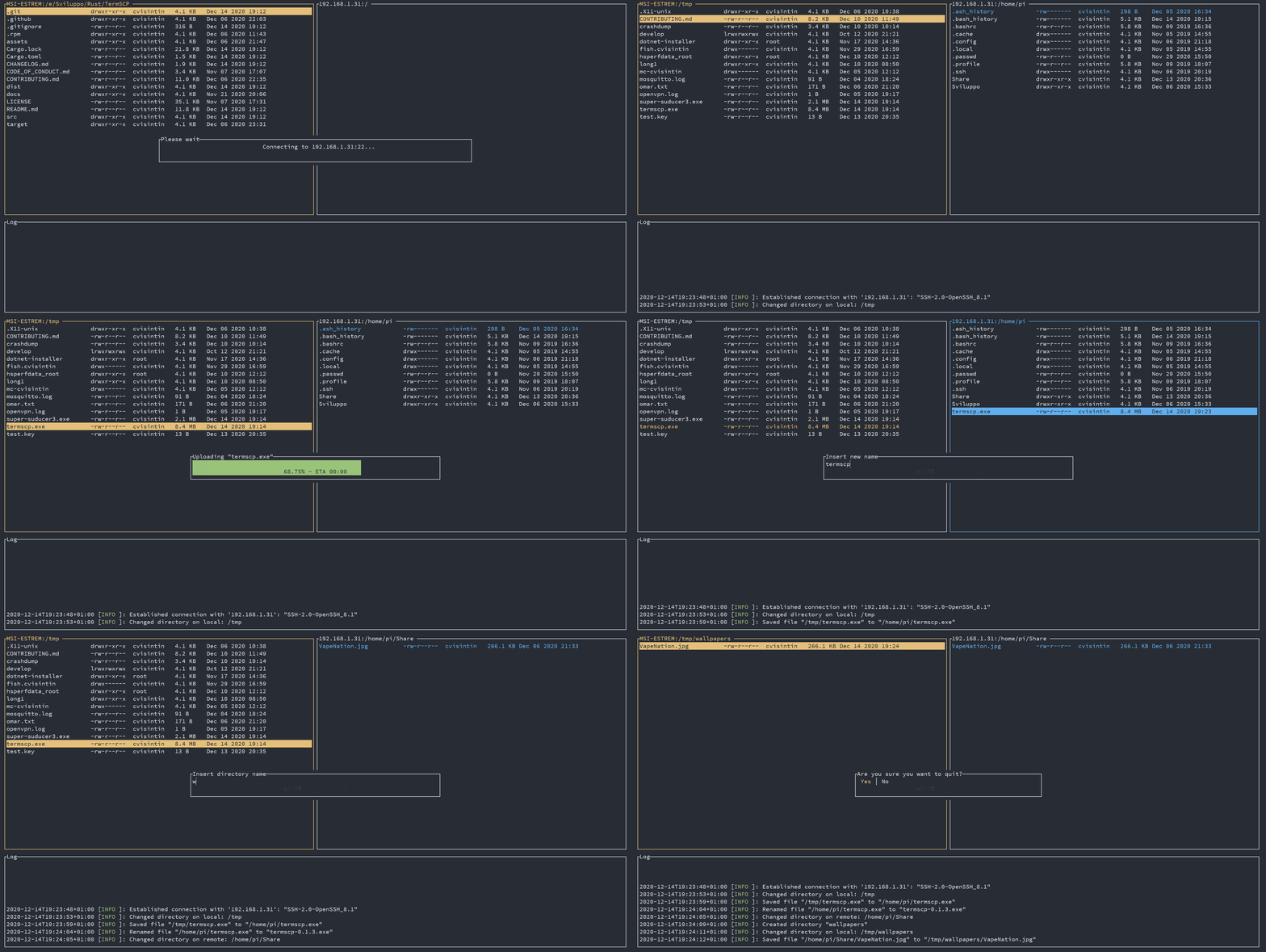
Termscp is a feature rich terminal file transfer and explorer, with support for SCP/SFTP/FTP. So basically is a terminal utility with an TUI to connect to a remote server to retrieve and upload files and to interact with the local file system. It is **Linux**, **MacOS**, **BSD** and **Windows** compatible and supports SFTP, SCP, FTP and FTPS.
---
### Why TermSCP 🤔
It happens quite often to me, when using SCP at work to forget the path of a file on a remote machine, which forces me to connect through SSH, gather the file path and finally download it through SCP. I could use WinSCP, but I use Linux and I pratically use the terminal for everything, so I wanted something like WinSCP on my terminal. Yeah, I know there is midnight commander too, but actually I don't like it very much tbh (and hasn't a decent support for scp).
## Features 🎁
- 📁 Different communication protocols support
- SFTP
- SCP
- FTP and FTPS
- 🐧 Compatible with Windows, Linux, BSD and MacOS
- 🖥 Handy user interface to explore and operate on the remote and on the local machine file system
- Create, remove, rename, search, view and edit files
- ⭐ Bookmarks and recent connections can be saved to access quickly to your favourite hosts
- 📝 Supports text editors to view and edit text files
- 💁 Supports both SFTP/SCP authentication through SSH keys and username/password
- ✏ Customizations
- Custom file explorer format
- Customizable text editor
- Customizable file sorting
- 🔐 SSH key storage
- 🦀 Written in Rust
- 🤝 Easy to extend with new file transfers protocols
- 👀 Developed keeping an eye on performance
- 🦄 Frequent awesome updates
---
## Installation 🛠
If you're considering to install TermSCP I want to thank you 💜 ! I hope you will enjoy TermSCP!
If you want to contribute to this project, don't forget to check out our contribute guide. [Read More](CONTRIBUTING.md)
### Cargo 🦀
```sh
# Install termscp via cargo
cargo install termscp
```
Requirements:
- Linux
- pkg-config
- libssh2
- openssl
### Deb package 📦
Get `deb` package from [HERE](https://github.com/veeso/termscp/releases/latest/download/termscp_0.5.0_amd64.deb)
or run `wget https://github.com/veeso/termscp/releases/latest/download/termscp_0.5.0_amd64.deb`
then install via dpkg:
```sh
dpkg -i termscp_*.deb
# Or even better with gdebi
gdebi termscp_*.deb
```
### RPM package 📦
Get `rpm` package from [HERE](https://github.com/veeso/termscp/releases/latest/download/termscp-0.5.0-1.x86_64.rpm)
or run `wget https://github.com/veeso/termscp/releases/latest/download/termscp-0.5.0-1.x86_64.rpm`
then install via rpm:
```sh
rpm -U termscp_*.rpm
```
### AUR Package 🔼
On Arch Linux based distribution, you can install termscp using for istance [yay](https://github.com/Jguer/yay), which I recommend to install AUR packages.
```sh
yay -S termscp
```
### Chocolatey 🍫
You can install TermSCP on Windows using [chocolatey](https://chocolatey.org/)
Start PowerShell as administrator and run
```ps
choco install termscp
```
Alternatively you can download the ZIP file from [HERE](https://github.com/veeso/termscp/releases/latest/download/termscp.0.5.0.nupkg)
and then with PowerShell started with administrator previleges, run:
```ps
choco install termscp -s .
```
### Brew 🍻
You can install TermSCP on MacOS using [brew](https://brew.sh/)
From your terminal run
```sh
brew install veeso/termscp/termscp
```
---
## User Manual 🎓
[Click here](docs/man.md) to read the user manual!
What you will find:
- CLI options
- Keybindings
- Bookmarks
- Configuration
---
## Documentation 📚
The developer documentation can be found on Rust Docs at
---
## Known issues 🧻
- `NoSuchFileOrDirectory` on connect (WSL): I know about this issue and it's a glitch of WSL I guess. Don't worry about it, just move the termscp executable into another PATH location, such as `/usr/bin`, or install it through the appropriate package format (e.g. deb).
---
## Upcoming Features 🧪
- **Themes provider 🎨**: I'm still thinking about how I will implement this, but basically the idea is to have a configuration file where it will be possible
to define the color schema for the entire application. I haven't planned this release yet
- **Synchronized browsing of local and remote directories ⌚**: See [Issue 8](https://github.com/veeso/termscp/issues/8)
- **Group file select 🤩**: Possibility to select a group of files in explorers to operate on
No other new feature is planned at the moment. I actually think that termscp is getting mature and now I should focus upcoming updates more on bug fixing and code/performance improvements than on new features.
Anyway there are some ideas which I'd like to implement. If you want to start working on them, feel free to open a PR:
- Amazon S3 support
- Samba support
- Themes provider
---
## Contributing and issues 🤝🏻
Contributions, bug reports, new features and questions are welcome! 😉
If you have any question or concern, or you want to suggest a new feature, or you want just want to improve termscp, feel free to open an issue or a PR.
Please follow [our contributing guidelines](CONTRIBUTING.md)
---
## Changelog ⏳
View TermSCP's changelog [HERE](CHANGELOG.md)
---
## Powered by 🚀
TermSCP is powered by these aweseome projects:
- [bytesize](https://github.com/hyunsik/bytesize)
- [crossterm](https://github.com/crossterm-rs/crossterm)
- [edit](https://github.com/milkey-mouse/edit)
- [keyring-rs](https://github.com/hwchen/keyring-rs)
- [rpassword](https://github.com/conradkleinespel/rpassword)
- [rust-ftp](https://github.com/mattnenterprise/rust-ftp)
- [ssh2-rs](https://github.com/alexcrichton/ssh2-rs)
- [textwrap](https://github.com/mgeisler/textwrap)
- [tui-rs](https://github.com/fdehau/tui-rs)
- [tui-realm](https://github.com/veeso/tui-realm)
- [whoami](https://github.com/libcala/whoami)
---
## Gallery 🎬
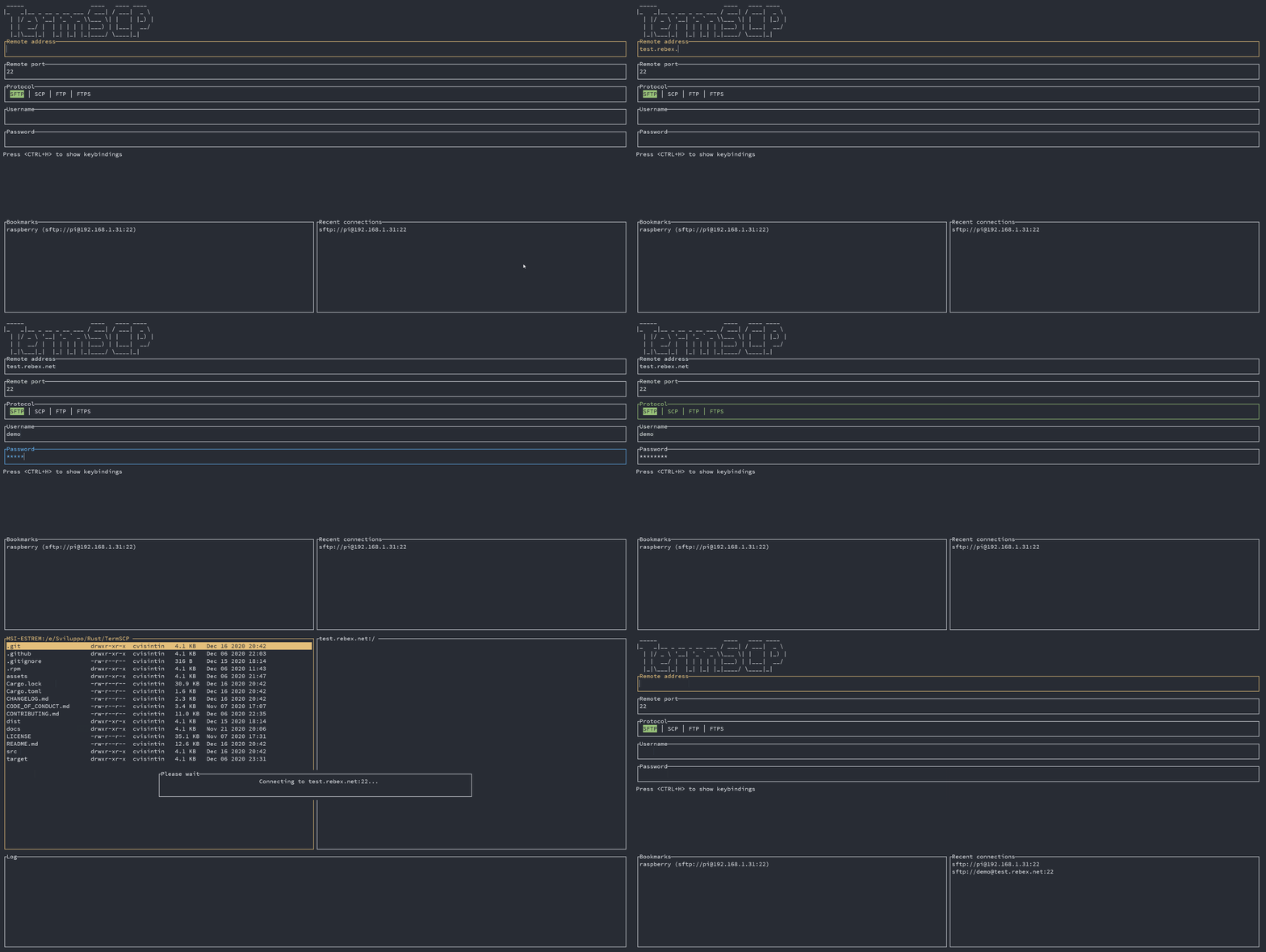
> Termscp Home
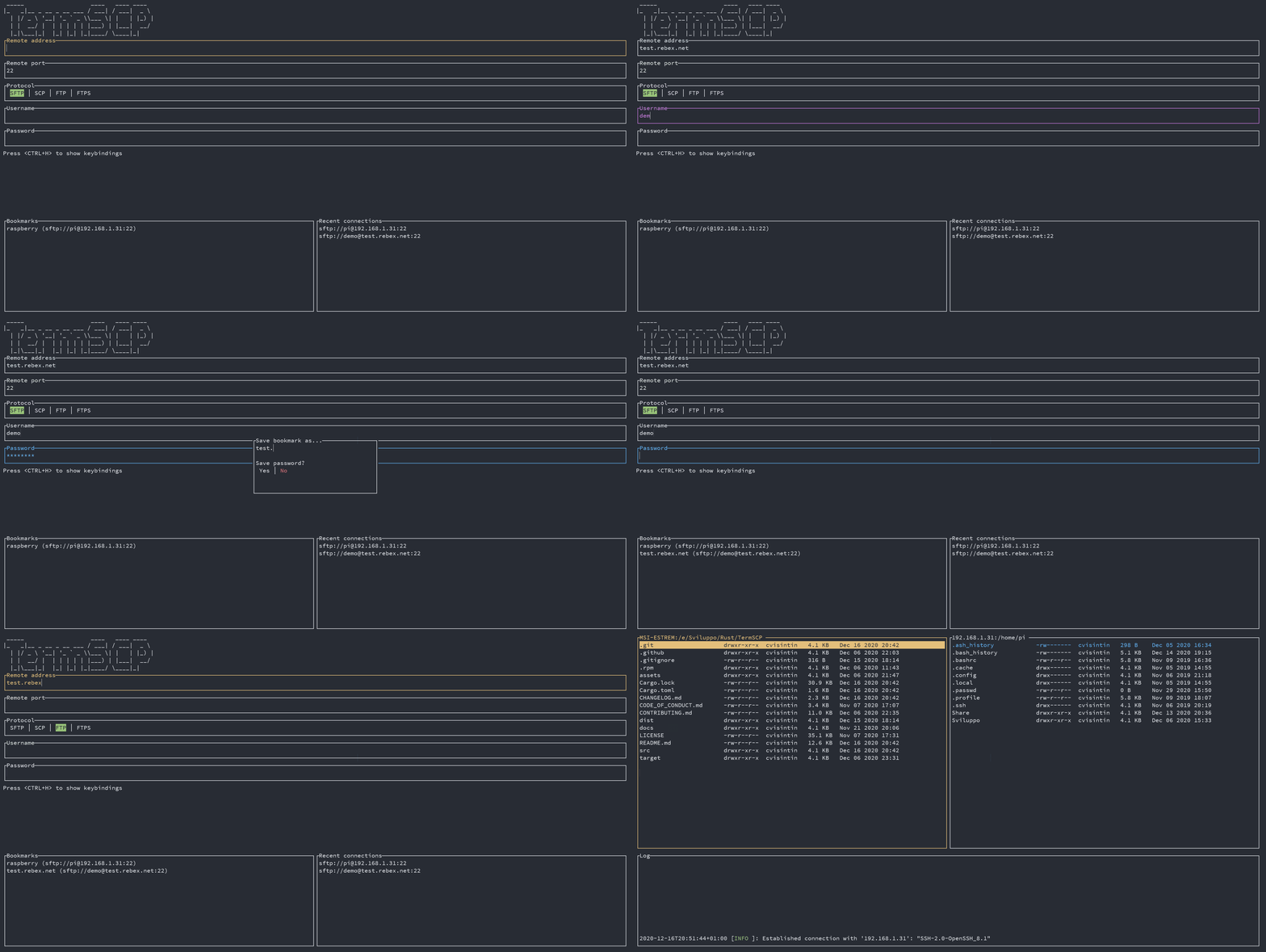
> Bookmarks
> Setup
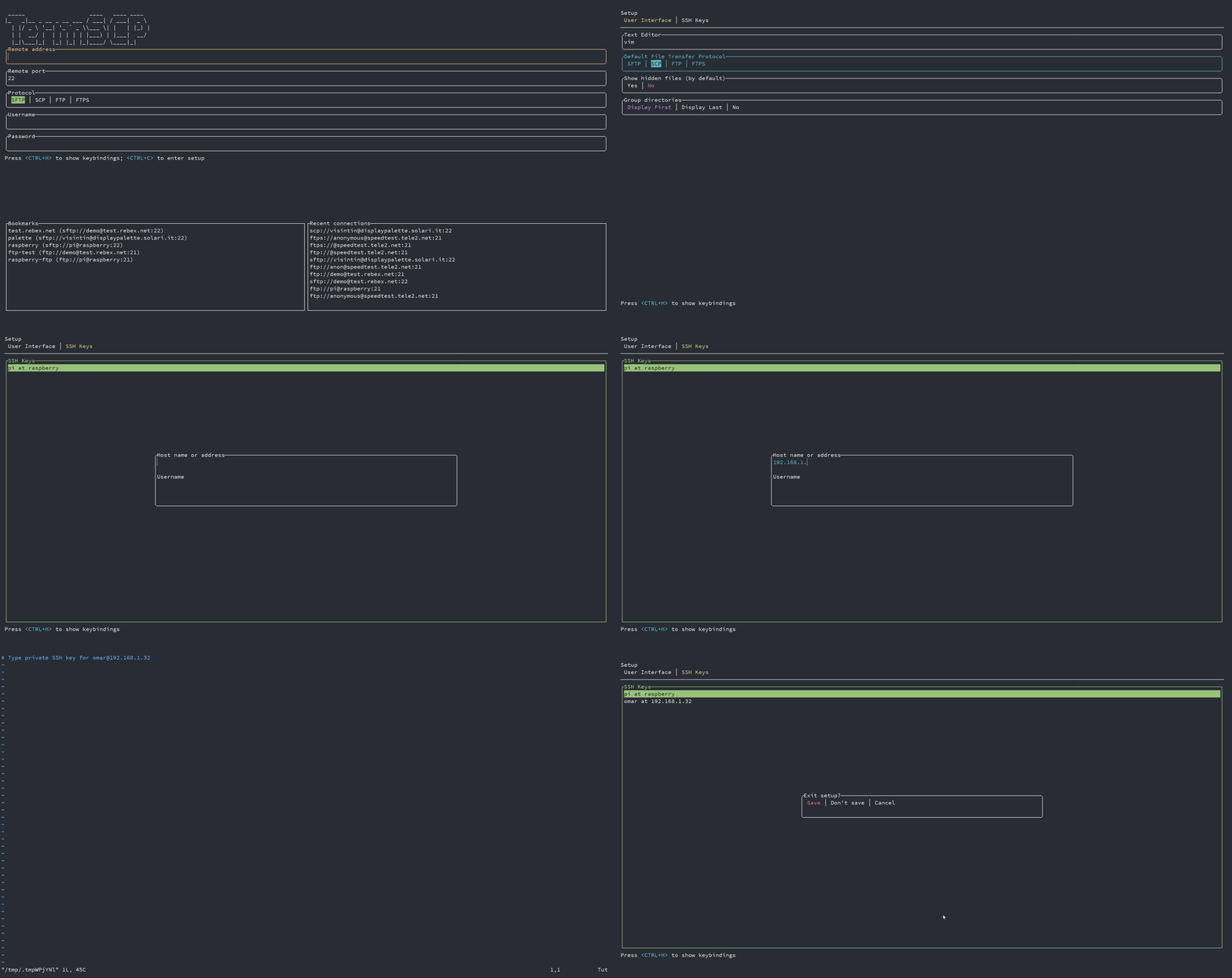
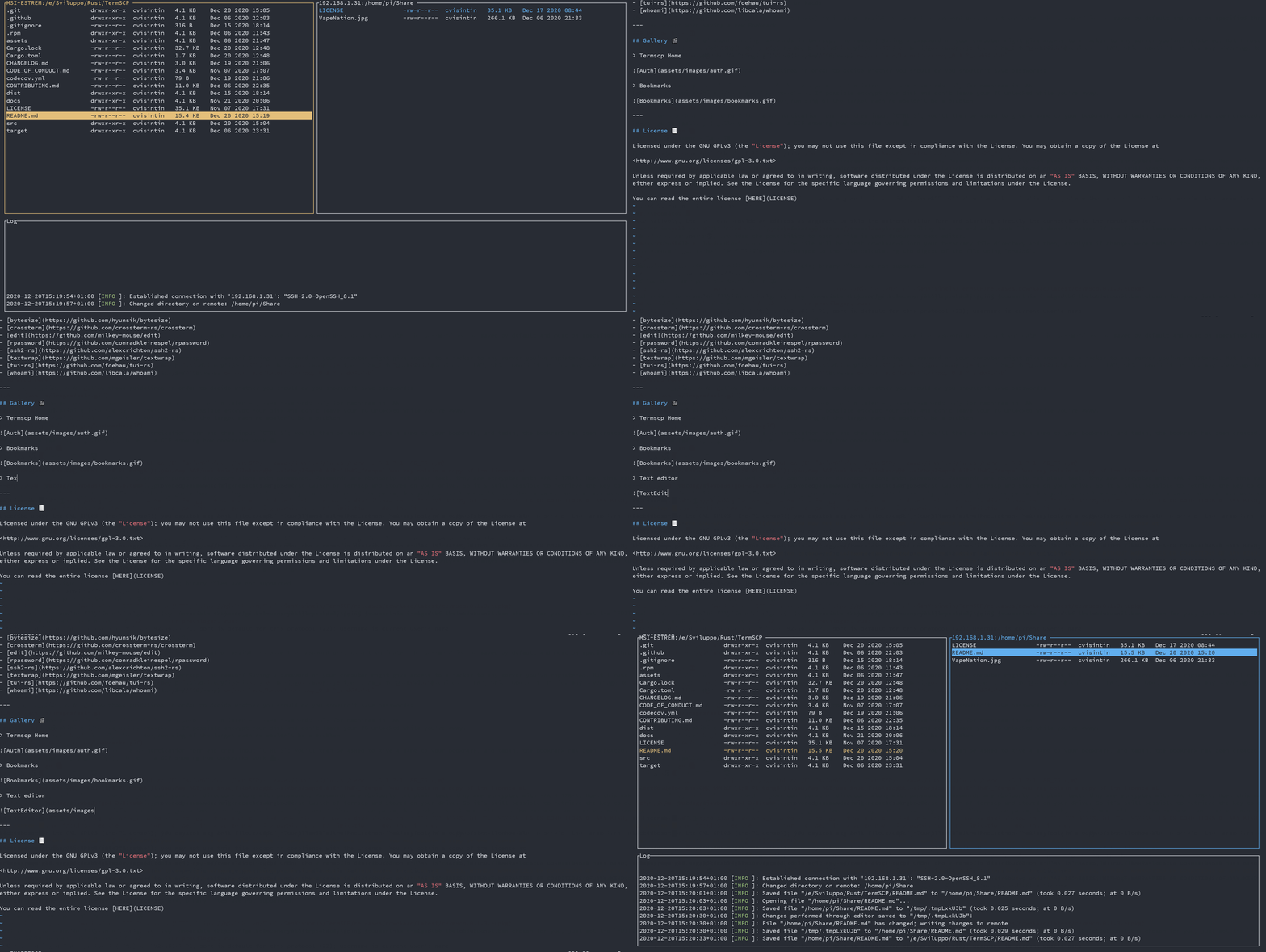
> Text editor
---
## Buy me a coffee ☕
If you like termscp and you'd love to see the project to grow, please consider a little donation 🥳
[](https://www.buymeacoffee.com/veeso)
---
## License 📃
termscp is licensed under the MIT license.
You can read the entire license [HERE](LICENSE)