 Jokob-sk




PiAlert 💻🔍 Network security scanner & notification framework
| 🐳 Docker hub | 📑 Docker guide | 🆕 Release notes | 📚 All Docs |
|---|
📕 Basic Usage
- You will have to run the container on the host network, e.g:
docker run -d --rm --network=host \
  -v local/path/pialert/config:/home/pi/pialert/config \
  -v local/path/pialert/db:/home/pi/pialert/db \
  -e TZ=Europe/Berlin \
  -e PORT=20211 \
  jokobsk/pi.alert:latest
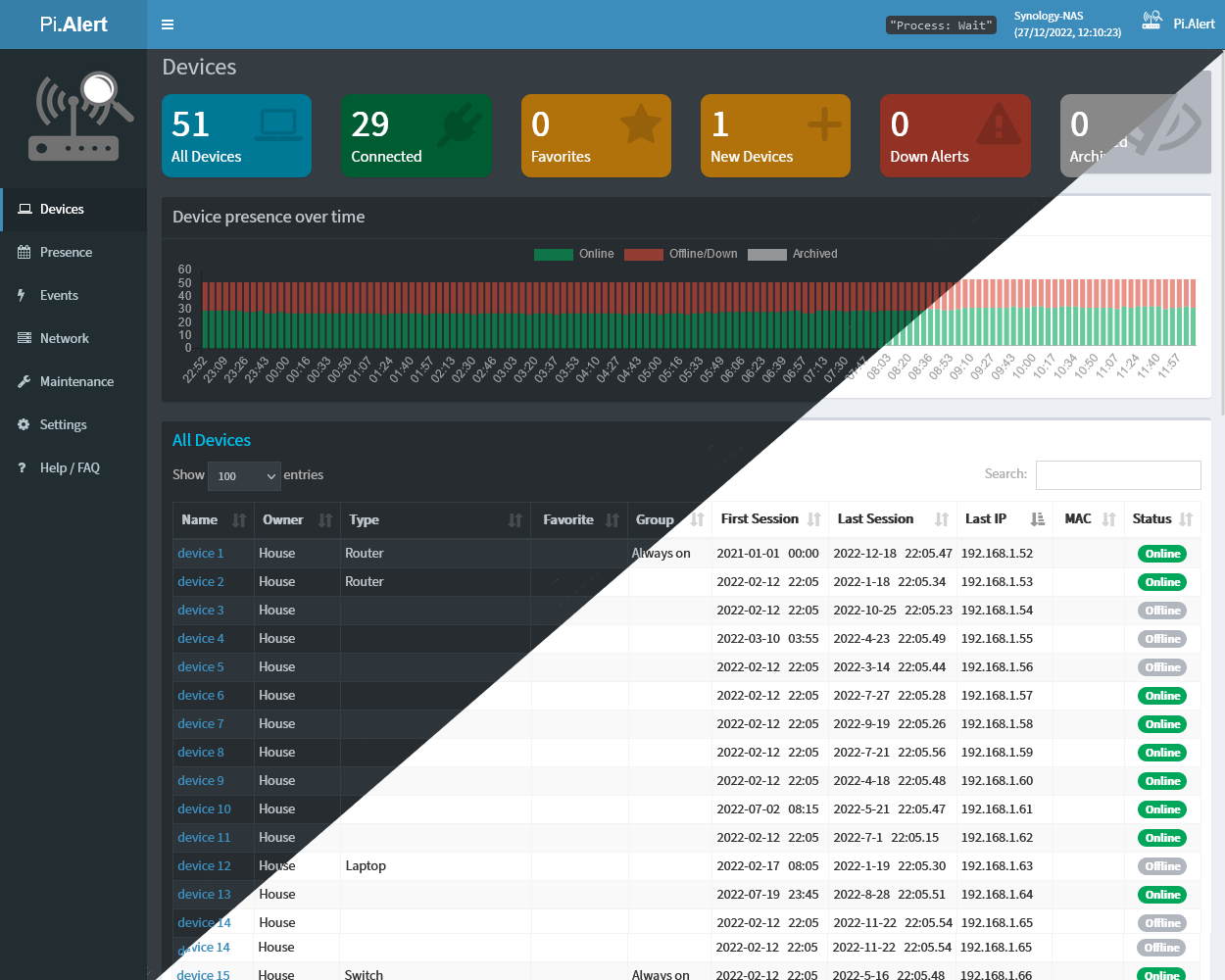
- The initial scan can take up-to 15min (with 50 devices and MQTT). Subsequent ones 3 and 5 minutes so wait that long for all of the scans to run.
Docker environment variables
| Variable | Description | Default |
|---|---|---|
PORT |
Port of the web interface | 20211 |
LISTEN_ADDR |
Set the specific IP Address for the listener address for the nginx webserver (web interface). This could be useful when using multiple subnets to hide the web interface from all untrusted networks. | 0.0.0.0 |
TZ |
Time zone to display stats correctly. Find your time zone here | Europe/Berlin |
HOST_USER_GID |
User ID (UID) to map the user in the container to a server user with sufficient read&write permissions on the mapped files | 1000 |
HOST_USER_ID |
User Group ID (GID) to map the user group in the container to a server user group with sufficient read&write permissions on the mapped files | 1000 |
Docker paths
| Path | Description | |
|---|---|---|
| Required | :/home/pi/pialert/config |
Folder which will contain the pialert.conf file (see below for details) |
| Required | :/home/pi/pialert/db |
Folder which will contain the pialert.db file |
| Optional | :/home/pi/pialert/front/log |
Logs folder useful for debugging if you have issues setting up the container |
| Optional | :/etc/pihole/pihole-FTL.db |
PiHole's pihole-FTL.db database file. Required if you want to use PiHole |
| Optional | :/etc/pihole/dhcp.leases |
PiHole's dhcp.leases file. Required if you want to use PiHole dhcp.leases file. This has to be matched with a corresponding DHCPLSS_paths_to_check setting entry. (the path in the container must contain pihole) |
| Optional | :/home/pi/pialert/front/api |
A simple API endpoint containing static (but regularly updated) json and other files. |
| Optional | :/home/pi/pialert/front/plugins/<plugin>/ignore_plugin |
Map a file ignore_plugin to ignore a plugin. Plugins can be soft-disabled via settings. More in the Plugin docs. |
Config (pialert.conf)
- If unavailable, the app generates a default
pialert.confandpialert.dbfile on the first run. - The preferred way is to manage the configuration via the Settings section in the UI.
- You can modify pialert.conf directly, if needed.
Important settings
These are the most important settings to get at least some output in your Devices screen. Usually, only one approach is used, but you should be able to combine these approaches.
For arp-scan: ARPSCAN_RUN, SCAN_SUBNETS
- ❗ To use the arp-scan method, you need to set the
SCAN_SUBNETSvariable. See the documentation on how to setup SUBNETS, VLANs & limitations
For pihole: PIHOLE_RUN, DHCPLSS_RUN
There are 2 approaches how to get PiHole devices imported. Via the PiHole import (PIHOLE) plugin or DHCP leases (DHCPLSS) plugin.
PiHole (Device sync)
PIHOLE_RUN: You need to map:/etc/pihole/pihole-FTL.dbin thedocker-compose.ymlfile if you enable this setting.
DHCP Leases (Device import)
DHCPLSS_RUN: You need to map:/etc/pihole/dhcp.leasesin thedocker-compose.ymlfile if you enable this setting.- The above setting has to be matched with a corresponding
DHCPLSS_paths_to_checksetting entry (the path in the container must containpiholeas PiHole uses a different format of thedhcp.leasesfile).
Note
It's recommended to use the same schedule interval for all plugins responsible for discovering new devices.
🧭 Community guides
Use the official installation guides at first and use community content as suplementary material. Open an issue if you'd like to add your link to the list 🙏
- 📄 How to Install Pi.Alert on Your Synology NAS - Marius hosting (English) (Updated frequently)
- 📄 시놀/헤놀에서 네트워크 스캐너 Pi.Alert Docker로 설치 및 사용하기 (Korean) (July 2023)
- 📄 网络入侵探测器Pi.Alert (Chinese) (May 2023)
- ▶ Pi.Alert auf Synology & Docker by - Jürgen Barth (German) (March 2023)
- ▶ Top Docker Container for Home Server Security - VirtualizationHowto (English) (March 2023)
- ▶ Pi.Alert or WatchYourLAN can alert you to unknown devices appearing on your WiFi or LAN network - Danie van der Merwe (English) (November 2022)
Ordered by last update time.
Common issues
💡 Before creating a new issue, please check if a similar issue was already resolved.
⚠ Check also common issues and debugging tips.
Note
You can bulk-update devices via the CSV import method.
📄 docker-compose.yml Examples
Example 1
version: "3"
services:
  pialert:
    container_name: pialert
    # use the below line if you want to test the latest dev image
    # image: "jokobsk/pi.alert_dev:latest"
    image: "jokobsk/pi.alert:latest"
    network_mode: "host"
    restart: unless-stopped
    volumes:
      - local/path/pialert/config:/home/pi/pialert/config
      - local/path/pialert/db:/home/pi/pialert/db
      # (optional) useful for debugging if you have issues setting up the container
      - local/path/logs:/home/pi/pialert/front/log
    environment:
      - TZ=Europe/Berlin
      - HOST_USER_ID=1000
      - HOST_USER_GID=1000
      - PORT=20211
To run the container execute: sudo docker-compose up -d
Example 2
Example by SeimuS.
  pialert:
    container_name: PiAlert
    hostname: PiAlert
    privileged: true
    # use the below line if you want to test the latest dev image
    # image: "jokobsk/pi.alert_dev:latest"
    image: jokobsk/pi.alert:latest
    environment:
      - TZ=Europe/Bratislava
    restart: always
    volumes:
      - ./pialert/pialert_db:/home/pi/pialert/db
      - ./pialert/pialert_config:/home/pi/pialert/config
    network_mode: host
To run the container execute: sudo docker-compose up -d
Example 3
docker-compose.yml
version: "3"
services:
  pialert:
    container_name: pialert
    # use the below line if you want to test the latest dev image
    # image: "jokobsk/pi.alert_dev:latest"
    image: "jokobsk/pi.alert:latest"
    network_mode: "host"
    restart: unless-stopped
    volumes:
      - ${APP_DATA_LOCATION}/pialert/config:/home/pi/pialert/config
      - ${APP_DATA_LOCATION}/pialert/db/pialert.db:/home/pi/pialert/db/pialert.db
      # (optional) useful for debugging if you have issues setting up the container
      - ${LOGS_LOCATION}:/home/pi/pialert/front/log
    environment:
      - TZ=${TZ}
      - HOST_USER_ID=${HOST_USER_ID}
      - HOST_USER_GID=${HOST_USER_GID}
      - PORT=${PORT}
.env file
#GLOBAL PATH VARIABLES

APP_DATA_LOCATION=/path/to/docker_appdata
APP_CONFIG_LOCATION=/path/to/docker_config
LOGS_LOCATION=/path/to/docker_logs

#ENVIRONMENT VARIABLES

TZ=Europe/Paris
HOST_USER_ID=1000
HOST_USER_GID=1000
PORT=20211

#DEVELOPMENT VARIABLES

DEV_LOCATION=/path/to/local/source/code
To run the container execute: sudo docker-compose --env-file /path/to/.env up
Example 4
Courtesy of pbek. The volume pialert_db is used by the db directory. The two config files are mounted directly from a local folder to their places in the config folder. You can backup the docker-compose.yaml folder and the docker volumes folder.
  pialert:
    # use the below line if you want to test the latest dev image
    # image: "jokobsk/pi.alert_dev:latest"
    image: jokobsk/pi.alert
    ports:
      - "80:20211/tcp"
    environment:
      - TZ=Europe/Vienna
    networks:
      local:
        ipv4_address: 192.168.1.2
    restart: unless-stopped
    volumes:
      - pialert_db:/home/pi/pialert/db
      - ./pialert/pialert.conf:/home/pi/pialert/config/pialert.conf
🏅 Recognitions
Big thanks to @Macleykun for help and tips&tricks for Dockerfile(s):

❤ Support me
Get:
- Regular updates to keep your data and family safe 🔄
- Better and more functionality➕
- I don't get burned out and the app survives longer🔥🤯
- Quicker and better support with issues 🆘
- Less grumpy me 😄
 |
 |
 |
|---|
- Bitcoin:
1N8tupjeCK12qRVU2XrV17WvKK7LCawyZM - Ethereum:
0x6e2749Cb42F4411bc98501406BdcD82244e3f9C7
📧 Email me at jokob@duck.com if you want to get in touch or if I should add other sponsorship platforms.