




NetAlertX 🖧🔍 Network scanner & notification framework
| 🐳 Docker hub | 📑 Docker guide | 🆕 Release notes | 📚 All Docs | 🔌 Plugins |
|---|
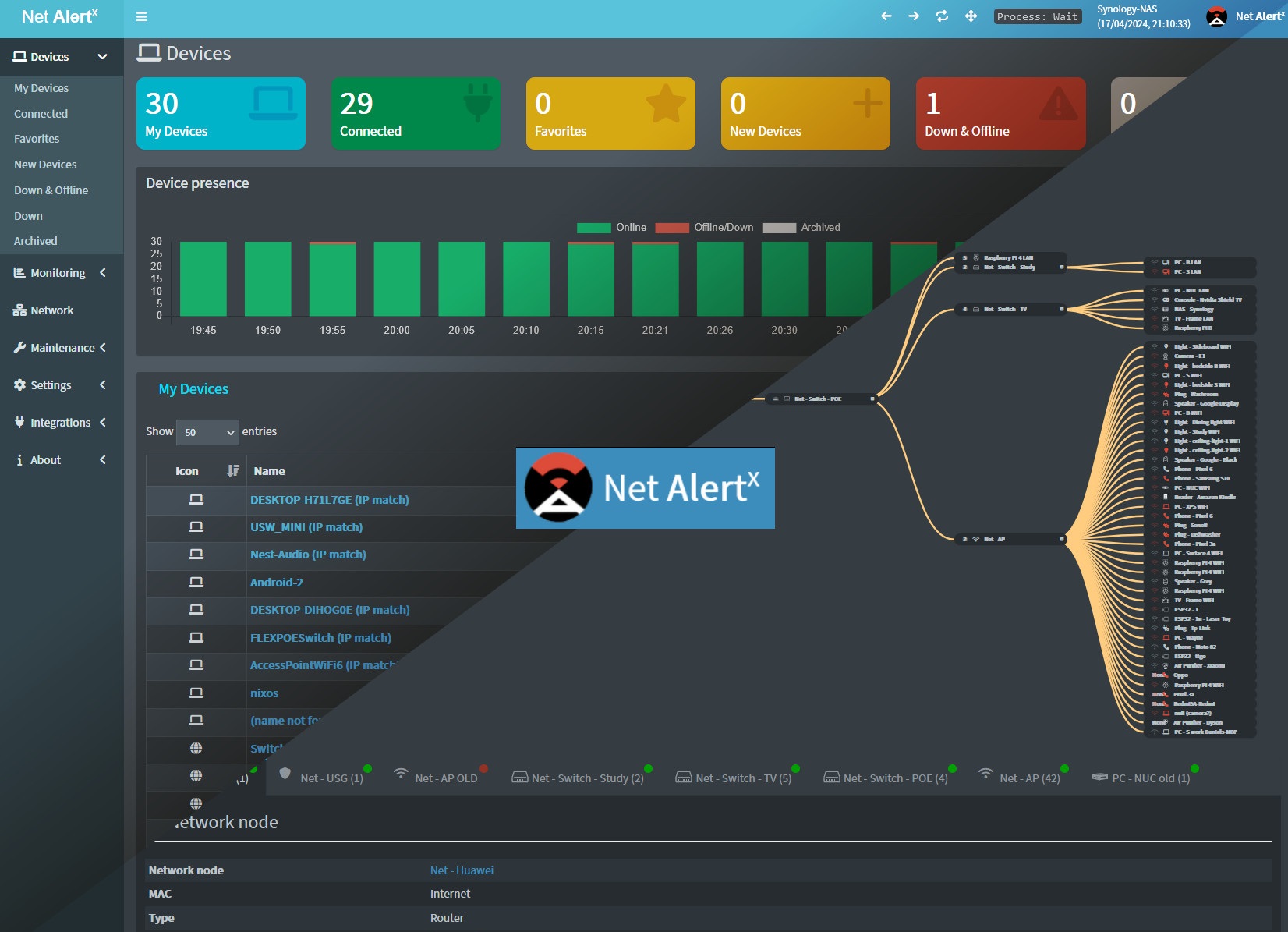
Head to https://netalertx.com/ for more gifs and screenshots 📷.
Note
There is also an experimental 🧪 bare-metal install method available.
📕 Basic Usage
Warning
You will have to run the container on the
hostnetwork and specifySCAN_SUBNETSunless you use other plugin scanners. The initial scan can take a few minutes, so please wait 5-10 minutes for the initial discovery to finish.
docker run -d --rm --network=host \
  -v local_path/config:/app/config \
  -v local_path/db:/app/db \
  --mount type=tmpfs,target=/app/api \
  -e TZ=Europe/Berlin \
  -e PORT=20211 \
  jokobsk/netalertx:latest
See alternative docked-compose examples.
Docker environment variables
| Variable | Description | Default |
|---|---|---|
PORT |
Port of the web interface | 20211 |
LISTEN_ADDR |
Set the specific IP Address for the listener address for the nginx webserver (web interface). This could be useful when using multiple subnets to hide the web interface from all untrusted networks. | 0.0.0.0 |
TZ |
Time zone to display stats correctly. Find your time zone here | Europe/Berlin |
APP_CONF_OVERRIDE |
JSON override for settings, e.g. {"SCAN_SUBNETS":"['192.168.1.0/24 --interface=eth1']","GRAPHQL_PORT":"20212"} |
N/A |
ALWAYS_FRESH_INSTALL |
If true will delete the content of the /db & /config folders. For testing purposes. Can be coupled with watchtower to have an always freshly installed netalertx/netalertx-dev image. |
N/A |
You can override the default GraphQL port setting
GRAPHQL_PORT(set to20212) by using theAPP_CONF_OVERRIDEenv variable.
Docker paths
Note
See also Backup strategies.
| Required | Path | Description |
|---|---|---|
| ✅ | :/app/config |
Folder which will contain the app.conf & devices.csv (read about devices.csv) files |
| ✅ | :/app/db |
Folder which will contain the app.db database file |
:/app/log |
Logs folder useful for debugging if you have issues setting up the container | |
:/app/api |
A simple API endpoint containing static (but regularly updated) json and other files. | |
:/app/front/plugins/<plugin>/ignore_plugin |
Map a file ignore_plugin to ignore a plugin. Plugins can be soft-disabled via settings. More in the Plugin docs. |
|
:/etc/resolv.conf |
Use a custom resolv.conf file for better name resolution. |
Use separate
dbandconfigdirectories, do not nest them.
Initial setup
- If unavailable, the app generates a default
app.confandapp.dbfile on the first run. - The preferred way is to manage the configuration via the Settings section in the UI, if UI is inaccessible you can modify app.conf in the
/app/config/folder directly
Setting up scanners
You have to specify which network(s) should be scanned. This is done by entering subnets that are accessible from the host. If you use the default ARPSCAN plugin, you have to specify at least one valid subnet and interface in the SCAN_SUBNETS setting. See the documentation on How to set up multiple SUBNETS, VLANs and what are limitations for troubleshooting and more advanced scenarios.
If you are running PiHole you can synchronize devices directly. Check the PiHole configuration guide for details.
Note
You can bulk-import devices via the CSV import method.
🧭 Community guides
You can read or watch several community configuration guides in Chinese, Korean, German, or French.
Please note these might be outdated. Rely on official documentation first.
Common issues
💡 Before creating a new issue, please check if a similar issue was already resolved.
⚠ Check also common issues and debugging tips.
❤ Support me
 |
 |
 |
|---|
- Bitcoin:
1N8tupjeCK12qRVU2XrV17WvKK7LCawyZM - Ethereum:
0x6e2749Cb42F4411bc98501406BdcD82244e3f9C7
📧 Email me at jokob@duck.com if you want to get in touch or if I should add other sponsorship platforms.