[](https://github.com/jokob-sk/Pi.Alert/actions/workflows/docker_prod.yml)
[](https://github.com/jokob-sk/Pi.Alert)
[](https://hub.docker.com/r/jokobsk/pi.alert)
[](https://hub.docker.com/r/jokobsk/pi.alert)
[](https://hub.docker.com/r/jokobsk/pi.alert)
# 🐳 A docker image for Pi.Alert
🐳 [Docker hub](https://registry.hub.docker.com/r/jokobsk/pi.alert) | 📄 [Dockerfile](https://github.com/jokob-sk/Pi.Alert/blob/main/Dockerfile) | 📚 [Docker instructions](https://github.com/jokob-sk/Pi.Alert/blob/main//dockerfiles/README.md) | 🆕 [Release notes](https://github.com/jokob-sk/Pi.Alert/releases)
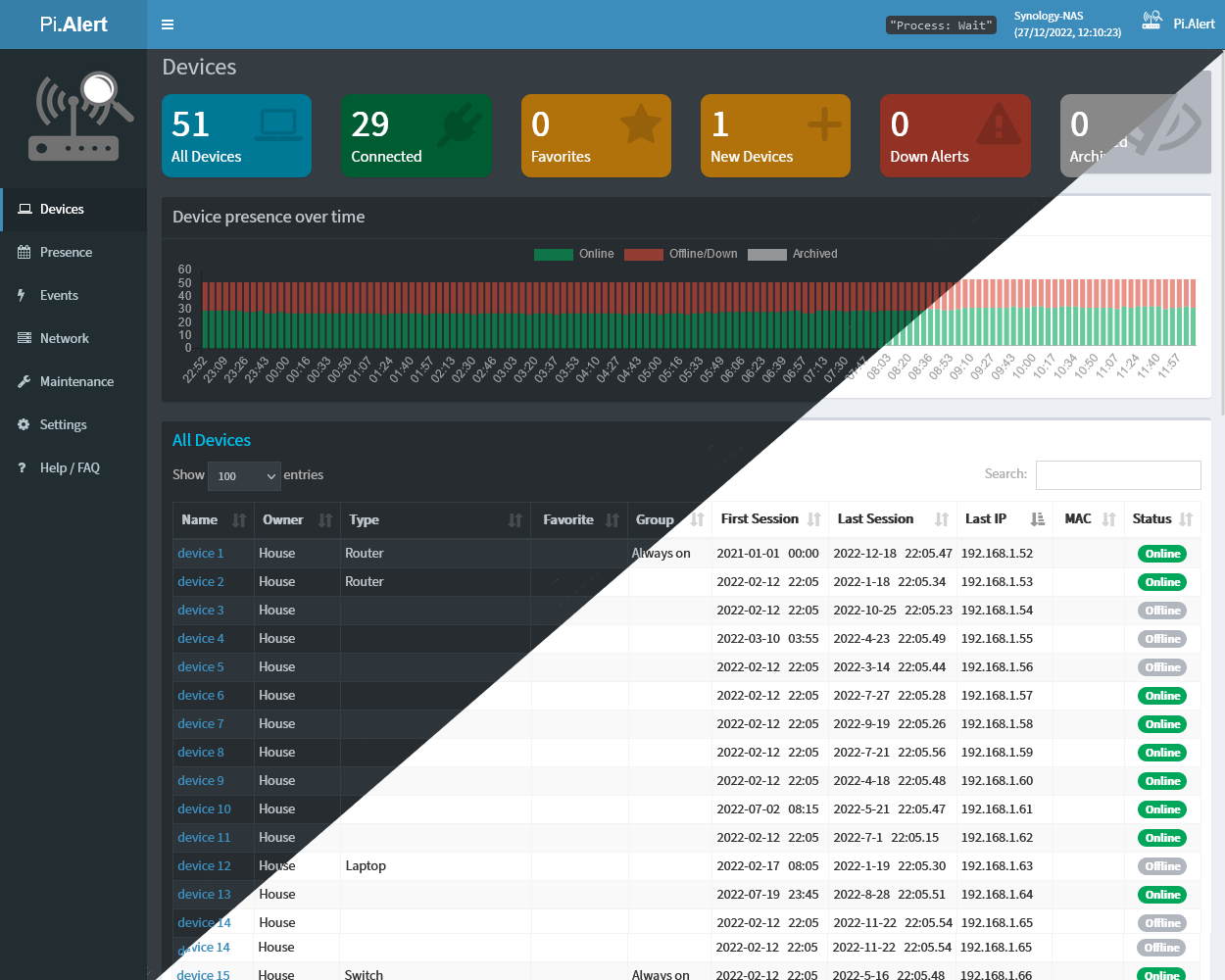
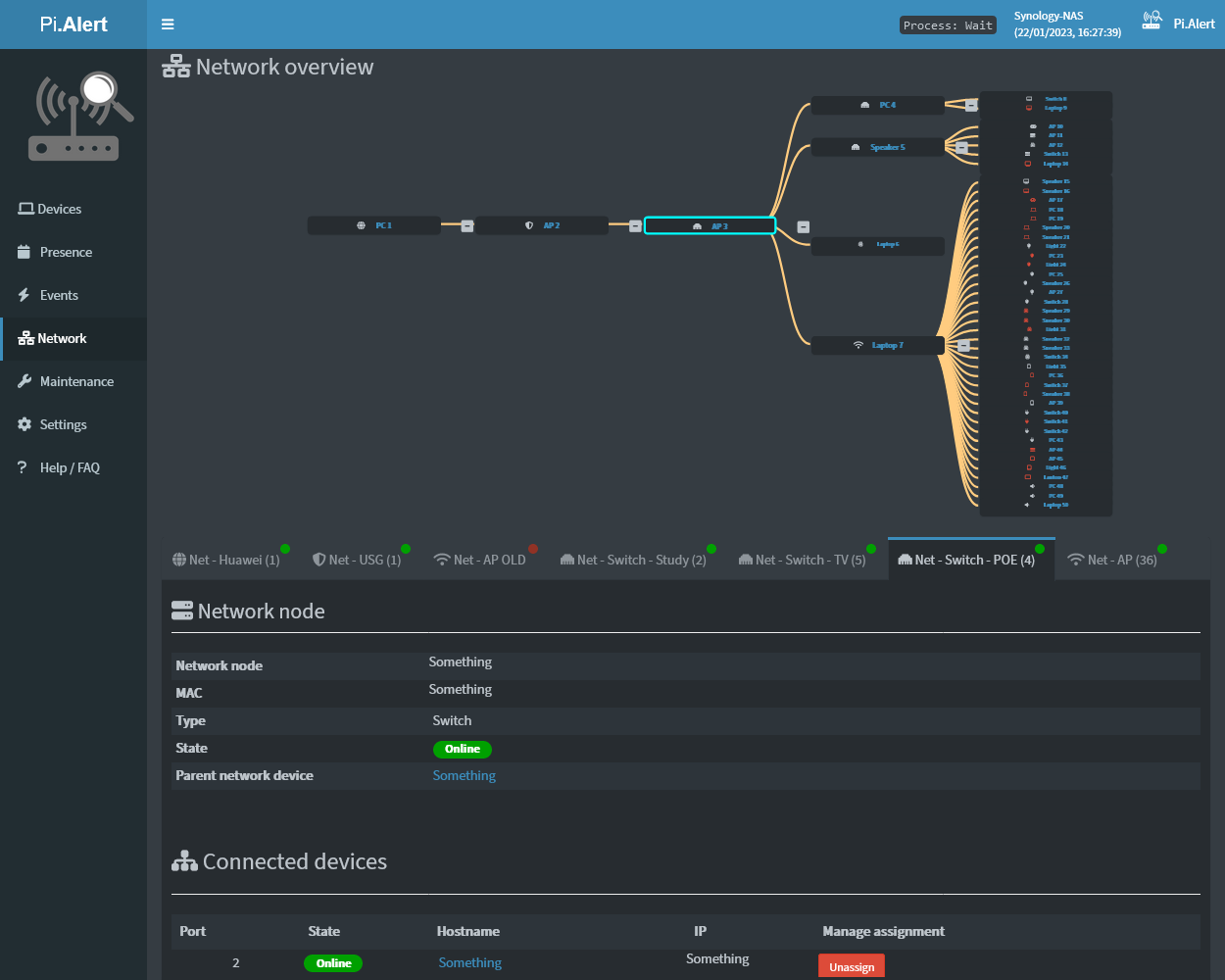 ## 📕 Basic Usage
- You will have to run the container on the host network, e.g:
```yaml
docker run -d --rm --network=host \
-v local/path/pialert/config:/home/pi/pialert/config \
-v local/path/pialert/db:/home/pi/pialert/db \
-e TZ=Europe/Berlin \
-e PORT=20211 \
jokobsk/pi.alert:latest
```
- The initial scan can take up-to 15min (with 50 devices and MQTT). Subsequent ones 3 and 5 minutes so wait that long for all of the scans to run.
### Docker environment variables
| Variable | Description | Default |
| :------------- |:-------------| -----:|
| `PORT` |Port of the web interface | `20211` |
|`TZ` |Time zone to display stats correctly. Find your time zone [here](https://en.wikipedia.org/wiki/List_of_tz_database_time_zones) | `Europe/Berlin` |
|`HOST_USER_GID` |User ID (UID) to map the user in the container to a server user with sufficient read&write permissions on the mapped files | `1000` |
|`HOST_USER_ID` |User Group ID (GID) to map the user group in the container to a server user group with sufficient read&write permissions on the mapped files | `1000` |
### Docker paths
| | Path | Description |
| :------------- | :------------- |:-------------|
| **Required** | `:/home/pi/pialert/config` | Folder which will contain the `pialert.conf` file (see below for details) |
| **Required** | `:/home/pi/pialert/db` | Folder which will contain the `pialert.db` file |
|Optional| `:/home/pi/pialert/front/log` | Logs folder useful for debugging if you have issues setting up the container |
|Optional| `:/etc/pihole/pihole-FTL.db` | PiHole's `pihole-FTL.db` database file. Required if you want to use PiHole |
|Optional| `:/etc/pihole/dhcp.leases` | PiHole's `dhcp.leases` file. Required if you want to use PiHole |
|Optional| `:/home/pi/pialert/front/api` | A simple [API endpoint](https://github.com/jokob-sk/Pi.Alert/blob/main/docs/API.md) containing static (but regularly updated) json and other files. |
### Config (`pialert.conf`)
- Modify [pialert.conf](https://github.com/jokob-sk/Pi.Alert/tree/main/config) or manage the configuration via Settings.
- ❗ Set the `SCAN_SUBNETS` variable.
* The adapter will probably be `eth0` or `eth1`. (Run `iwconfig` to find your interface name(s))
* Specify the network filter (which **significantly** speeds up the scan process). For example, the filter `192.168.1.0/24` covers IP ranges 192.168.1.0 to 192.168.1.255.
* Examples for one and two subnets (❗ Note the `['...', '...']` format):
* One subnet: `SCAN_SUBNETS = ['192.168.1.0/24 --interface=eth0']`
* Two subnets: `SCAN_SUBNETS = ['192.168.1.0/24 --interface=eth0', '192.168.1.0/24 --interface=eth1']`
### 🛑 **Common issues**
💡 Before creating a new issue, please check if a similar issue was [already resolved](https://github.com/jokob-sk/Pi.Alert/issues?q=is%3Aissue+is%3Aclosed).
**Permissions**
* If facing issues (AJAX errors, can't write to DB, empty screen, etc,) make sure permissions are set correctly, and check the logs under `/home/pi/pialert/front/log`.
* To solve permission issues you can also try to create a DB backup and then run a DB Restore via the **Maintenance > Backup/Restore** section.
* You can try also setting the owner and group of the `pialert.db` by executing the following on the host system: `docker exec pialert chown -R www-data:www-data /home/pi/pialert/db/pialert.db`.
* Map to local User and Group IDs. Specify the enviroment variables `HOST_USER_ID` and `HOST_USER_GID` if needed.
* Map the pialert.db file (⚠ not folder) to `:/home/pi/pialert/db/pialert.db` (see Examples below for details)
**Container restarts / crashes**
* Check the logs for details. Often a required setting for a notification method is missing.
**unable to resolve host**
* Check that your `SCAN_SUBNETS` variable is using the correct mask and `--interface` as outlined in the instructions above.
Docker-compose examples can be found below.
## 📄 Examples
### Example 1
```yaml
version: "3"
services:
pialert:
container_name: pialert
image: "jokobsk/pi.alert:latest"
network_mode: "host"
restart: unless-stopped
volumes:
- local/path/pialert/config:/home/pi/pialert/config
- local/path/pialert/db:/home/pi/pialert/db
# (optional) useful for debugging if you have issues setting up the container
- local/path/logs:/home/pi/pialert/front/log
environment:
- TZ=Europe/Berlin
- HOST_USER_ID=1000
- HOST_USER_GID=1000
- PORT=20211
```
To run the container execute: `sudo docker-compose up -d`
### Example 2
`docker-compose.yml`
```yaml
version: "3"
services:
pialert:
container_name: pialert
image: "jokobsk/pi.alert:latest"
network_mode: "host"
restart: unless-stopped
volumes:
- ${APP_DATA_LOCATION}/pialert/config:/home/pi/pialert/config
- ${APP_DATA_LOCATION}/pialert/db/pialert.db:/home/pi/pialert/db/pialert.db
# (optional) useful for debugging if you have issues setting up the container
- ${LOGS_LOCATION}:/home/pi/pialert/front/log
environment:
- TZ=${TZ}
- HOST_USER_ID=${HOST_USER_ID}
- HOST_USER_GID=${HOST_USER_GID}
- PORT=${PORT}
```
`.env` file
```yaml
#GLOBAL PATH VARIABLES
APP_DATA_LOCATION=/path/to/docker_appdata
APP_CONFIG_LOCATION=/path/to/docker_config
LOGS_LOCATION=/path/to/docker_logs
#ENVIRONMENT VARIABLES
TZ=Europe/Paris
HOST_USER_ID=1000
HOST_USER_GID=1000
PORT=20211
#DEVELOPMENT VARIABLES
DEV_LOCATION=/path/to/local/source/code
```
To run the container execute: `sudo docker-compose --env-file /path/to/.env up`
### Example 3
Courtesy of [pbek](https://github.com/pbek). The volume `pialert_db` is used by the db directory. The two config files are mounted directly from a local folder to their places in the config folder. You can backup the `docker-compose.yaml` folder and the docker volumes folder.
```yaml
pialert:
image: jokobsk/pi.alert
ports:
- "80:20211/tcp"
environment:
- TZ=Europe/Vienna
networks:
local:
ipv4_address: 192.168.1.2
restart: unless-stopped
volumes:
- pialert_db:/home/pi/pialert/db
- ./pialert/pialert.conf:/home/pi/pialert/config/pialert.conf
```
## 🏅 Recognitions
Big thanks to @Macleykun for help and tips&tricks for Dockerfile(s):
## 📕 Basic Usage
- You will have to run the container on the host network, e.g:
```yaml
docker run -d --rm --network=host \
-v local/path/pialert/config:/home/pi/pialert/config \
-v local/path/pialert/db:/home/pi/pialert/db \
-e TZ=Europe/Berlin \
-e PORT=20211 \
jokobsk/pi.alert:latest
```
- The initial scan can take up-to 15min (with 50 devices and MQTT). Subsequent ones 3 and 5 minutes so wait that long for all of the scans to run.
### Docker environment variables
| Variable | Description | Default |
| :------------- |:-------------| -----:|
| `PORT` |Port of the web interface | `20211` |
|`TZ` |Time zone to display stats correctly. Find your time zone [here](https://en.wikipedia.org/wiki/List_of_tz_database_time_zones) | `Europe/Berlin` |
|`HOST_USER_GID` |User ID (UID) to map the user in the container to a server user with sufficient read&write permissions on the mapped files | `1000` |
|`HOST_USER_ID` |User Group ID (GID) to map the user group in the container to a server user group with sufficient read&write permissions on the mapped files | `1000` |
### Docker paths
| | Path | Description |
| :------------- | :------------- |:-------------|
| **Required** | `:/home/pi/pialert/config` | Folder which will contain the `pialert.conf` file (see below for details) |
| **Required** | `:/home/pi/pialert/db` | Folder which will contain the `pialert.db` file |
|Optional| `:/home/pi/pialert/front/log` | Logs folder useful for debugging if you have issues setting up the container |
|Optional| `:/etc/pihole/pihole-FTL.db` | PiHole's `pihole-FTL.db` database file. Required if you want to use PiHole |
|Optional| `:/etc/pihole/dhcp.leases` | PiHole's `dhcp.leases` file. Required if you want to use PiHole |
|Optional| `:/home/pi/pialert/front/api` | A simple [API endpoint](https://github.com/jokob-sk/Pi.Alert/blob/main/docs/API.md) containing static (but regularly updated) json and other files. |
### Config (`pialert.conf`)
- Modify [pialert.conf](https://github.com/jokob-sk/Pi.Alert/tree/main/config) or manage the configuration via Settings.
- ❗ Set the `SCAN_SUBNETS` variable.
* The adapter will probably be `eth0` or `eth1`. (Run `iwconfig` to find your interface name(s))
* Specify the network filter (which **significantly** speeds up the scan process). For example, the filter `192.168.1.0/24` covers IP ranges 192.168.1.0 to 192.168.1.255.
* Examples for one and two subnets (❗ Note the `['...', '...']` format):
* One subnet: `SCAN_SUBNETS = ['192.168.1.0/24 --interface=eth0']`
* Two subnets: `SCAN_SUBNETS = ['192.168.1.0/24 --interface=eth0', '192.168.1.0/24 --interface=eth1']`
### 🛑 **Common issues**
💡 Before creating a new issue, please check if a similar issue was [already resolved](https://github.com/jokob-sk/Pi.Alert/issues?q=is%3Aissue+is%3Aclosed).
**Permissions**
* If facing issues (AJAX errors, can't write to DB, empty screen, etc,) make sure permissions are set correctly, and check the logs under `/home/pi/pialert/front/log`.
* To solve permission issues you can also try to create a DB backup and then run a DB Restore via the **Maintenance > Backup/Restore** section.
* You can try also setting the owner and group of the `pialert.db` by executing the following on the host system: `docker exec pialert chown -R www-data:www-data /home/pi/pialert/db/pialert.db`.
* Map to local User and Group IDs. Specify the enviroment variables `HOST_USER_ID` and `HOST_USER_GID` if needed.
* Map the pialert.db file (⚠ not folder) to `:/home/pi/pialert/db/pialert.db` (see Examples below for details)
**Container restarts / crashes**
* Check the logs for details. Often a required setting for a notification method is missing.
**unable to resolve host**
* Check that your `SCAN_SUBNETS` variable is using the correct mask and `--interface` as outlined in the instructions above.
Docker-compose examples can be found below.
## 📄 Examples
### Example 1
```yaml
version: "3"
services:
pialert:
container_name: pialert
image: "jokobsk/pi.alert:latest"
network_mode: "host"
restart: unless-stopped
volumes:
- local/path/pialert/config:/home/pi/pialert/config
- local/path/pialert/db:/home/pi/pialert/db
# (optional) useful for debugging if you have issues setting up the container
- local/path/logs:/home/pi/pialert/front/log
environment:
- TZ=Europe/Berlin
- HOST_USER_ID=1000
- HOST_USER_GID=1000
- PORT=20211
```
To run the container execute: `sudo docker-compose up -d`
### Example 2
`docker-compose.yml`
```yaml
version: "3"
services:
pialert:
container_name: pialert
image: "jokobsk/pi.alert:latest"
network_mode: "host"
restart: unless-stopped
volumes:
- ${APP_DATA_LOCATION}/pialert/config:/home/pi/pialert/config
- ${APP_DATA_LOCATION}/pialert/db/pialert.db:/home/pi/pialert/db/pialert.db
# (optional) useful for debugging if you have issues setting up the container
- ${LOGS_LOCATION}:/home/pi/pialert/front/log
environment:
- TZ=${TZ}
- HOST_USER_ID=${HOST_USER_ID}
- HOST_USER_GID=${HOST_USER_GID}
- PORT=${PORT}
```
`.env` file
```yaml
#GLOBAL PATH VARIABLES
APP_DATA_LOCATION=/path/to/docker_appdata
APP_CONFIG_LOCATION=/path/to/docker_config
LOGS_LOCATION=/path/to/docker_logs
#ENVIRONMENT VARIABLES
TZ=Europe/Paris
HOST_USER_ID=1000
HOST_USER_GID=1000
PORT=20211
#DEVELOPMENT VARIABLES
DEV_LOCATION=/path/to/local/source/code
```
To run the container execute: `sudo docker-compose --env-file /path/to/.env up`
### Example 3
Courtesy of [pbek](https://github.com/pbek). The volume `pialert_db` is used by the db directory. The two config files are mounted directly from a local folder to their places in the config folder. You can backup the `docker-compose.yaml` folder and the docker volumes folder.
```yaml
pialert:
image: jokobsk/pi.alert
ports:
- "80:20211/tcp"
environment:
- TZ=Europe/Vienna
networks:
local:
ipv4_address: 192.168.1.2
restart: unless-stopped
volumes:
- pialert_db:/home/pi/pialert/db
- ./pialert/pialert.conf:/home/pi/pialert/config/pialert.conf
```
## 🏅 Recognitions
Big thanks to @Macleykun for help and tips&tricks for Dockerfile(s):
 ## ☕ Support me
Disclaimer: Please only donate if you don't have any debt yourself. Support yourself first, then others.
## ☕ Support me
Disclaimer: Please only donate if you don't have any debt yourself. Support yourself first, then others.


 BTC: 1N8tupjeCK12qRVU2XrV17WvKK7LCawyZM